











9 NEW Updates to Parts & Features: What’s New in SOLIDWORKS 2024?

Written by: Terry O'Reilly
Published: Nov 6, 2023
| View All Blogs
SOLIDWORKS continues to push the boundaries of innovation with the latest release of SOLIDWORKS 2024.
This version introduces several exciting new features and enhancements, catering to the needs of designers, engineers, and manufacturers.
Over the next few months, we’ll be highlighting the latest updates and improvements to all the different areas of SOLIDWORKS in a series of blogs.
We previously brought you the Top 10 Best New Features of SOLIDWORKS 2024, but in this blog post, we’ll delve deeper and focus on more of the new features and updates coming to part modelling in SOLIDWORKS 2024.
#1 – SAVE SOLIDWORKS FILES AS PREVIOUS VERSIONS
SOLIDWORKS 2024 comes with a particularly handy enhancement that allows users to save files in a native format for a previous release of SOLIDWORKS, going back up to two years.
This feature is incredibly useful for collaborating with colleagues or clients who may still be using older versions of the software. It ensures compatibility and smooth workflows when dealing with legacy projects.
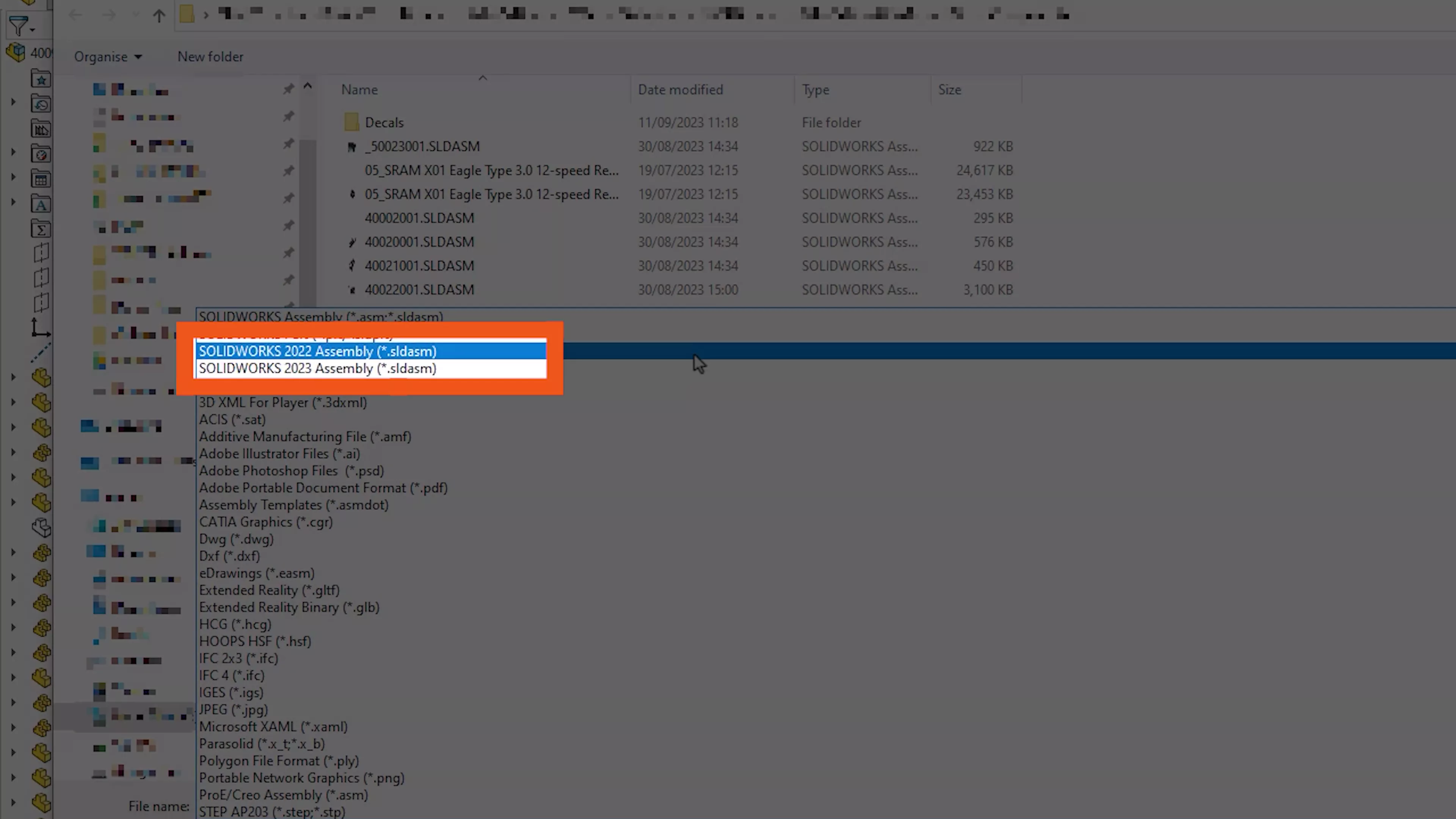
Providing you have an active SOLIDWORKS subscription (and are not using features that don’t exist in previous versions), then you’ll be able to save SOLIDWORKS 2024 files as SOLIDWORKS 2023 or SOLIDWORKS 2022 files with full compatibility.
#2 – FLIP CUT REVOLVE DIRECTION
The Cut Revolve tool has received an upgrade in SOLIDWORKS 2024. Users can now flip the side to cut, providing more flexibility when working with sketch features.
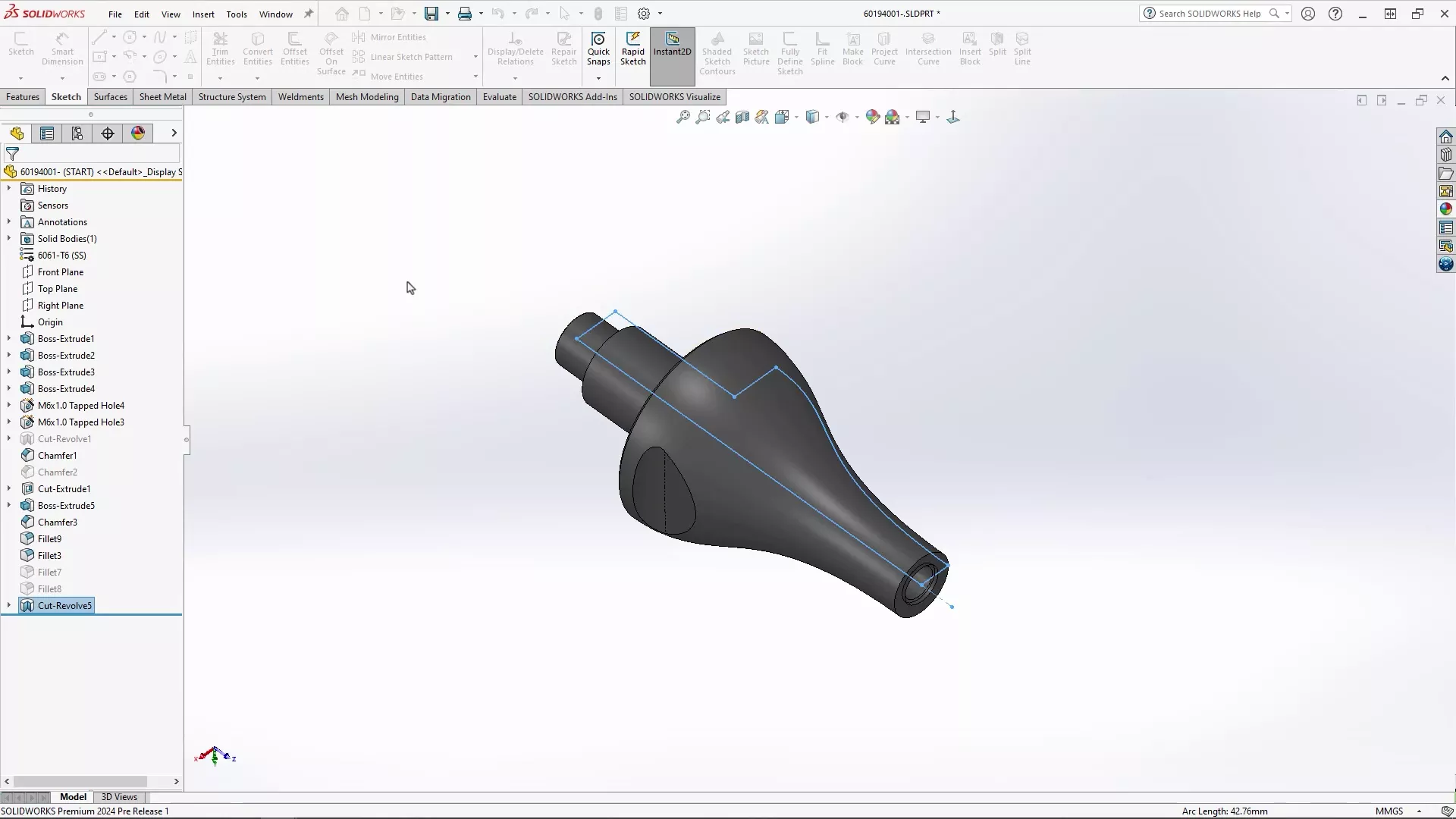
This enhancement simplifies the design process and allows for greater creative control over your models, particularly in complex geometric designs.
#3 – CYLINDRICAL BOUNDING BOXES
For fabricators and those working with rotational, circular, or turned parts, SOLIDWORKS 2024 introduces a helpful new feature.

Cylindrical bounding boxes are now available, alongside the traditional rectangular ones.
This new feature is a game-changer, enabling designers to calculate the bar stock required for manufacturing accurately.
Ease some of those pains when looking to improve your efficiency and enhance precision in the design and production processes with SOLIDWORKS 2024.
#4 – PREVIEW DIMENSIONS
You can now preview dimensions by simply selecting an entity.
This seemingly minor addition could have a significant influence on your productivity.
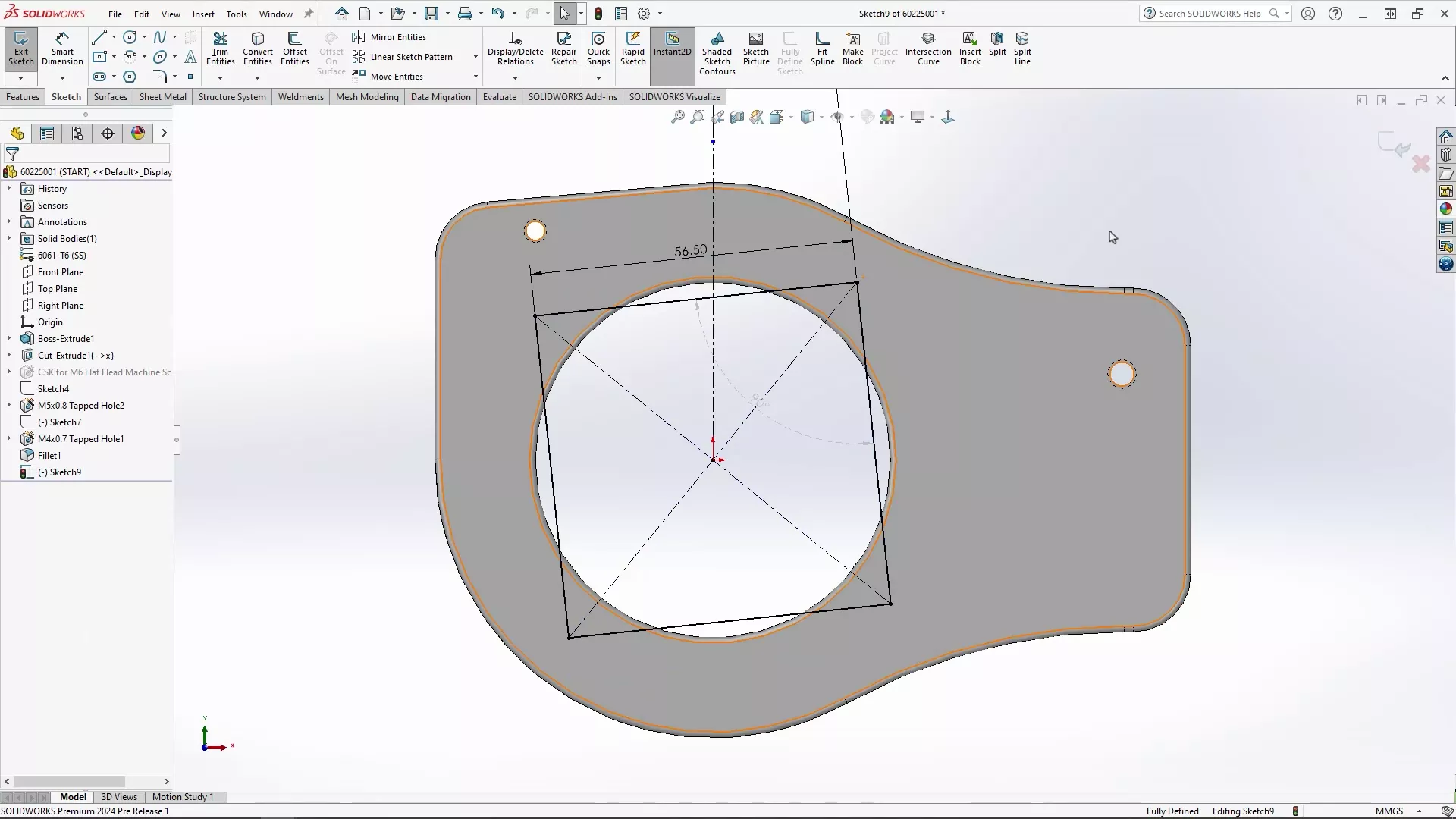
You no longer need to initiate the smart dimension command, streamlining the dimensioning process and making it more intuitive, with immediate, fingertip control over dimensions.
#5 – HOLE WIZARD ENHANCEMENT
It’s been a while since the dependable Hole Wizard saw a substantial enhancement, but in SOLIDWORKS 2024, the Hole Wizard does get an exciting upgrade!
Users can now use existing 2D sketches to position holes quickly.
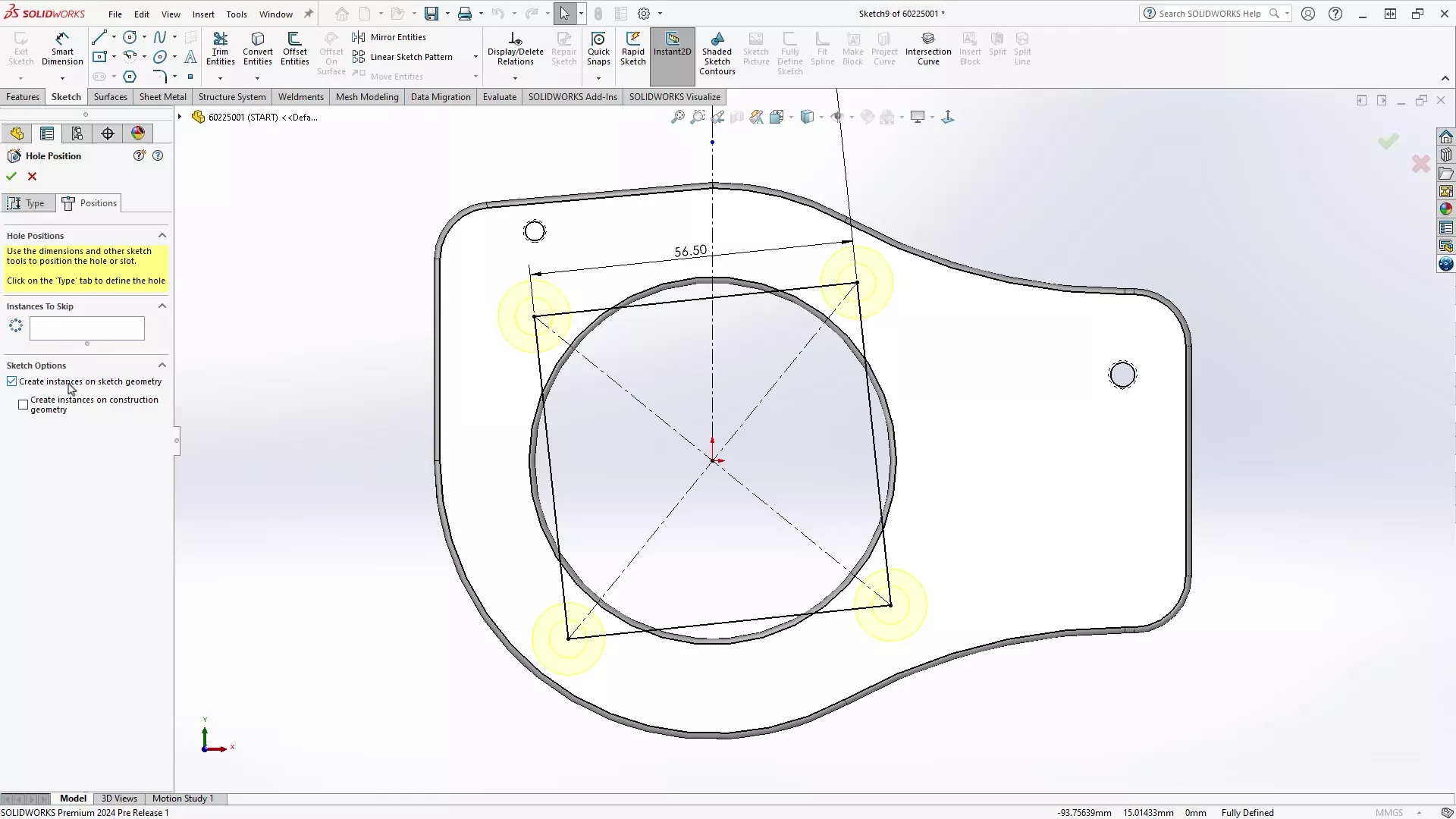
It’s great to see this oft-requested feature included in the latest version as it will be a huge time-saver, simplifying the hole creation process and reducing repetitive modelling processes.
Success Stories
Learn how Antobot successfully implement SOLIDWORKS to design AI-powered ant robots for the agricultural industry to enrich the sustainability of the industry.
#6 – MULTI-BODY PART CREATION
SOLIDWORKS 2024 empowers users with the ability to create multi-body parts from assemblies.
While there have been a few ways to create multi-body parts from assemblies, this feature provides greater control over what is imported and, crucially, maintains the link to the original assembly.
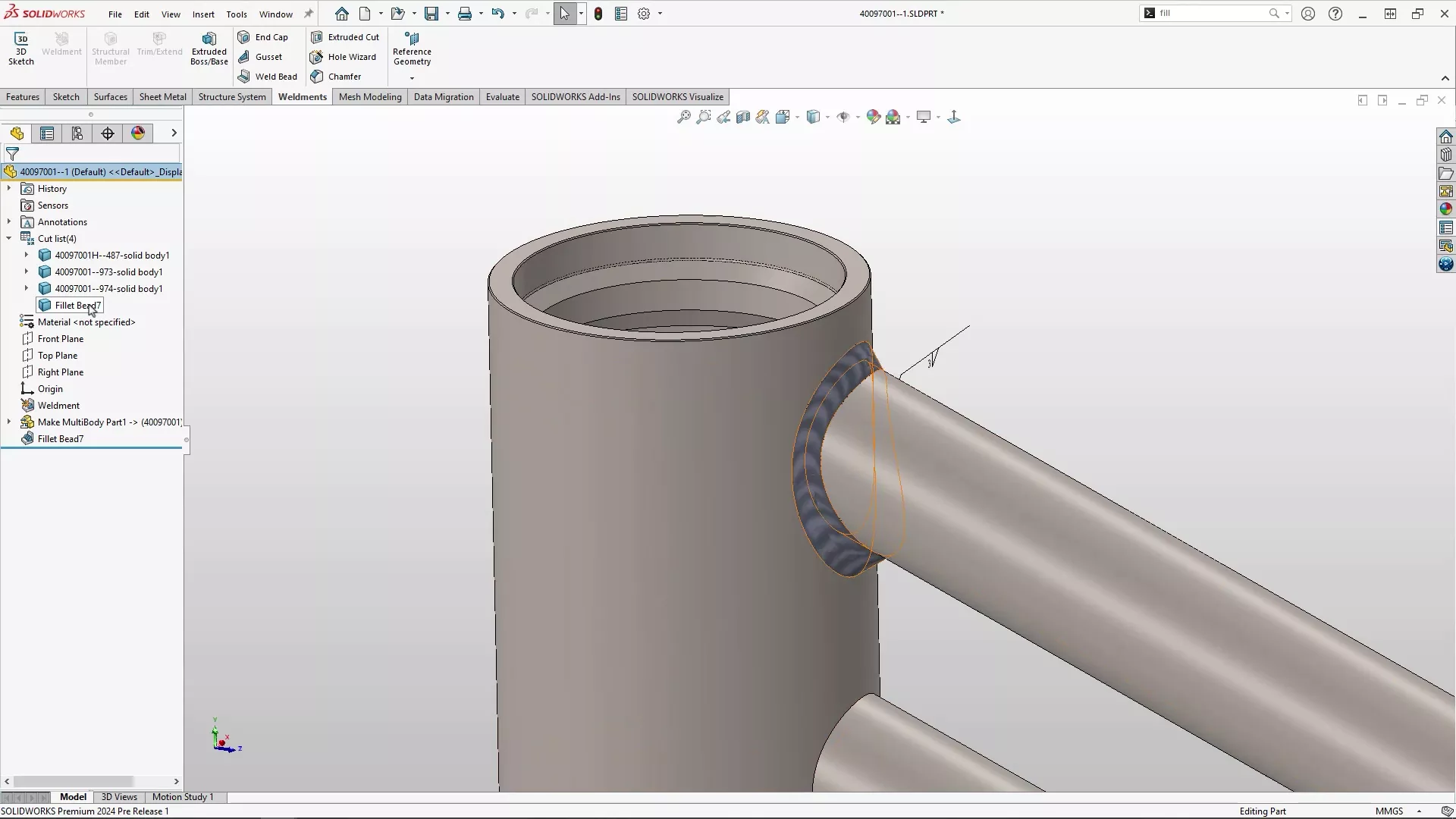
It is an essential addition for those working on projects where part relationships and complex geometry are critical.
#7 – STUD WIZARD UPGRADES
The Stud Wizard gets a useful upgrade in SOLIDWORKS 2024.
First introduced in SOLIDWORKS 2022, this handy tool simplifies the process of turning cylindrical bodies into threaded geometry with accurate product manufacturing information (PMI).
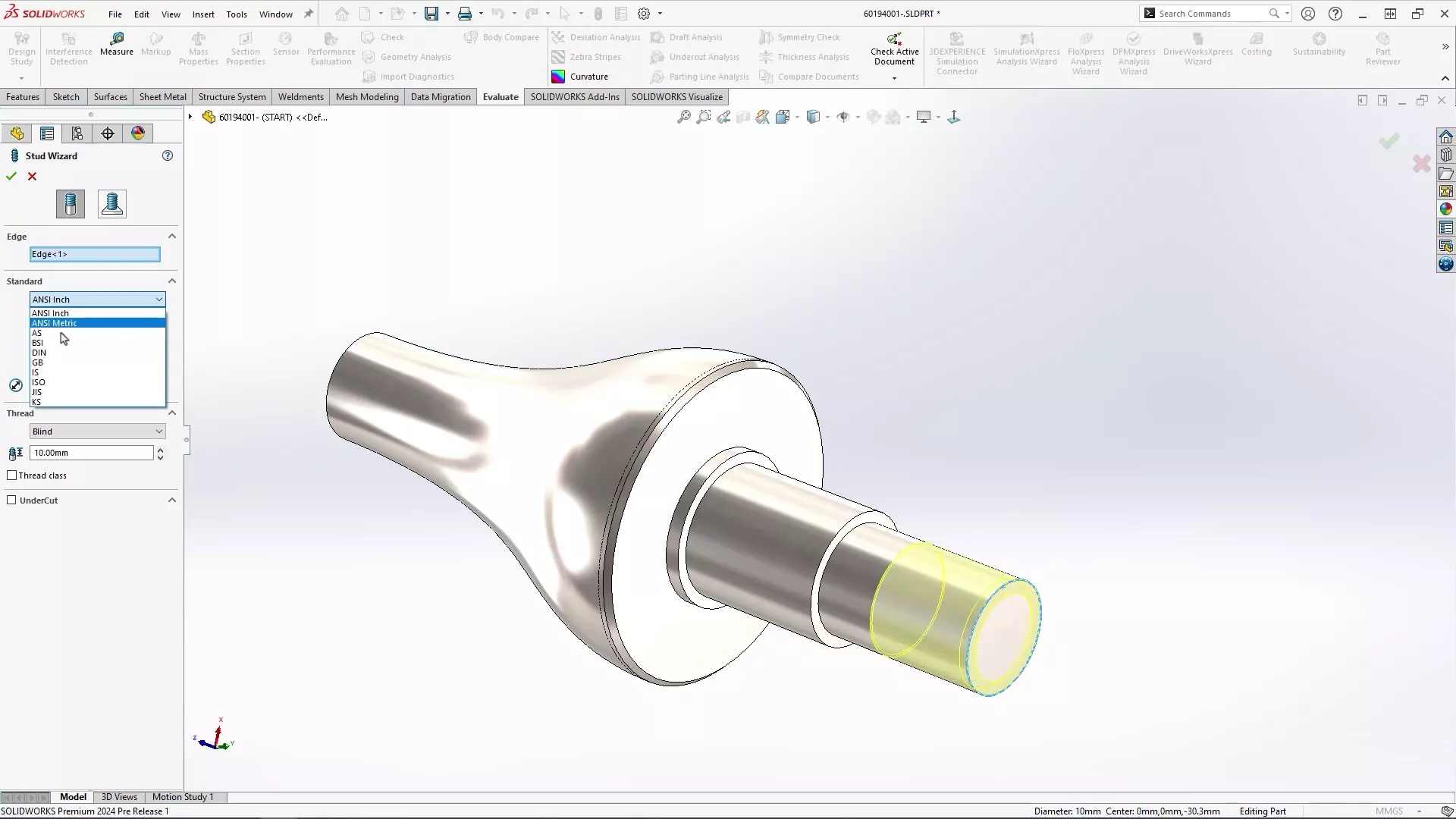
Now the feature can be added to a shaft of the same diameter as the thread to simplify the stud-making workflow.
#8 – SYMMETRIC LINEAR PATTERNS
One of the most exciting features in SOLIDWORKS 2024 is the ability to create symmetric linear patterns effortlessly with a simple tick box.
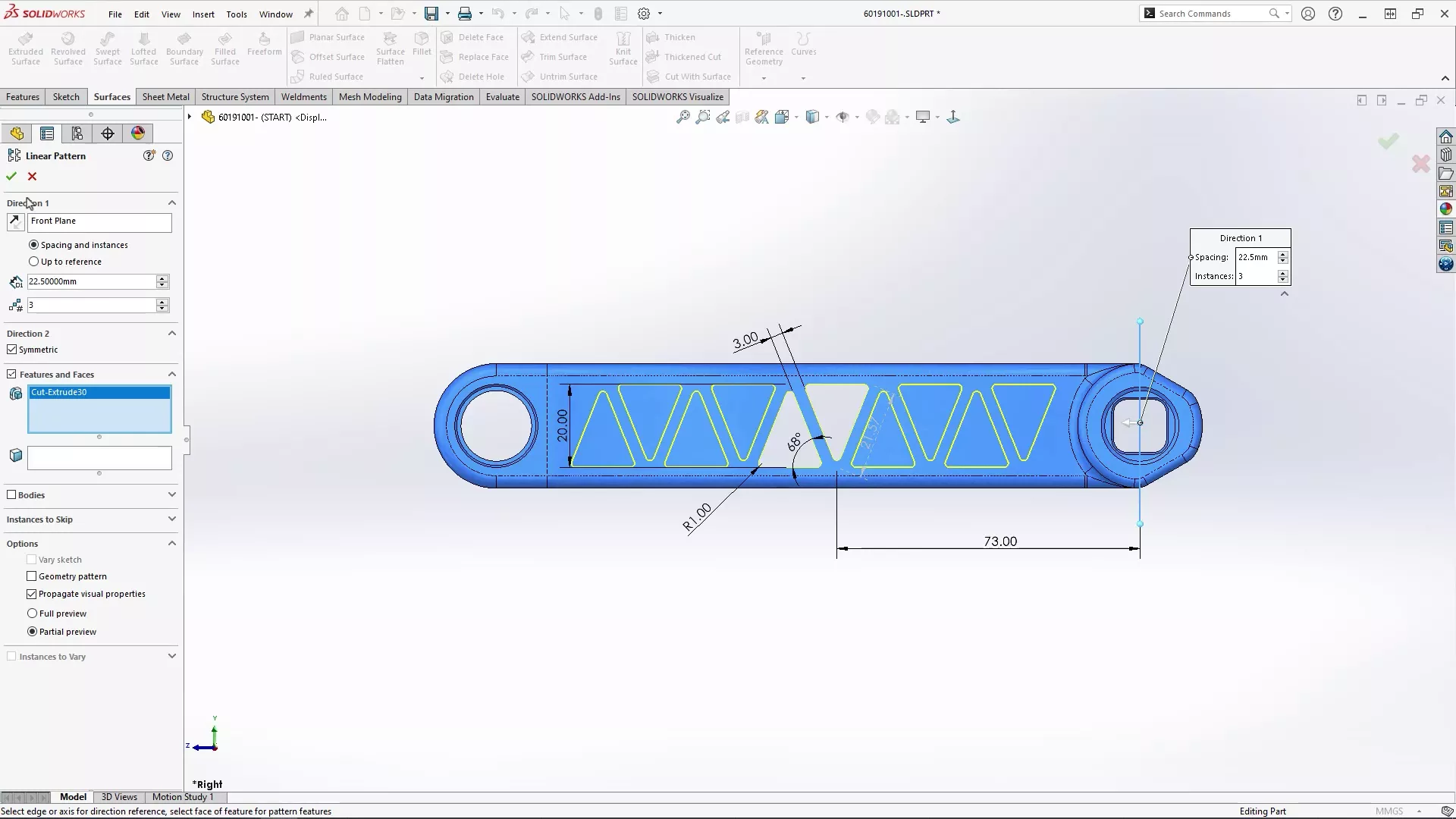
No more selecting additional directions, copying dimensions, or toggling instances… This feature massively simplifies pattern creation, saving time and reducing errors in your designs.
In fact, it’s so useful, that our SOLIDWORKS Composer product manager, Jamie, has chosen it as their top pick of the bunch!
#9 – RAPID SHUT-OFF SURFACES
When designing parts for moulding, it’s crucial to have physical geometry that represents shut-off surfaces accurately.
SOLIDWORKS 2024 makes this task easier with a new option within the Untrim Surface command.
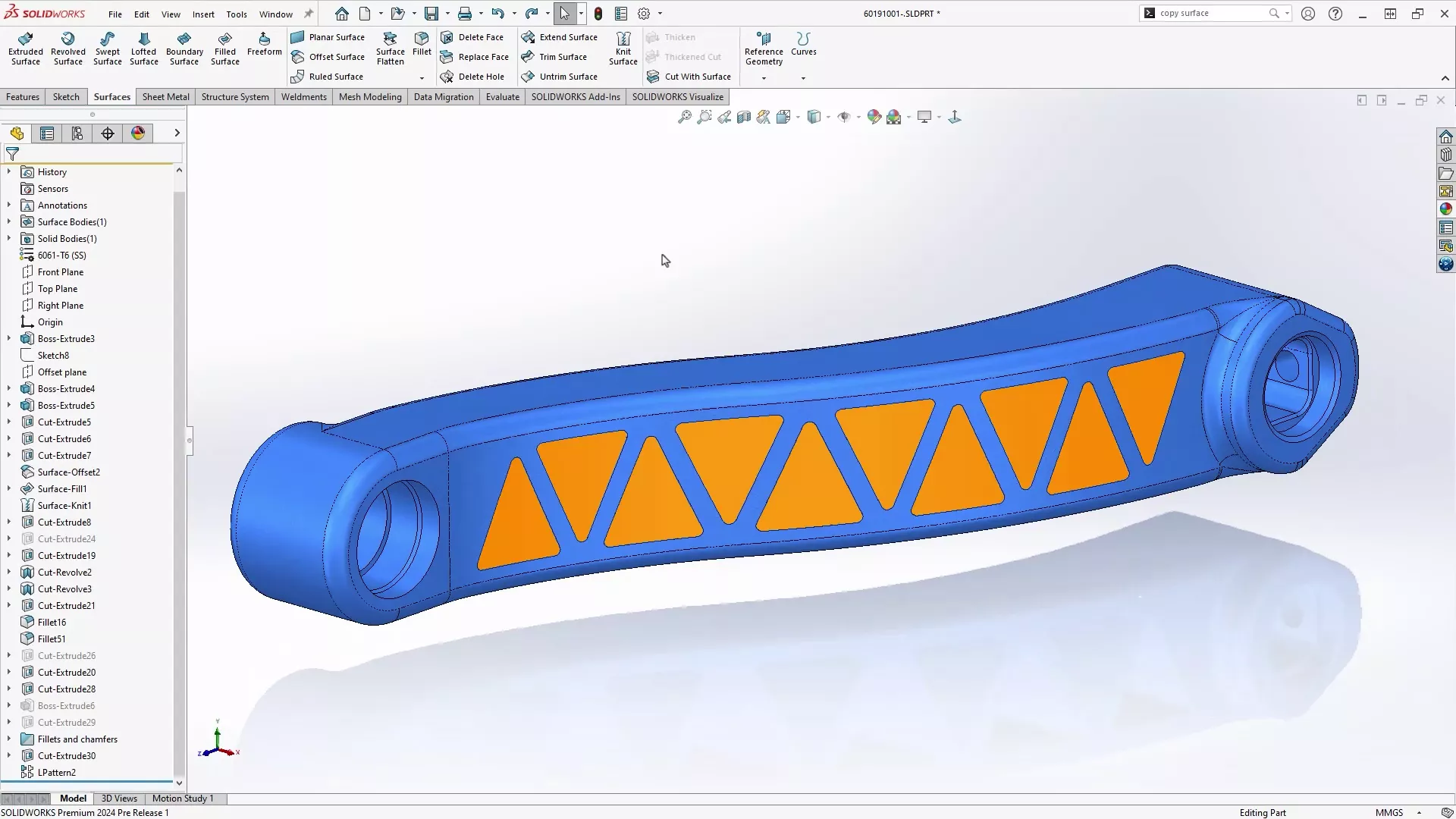
Now you can create shut-off surfaces with ease by offsetting surfaces and choosing to exclude parent surfaces.
SOLIDWORKS 2024 brings a slew of new features and enhancements that cater to the evolving needs of the design and engineering industry.
For all of the latest updates and features coming to SOLIDWORKS 2024, check out our dedicated webpage and discover what’s new in SOLIDWORKS 2024.
Take the Next Steps…
Explore the complete SOLIDWORKS portfolio and discover the advanced CAD capabilities that streamline workflows and shorten design times.
As part of the TriMech Group, we support designers, engineers, and businesses across the world as they develop innovative solutions to today’s challenges.
Categorised as: SOLIDWORKS Design | What's New
Get Expert SOLIDWORKS Training
Get hands-on SOLIDWORKS training in-person or online, led by certified experts with real industry experience. With venues across the UK & Ireland, it’s easy to start learning today.
Related Posts

How to Find Reaction Forces in SOLIDWORKS Simulation
SOLIDWORKS helps us to find resultant forces through simulation studies. These virtual tests reduce the need for physical prototypes and give us an accurate answer.

Setting number of decimal places in a table on a drawing
When creating an equation in a drawing general table, is it possible to define the…

SOLIDWORKS Smart Fasteners
SOLIDWORKS Smart Fasteners is a really useful time saving tool, allowing you to automatically insert toolbox fasteners such as bolts and screws into an assembly providing there is a standard hole.

Why is my Flat Pattern not showing in SOLIDWORKS Drawings?
This may be linked to how the drawing is saved or it can be related to how sheet metal parts are displayed in drawings, read on to find out how to fix it.

SOLIDWORKS Tips: Are you Making this Common Mistake in Fatigue Analysis?
Simulation is a vital and complex engineering need. Fortunately, SOLIDWORKS makes it easy to test, correct mistakes and obtain accurate results.

How to Recover SOLIDWORKS Files After a Crash
SOLIDWORKS has two different methods to help you recover from an unexpected crash or loss of data in the form of auto-recovery and back-up settings.

Redesigning Santa’s Sleigh in SOLIDWORKS
Every year Father Christmas has to fly in his sleigh to deliver presents to boys and girls all over the world in just one night. To put this into perspective, it takes a little under 24 hours to fly from London (UK) to Sydney (Australia) in a streamlined Boeing 747, whereas Father Christmas’ mode of transport is believed to be a rather non-aerodynamic sleigh.

SOLIDWORKS Grid Systems – hidden away, but very useful!
Rory Niles provides an insight into the uses for Grid Systems within SOLIDWORKS 2018

Furniture Design Made Easy with SOLIDWORKS
Calling all furniture and interior designers: the days of creating square cabinets are over. What if we told you there’s a much easier way to bring your products to life?
Here’s 10 reasons why we feel SOLIDWORKS is better than any other software, especially if you’re designing furniture:
Making 3D Textures from Images on SOLIDWORKS
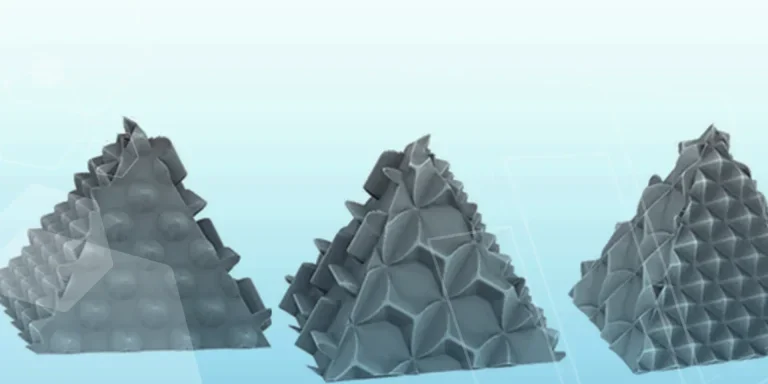
Turn images into 3D geometry with brand new SOLIDWORKS 3D Textures Feature