











CASE STUDY: Sinclair International Limited
Written by: Wayne Marshall
Published: Nov 10, 2022
| View All Blogs
Sinclair offers a robust selection of customised solutions for labelling, as well as offering end-to-end support. You can find out more on their website.
Time for Change
Since implementing SOLIDWORKS CAD & PDM in 2018, Sinclair International Ltd has continued to use Solid Solutions as its chosen support partner. Since then, Sinclair International Ltd recognised that their existing Engineering Change Management process & Bills Of Materials generation method had opportunities for significant efficiency improvements and approached Solid Solutions for guidance.
“Solid Solutions carried out cross-functional business process reviews & discovery sessions with our teams in the UK & US, enabling them to present a tailored proof of concept setup of SOLIDWORKS MANAGE.”
Robert Middleton, Senior CAD Systems Engineer at Sinclair International Ltd.
Finding Success with SOLIDWORKS Manage
After undergoing a process of discovery to identify Sinclair International’s requirements, we presented SOLIDWORKS Manage as the optimal solution for their needs.
SOLIDWORKS Manage builds upon the functionality within SOLIDWORKS PDM Pro, eliminating the need to use disconnected tools and manage multiple data sources by providing integrated project, process and item management.
Capabilities Include:
- Project Management
- Process Management
- Item Management
- Dashboards and Reports
“Impressed by the benefits [of SOLIDWORKS Manage], we embarked on a project to develop a SOLIDWORKS MANAGE implementation configured for Sinclair. During the project, we worked closely to optimise process management, item management, BOM management & dashboards/reports within SOLIDWORKS MANAGE.”
Robert Middleton
“With a successful implementation of SOLIDWORKS MANAGE, we continue to receive excellent levels of support from Solid Solutions, promptly resolving issues & supporting further development of SOLIDWORKS MANAGE. As Senior CAD Systems Engineer at Sinclair International Limited, I can highly recommend the services of Solid Solutions for technical support, training & business development.”
Robert Middleton
Categorised as: Customer Stories | Data Management
Get a SOLIDWORKS Quote
Interested in SOLIDWORKS? Contact us for questions, trials, or demos by clicking the button below or call 01926 333777. Our experts will help you find the perfect solution.

Related Posts

How to Create a Pack and Go in SOLIDWORKS
Pack and Go in SOLIDWORKS should be used when sending SOLIDWORKS files to another person. Use this simple guide to help you safely send entire SOLIDWORKS projects.
What is 3DSWYM? A 3DEXPERIENCE Platform Tutorial
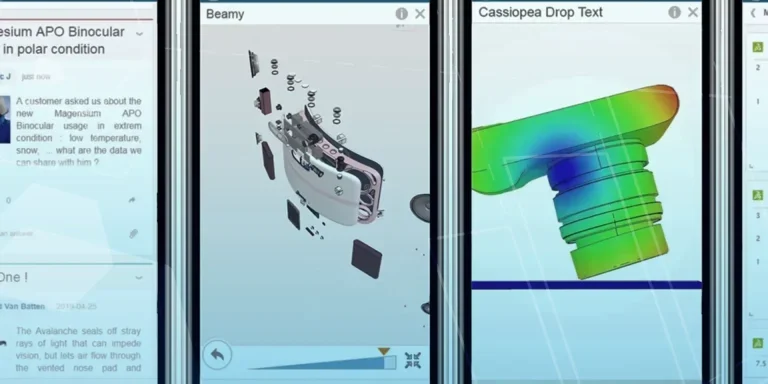
3DSwym is the application at the heart of the 3DEXPERIENCE, allowing users to connect and collaborate across the platform.

Microsoft SQL Server licensing for SOLIDWORKS PDM
October 2020 marks two important milestones for the SOLIDWORKS PDM family and SQL Server.

Part Numbering in SOLIDWORKS PDM Professional
When implementing a new PDM Professional Vault Customers will have the option to review their part numbering and classification requirements as they move to a system that allows them to, in most cases, automate the way the identify ‘parts’ within the Vault. Part Numbering is something that a lot of customers approach differently and this is often based on ‘how it’s always been done’ without necessarily considering what is the purpose of a Part Number within their organisations and wider within their supply chains. If we consider the humble part number. What is it’s purpose?

The 6 Golden Rules of Managing Data in SOLIDWORKS
When modelling in SOLIDWORKS, before you know it, you will have created lots of parts, assembly and drawing files, so it’s important to think about how you will manage these files and keep everything organised. Here we discuss the ‘6 Golden Rules’ of managing your SOLIDWORKS files using Windows Explorer and recommended methods for file naming, structuring your projects and managing revisions.
This kicks off a month looking at the management of CAD data, register for one of our upcoming live webinars at the bottom of this article.

PlasmaTrack Ltd. Solution Blasts Through Major Cause of Rail Delays
Start-up company, PlasmaTrack, are leading the way when it comes to preventing a major source of train disruptions and delays…leaves! During the colder months, railways have the challenge of dealing with wet slippery surfaces from leaves that make their way onto the line. But using PlasmaTrack’s smart technology, it can clear the residue on tracks returning the surface to a dry, clean, and uncontaminated state.

PDM Professional – Assigning Users with Conditional Notifications
Often customers will create smaller project teams for specific jobs and in the past we have been asked if it is possible, within a multi stage workflow, to pre-assign at the creation stage users who will be notified as checker / approver within those transitions. This blog will demonstrate how, using conditional Notifications in PDM Professional, this can be configured. We will also create some logic to allow for certain parts of the workflow to be bypassed by validating the selected ‘names’ against transition conditions. In this example the ‘approvers’ will be assigned on the files DataCard, but it would be just as feasible to have these names inherited from a project folder card if defining the rules at a higher level was possible within your Teams.
Managing Disk Space with SOLIDWORKS PDM Part #1: Distributing the Archive
This blog series was prompted by a recent support ticket, logged when a customer found their PDM Professional installation suddenly became unusable. The warning message, led to my reviewing the Archive Server Log file and this quickly identified the problem being a result of the PDM Server running out of disk space.
Managing Disk Space with SOLIDWORKS PDM Part #2: Deleted vs Destroyed and the Vault Cleaner Service
In this blog series we are examining the factors influencing disk usage within PDM and what you can do to manage them. In the first part we discussed how you can re-organise your archive across multiple drives to get you back up and running quickly should you find you are short on space. This blog and the next part will discuss behaviours in PDM that can result in redundant disk usage and how you can free that up with the vault cleaner service.
Managing Disk Space with SOLIDWORKS PDM Part #4: Cold Storage
In this blog series we are examining the factors influencing disk usage within PDM and what you can do to manage them. In the first part we discussed how you can re-organise your Archive across multiple drives to get you back up and running quickly should you find you are short on space. In the second part we looked at the differences between a deleted and a destroyed file and the impact the PDM recycle bin has on Disk usage. Part three discussed temporary session files created by the PDM Web Server and this Part will look at an option within PDM called Cold Storage.