











Learn SOLIDWORKS: 5 Ways to Get Help with SOLIDWORKS as a Student
Written by: Terry O'Reilly
Published: Jul 21, 2023
| View All Blogs
If you are a university student seeking SOLIDWORKS support, it is possible that your university has a partnership or agreement with Solid Solutions to provide support or training services.
Can I Get SOLIDWORKS Support as a Student?
While our Technical Support hotline is only open for our commercial customers with a valid SOLIDWORKS subscription, we do offer Technical Support to educational institutions.
Unfortunately, we are unable to provide support directly to individual students. If you are a lecturer or professor, then please contact our Technical Support team for assistance.
However, we are passionate about inspiring the next generation of designers and engineers and help you to enhance your skills.
So here are 5 ways that you can get help with SOLIDWORKS as a student.

1. CONTACT YOUR LECTURER OR PROFESSOR
If you are seeking help with SOLIDWORKS modelling, performance, or technical issues, then your first port of call should be your lecturer, professor, or teacher.
We are able to directly assist educational professionals with a SOLIDWORKS subscription with their SOLIDWORKS software and related design queries.
Your professors or teaching assistants in engineering or design-related courses may have extra information about SOLIDWORKS support available to students.

2. CHECK EDUCATIONAL RESOURCES
Explore your university/school’s website or student portal to see if they have a dedicated section for software support, engineering resources, or technology partnerships.
Look for any information related to SOLIDWORKS or CAD software.
You can always check out the r/SOLIDWORKS subreddit, or our blog tutorials to see if your question has already been answered.

3. JOIN STUDENT ENGINEERING CLUBS
Some student engineering clubs or organisations may have access to SOLIDWORKS resources through partnerships or collaborations.
Joining these clubs can provide you with valuable information and resources.
Communicating and collaborating with fellow designers and engineers is a great way to share knowledge and find out if anyone you know has the answers!

4. JOIN OUR START-UPS PROGRAMME
Our start-up programme helps Entrepreneurs to get started with their design with FREE SOLIDWORKS software or access to the 3DEXPERIENCE platform.
If you have an idea or project that you believe can change the world or the way we live, check to see if you are eligible to join our programme.
Start-ups and Entrepreneurs can enjoy FREE access to the entire SOLIDWORKS portfolio, including simulation and rendering packages, alongside access to our Technical Support network of expert SOLIDWORKS engineers.

5. EXPLORE THE SOLID SOLUTIONS WEBSITE
There are plenty of free resources available to you that will answer your questions and advance your SOLIDWORKS skills so you can be the best in class!
Looking for More Tips?
Sign up to our CPD-accredited training courses.
It doesn’t matter whether you’re a complete beginner or are intimately familiar with CAD, our friendly and expert trainers are ready to help you get the most out of SOLIDWORKS, either online or in a classroom local to you.
Don’t forget, with a SOLIDWORKS subscription, you can contact our expert Technical Support team to help you out with new commands and modelling tips.
Call us on 01926 333 777 or drop an email to support@solidsolutions.co.uk and one of our certified SOLIDWORKS Engineers will be in contact.
Need SOLIDWORKS for Education?
The SOLIDWORKS Student Access Initiative offers a range of solutions to SOLIDWORKS Education Edition customers, providing easy options to get SOLIDWORKS into student’s hands.
Related Posts

How to Find Reaction Forces in SOLIDWORKS Simulation
SOLIDWORKS helps us to find resultant forces through simulation studies. These virtual tests reduce the need for physical prototypes and give us an accurate answer.

Setting number of decimal places in a table on a drawing
When creating an equation in a drawing general table, is it possible to define the…

Why is my Flat Pattern not showing in SOLIDWORKS Drawings?
This may be linked to how the drawing is saved or it can be related to how sheet metal parts are displayed in drawings, read on to find out how to fix it.

Why is SOLIDWORKS Crashing?
It’s one of the great mysteries of life – why is SOLIDWORKS crashing? Let’s explore how SOLIDWORKS crashes and how we can improve performance in SOLIDWORKS.
Tech Support Blog: Why are my SOLIDWORKS BOM Quantities Wrong?
Why are my SOLIDWORKS BOM Quantities Wrong? A support call cropped up this week which…

How to Get Your Serial Number for SOLIDWORKS Visualize Standard
Want to download Visualize to make photorealistic renders? Follow this guide for accessing your Visualize serial number that comes bundled in with SolidWorks Professional and Premium.

How to Recover SOLIDWORKS Files After a Crash
SOLIDWORKS has two different methods to help you recover from an unexpected crash or loss of data in the form of auto-recovery and back-up settings.
SOLIDWORKS Magnetic Mates
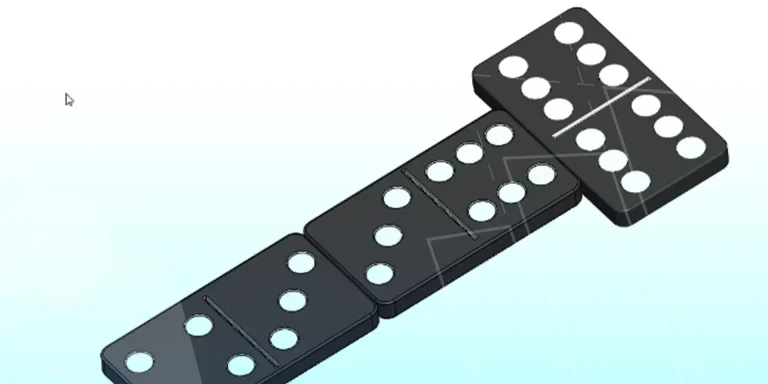
Magnetic makes are used within SolidWorks assemblies to easily configure and position assembly components. Through defining connection points and ground plane(s) – position components through drag and dropping one component within close proximity of another to snap the asset into position.
SOLIDWORKS Dimensions – Collated Quick Tips
We have collated some of our favourite tips on creating, manipulating and controlling dimensions in SolidWorks, both at a sketching and drawing level. Read on to find out more…
How to Deactivate (Transfer) a SOLIDWORKS License
A SOLIDWORKS standalone license can only be activated on one machine at a time. If you plan on moving your SOLIDWORKS license to another machine you will first need to deactivate it. Additionally if a standalone license has ended up on multiple machines or you are making a change to your computer, you will need to deactivate the license first.