











SolidCAM
Take a closer look at the capabilities and functionality of three leading CAM software choices for metal.

SWOOD
SWOOD makes woodworking simple, from design to manufacture, learn more about SWOOD's capabilities.
SigmaNest
Discover how our nesting solutions help reduce waste and improve efficiency when cutting sheet metal.
Manufacturing Software Solution
Robust solution with great flexibility for skilled machinists.
SolidCAM is a comprehensive CAM solution that allows you to machine with high precision and control. Discover the benefit of each module options:
- SolidCAM iMachining
- SolidCAM Mill Turn CNC Machining
- SolidCAM Post Processor
- SolidCAM SolidShop
- SolidCAM Swiss Machining
Ideal for new users with a simple four step workflow.
SOLIDWORKS CAM uses rules-based technology to unify design and manufacturing in a single application, allowing teams to collaborate through a shared software platform and 3D model.
Makes woodworking simple, from design to manufacture.
Using SWOOD directly in SOLIDWORKS allows you to generate all the manufacturing information you need to produce any wood product you wish. Explore the benefit in each solutions:
Using SIGMA directly with SOLIDWORKS can let you generate all the manufacturing information you need to produce the components for a wide variety of Sheet Metal applications. Some benefits include:
Streamline your quality assurance process with SOLIDWORKS Inspection.
Automate ballooned drawings and inspection reports, reduce errors, and save up to 90% of inspection time using CAD-agnostic tools and OCR technology.
Not sure how to start with Manufacturing Software?
Our experienced trainers provide hands‑on instruction to help you develop your CAM and manufacturing software skills, supporting learners from complete beginners to advanced CAD users.
I think SWOOD are really good because it just stops you from needing to build something every single time. It's as easy as in dragging and dropping drawer boxes into the, the cabinets.
So rather than having to go through each panel and manually add dowel every time, we can create a series of dowels that will know fit a certain depth, and we can just quickly drag them across and into the cabinetry.
Arjan Kalsi
Technical CAD Designer at Vanity Hall
Frequently Asked Questions
Computer aided design (CAD) allows you to create 3D models for products and prototypes. The 3D models are then given to a computer aided machining (CAM) package to apply cutter paths so the product can be cut from a piece of material on a computer numeric control (CNC) machine.
SOLIDWORKS features industry standard design tools that make 3D model generation effortless, and with the SolidCAM add-in, toolpaths can be added directly to the model in the same environment allowing you to get GCode to your machine in minutes.
CAD (computer aided design) is used to create 3D models of products or prototypes whereas CAM (computer aided machining) uses a 3D model to create cutter paths for a CNC machine to cut out the 3D models shape from a piece of material.
Even though CAD and CAM are different toolsets SOLIDWORKS allows you to use them together as one. This simplifies your manufacturing by everything being within one file and one interface.
CNC stands for computer numeric control and is used to describe a machine that is controlled by code. Often this code is referred to as G Code or Iso Code. Using CAD (computer aided design) and CAM (computer aided machining) we can create a 3D model and tool paths to remove unwanted material. A post processor is then used to convert this information into GCode for a CNC machine.
SolidCAM is a perfect CAM solution for users that work with SOLIDWORKS or non-native 3D cad. Being embedded inside SOLIDWORKS you can leverage not only the industry leading CAD package with excellent tools that deal with non-native cad effortlessly but you also get a comprehensive CAM package which has the leading roughing strategy, iMachining.
A post processor converts a CAM systems toolpath co-ordinates into a language that your CNC machine can interpret into machine movement.
SOLIDWORKS is the industry standard CAD tool, it enables you to realize your ideas as 3D models.
From here SOLIDWORKS’ fully integrated CAM tools can create toolpaths directly onto your model and generate the NC code required for manufacturing, helping you to machine what you need with ease.
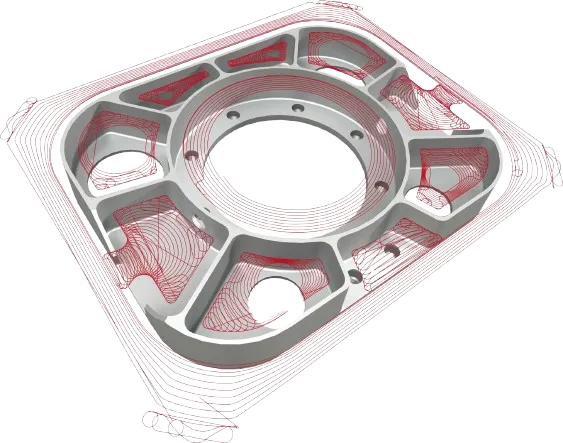
Using SolidCAM instead of programming on the machine is a huge benefit for you. Not only this we can create complex toolpaths quickly and easily. Toolpaths can also update automatically with design changes. In addition to this in-built simulation can ensure that we cut first time right and that we do not gouge the part we want to make.
If this wasn’t enough SolidCAM’s iMachining can reduce cycle times by over 75% compare to traditional roughing strategies.