











What's New in SOLIDWORKS 2022
Supercharge your teams productivity with brand new enhancements coming in SOLIDWORKS 2022. Expect to see improved drawing capabilities, enhanced 3D texture support, a more flexible 'Pack & Go' feature, upgrades to part modeling and more.
Discover our top enhancements below or check out the SOLIDWORKS online web help pages for the full details on What's New in SOLIDWORKS 2022.
2022 Enhancements
What's New in SOLIDWORKS?
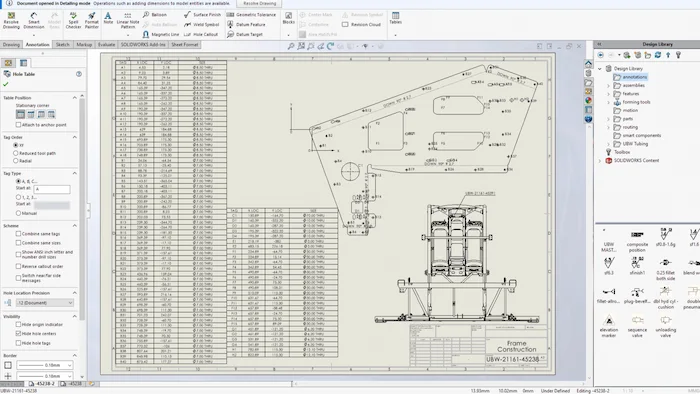
1. Detailing Mode
In SOLIDWORKS 2022, detailing mode replaces quick view and with it, you can now open any drawing regardless of which version of SOLIDWORKS it was saved in. You don’t even need to have the model files on your machine! Detailing mode now functions on a per-drawing basis and introduces two new options to the document properties to allow you to save the model data and standard views for detailing later.
Huge drawings can be opened in seconds with detailing mode, and even directly from assemblies in large design review. In addition to being able to dimension and modify drawing layouts, in detailing mode you can now add hole tables and insert saved standard views from the view palette.
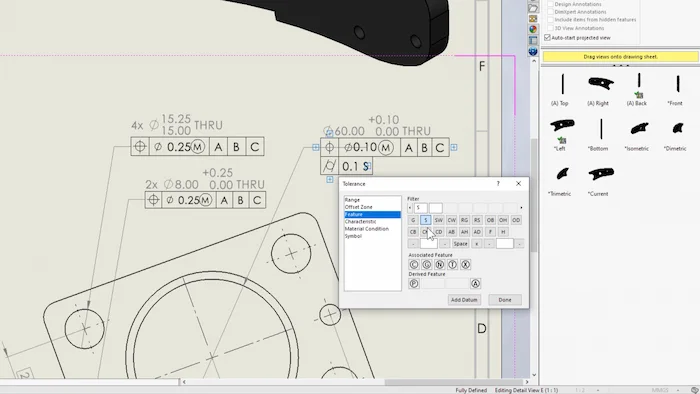
2. Drawings Improvements
2022 brings a range of drawings enhancements to make detailing easier than ever before. A new in-context toolbar for controlling dimensions has been introduced to drawings, this allows you to easily flip between radial, diameter, and linear dimensions of circular geometry, and there's also a brand new toolset for adding geometric tolerances that makes the whole process faster and more intuitive.
Detailed cut lists are now available for all ‘bill of materials’ types, this provides more flexibility and enables you to easily include weldment data in assembly drawings.
Predefined views have been enhanced so that they can now work with the sheet metal flat pattern views, and if you work regularly with sheet metal you'll also be glad to hear bend lines in drawings have been separated from sketches to provide greater control.
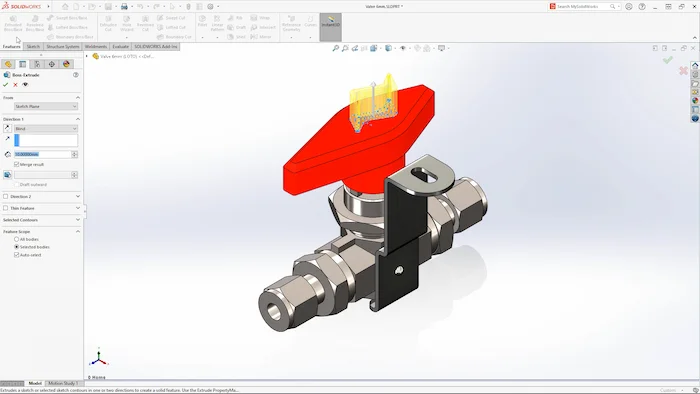
3. Hybrid Modelling
In SOLIDWORKS 2022 the new hybrid modelling capabilities enable you to directly alter imported mesh geometry with standard features. This means that you can extrude, cut, and fillet your meshes just as you would a standard part file!
This also makes it straightforward to use meshes for surface modelling and reference planes, as the process no longer requires any add-ins or intermediate bodies.
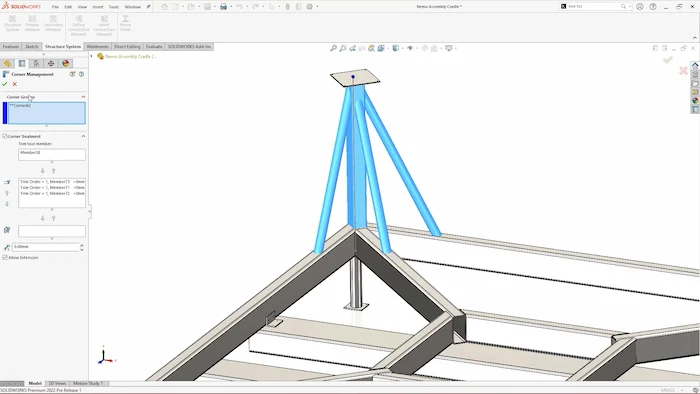
4. Structure Systems
SOLIDWORKS 2022 sees structure systems get an exciting upgrade as connections can now be designed and positioned intuitively within SOLIDWORKS. These profiles can be modelled and configured to suit your detailing needs and you can build up a library of them for quick access.
There have also been improvements made to secondary member positioning and corner treatment intelligence, while gussets and end caps can now be added to structural system elements, as well as weldments, making the feature more convenient than ever.

5. New Shortcuts
Great new shortcuts have been added to help you work faster than ever this year. Our highlight is the Q key, which allows you to quickly toggle the display of reference geometry such as planes, origins and axes. It even works while creating a feature and the extra control this offers should make it easier to make selections and streamline your overall modelling experience.
SOLIDWORKS 2022 also sees improvements to the shortcut bar that you open with the ‘S’ key. It now features a togglable search bar that helps you find elusive commands and from the search results you can then access them or add them to your shortcut bar or command manager with a simple drag and drop.

6. Configurations Tables
Gone are the days of having to remember to rename and save a table when you want to build different configurations into your models, as configuration tables now automatically generate when new configurations are added to parts and assemblies in SOLIDWORKS 2022!
These tables provide an uncomplicated way of creating and managing configurations, allowing you to toggle components on and off, alter dimensions and create new configurations all in one place.
7. Import/Export
SOLIDWORKS 2022 improves upon the reliability and efficiency of saving IFC file formats for other design tools to utilise and improves the import process of IFC files too. The introduction of selection boxes on import enables you to remove unnecessary data and integrate more effectively with BIM.
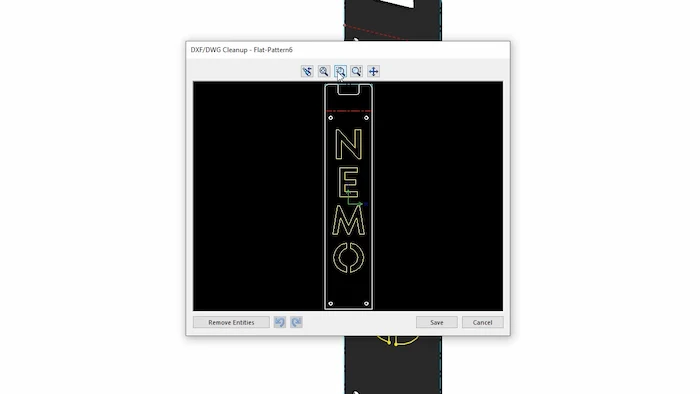
Large imports with thousands of bodies should be noticeably quicker in 2022, and there have also been enhancements to 2D file exports. DXFs and DWGs can now be exported directly from part files with colours already assigned to lines, allowing you to get your parts to manufacture faster than ever before.
8. Graphics
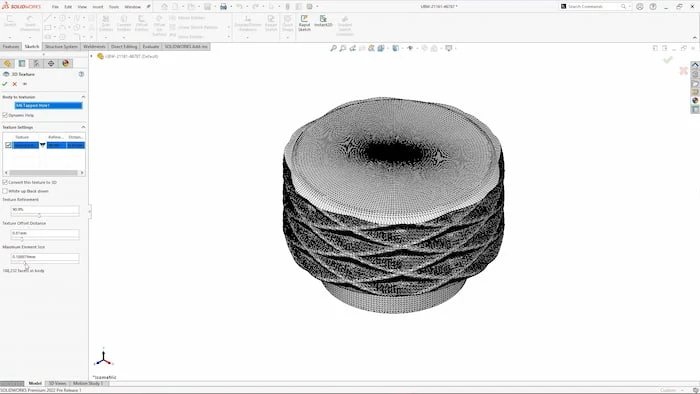
SOLIDWORKS 2022 builds on the 3D textures functionality added in 2019 by improving performance when generating complex texture geometry. Not only is it faster at producing results, but the textures are more detailed and refined than previously as well.
Manipulating large models will feel smoother in SOLIDWORKS 2022 as there has been a general improvement to how the graphics engine handles assemblies and large parts with silhouette edges, they're no longer restrained by the CPU and this means you'll see improvements to the frame rate when panning, zooming, and rotating in SOLIDWORKS 2022.
9. Stud Wizard
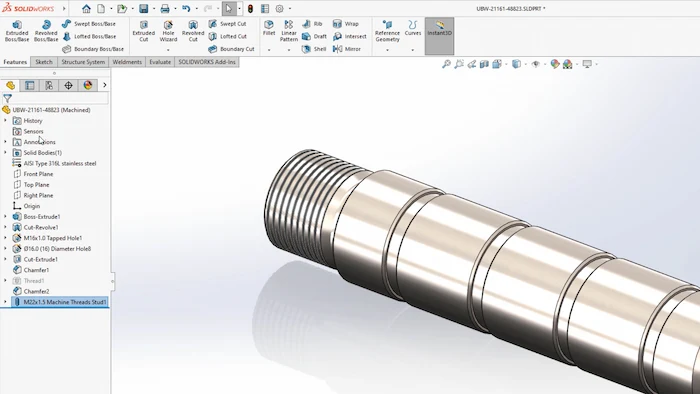
Studs can now be created from scratch or from existing cylindrical geometry. With a host of different standard thread sizes, the stud wizard is a convenient alternative to the thread feature and it can help reduce file size and complexity for larger fileset.
The stud wizard also brings with it a much needed improvement to the appearance of cosmetic threads, making your designs more visually appealing and clearer to understand.

10. Pack & Go
The already reliable Pack & Go function has seen a couple of handy improvements for SOLIDWORKS 2022. For the first time, parts created by the split or save bodies commands can be selected within the Pack & Go window which saves you having to track down the external references from your file explorer.
A progress bar has also been added to the window to indicate how long the process will take, which is a nice touch when using Pack & Go on larger assemblies.
How to get the latest SOLIDWORKS?
SOLIDWORKS subscription customers are always entitled to the latest version of SOLIDWORKS, along with technical support and many other benefits. Click the link below for the latest downloads.
Related Content

What’s New in SOLIDWORKS 2025
Explore what’s new in SOLIDWORKS 2025 and see how advanced automation, improved UI, DraftSight 2025 and cloud-connected workflows can boost your productivity and design accuracy.
What’s New SOLIDWORKS 2024
Find out what’s new in SOLIDWORKS 2024 including a new automatic repair command, sheet metal tools, and a much-awaited new saving ability. The enhancements to help you model, visualise, and validate more easily with new cloud-based tools to aid collaboration and boost your productivity.
What’s New SOLIDWORKS 2023
SOLIDWORKS 2023 introduces refinements to popular features such as patterning and the ‘Move/Copy Body’ command, making everyday tasks more efficient. Combined with numerous behind-the-scenes performance and stability enhancements, this release offers practical improvements for users across a wide range of workflows.
What’s New in SOLIDWORKS 2021
SOLIDWORKS 2021 helps boost engineering productivity with new features like edge flanges on curved sheet metal and mesh diagnostics in Simulation, while GPU-accelerated graphics and streamlined assembly tools improve performance and workflow efficiency.