











What's New in SOLIDWORKS 2023
Every year SOLIDWORKS is improved by adding enhancements that come directly from user feedback, delivering smarter tools and smoother workflows.
SOLIDWORKS 2023 introduces refinements to popular features such as patterning and the 'Move/Copy Body' command, making everyday tasks more efficient. Combined with numerous behind-the-scenes performance and stability enhancements, this release offers practical improvements for users across a wide range of workflows.
2023 Enhancements
Our top 10 picks for new SOLIDWORKS feature
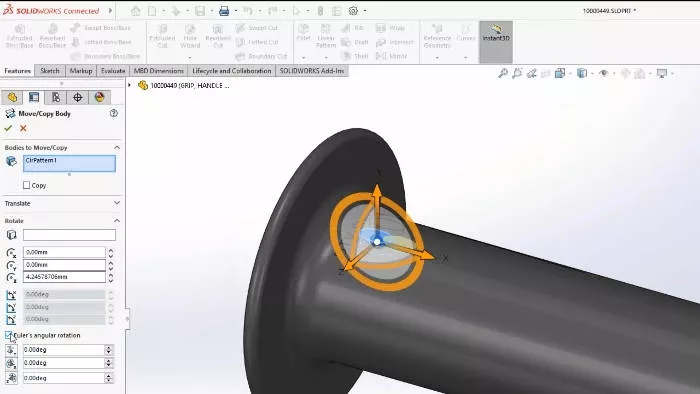
1. Move/Copy Body dimensions
The move/copy body command is a versatile and much used tool of SOLIDWORKS designers, in 2023 there have been several enhancements to make it easier to control than ever. You can now utilise equations and global variables when setting dimensions for translations and rotations of bodies and these dimensions can be viewed and modified in the graphics area like other features.
Under Rotate, you can select Euler's angular rotation and specify values for yaw (side-to-side), pitch (up-down), and roll (twist), plus if you use this new option you can now specify which configurations to which the translate and rotate dimensions apply.
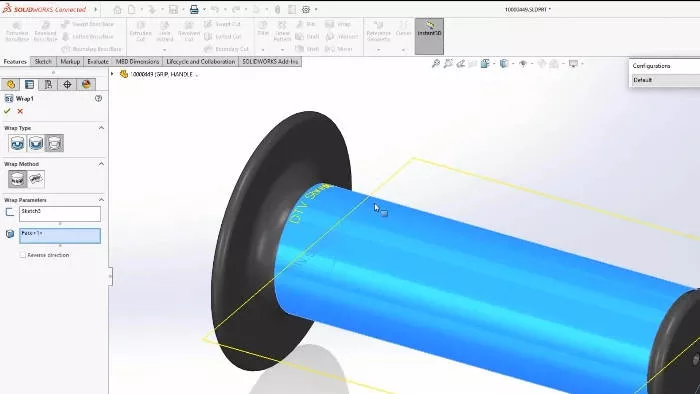
2. Single line font wrap
SOLIDWORKS 2023 provides extra support for single line fonts, which means it is now possible to use stick fonts with the wrap command. This means you can now scribe these fonts into planar and curved faces with the Wrap feature to make adding serial numbers and model names to your parts that much easier.
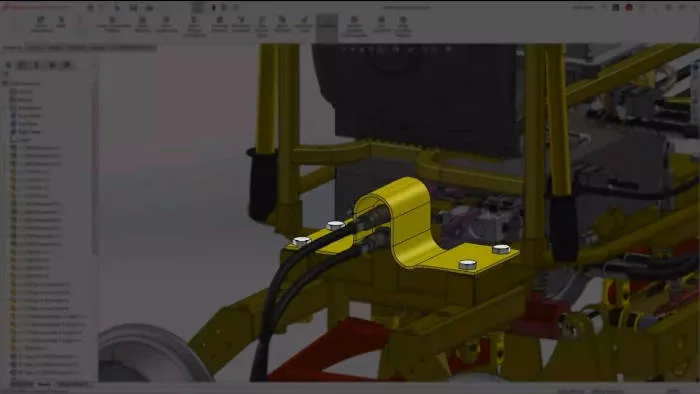
3. Sheet metal sensors
Sensors now support sheet metal functionality, which makes it easy for you to set up an alert to warn you when the flat pattern of your part exceeds a certain bounding box width, length or area.
This will help you to save some time and money by catching mistakes early, avoiding redesign time and wasted material!
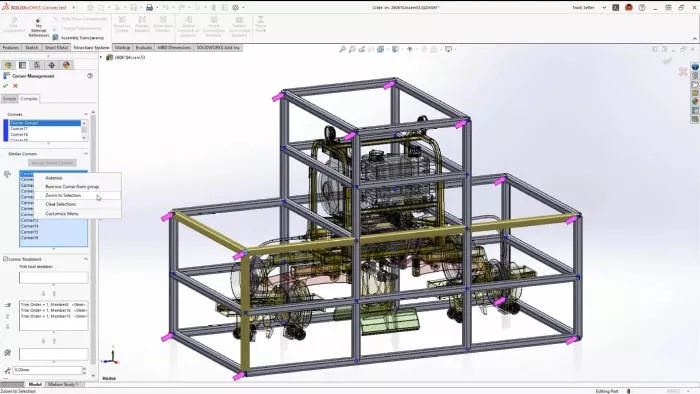
4. Similar corner grouping & zoom
SOLIDWORKS 2023, like previous years, continues to add time-saving improvements to Structure Systems. You can now apply corner treatments to similar corners, arrows indicate which corners are in each group and we can even zoom to selection to take us straight to our selected corners instead of hunting around for them.
It's also now possible to pattern connection elements like gussets to similar corners as well, helping to speed up the structural design process even further.
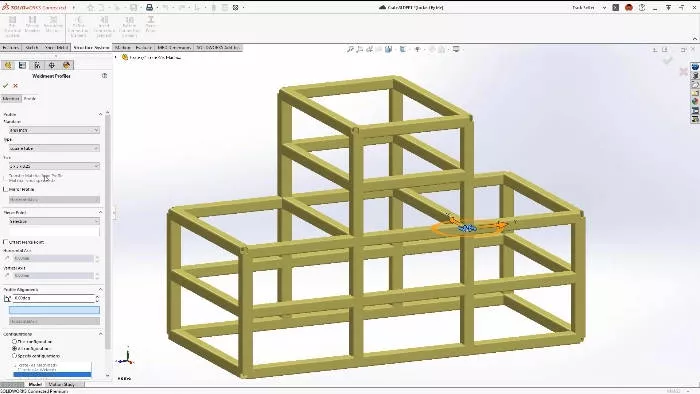
5. Configure Profile sizes
Another useful improvement for Structure Systems is that you can now configure profiles for each set of structural members. This should provide flexibility, improve performance and reduce the number of features needed when working with Structure Systems.
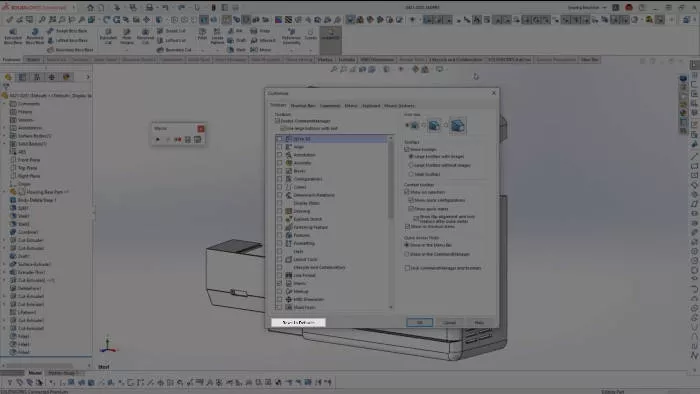
6. Reset settings to default
In 2023 you can now easily restore default settings to bring a fresh look to your workspace. However rather than having to reset everything it is now possible to reset each set of options, as each tab of the Customize window now has a reset button that only affects the settings on that tab. This will help you to tidy up an overcluttered workspace or restore lost commands without having to reset everything and spend a bunch of time customising your setup.
Also, remember to use the Copy Settings Wizard to back up all of your customisations once you have a set up you're happy with.
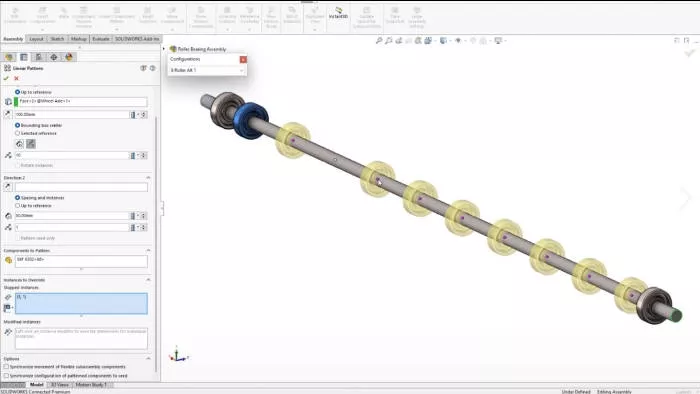
7. Skip instance configs
In SOLIDWORKS 2023, any assembly pattern that supports skipped instances now also supports configurations, letting you design and modify your patterns more directly. This is a great new feature to help speed up performance and simplify your workflow.
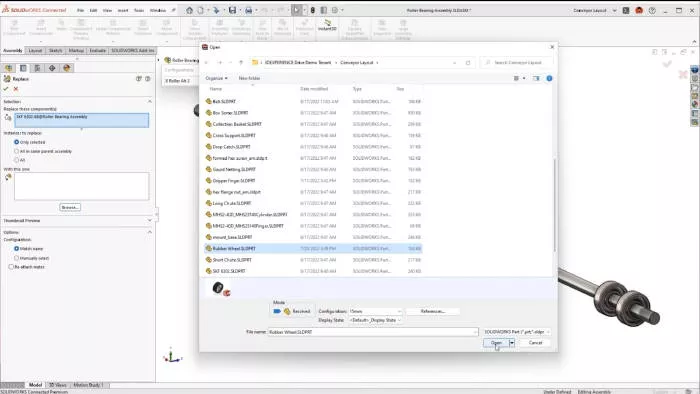
8. Replace component & auto optimise resolve mode
For many years we’ve been able to happily swap out one part for another in an assembly and reattach any mates. SOLIDWORKS 2023 streamlines this process further by bringing with it additional options to replace individual instances or specific components within a subassembly and also provides a new preview of the replacement component.
There is also a great new option to boost performance when working with large SOLIDWORKS assemblies. Under the performance section if you enable Automatically optimize resolved mode, hide lightweight mode then SOLIDWORKS will selectively switch certain components to lightweight mode automatically for you, effectively this allows SOLIDWORKS to better optimise performance so you can keep your focus on your designs instead.
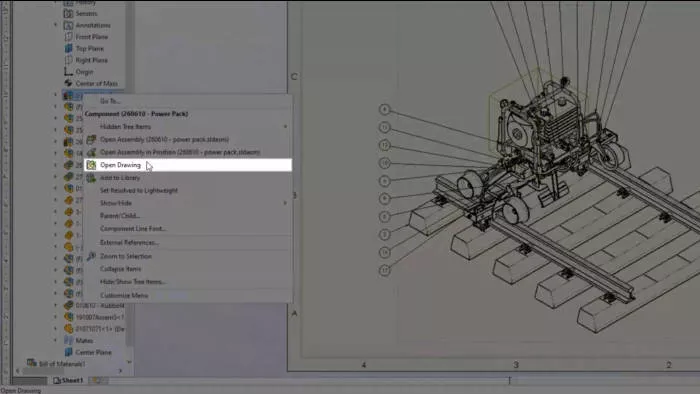
9. Open Drawing from hierarchy
Drawings can now be opened from any level of the tree hierarchy. Regardless of whether you select a part or subassembly from the Feature Manager Tree, a table or directly from the graphics area, if it has an associated drawing… you can now open it! This enhancement helps speed up finding drawings and improves performance as referenced parts and assemblies don’t have to be opened or located any more.
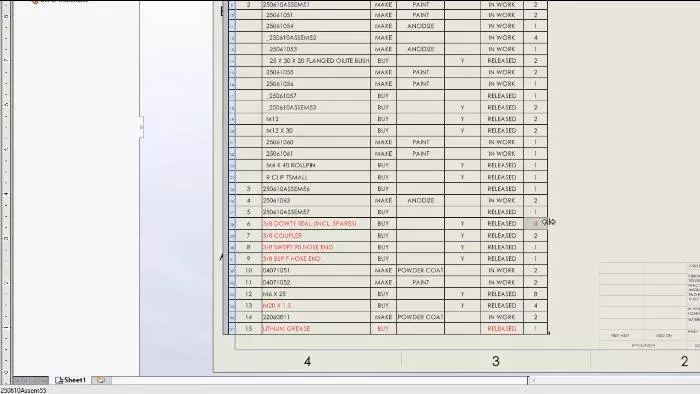
10. BOM Column Filters & highlight
BOMs can now be filtered to easily see relevant data and the integrated search bar helps to narrow down a list of values, while custom filters can be applied with conditional logic to combine criteria.
Any data which is manually overridden in a Bill of materials is now flagged up by a highlight when the table is selected, the colour of this highlight can be customised and you can restore values individually, by row, column or reset the whole table.
How to access SOLIDWORKS 2023?
SOLIDWORKS subscription customers are always entitled to the latest version of SOLIDWORKS, along with technical support and many other benefits. Click the link below for the latest downloads.

Related Content

What’s New in SOLIDWORKS 2025
Explore what’s new in SOLIDWORKS 2025 and see how advanced automation, improved UI, DraftSight 2025 and cloud-connected workflows can boost your productivity and design accuracy.
What’s New SOLIDWORKS 2024
Find out what’s new in SOLIDWORKS 2024 including a new automatic repair command, sheet metal tools, and a much-awaited new saving ability. The enhancements to help you model, visualise, and validate more easily with new cloud-based tools to aid collaboration and boost your productivity.
What’s New SOLIDWORKS 2022
Supercharge your teams productivity with brand new enhancements coming in SOLIDWORKS 2022. Expect to see improved drawing capabilities, enhanced 3D texture support, a more flexible ‘Pack & Go’ feature, upgrades to part modeling and more.
What’s New in SOLIDWORKS 2021
SOLIDWORKS 2021 helps boost engineering productivity with new features like edge flanges on curved sheet metal and mesh diagnostics in Simulation, while GPU-accelerated graphics and streamlined assembly tools improve performance and workflow efficiency.