











Built-In Structural Analysis
SOLIDWORKS SimulationXpress
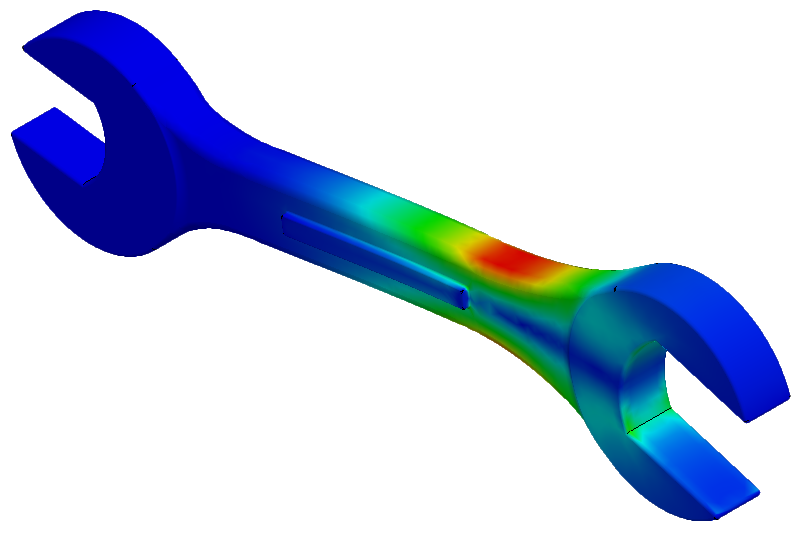
Included in every seat of SOLIDWORKS Design, SimulationXpress provides a powerful "first-pass" tool to validate the strength of your parts.
Identify potential failure points early and refine your designs with confidence using an easy-to-follow, wizard-guided workflow.
Why Use SimulationXpress?
Ready to Level Up Your Analysis?
SimulationXpress is just the beginning, while it is useful it has a limited scope. Notably you can only perform linear static analysis and it is only possible to test one part at a time.
Discover how the full Simulation packages can help you to evaluate your entire assembly designs by recreating a wide variety of real-world test scenarios.
Frequently Asked Questions
You can find it under the Evaluate tab on your Command Manager or by going to Tools > SimulationXpress. If it's your first time using it, you may need to enter a quick activation code provided by the software.
No. SimulationXpress is strictly for single-body parts. If you need to test how multiple parts interact, check for interference, or analyse bolted connections, you will need to move to SOLIDWORKS Simulation Standard or higher.
SimulationXpress uses the same world-class FEA engine as the full SOLIDWORKS Simulation suite.
Provided your fixtures and loads are set up correctly to mimic real-world conditions, the mathematical results are highly accurate for linear static studies.
You can use any material from the standard SOLIDWORKS Material Library that has defined linear elastic properties (Yield Strength, Young's Modulus, etc.).
It is not suitable for rubbers, foams, or materials undergoing permanent plastic deformation.
Yes! SimulationXpress can automatically generate a professional HTML or Microsoft Word report that includes your setup details, material properties, and result plots to share with your team.
SimulationXpress focuses on external forces and pressures. To include "Self-Weight" or gravity effects as part of the loading condition, you would need to utilise the full SOLIDWORKS Simulation package.
SimulationXpress uses Solid Meshing. For very thin-walled parts or sheet metal where "Shell Meshing" is more appropriate for accuracy, we recommend moving to the full Simulation suite for more advanced meshing options.
The built-in wizard is a great start, but we also offer Simulation Training Courses that cover the fundamental principles of FEA. This ensures you understand not just how to get a result, but how to interpret it correctly for engineering decisions.