











SOLIDWORKS Tips: How to Change Your SOLIDWORKS Background Colour
Written by: Terry O'Reilly
Published: May 30, 2023
| View All Blogs
Whether you need to quickly grab some screenshots and make the background transparent, or just want to change the colour of your SOLIDWORKS viewport, it’s really easy to change the background colour in SOLIDWORKS.
HOW TO REMOVE SOLIDWORKS BACKGROUND
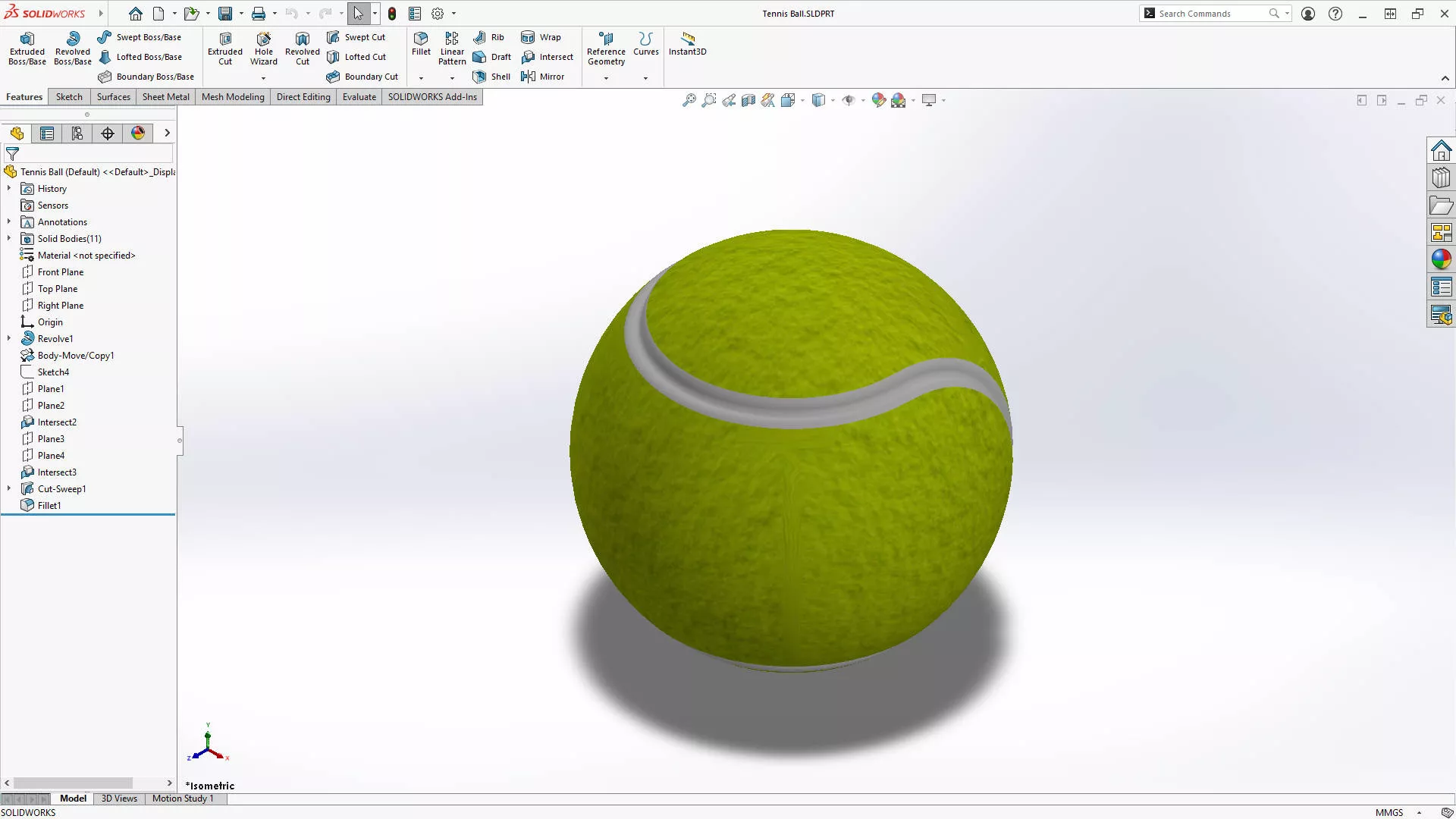
SOLIDWORKS has a subtle gradient filling the background of parts and assemblies by default.
It looks a little something like this.
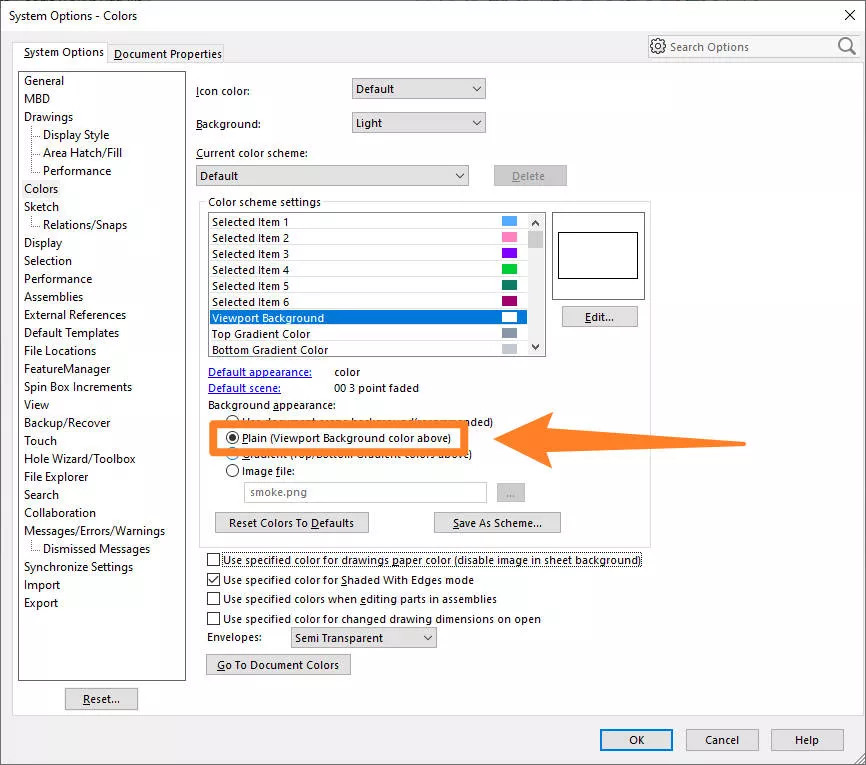
By heading to the System Options cog > Colors, you can modify the colour of your SOLIDWORKS background.
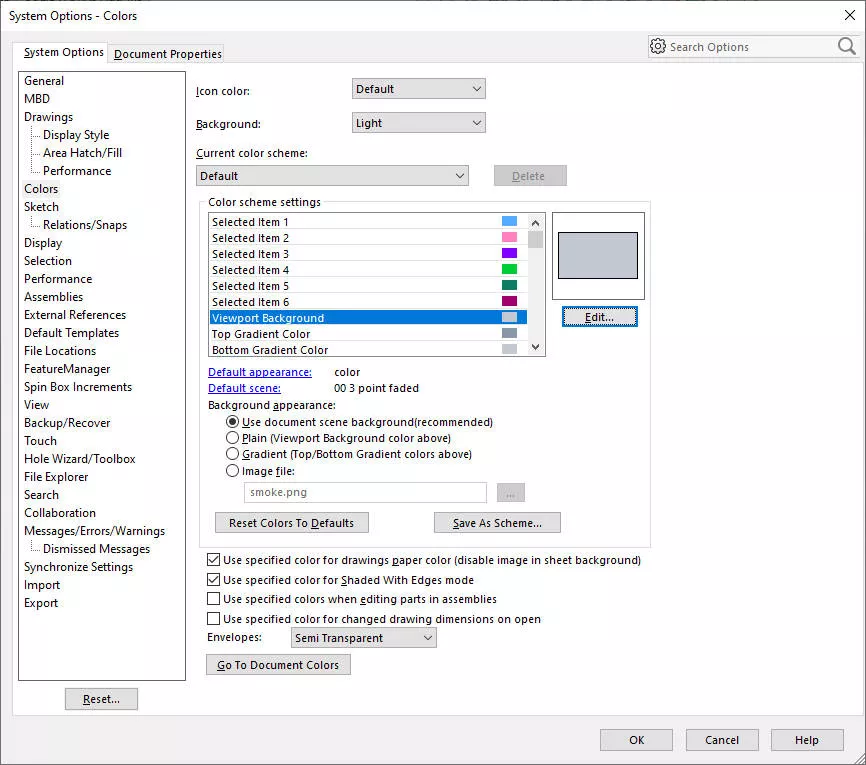
Locate Viewport Background within the list of Color Scheme Settings and click the Edit button.
Choose whichever colour you prefer, we’ll choose a vibrant shade of white here as it’s the easiest colour to use to introduce transparency later if we need to.
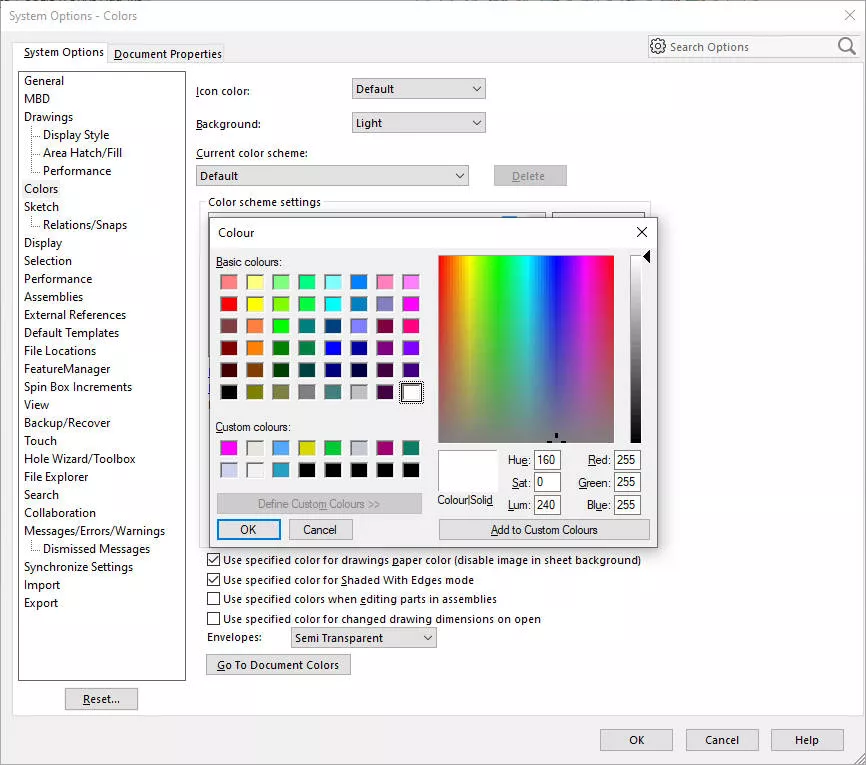
Once you’ve selected your desired colour, click OK and then select Plain (Viewport Background color above) from the list of settings for the background appearance.
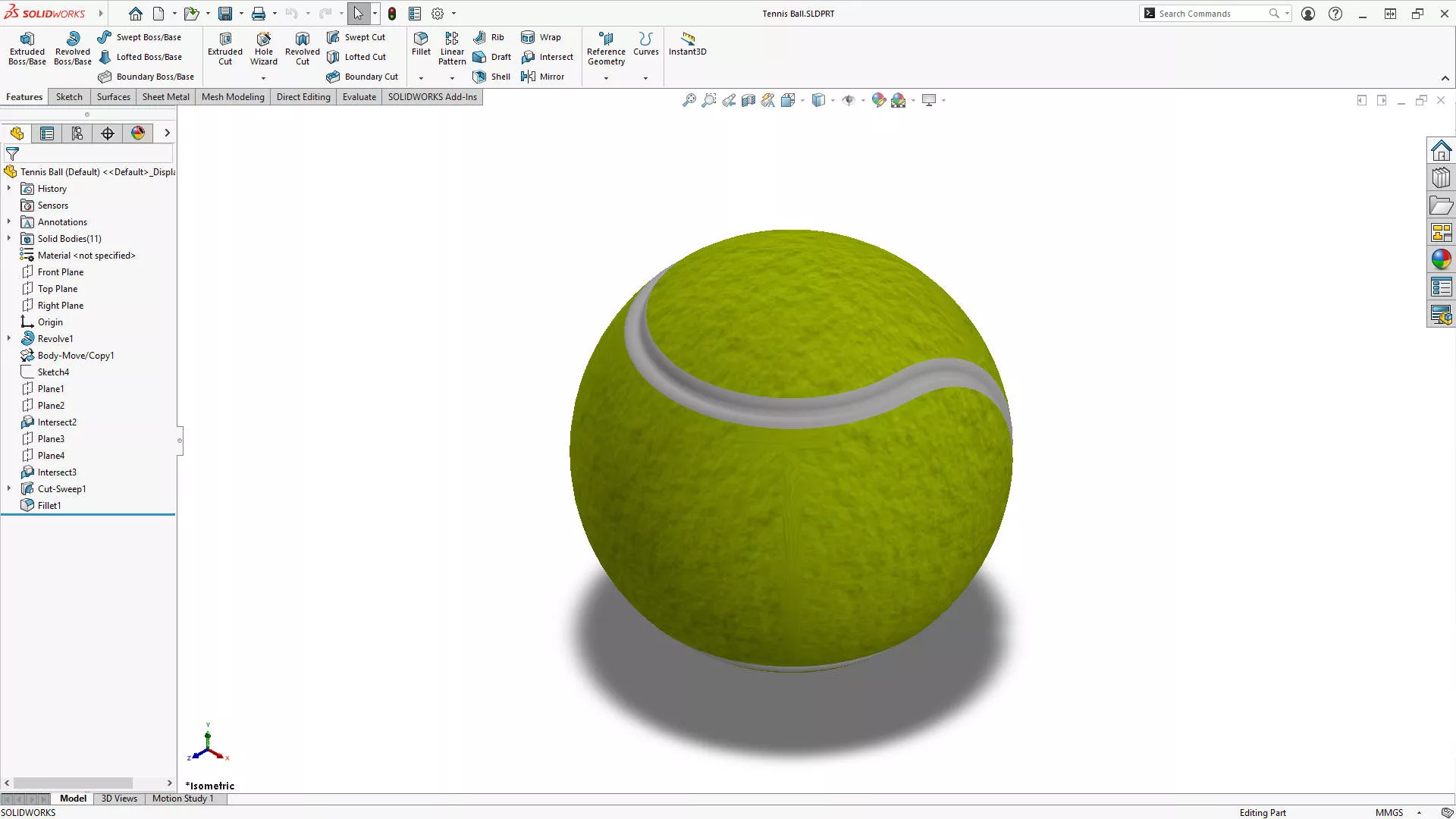
Hit OK again, and your background colour will update to reflect your choice.
Take the Next Steps…
Now that you’ve modified your settings, it’s a great idea to save them or make a copy of them to use on another computer.
Watch this short tutorial to learn how to copy your settings and find out why we recommend making a backup.
If you want to enhance your SOLIDWORKS skills, then sign up to our CPD-accredited training courses.
Whether you’re a beginner or are intimately familiar with CAD, our friendly and expert trainers are ready to help you get the most out of SOLIDWORKS, either online or in a classroom local to you.
Categorised as: SOLIDWORKS Design | Tech Tips
Get Expert SOLIDWORKS Training
Get hands-on SOLIDWORKS training in-person or online, led by certified experts with real industry experience. With venues across the UK & Ireland, it’s easy to start learning today.
Related Posts

How to Find Reaction Forces in SOLIDWORKS Simulation
SOLIDWORKS helps us to find resultant forces through simulation studies. These virtual tests reduce the need for physical prototypes and give us an accurate answer.

Setting number of decimal places in a table on a drawing
When creating an equation in a drawing general table, is it possible to define the…

SOLIDWORKS Smart Fasteners
SOLIDWORKS Smart Fasteners is a really useful time saving tool, allowing you to automatically insert toolbox fasteners such as bolts and screws into an assembly providing there is a standard hole.

Why is my Flat Pattern not showing in SOLIDWORKS Drawings?
This may be linked to how the drawing is saved or it can be related to how sheet metal parts are displayed in drawings, read on to find out how to fix it.

Why is SOLIDWORKS Crashing?
It’s one of the great mysteries of life – why is SOLIDWORKS crashing? Let’s explore how SOLIDWORKS crashes and how we can improve performance in SOLIDWORKS.

SOLIDWORKS Tips: Are you Making this Common Mistake in Fatigue Analysis?
Simulation is a vital and complex engineering need. Fortunately, SOLIDWORKS makes it easy to test, correct mistakes and obtain accurate results.
Tech Support Blog: Why are my SOLIDWORKS BOM Quantities Wrong?
Why are my SOLIDWORKS BOM Quantities Wrong? A support call cropped up this week which…

How to Get Your Serial Number for SOLIDWORKS Visualize Standard
Want to download Visualize to make photorealistic renders? Follow this guide for accessing your Visualize serial number that comes bundled in with SolidWorks Professional and Premium.

How to Recover SOLIDWORKS Files After a Crash
SOLIDWORKS has two different methods to help you recover from an unexpected crash or loss of data in the form of auto-recovery and back-up settings.

Redesigning Santa’s Sleigh in SOLIDWORKS
Every year Father Christmas has to fly in his sleigh to deliver presents to boys and girls all over the world in just one night. To put this into perspective, it takes a little under 24 hours to fly from London (UK) to Sydney (Australia) in a streamlined Boeing 747, whereas Father Christmas’ mode of transport is believed to be a rather non-aerodynamic sleigh.