











What’s New in SOLIDWORKS 2023?

Written by: Solid Solutions Marketing
Published: Apr 20, 2023
| View All Blogs
As upgrade season rolls around, many of our customers are looking to move to SOLIDWORKS 2023.
Whether you are working on SOLIDWORKS Desktop or 3DEXPERIENCE SOLIDWORKS, or have already updated to the latest version and service pack, there are plenty of enhancements available to you.
Let’s recap what’s new in SOLIDWORKS 2023 across the SOLIDWORKS portfolio.
Parts & Features
From single-line fonts to equations, there are plenty of new features to improve your experience and help you design efficiently.
Assemblies
Assembly configurations see enhancement as well as a brand-new automatic repair tool for mates. There are plenty of new features to improve your experience and help you create assemblies efficiently.
Drawings
In SOLIDWORKS 2D technical drawings, BOMs see a handy upgrade, while opening drawings of parts from inside assemblies has just got easier too.
User Interface
We love a new shortcut and streamlining our workflow. Find out the latest enhancements to the user experience in SOLIDWORKS 2023.
Fabrication Tools
Sheet metal & weldment features see some great enhancement in SOLIDWORKS 2023.
This year sees improved intelligence in bending, and some helpful additions to Structure Systems sprinkled into the mix.
3D Creator
The 3DEXPERIENCE platform is the home of powerful design applications. Let’s dive into some of the latest enhancements in the browser-based design roles including the 3D Creator role.
Learn more about managing your CAD data with the Cloud Data Management on the 3DEXPERIENCE platform.
3D Sculptor
With 3D Sculptor on the 3DEXPERIENCE platform, Sub-division modelling can be integrated with SOLIDWORKS to give you more control over your designs.
Learn more about getting started with the 3DEXPERIENCE platform.
PDM
2023 brings some major changes to SOLIDWORKS PDM that are really going to help users and admins streamline their workflows and manage their data effectively.
Robust data management is key to successful design. Here are 10 reasons why you need SOLIDWORKS PDM Pro.
Simulation
SOLIDWORKS Simulation sees efficiency improvements, faster solving and optimisation improvements in 2023.
Visualize
Use SOLIDWORKS Visualize to take your ideas from concept to reality without the cost of a physical prototype.
From simplified import options to a new rendering engine, SOLIDWORKS Visualize has seen some vital enhancements that are sure to streamline your processes and help you produce Stellar renders.
Inspection
Generate inspection reports and ballooned drawings in a matter of minutes with SOLIDWORKS Inspection and streamline the creation of inspection documents regardless of whether files are SOLIDWORKS, PDFs, or TIFFs.
Find out what’s new in SOLIDWORKS Inspection 2023 with this quick overview.
View all of our Technical Communication software here.
Electrical
Deleting components is easier and component properties will automatically propagate to 3D views.
Let’s see what else is new in SOLIDWORKS 2023…
View our tutorials for learning SOLIDWORKS Electrical.
Routing
Design harnesses more efficiently in SOLIDWORKS Routing 2023 and show cable cores clearly, even accounting for unused cores and splicing through multiple connection points.
Why not come on a CPD-accredited training course to improve your piping and electrical routing skills?
Take the Next Steps…
Our hardware specialists know exactly how to help you optimise your computers for SOLIDWORKS 2023.
Check out this breakdown of upgrades to improve your workstation’s performance, and get in touch with our dedicated team of experts to discuss your needs and tailor your workstation to your individual requirements.
Give us a call on 01926 333777 or email hardware@solidsolutions.co.uk.
Categorised as: SOLIDWORKS Design | What's New
Get a SOLIDWORKS Quote
Interested in SOLIDWORKS? Contact us for questions, trials, or demos by clicking the button below or call 01926 333777. Our experts will help you find the perfect solution.

Related Posts

How to Find Reaction Forces in SOLIDWORKS Simulation
SOLIDWORKS helps us to find resultant forces through simulation studies. These virtual tests reduce the need for physical prototypes and give us an accurate answer.

Setting number of decimal places in a table on a drawing
When creating an equation in a drawing general table, is it possible to define the…

SOLIDWORKS Smart Fasteners
SOLIDWORKS Smart Fasteners is a really useful time saving tool, allowing you to automatically insert toolbox fasteners such as bolts and screws into an assembly providing there is a standard hole.

Why is my Flat Pattern not showing in SOLIDWORKS Drawings?
This may be linked to how the drawing is saved or it can be related to how sheet metal parts are displayed in drawings, read on to find out how to fix it.

SOLIDWORKS Tips: Are you Making this Common Mistake in Fatigue Analysis?
Simulation is a vital and complex engineering need. Fortunately, SOLIDWORKS makes it easy to test, correct mistakes and obtain accurate results.

How to Recover SOLIDWORKS Files After a Crash
SOLIDWORKS has two different methods to help you recover from an unexpected crash or loss of data in the form of auto-recovery and back-up settings.

Redesigning Santa’s Sleigh in SOLIDWORKS
Every year Father Christmas has to fly in his sleigh to deliver presents to boys and girls all over the world in just one night. To put this into perspective, it takes a little under 24 hours to fly from London (UK) to Sydney (Australia) in a streamlined Boeing 747, whereas Father Christmas’ mode of transport is believed to be a rather non-aerodynamic sleigh.
SOLIDWORKS Grid Systems – hidden away, but very useful!
Rory Niles provides an insight into the uses for Grid Systems within SOLIDWORKS 2018

Furniture Design Made Easy with SOLIDWORKS
Calling all furniture and interior designers: the days of creating square cabinets are over. What if we told you there’s a much easier way to bring your products to life?
Here’s 10 reasons why we feel SOLIDWORKS is better than any other software, especially if you’re designing furniture:
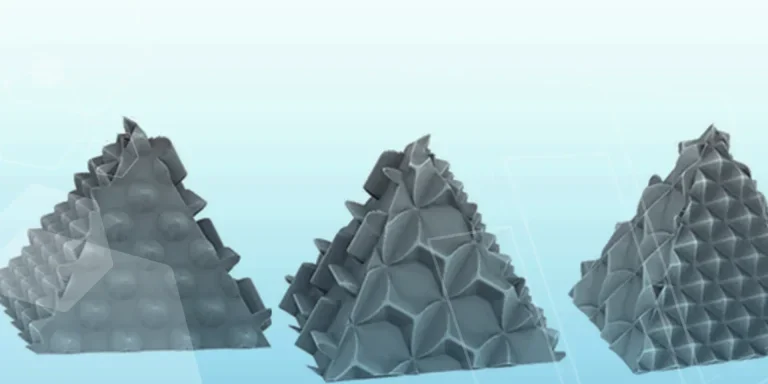
Making 3D Textures from Images on SOLIDWORKS
Turn images into 3D geometry with brand new SOLIDWORKS 3D Textures Feature