Trimech-Main-Site-Group-Navigation Trimech-Main-Site-Group-Navigation Trimech-Main-Site-Group-Navigation Solid-Solutions-Group-Navigation Javelin-Group-Navigation Solid-Print-Group-Navigation 3DPRINTUK-Group-Navigation Trimech-Enterprise-Solutions-Group-Navigation Trimech-Enterprise-Solutions-Group-Navigation Trimech-Advanced-Manufacturing-Group-Navigation Trimech-Staffing-Solutions-Group-Navigation
With over 35 years of experience, the TriMech Group offers a comprehensive range of design, engineering, staffing and manufacturing solutions backed by experience and expertise that is unrivalled in the industry. The TriMech Group's solutions are delivered by the divisions and brands shown here, use the links above to visit the group's websites and learn more.
x
Search

Assembly, Hide/Show Components

Thursday April 16, 2015 at 1:26pm
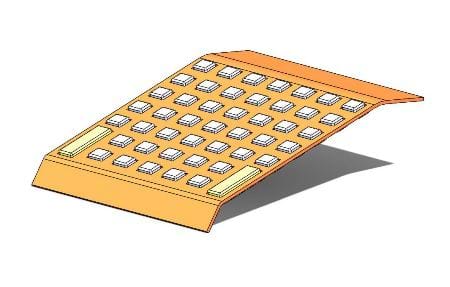
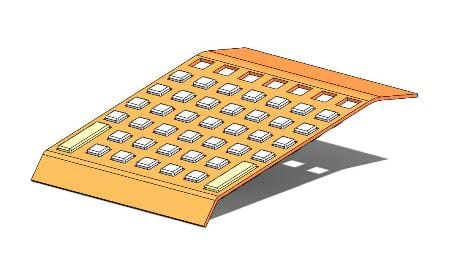
In the graphics area, you can press Tab and Shift + Tab to hide and show components of an assembly. This becomes very helpful when you have many small components getting in your way like the model shown below.

In the graphics area, you can press Tab and Shift + Tab to hide and show components of an assembly. This becomes very helpful when you have many small components getting in your way like the model shown below.

To hide a component:

  • Move the pointer over a component and press Tab.

To show a component:

  • Move the pointer over an area containing a hidden component and press Shift + Tab.

You can use these commands regardless of the component's state (resolved, lightweight, SpeedPak, or Quick view). The commands are not available when another command is active.
By Jon Weston-Stanley

View the Video here

Related Blog Posts

Rendering & Life After PhotoView 360 | What's New
Discover the new features coming to SOLIDWORKS Visualize 2026 to enhance rendering workflows and make rapid rendering more accessible.
SOLIDWORKS Introduces AI to Streamline Drawing Cre
SOLIDWORKS drawings may have the best update of the year! Discover the latest updates and gain insight from the experts on their real world impacts.
New Tools & Features for Part Modelling Workflows
Discover what's new for part modelling workflows with the latest enhancements to SOLIDWORKS Design 2026.

 Solid Solutions | Trimech Group

MENU
Top