











3D Sculptor
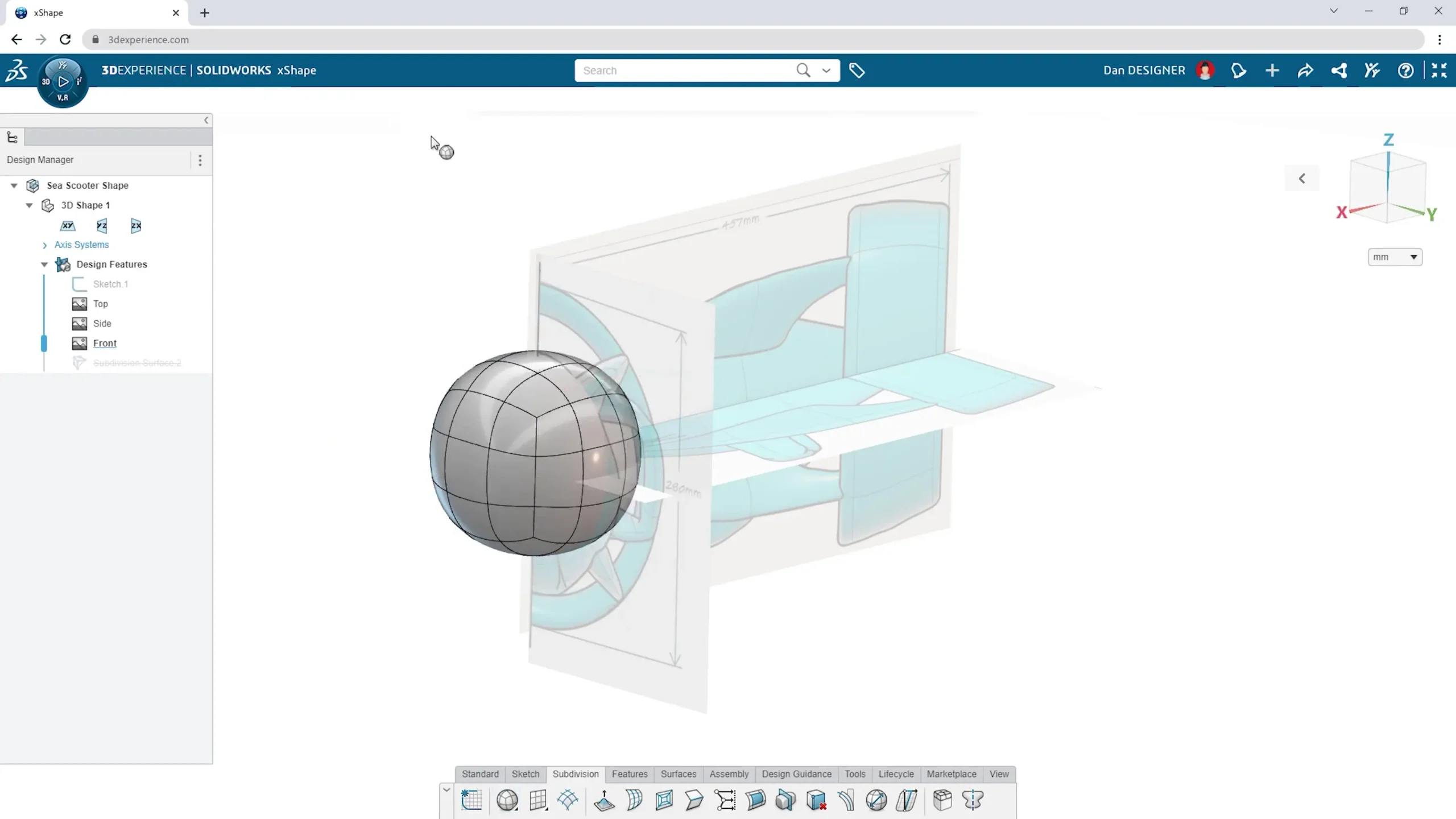
The 3D Sculptor role is a browser-based, 3D subdivision modelling solution that enables industrial designers, engineers, and artists to create organic forms faster and more easily than traditional parametric tools.
Built on the cloud-based 3DEXPERIENCE platform from Dassault Systèmes, 3D Sculptor lets you create organic shapes with simple push-pull tools. These files can be imported into SOLIDWORKS for full integration into parts, assemblies, and technical drawings.
Key Features
Intuitive online tools for organic freeform modelling



How does 3D Sculptor Work?
3D Sculptor enables intuitive, cloud-based modeling, seamless SOLIDWORKS integration, real-time collaboration, and efficient design management for faster, more flexible product development.

Sub-D Modelling in the Cloud
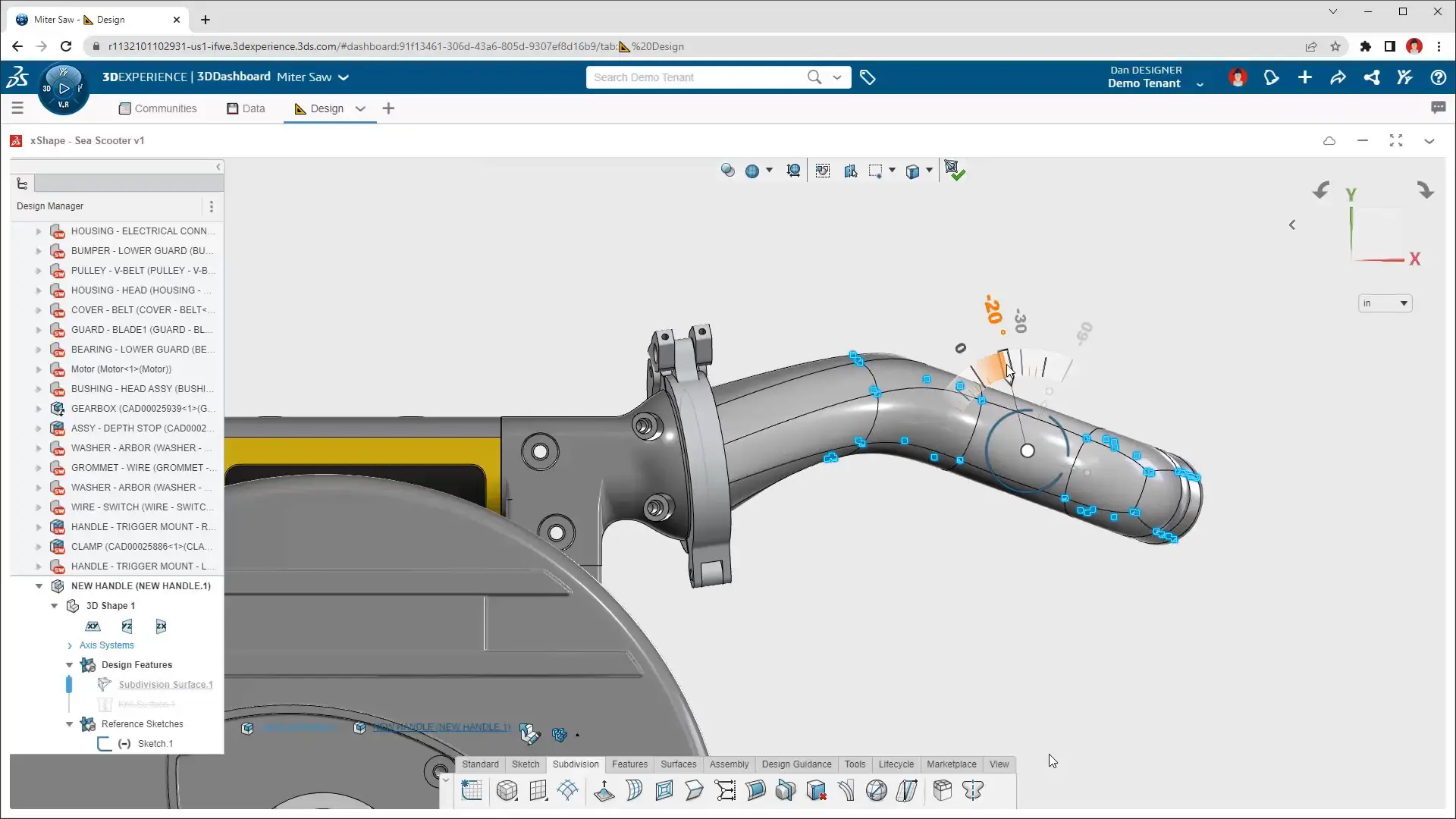
3D Sculptor includes the xShape app, a 3D Sub-D modelling application that features:
- Push and pull geometry with ease and utilise precision control to aid innovation and iteration.
- Intuitive tools enable rapid modelling of complex surfaces and freeform, organic shapes.
- Accelerate design of stylized and ergonomic products faster than traditional parametric tools.
Direct Data Interchange
3D Sculptor features direct imports and exports so users can easily bring their designs into SOLIDWORKS and other 3DEXPERIENCE Works solutions.
- Easily switch between 3D Sculptor, SOLIDWORKS, and other solutions like 3D Creator.
- Fully referenced files automatically update between software applications when modified.
- Utilise different modelling toolsets to enhance products for optimum user experience.

Collaborative Tools
Built-in revision management allows you to focus on design, not on managing data. Connect with key stakeholders with communication tools that enable users to:
- Change the shape of a product any time without requiring complete remodelling.
- Enhance collaboration through simple and straightforward markup tools.
- Avoid data translation or clean up with automatic downstream preparation.
Connect to SOLIDWORKS Desktop
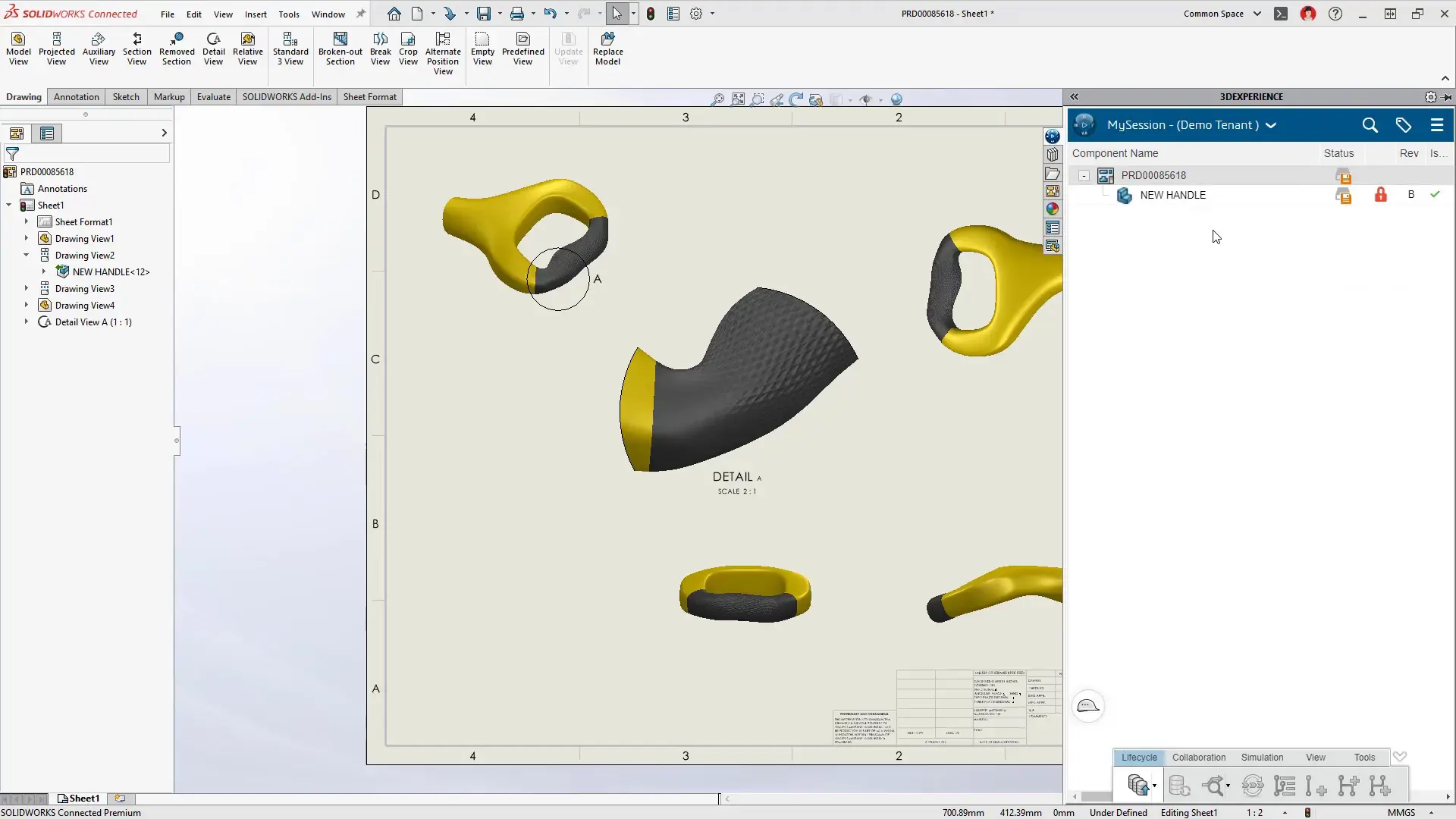
Connect your traditional desktop experience with SOLIDWORKS to the 3DEXPERIENCE platform.
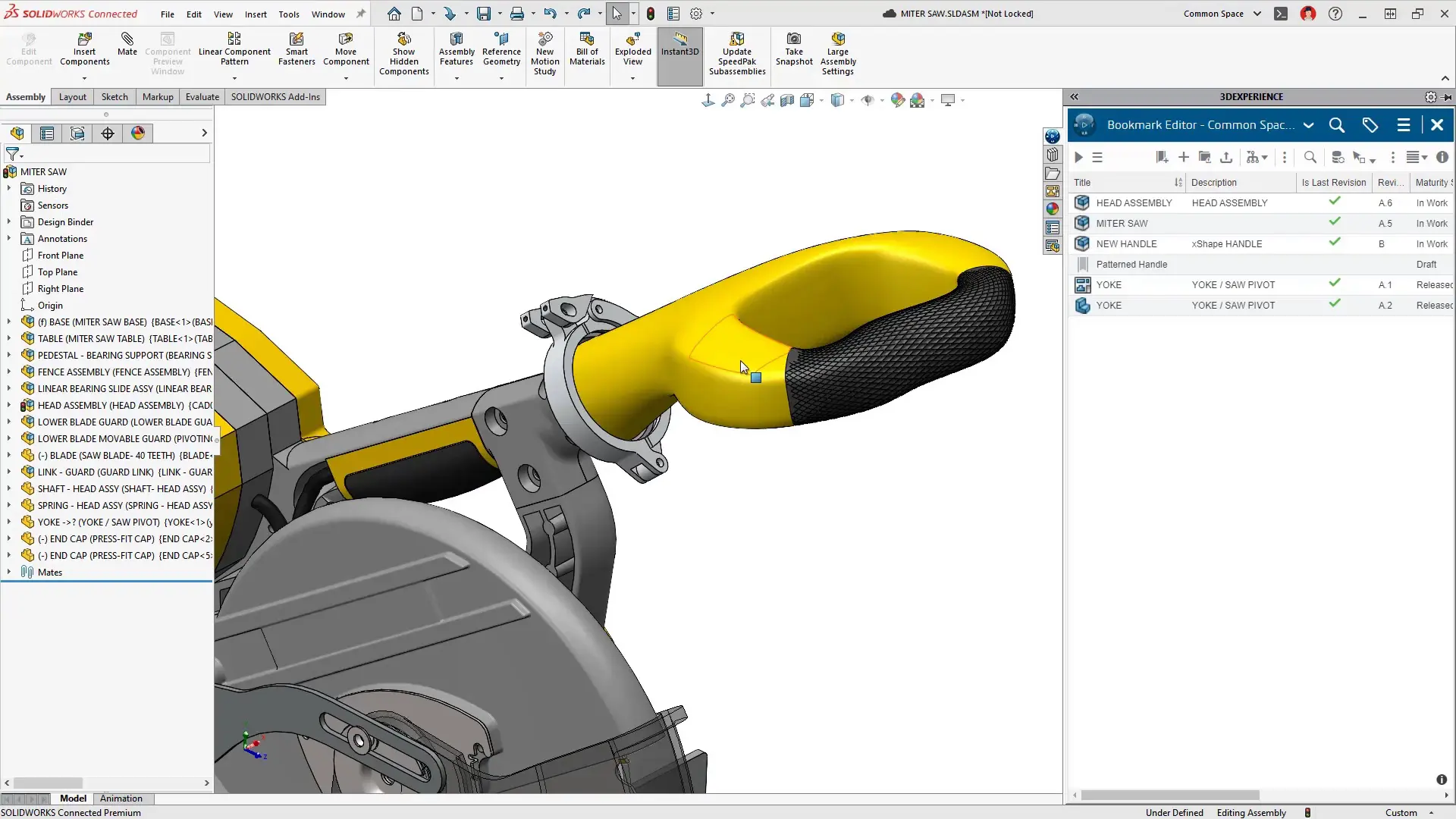
- Easily access models created with 3D Sculptor directly inside SOLIDWORKS via the task pane.
- Combine subdivision modelling with the power of SOLIDWORKS to design efficiently.
- Streamline workflows with the collaborative nature of the 3DEXPERIENCE platform.
Frequently Asked Questions
Often likened to clay modelling, subdivision modelling consists of modifying solid model surfaces by pushing, pulling, scaling, rotating, and shaping the body with features.
Subdividing is the act of dividing surface areas into smaller, more detailed regions. Surfaces are broken into faces by intersecting ‘edge loops’ which follow the surface shape, and individual faces, edges, and vertices can all be selected and manipulated to create this freeform geometry.
Subdivision modelling allows for a more fluid design approach, with the ability to accurately replicate organic shapes or ergonomic designs faster than traditional parametric methods.
Traditionally, SOLIDWORKS has not had the ability to natively create subdivision models.
However, with the introduction of the 3DEXPERIENCE platform, the 3D Sculptor role enables designers, engineers and digital artists to create highly stylized, organic, and ergonomically shaped products. These models can be easily imported into traditional Desktop SOLIDWORKS or 3DEXPERIENCE SOLIDWORKS when connected to your 3DXEXPERIENCE platform.
SOLIDWORKS does not have the toolset to natively control subdivision parameters. Files created in the xShape app are treated as solid bodies that can be referenced and modified with additional features in SOLIDWORKS.
Edits to the subdivision model must be made in the browser-based xShape app, and the changes can be synchronised to the model used in SOLIDWORKS.
The 3D Sculptor role is a supplement to your design process, so to get the most accurate price for your needs, get in touch with our team via 01926 333 777 or by filling out the form below.
The 3D Sculptor role is available as a standalone purchase and is included within 3DEXPERIENCE SOLIDWORKS Professional and Premium packages.
3DEXPERIENCE SOLIDWORKS Professional contains everything within the 3DEXPERIENCE SOLIDWORKS Standard package plus:
- Browser-based sub-division modelling with the 3D Sculptor Role.
- Additional design validation tools including Design Checker, TolAnalyst, and Costing.
- SOLIDWORKS Visualize Connected for photorealistic static and animated product renders.
3DEXPERIENCE SOLIDWORKS Premium includes everything in the 3DEXPERIENCE SOLIDWORKS Professional package plus:
- Advanced surfacing
- Pipe, tube, electrical cable, wire, and section routing
- Kinematics & FEA analysis
Each version of 3DEXPERIENCE SOLIDWORKS is modular, so additional roles can be integrated for extra functionality as you require them.
The 3D Sculptor role is available as a standalone purchase.
As a supplementary tool in your design workflow, the 3D Sculptor role is often paired with SOLIDWORKS to create organic and ergonomic models.
Users of the role must have an activated account on the 3DEXPERIENCE platform.
The 3D Sculptor role will be available to you after activating the 3DEXPERIENCE platform and being assigned the role by your platform Administrator.
Learn how to activate your 3DEXPERIENCE platform account and get started with our free walkthroughs.