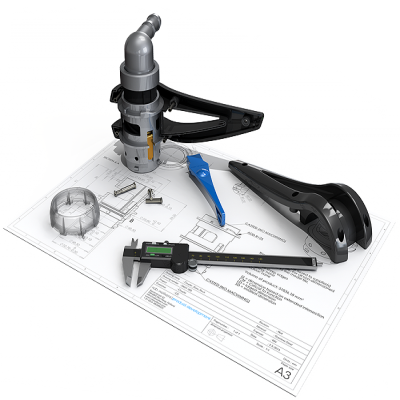
SOLIDWORKS Inspection Capabilities
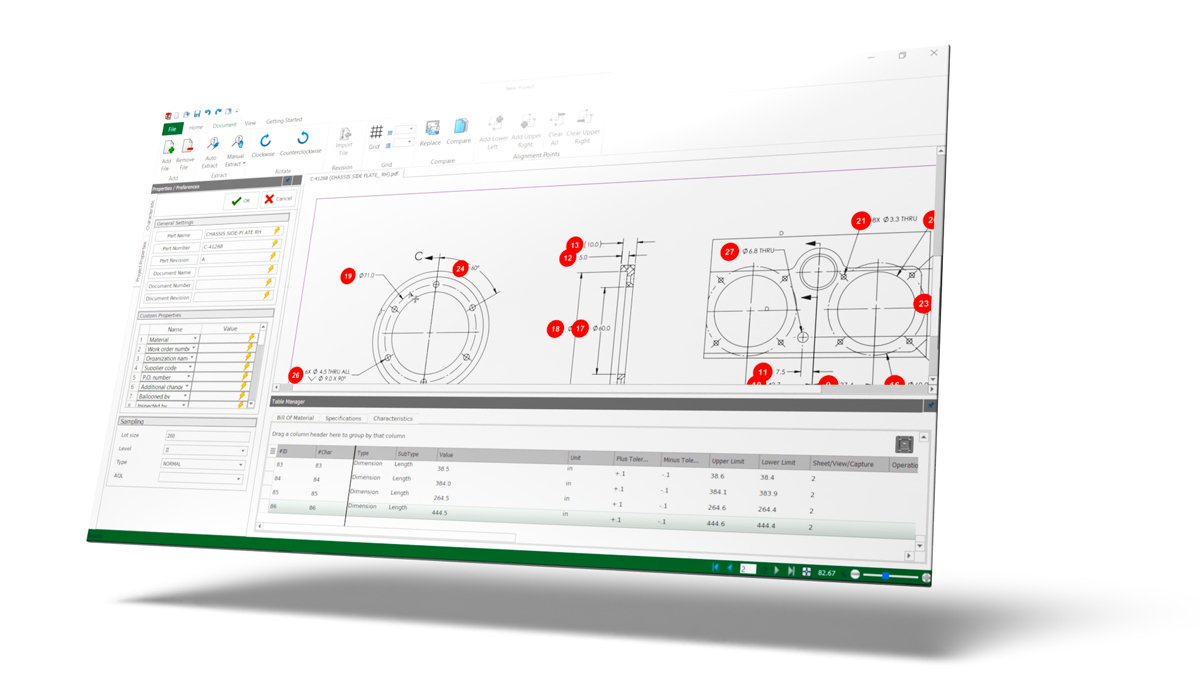
Simplify the inspection document creation process
Quality departments handle inspections, often creating ballooned drawings, reports, and other required documents. Manually producing these in Excel with handwritten notes can take hours.
SOLIDWORKS Inspection streamlines this process by using existing 2D data (like SOLIDWORKS files, PDFs, or TIFFs) or digital measuring tools to automate document creation.
SOLIDWORKS Inspection Features
Inspection Documents made easy
With an intuitive, easy-to-use interface SOLIDWORKS Inspection allows you to generate inspection reports and ballooned drawings in a matter of minutes, resulting in time savings of up to 90%
Optical Character Recognition
Optical Character Recognition is used to interpret nominal dimension, plus and minus tolerances and dimension type (such as diametric and linear) to remove the need for manual input whilst reducing errors.
Use across a range of CAD Platforms
SOLIDWORKS Inspection can be used as standalone application to be used with alternative CAD programs as well as being seamlessly integrated into SOLIDWORKS with the Inspection add-in.
Identify Revision Errors
Identify changes and errors in various design revisions with SOLIDWORKS Inspection advanced drawing comparison capabilities.
Improve Time to Market
With industry standard reports and ballooned drawings generated in just a few moments in a range of customisable formats, SOLIDWORKS Inspection reduces errors and inconsistencies whilst reducing inspection time by up to 90%.
Speed up Inspection
Inspect your parts quickly, simply enter measured values, use a digital calliper or import results directly with a coordinate measuring machine.
Which Inspection package is right for you?
SOLIDWORKS Inspection Standard
£2,544/ 12 month term
SOLIDWORKS Inspection Standard is a First Article and in-process inspection solution that efficiently streamlines the creation of necessary inspection documentation.
With a dedicated standalone application and an embedded SOLIDWORKS add-in, it enables users to seamlessly leverage existing legacy data, irrespective of the original file type or format.
SOLIDWORKS Inspection Professional
£3,876/ 12 month term
SOLIDWORKS Inspection Professional extends the core capabilities of SOLIDWORKS Inspection Standard and lets you either manually or semi-automatically enter measured values directly into your ongoing inspection project.
Using Inspection Professional, you gain the ability to work directly with both 2D and 3D CAD data, utilising streamlined workflows for a more comprehensive and robust process.
Have questions about Inspection?
SOLIDWORKS Inspection solutions enable you and your team to quickly assess product quality for transforming new ideas into great products.
Frequently Asked Questions
It is a powerful software for First Article Inspection (FAI) and in-process inspection. It automates the creation of ballooned drawings and quality documentation necessary for UK manufacturers, such as those related to PPAP (Production Part Approval Process) and AS9102/EN 9102.
Yes. It’s available as an add-in for native SOLIDWORKS files and a versatile standalone application that handles legacy formats like PDF, TIFF, DXF, and DWG, ensuring compatibility across different manufacturing platforms.
Using Optical Character Recognition (OCR), the standalone application can automatically read and identify complex annotations, including GD&T (Geometric Dimensioning and Tolerancing) symbols, dimensions, and tolerances directly from PDF or TIFF drawings.
It features a drawing comparison tool that quickly detects and highlights changes between drawing revisions.
This allows you to rapidly update your existing inspection project and Bill of Characteristics, maintaining control during the design lifecycle.
Standard focuses on the automated creation of the initial inspection documentation (the balloons and the characteristic list). Professional extends this by adding the essential ability to input and verify measured results against the specifications.
SOLIDWORKS Inspection Professional supports several methods crucial for UK quality labs:
- Manual data key-in.
- Direct connection to digital measuring devices (like digital callipers or micrometres).
- Automated import of results from Coordinate Measuring Machines (CMMs) like PC-DMIS, Calypso, and others.
Yes. Only the Professional version gives you the ability to work directly with 3D CAD models and utilise the embedded Product and Manufacturing Information (PMI) for your inspection reports.
Once measured values are imported or entered, Professional automatically provides an instant, colour-coded Pass/Fail status for every characteristic, ensuring immediate visual feedback on parts that are within, marginal, or outside of tolerance.