Which Design Automation package do you need?
DriveWorks is designed for companies that build 'Same but Different' products. We offer three flexible options to match your CPQ, budget and automation goals.
Evaluation & Entry-Level Automation
£2,544/ 12 month term
Embedded in every license of SOLIDWORKS.
DriveWorks Xpress
DriveWorks Xpress is fully embedded and included in every license of SOLIDWORKS.
The Xpress tool provides entry-level Design Automation for evaluation purposes.
Want to know more?
Speak to our friendly team
Core Automation & Small Teams
£3,156/ 12 month term
Unlocks enhanced form creation and offers greater control over SOLIDWORKS features and properties.
DriveWorks Solo
Unlock enhanced form creation and control models through automation while adjusting the look and feel of the user interface.
Solo offers core design automation functionality, giving users greater control over what features and properties can be driven.
Want to know more?
Speak to our friendly team
Most Comprehensive
£3,876/ 12 month term
Includes everything in DriveWorks Solo, plus over 65 additional features including:
DriveWorks Pro
The Pro package provides sales teams with a powerful selling tool and can transform design and engineering departments through additional modular applications.
Want to know more?
Speak to our friendly team
Key Capabilities Across the DriveWorks Range
Regardless of your package choice, DriveWorks provides the critical functionality needed to reduce errors and speed up your process.
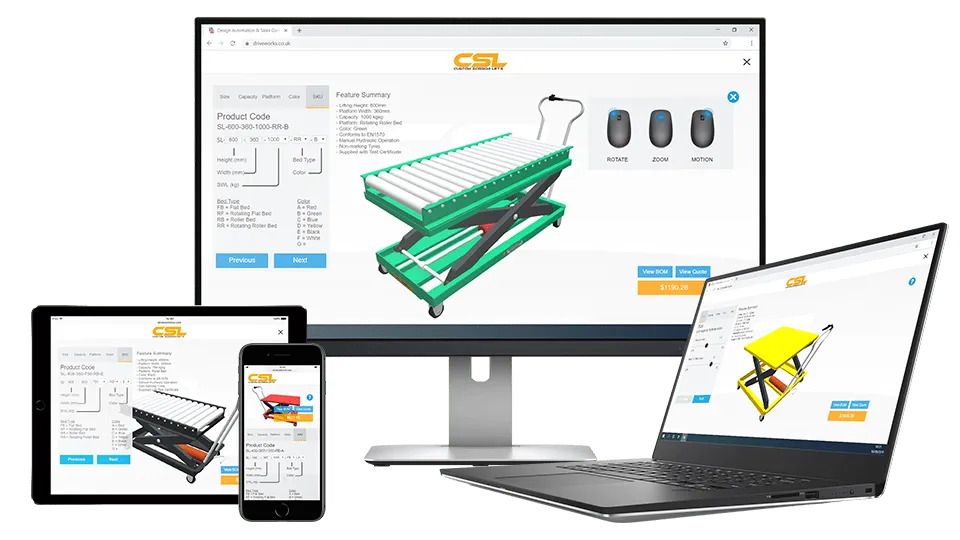
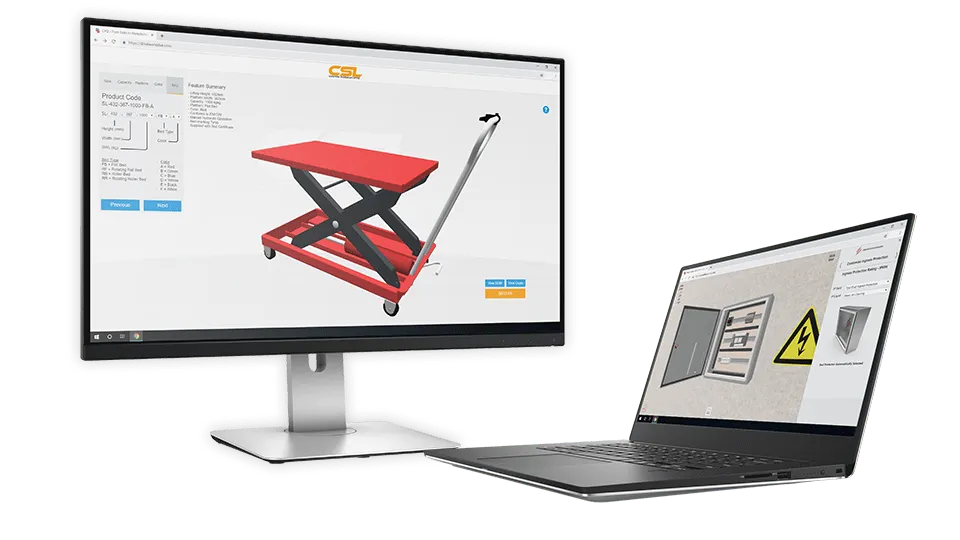
DriveWorks Configurator
- Embed on your website for customer self-configuration (changing sizes, colours, components).
- Instantly generates order-specific manufacturing data and quotes.
- Fully integrates with your existing business systems (ERP/CRM) for end-to-end automation.
DriveWorks Demos
Start Your Automation Journey.
Ready to find the perfect DriveWorks package for your business?
Customer Success Stories
The Bradley Collection
"The beauty of DriveWorks, apart from anything else, is standardizing the communications because we've moved from words to production drawings. That's the beauty of the DriveWorks implementation."
"So it gives the customer confidence throughout the whole process that the qualities improve, the accuracy is improved. It just helps along the whole journey. we set out with this project, it was all about improving the client experience."
"Our quotes were now they're very much simplified. We've got a summary. We've got all the detail they need."
Dolphin Solutions
"Now we've got the automation, all those production files are created without any need for the design team to even see the job, which has made a huge difference on resource."
"Our experience with Solid Solutions has been a very positive one throughout the whole journey of installing DriveWorks, right from getting a demonstration of how DriveWorks works, to time on time on site helping us install the right software and actually installing DriveWorks, to then supporting as we worked on our user forms and all of our models for DriveWorks."
Lawrence David
"DriveWorks was really the only solution that allowed us to automate our design process while tying directly into SOLIDWORKS and our PDM system."
"DriveWorks allows us to run more complex workflows without adding extra demand on our engineering team."
"We can create a generic model and quickly customise and renumber it to meet specific customer requirements --- while producing more accurate drawings for the shop floor."
Frequently Asked Questions
The three versions offer different levels of scalability and functionality:
Xpress: Entry-level tool included with every SOLIDWORKS license, primarily for internal engineering use to automate simple, single-part projects.
Solo: A single-user product that offers enhanced automation control for models and forms, great for small teams automating internal design tasks.
Pro: The full enterprise solution that adds web deployment (Sales Configurator), multi-user access, PDM/ERP integration, and advanced order management.
Yes. DriveWorks is fully scalable. You can easily transition from DriveWorks Xpress to Solo, or Solo to Pro. All the rules and models you configure in a lower-tier product are fully retained and upgraded, protecting your initial investment and development time.
While Xpress is excellent for starting out, Solo gives you much greater control and flexibility. You gain advanced tools for form design, the ability to control far more SOLIDWORKS properties, and the option to generate a wider range of technical documents (beyond basic drawings). This is vital when moving beyond simple part configurations to complex assemblies.
Guided Selling is the process of leading a sales person, distributor, or end-customer through a series of questions to configure a complex product. DriveWorks Pro includes the Live component, which hosts the configuration form on the web.
This allows non-engineers to access the system via a browser, instantly configure a product, and generate a quote without ever touching SOLIDWORKS.
Yes, integration is one of the key strengths of DriveWorks Pro.
It can securely connect with and transfer data to systems like your Enterprise Resource Planning (ERP) system for costing, your Customer Relationship Management (CRM) system for lead tracking, and SOLIDWORKS PDM for robust data management.
No. DriveWorks uses an intuitive, rules-based engine that allows engineers who know SOLIDWORKS well to define the automation logic using familiar spreadsheet-style functions and formulas.
You do not need traditional programming knowledge, making it highly accessible to design teams.
DriveWorks automates the creation of all required sales and manufacturing documentation, including:
Updated SOLIDWORKS 3D Models and Assemblies.
Customised SOLIDWORKS 2D Drawings (DXF, DWG).
Detailed Bills of Material (BOMs).
Sales Proposals and Quotes (PDF).
Cutting Lists and other manufacturing data.
As a certified partner, Solid Solutions provides a full suite of services:
Consultation: Assessing your current products and identifying the best fit (Xpress, Solo, or Pro).
Implementation: Setting up the rules, models, and forms to ensure efficient automation.
Training: Certified courses to quickly get your engineers productive with the software.
Support: Ongoing technical support to ensure smooth operation and future scalability.