Collaboration and Data Control in the Cloud

SOLIDWORKS Cloud Services

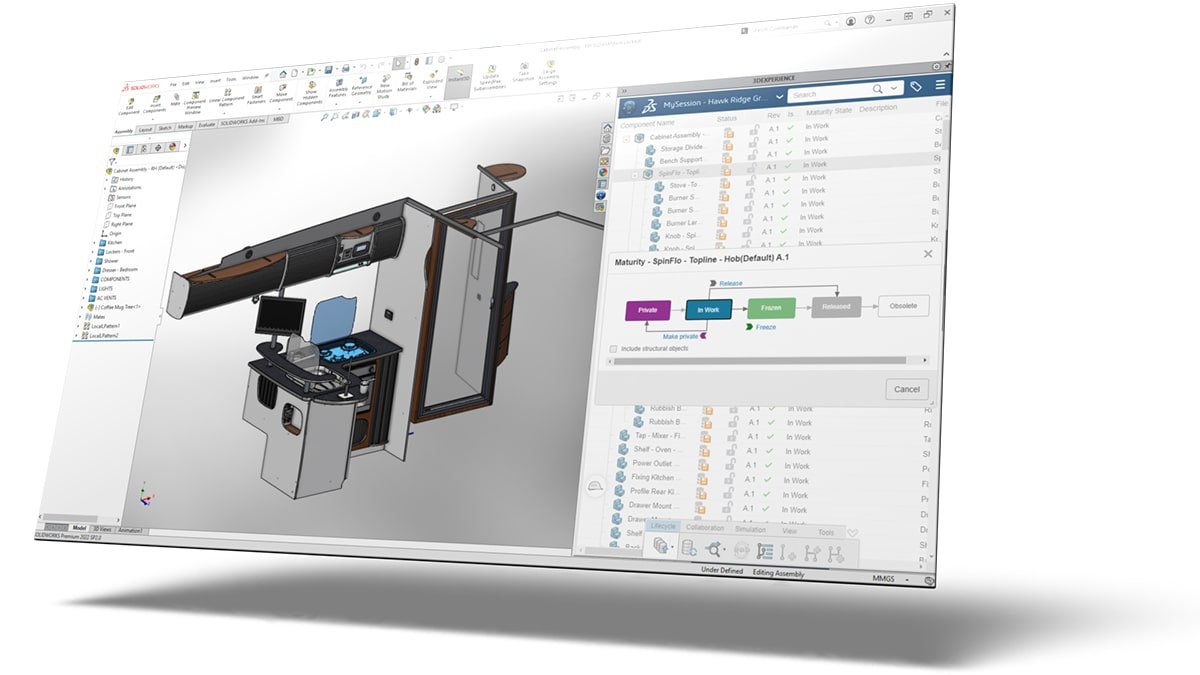
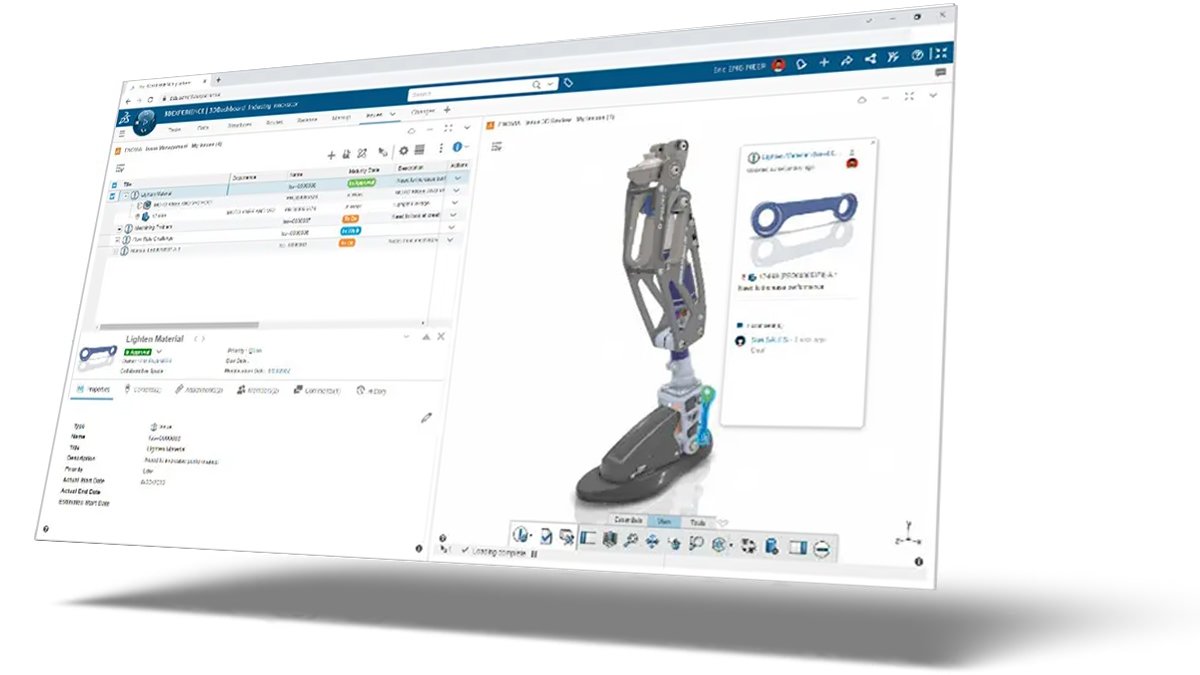
Included with every new subscription of SOLIDWORKS, the Cloud Services suite connects your desktop CAD to the cloud, providing essential tools for secure data management, collaborative design review, and engineering change control.

What You Get

Core Functionality

SOLIDWORKS Cloud Services deliver three core capabilities to streamline your design workflow:
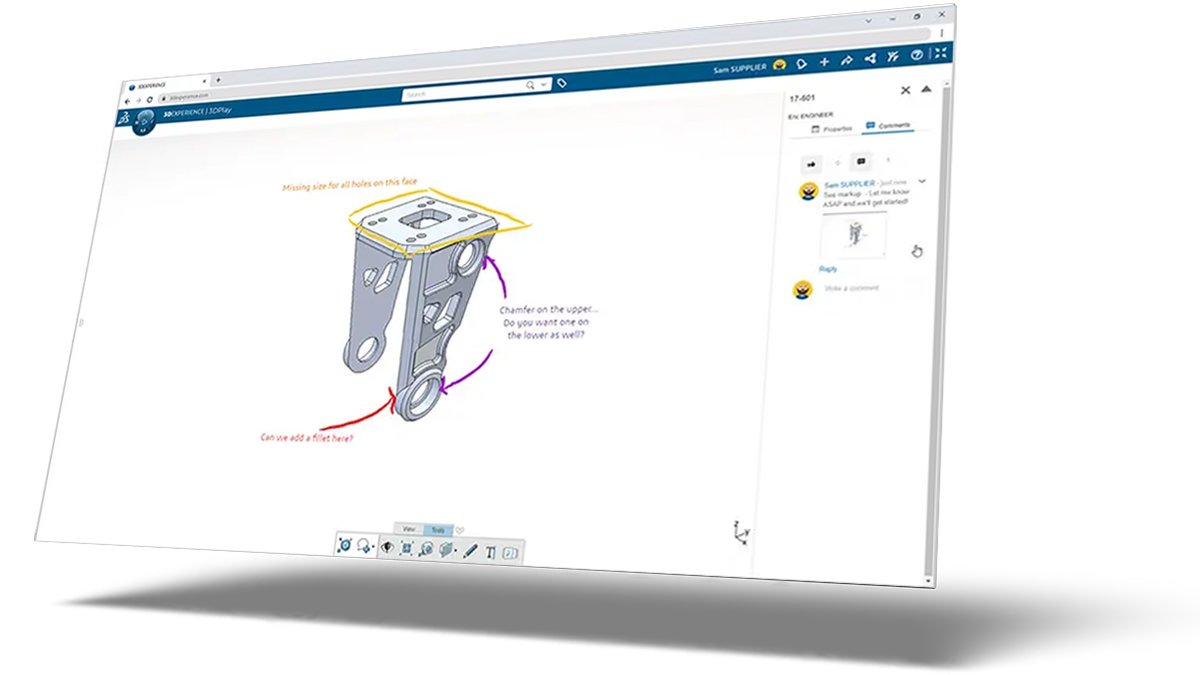
share & markup
solidworks cloud services solid solutions
cloud services manage and control

Key Benefits of Cloud Services

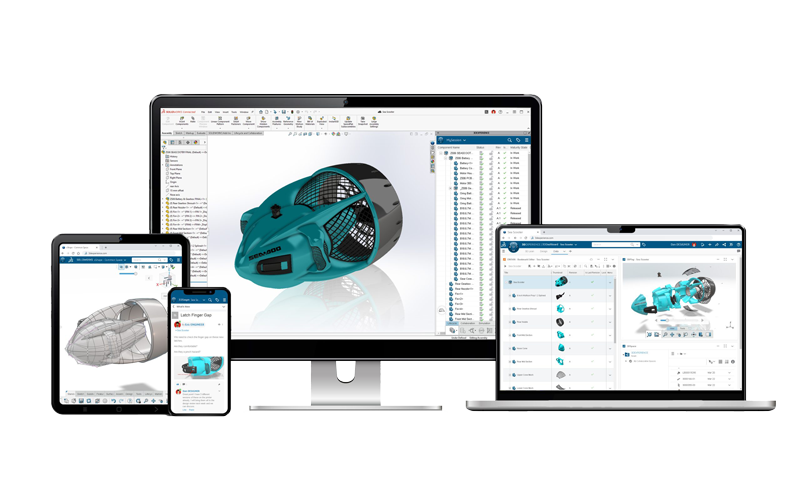
Connect your SOLIDWORKS desktop to the cloud. Access secure data storage, collaborative markup, and revision management via the powerful 3DEXPERIENCE platform.

Eliminate Local Servers

Gain robust data management and revision control without the capital cost or maintenance burden of physical servers and complex PDM infrastructure.

Seamless Data Continuity

Keep your data connected from design through to manufacturing, ensuring a single, up-to-date source of truth for all stakeholders.

Global Collaboration

Securely share designs and gather feedback from colleagues, contractors, or clients anywhere in the world via a web browser.

CAD-Intelligent Storage

The system understands and manages SOLIDWORKS file relationships and revisions, preventing accidental overwrites and data loss.

Direct Workflow Access

Access cloud storage, file locking, and revision commands directly from the familiar SOLIDWORKS desktop interface.

Pathway to 3DEXPERIENCE

Provides an essential, low-friction entry point to the advanced PLM, Simulation (SIMULIA), and Manufacturing (DELMIA) roles available on the 3DEXPERIENCE platform.

The 3DEXPERIENCE Platform

The 3DEXPERIENCE Platform is a business-wide cloud environment that connects SOLIDWORKS users to Dassault Systèmes' extensive portfolio of engineering solutions.

It operates on a modular system of licensed roles, offering access to tools from major brands like CATIA, ENOVIA, and SIMULIA. All programs use the same design files, establishing a single source of truth that improves cross-department collaboration and simplifies data management across your business.

We can help you discover the specific roles that will bring the most value to your requirements.

3D Experience Brands

Advanced Design

The world-leading solution for versatile product design and development.

3ds catia logotype rgb white

Complete PLM

End-to-end product lifecycle management to increase efficiencies and streamline processes.

3ds enovia logotype rgb white

Virtual Testing

Evaluate performance, reliability, and safety of products virtually with ABAQUS technology.

3ds simulia logotype rgb white

Digital Manufacturing

Advanced manufacturing solutions for supply chain management and efficiency optimisation.

3ds delmia logotype rgb white

Get Connected. Stay Collaborative.

Ready to move your design data to a secure, shared environment?
solidworks cloud services solid solutions

Frequently Asked Questions

What are SOLIDWORKS Cloud Services and how do I get them?

SOLIDWORKS Cloud Services are a suite of tools that connect your traditional SOLIDWORKS desktop license (Standard, Professional, or Premium) to the 3DEXPERIENCE platform. They are typically included with every new SOLIDWORKS subscription package.

Is this the same as a cloud-based version of SOLIDWORKS?

No. The Cloud Services are features that enhance your existing installed version of SOLIDWORKS CAD. There are other related offerings, such as 3DEXPERIENCE SOLIDWORKS (where the license and data storage are cloud-managed) and 3D Creator / 3D Sculptor (browser-based CAD tools), but Cloud Services works directly with your desktop install.

What is the biggest advantage of using cloud data storage over local storage?

The biggest advantage is the combination of security and access. Data is stored securely on servers managed by Dassault Systèmes, eliminating your need to purchase, manage, and back up physical servers. Your team can securely access and collaborate on data from any location and any device with an internet connection.

How does Cloud Services help with revision management?

The 'Store & Revise' functionality provides CAD-intelligent revision control from inside SOLIDWORKS. It automatically manages file versions, tracks who is working on what (via file locking), and allows you to easily revert back to previous design states, avoiding data loss and confusion.

Can I collaborate with people who do not have SOLIDWORKS?

Yes. The 'Share & Markup' tool allows you to send secure links to external parties (clients, suppliers) who can view and mark up the 3D model in a web browser without needing a SOLIDWORKS license or installing any software.

What is the 3DEXPERIENCE platform?

The 3DEXPERIENCE platform is a business-wide tool that connects various Dassault Systèmes applications (including those for design, simulation, and manufacturing) on a single cloud environment. The SOLIDWORKS Cloud Services serve as your team’s gateway into this platform, giving you a foundation to scale into advanced tools like ENOVIA (PLM) or SIMULIA (Simulation) roles as your needs evolve.

Does using Cloud Services mean I no longer need SOLIDWORKS PDM?

The Cloud Services provide essential Data Management and Revision Control that covers many needs previously handled by PDM Standard or simplified PDM workflows. However, large organisations with highly complex processes may still require the advanced control and local caching of SOLIDWORKS PDM Professional alongside the cloud platform for maximum flexibility.

Is this system suitable for small businesses and start-ups?

Absolutely. Cloud Services are ideal for small businesses as they provide professional-grade, centralised data management without the massive upfront capital expense and IT overhead required for traditional server-based solutions.

Who uses SOLIDWORKS Cloud Services?

We have customers of various sizes, from Entrepreneurs and Start-Ups to large scale Enterprises using SOLIDWORKS and the 3DEXPERIENCE platform successfully.

As a CAD-intelligent data management system, it has many advantages: you don't need to purchase and maintain servers, you can avoid cyber security issues, and you can access your data anywhere and on any device.

Do I need CAD workstations to use the SOLIDWORKS Cloud Services?

Yes, but the only hardware you need is a PC to run SOLIDWORKS. You can check out our latest offers on recommended hardware here.

With the 3DEXPERIENCE platform, your data can be stored on servers managed by Dassault Systèmes.

There are no costs such as buying and managing a physical server, backup software, network switches, and so on.