











How the 3DEXPERIENCE Platform works
What are roles?
The 3DEXPERIENCE platform consists of a variety of roles that each provide different functionality and are separately licensed.
Each role unlocks access to applications from one of Dassault Systèmes' major software brands including CATIA, ENOVIA, SIMULIA, and DELMIA among others.
What are applications?
Every role on the 3DEXPERIENCE platform contains a unique set of software applications that assist designers, marketers, managers, and more!
A role such as Project Planner contains applications for project management, while the Structural Engineer role contains applications for linear FEA analysis.
Where to start with the 3DEXPERIENCE platform?
Knowing where to start with the 3DEXPERIENCE can be overwhelming, which is why we're here to help.
Roles on the 3DEXPERIENCE platform can be categorised into the four broad levels below. You aren't limited by these levels, but they serve as a helpful benchmark when you're starting out - as your business grows, you may find you use roles and applications from multiple levels.
Entry Level, Collaboration & Cloud Data Storage
SOLIDWORKS Cloud Services
Provided by Solid Solutions
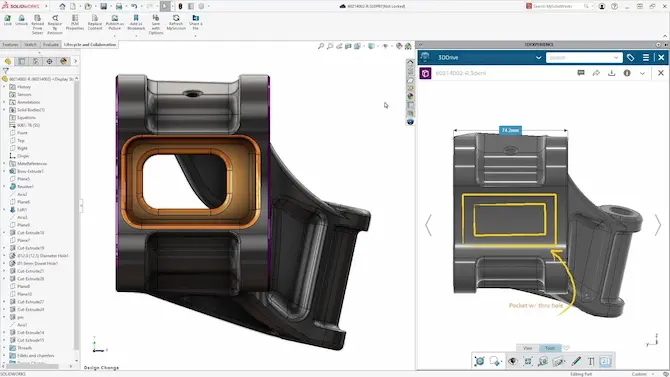
These applications provide a brilliant introduction to the 3DEXPERIENCE Platform and are seamlessly integrated with SOLIDWORKS.
Access formal CAD data management, share and markup capabilities, collaboration tools and more.
Browser Based 3D CAD Capabilities
SOLIDWORKS xDesign Tools
Provided by Solid Solutions
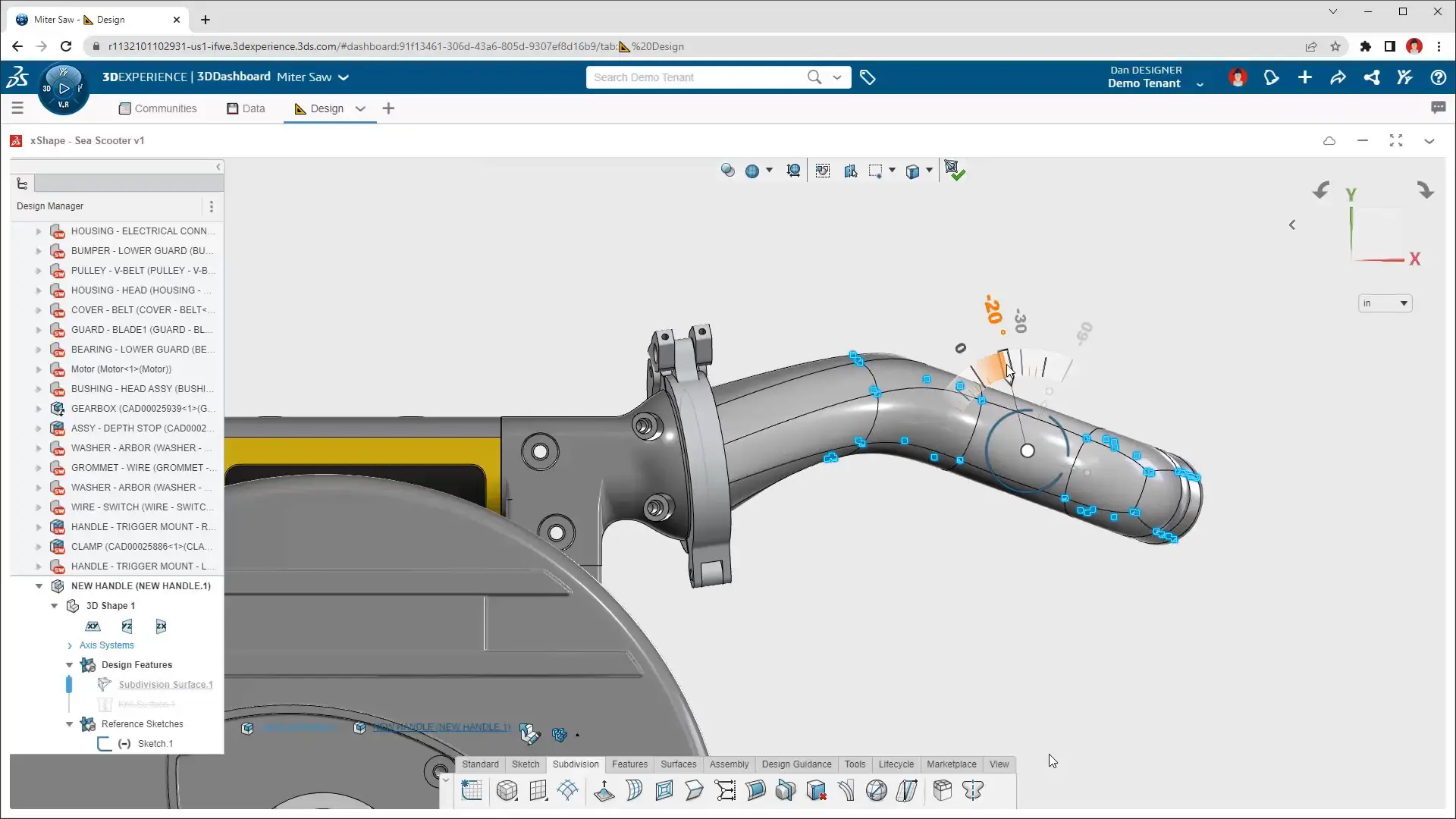
SOLIDWORKS xDesign is a next-generation, browser-based 3D modelling solution that runs on the 3DEXPERIENCE platform.
It brings the power of industry-leading CAD to any web-enabled device. Whether you’re in the office, on-site, or working from home.
Expanded Toolsets
3DEXPERIENCE Works
Provided by Solid Solutions, learn more at TriMech.com
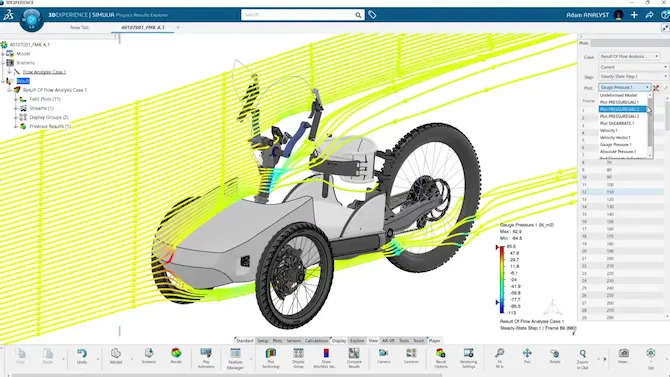
3DEXERIENCE Works comprises an extensive subset of roles from the 3DEXPERIENCE Platform.
These tools are ideal for businesses that use SOLIDWORKS and need to expand their design, simulation, or lifecycle management capabilities.

Business Transformation
Enterprise Solutions
Provided by TriMech Enterprise
TriMech Enterprise offers a huge range of roles focused around advanced design, validation and PLM solutions.
These 3DEXPERIENCE roles provide functionality from Dassault Systèmes world-renowned brands and applications such as CATIA, ENOVIA and SIMULIA.
Frequently Asked Questions
As a diverse cloud solution there are several key benefits to the 3DEXPERIENCE platform, including:
- A huge range of capabilities, from conceptualisation to product delivery
- Scalability to your requirements
- Centralised CAD data management and a "single source of truth"
- No hardware required to run
- Always up to date
- Accessible anywhere
- Access on any device
- Built-in security
- Streamlined cross-department collaboration
If you'd like to see the platform in action and how it could benefit your company, then please request a demo here.
The 3DEXPERIENCE platform is not purchased as a whole, and as such there is no common price for the platform.
Functionality is broken down into different job roles which can all be licensed and purchased separately. This provides affordable and scalable access to ensure you only pay for what you need.
If you'd like to get the latest pricing or discuss which additional roles would be most beneficial for your team then please get in touch via the contact form on this page
The 3DEXPERIENCE platform provides a vast range of capabilities with solutions for virtually every aspect of product development.
Alongside the SOLIDWORKS Cloud Services that contain cloud data management, markup, and collaboration tools, the areas we believe will be most beneficial to existing SOLIDWORKS users include: advanced cloud data management, sub-divisional modelling, and digital manufacturing.
This subsection of the platform's tools is also known as 3DEXPERIENCE Works. Learn more about these advanced capabilities of the 3DEXPERIENCE platform on our dedicated 3DEXPERIENCE Works page over on the TriMech website.
The 3DEXPERIENCE platform is built around the concept of the digital thread that tracks a file throughout its journey in the platform.
Through product lifecycle management, data silos are eliminated, ensuring users can work on the same files without duplication to maximise efficiency and reduce costs.
Your platform Administrator is whoever accepted the CLOSA and first activated the 3DEXPERIENCE platform on behalf of your company. They will also be the person who invites other users to the platform and assigns them roles.
If this individual has left the company, or you are unsure of who it may be, then get in touch with our Onboarding team on 01926 333 777 who can help you out with any initial set up queries.
Activating the 3DEXPERIENCE platform is the first step to unlocking your design potential. Platform Administrators can activate the 3DEXPERIENCE platform
Yes! Our friendly team run virtual training courses to help you learn how to use the 3DEXPERIENCE platform and make the most of the functionality available to you.
Book on to our 3DEXPERIENCE platform training courses.
Not quite. The SOLIDWORKS Cloud Services are a bundle of roles from the 3DEXPERIENCE platform.
The SOLIDWORKS Cloud Services connect SOLIDWORKS to the 3DEXPERIENCE platform and integrate the extra functionality from these roles, giving you access to cloud data management, collaboration, and share & markup tools from any browser on any device.
The 3DEXPERIENCE platform is vast and contains many more roles than the SOLIDWORKS Cloud Services, including applications for supply chain management, simulation, digital manufacturing, and more.
Get in touch with our expert team to discover what other roles are suited to your business.
Check out our FREE starter guides to help you learn how to use the SOLIDWORKS Cloud Services and enhance your collaboration.
In partnership with fellow TriMech Group members TriMech and Javelin, Solid Solutions has created a dedicated resource of comprehensive information, tutorials, and guidance for using and understanding what the 3DEXPERIENCE platform has to offer.
Learn more about the roles and applications, and which are best suited to help your business grow, over at trimech.com, or Contact Us to speak with our expert consultants.
At its core, the 3DEXPERIENCE platform is free to use. Anyone can create a 3DEXPERIENCE ID and login to gain access to the Dassault Systèmes communities.
Beyond that, purchased roles allow departments across businesses to connect and collaborate more effectively.
Everyone within a business can benefit from accessing the 3DEXPERIENCE platform, from design teams to the shop floor, sales & marketing departments, and even finance teams.
Chat to our team to discuss your specific requirements and discover how you can advance your business today.
Investing in the 3DEXPERIENCE platform is a great way to reduce hardware costs.
With cloud hosting options, you can design, manage CAD data, validate, and cater for the entire product lifecycle through an internet browser.
As all the servers and software applications are maintained and upgraded at no extra cost to you, you don’t need to worry about upgrading your hardware to keep up with advancing software.
Our dedicated Hardware team and 3DEXPERIENCE specialists can help you find the right solution for your business to manage and balance hardware costs.