











CUSTOMISATION AND ADD-INS
PDM Customisation
Integrate custom solutions and ready-made add-ins using SOLIDWORKS PDM Customisation. Automate key sections of your workflows and simplify your data management process with custom functionality for SOLIDWORKS PDM Professional.
Discover our library of ready made add-ins, contact us with your questions, or book a demo to see how they work for yourself.
Customisation can help to keep your design team happy and productive by reducing, or even eliminating, tedious and repetitive work, freeing up their time to focus on innovation.
By utilising the Application Programming Interface (API) for SOLIDWORKS PDM Professional, our customers are able to introduce additional functionality to PDM that allows them to save time by automating key sections of their processes.
As well as specifying and developing those bespoke solutions, the team at Solid Solutions also develop and support a range of core tools that enhance PDM Professional capabilities.
Unlike configuration, which is the tailoring of the PDM environment through the Administration Tool, with customisation we develop bespoke computer programs that interact with, or work within, PDM to generate more possibilities for your engineering design processes. Whether you’re looking to automate a section of your workflow, create specific outputs or need to push past SOLIDWORKS PDM’s regular limits, there is a likely to be solution that we can provide.
Anyone who uses SOLIDWORKS PDM Professional can benefit, especially those who have to perform repetitive tasks as part of their workflow. Even complex design processes can be accelerated by a custom solution, provided there is a methodology behind the steps taken. Even work that is typically done outside SOLIDWORKS PDM can potentially be simplified. For example, customers currently exporting Bill Of Materials (BOM) data manually from SOLIDWORKS PDM in order to create Excel based Parts Lists or to populate ‘loading forms’ for their MRP / ERP system will find that, in many cases, this can be fully, or partially, automated using one of our Standard Products.
Time savings vary depending on the amount a process can be automated, but it is common to see up to an 80% reduction in time required to complete certain tasks. Automation also reduces the risk from mistakes that can be introduced when any repetitive task is carried out manually.
We can implement macros or SOLIDWORKS PDM add-ins that fit directly into the SOLIDWORKS interface, or create separate programs that interact with SOLIDWORKS PDM. The approach we take will be dependent on your requirements and so our first step is always to get a thorough understanding of your workflow and processes.
SOLIDWORKS PDM Productivity Tools
The Solid Solutions PDM Toolkit for PDM Professional is way of distributing some of our most popular PDM Add-ins via a single / simple platform. The 2022 build currently contains two specific functions that extend the capabilities of PDM Pro.
Alias Plus
For Customers using Alias Lists within Template or File DataCards, this add-in enables the user to re-use the ‘friendly’ list item, selected for its Alias, in another DataCard Field.
Once configured, the add-in is triggered when a source variable (defined in the alias rules form) is modified. Once modified the alias rule is obtained and the “displayed value” copied to the predefined destination variable
Web2.0 URL Generator
Until recently the PDM Toolkit contained an option to generate (and copy to the clipboard) a PDM Pro 'formatted link' to any selected File within the Vault. As a result of the 'Copy Link' command being added to the standard PDM Pro interface, this was removed.
For customers using the PDM Pro Web Client however, the links created through 'Copy link' and those generated as part of a Workflow Notification will not work as they require a 'desktop' version of PDM to be set up for that user.
The Web2.0 URL generator provides users with a new Right Click option to generate a Web2.0 Friendly URL can be pasted stored in a Variable (to add to BoMs), pasted into an email or added to a Notification Comment when asking Web2.0 users to participate in the Workflow.
- Single Serial Number component can generate many configured number types.
- Default Number can be specified
- Numbers can contain up 10 elements with the Key Index used to allocate a specific numeric counter to the configured number.
- Multiple Elements can be combined to create theKey Index. Elements consist of:
- Fixed Text / Separators
- Folder Variable values inherited from the Folder Card associated with the location of the new part (e.g. Project Number)
- PDM Lists (using the Alias type lists in PDM Professional we can select descriptive text from a list that adds a predefined Alpha / Numeric string to the Key Index)
- Counter (specify string length, initial value and increments)
Project Numbering is already included as standard for Customers taking our FOUNDATION Implementation Package for PDM Professional but can also be purchased as an add-on for any existing PDM Professional Vaults.
Many of our customers are taking advantage of the task automation options inside SOLIDWORKS PDM to create the neutral file types that they share with their customers and suppliers. As the name and location of the PDF, STEP files and so on can be configured to suit individual business requirements it’s not uncommon for those files to be in a different location to the source data and to not share the same file name.
This can mean that for customers wishing to collate all these files into a single location for sharing with collaborative partners not using SOLIDWORKS, that this can be a cumbersome and error prone activity.
The Drawing Pack Tool allows you to configure an interface that collect the required types of data referenced by drawings, parts or assemblies then copy them outside of the vault as a collection of individual files or direct into a ZIP file for sharing.
Key Features
- Once configured tool adds a ‘right click’ menu command to build the drawing pack
- Rules can be configured to look for specific neutral file naming conventions for different native file types
- Interface will warn if an expected file is missing (e.g. no PDF for a specific Drawing) or of a parent document is checked out (so potentially under change)
- One click zip file creation
- Optionally include the source native files within the drawing pack
The Document Update tool is a custom PDM Professional add-in which can be deployed to update fields in Word and Excel documents as they are transitioned via a workflow. The tool is configurable to cater for any customer workflows and can be configured to update the following formats:
- Microsoft Office (.doc, .docx and .docm only)
- Microsoft Excel (.xls, .xlsx and .xlsm only)
The implementation of this add-in includes the addition of a new ‘DocUpdate’ Workflow. Upon approval in the source Document's workflow, the Document is sent, via a Workflow link, into the DocUpdate process.
This triggers the add-in to silently checkout, open, refresh, save, close and check in the document, before an automatic transition returns it to the approved state.
As well as updating PDM Variable driven fields in the header, footer and body of the text, the DocUpdate tool also has the ability to add ‘wet’ signatures to the document by replacing the content of bookmarked fields with a bitmap image.
How to get the Document Update tool?
The DocUpdate add-in is already delivered as part of our PDM Professional Foundation implementation and can be supplied free of charge to customers moving from PDM Standard to PDM Professional via our upgrade workshop program.
The tool is also available for purchase as a standalone package. When purchasing this add-in you also receive up to four hours of an engineers time to install, configure and demonstrate the DocUpdate add-in and workflow within your own environment. If you're interested please get in touch via your account manager or use the Contact Us button on this page.
When implementing SOLIDWORKS PDM, there are a number of approaches you can take when it comes to your legacy data and metadata.
Specifically, whether the metadata that will be captured in the data cards and used in searches, BOMs, or drawing borders is reviewed and updated if required, before, after or during an automated migration.
Also, there are times when your design process may dictate a mass update of metadata further down the line, like inserting or changing a project number or customer name. It is the manipulation of metadata after data has been added to SOLIDWORKS PDM Professional that this tool can help with.
The Property Updater tool can be used to extract metadata from an existing set of files using a standard search/save as CSV routine. This can then be manipulated in Microsoft Excel, pushing changes back to the files or even folder data cards, depending on your requirement.
Key Features of the PDM Professional Property Updater:
- Works with both file and folder card attributes.
- Standalone application requiring no installation.
- Existing PDM search cards / search column sets can be leveraged to create the property form
- Supports the creation of a new file version or the overwriting of the ‘latest’ version when checking the updated files back in.
- History records activity carried out by the add-in.
Have questions about customising PDM?
Customisations are the best way to eliminate tedious and repetitive work, freeing up time to focus on innovation. Contact us today to discuss your requirements and our team will create a solution that works for you
SOLIDWORKS PDM Custom Tasks
Many of our Customers have a requirement to re-use Bill of Material (BoM) information outside of SOLIDWORKS PDM. This could be to transfer data to other business systems or simply to create standalone BoM report for inclusion in packaging / build instructions etc. To support this it is possible to ‘save’ a BoM, from within PDM, directly to a csv (comma separated) text file which could then be edited in another application such as Excel, or imported directly into your business system, where the formatting matches the requirements of that System.
SOLIDWORKS PDM Professional also has an ‘Export’ capability which when triggered via a Workflow ‘Action’ allows you to export the BoM to an XML file, either as an attribute list or table. Again, this xml file may be suitable for directly importing into your business system. It is not however possible to automate the export of a csv file, nor is it possible to control the formatting of that csv file by defining an ‘excel’ template to open it in automatically.
For Customers who have a requirement to automatically export Bills of Materials to either a comma (csv) or tab (tsv) separated text file, or who want to create a BoM Report within a formatted Excel spreadsheet the BoM Export Add-in from Solid Solutions can provide this capability.
- Uses standard ‘task’ interface to allow you to configure an Export that takes the content of the SOLIDWORKS PDM BOM view to…
- Supports: Computed BOM (Top level, Indented, Parts list), Weldment BOMs, Weldment Cutlists
- Optional BOM Sorting Controls
- Export can be triggered on demand, or automatically via a workflow transition action.
- Create assembly structure files for import into MRP/ERP systems.
The Oracle NetSuite™ Bill of Materials (BoM) Export Add-in from Solid Solutions is configured with user defined BoM export Task which outputs SOLIDWORKS BoM data in several NetSuite™ compatible Microsoft Excel files.
Based on a 'Stock Category' variable value defined on the PDM Data Card, the BoM and component information is output into different Microsoft Excel files based on the following NetSuite™ categories:
- Assembly Serialized
- Assembly
- Inventory Serialized
- Inventory
- Phantom
“In Oracle NetSuite™ Serialized inventory is a way to track the purchase and sale of physical inventory items by assigning a serial number to each item.”
The Export Task can be automatically triggered via a PDM workflow or manually initiated via a menu in PDM. The result files are exported to an external folder location.
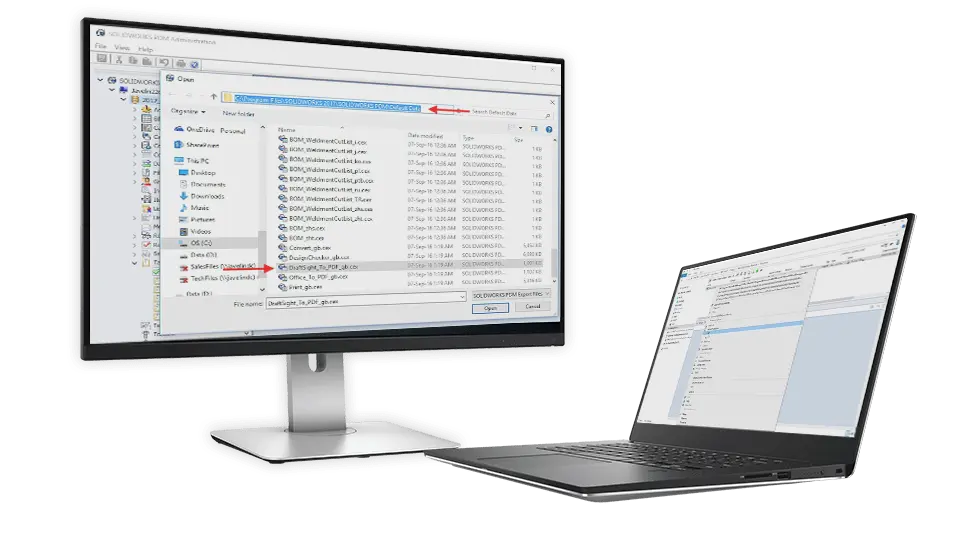
SOLIDWORKS PDM Professional allows customers with a legacy dataset in DWG (AutoCAD) format to continue to work with and manage that data using Draftsight Professional with the SOLIDWORKS PDM Add-in. To support this a standard ‘convert’ task is also supplied which uses Draftsight’s ‘Export as PDF’ command to create a published version of the Drawing in PDF format.
This has limited control over the output file when it comes to colours, line weights etc and is obviously restricted to just the one output type; PDF.
For Customers who also have a requirement to convert DWG to DXF, or for those who require more control over the output file, this custom Add-in from Solid Solutions can enhance this capability.
- Standard Convert Task configuration options for filename / path etc
- Converts DWG files to PDF or DXF
- Print to PDF instead of Export as PDF
- Allows for optional PrintStyle Table selection to control how individual lines are printed (Colour, weight, line style etc)
Many of our Customers use Microsoft Visio for the creation of project documentation such as office and factory layouts, flow charts, workflow diagrams, network diagrams, brainstorming, electrical diagrams etc. and often need to share these files with other project collaborators who do not have access to Visio to do so.
PDF is an ideal format to share published documents however the 'Out of The Box' Microsoft Office 'convert to pdf' task only supports Excel, Word and PowerPoint.
Solid Solutions have developed a Custom Task Add-in that extends this capability to Visio files whilst retaining the full configuration options associated with the standard task.
- Standard Convert Task configuration options for filename / path etc
- Semi intelligent Metadata Mapping from source to destination file
- Ability to control export of specific Pages (All Pages, Specified Range, Last Page only)
- Converts VSDX files to PDF
Data Preparation & System Integrations
This tool features:
- Multiple file export types available (e.g .xlsx, .csv, .json, .xml )
- Easily delete all legacy properties to be replaced
- Ability to delete specific properties on certain file types
The video demonstrates both the usage of the tool and how it can be incorporated into a manual legacy data migration task, if bringing in small datasets where a full Data Migration Service would not be warranted.
Related SOLIDWORKS PDM Content

Reduce Your Time to Market with these 5 Reasons to use SOLIDWORKS PDM for Data Management
As you look to reduce your time to market, SOLIDWORKS PDM frees up your resources by keeping processes ticking over in the background. Let’s break it down.
What’s New in SOLIDWORKS Data Management for 2024?
Discover the new features of SOLIDWORKS data management and how upgrading to SOLIDWORKS 2024 will make your life easier while keeping your data secure.

10 Reasons to Use SOLIDWORKS PDM Professional
Discover why SOLIDWORKS PDM Pro is the right data management package for you with 10 of the best features in SOLIDWORKS PDM Pro.
Data Management: How to Customise Notification Templates in SOLIDWORKS PDM
SOLIDWORKS PDM now provides administrators the option to customise the templates used for automatic notifications.

Data Management: 10 Tips to Mastering SOLIDWORKS PDM
We’ve asked our expert data management consultants what tips they’d recommend to those users who want to unlock the secrets of SOLIDWORKS PDM.
Everything you Need to Know About SOLIDWORKS Cloud Services
Find out how the latest changes to SOLIDWORKS Subscriptions will affect you and your business. Here’s everything you need to know about the changes.

SOLIDWORKS PDM: Is this the Best Data Management Software for SOLIDWORKS?
As a Designer or Engineer, it is vital that you have a secure data management system to store and manage your documents and CAD files.

6 Reasons Why You Need Cloud Data Management
The 3DEXPERIENCE platform contains applications and solutions for every aspect of your company, so you can manage everything from one place. Here are 6 reasons to use it.
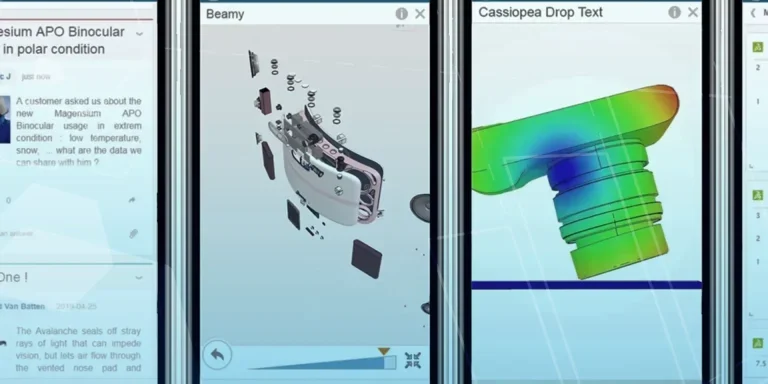
What is 3DSWYM? A 3DEXPERIENCE Platform Tutorial
3DSwym is the application at the heart of the 3DEXPERIENCE, allowing users to connect and collaborate across the platform.

How to Create a Pack and Go in SOLIDWORKS
Pack and Go in SOLIDWORKS should be used when sending SOLIDWORKS files to another person. Use this simple guide to help you safely send entire SOLIDWORKS projects.