











Industry Leading 3D CAD Software
SOLIDWORKS Design
SOLIDWORKS Design has been the industry standard 3D CAD software for over 25 years.
It offers a comprehensive set of flexible tools that empower engineers and designers to conceptualise, design, test, manage and manufacture their products.
Compare SOLIDWORKS Design Packages
Explore the differences between Standard, Professional and Premium with our product matrix.
Get a Free SOLIDWORKS Trial
Get hands on with a free trial, choose between a 7-day online trial or an extended desktop trial.
See Case Studies and Reviews
Customer service is at the heart of what we do, explore our testimonials and success stories.
Top 10 Reasons
Why SOLIDWORKS?
For years SOLIDWORKS Design has been considered as the best choice for 3D CAD software, here are ten of the key reasons why.
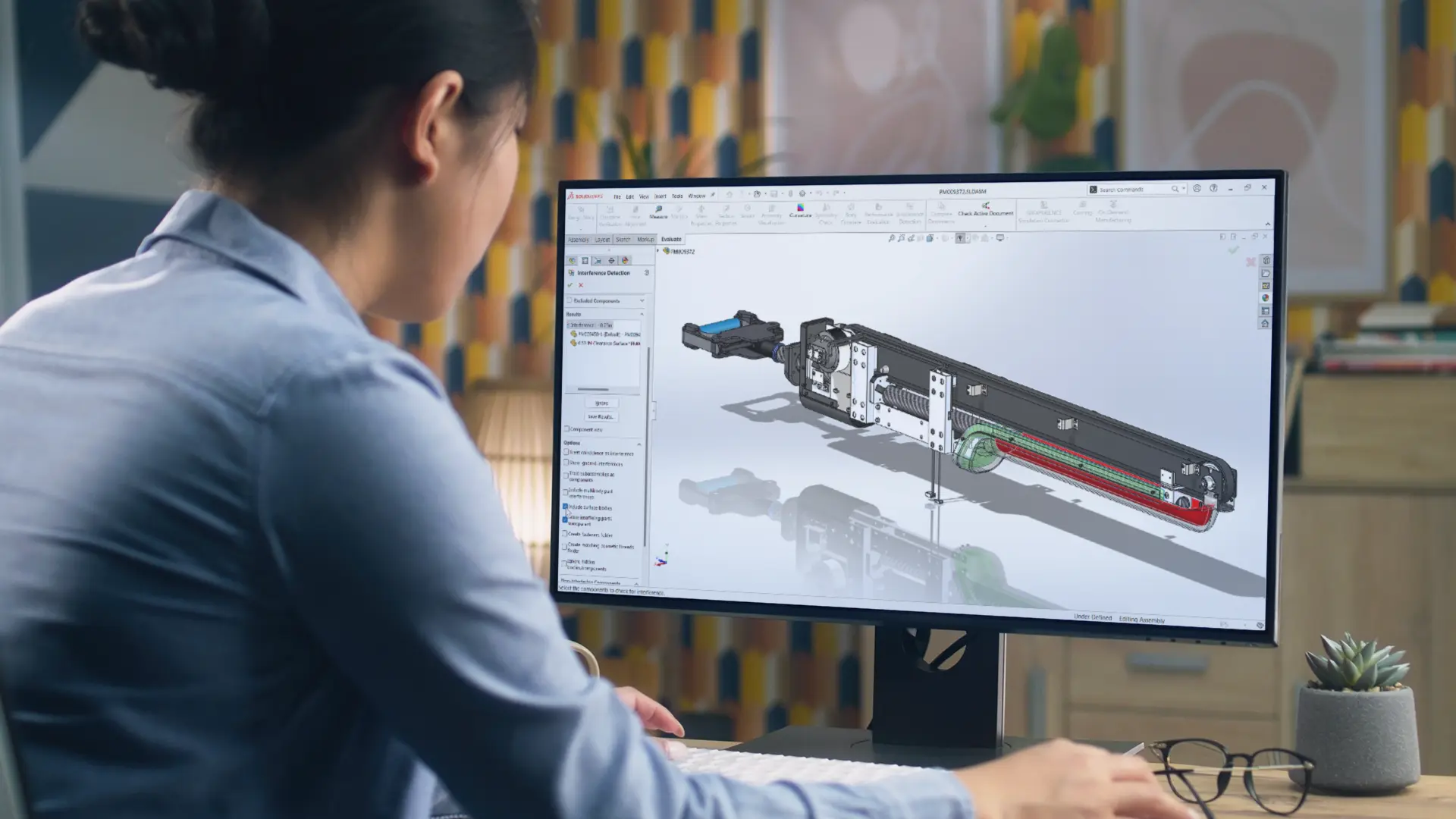
1. Ease of Use
Intuitive tools and a familiar, customisable windows-based interface make SOLIDWORKS easy to pick up for both new and experienced users.

2. Powerful 3D Modelling
Go from an idea to a detailed 3D model fast with a set of robust yet flexible commands. Parametric design make model updates effortless.
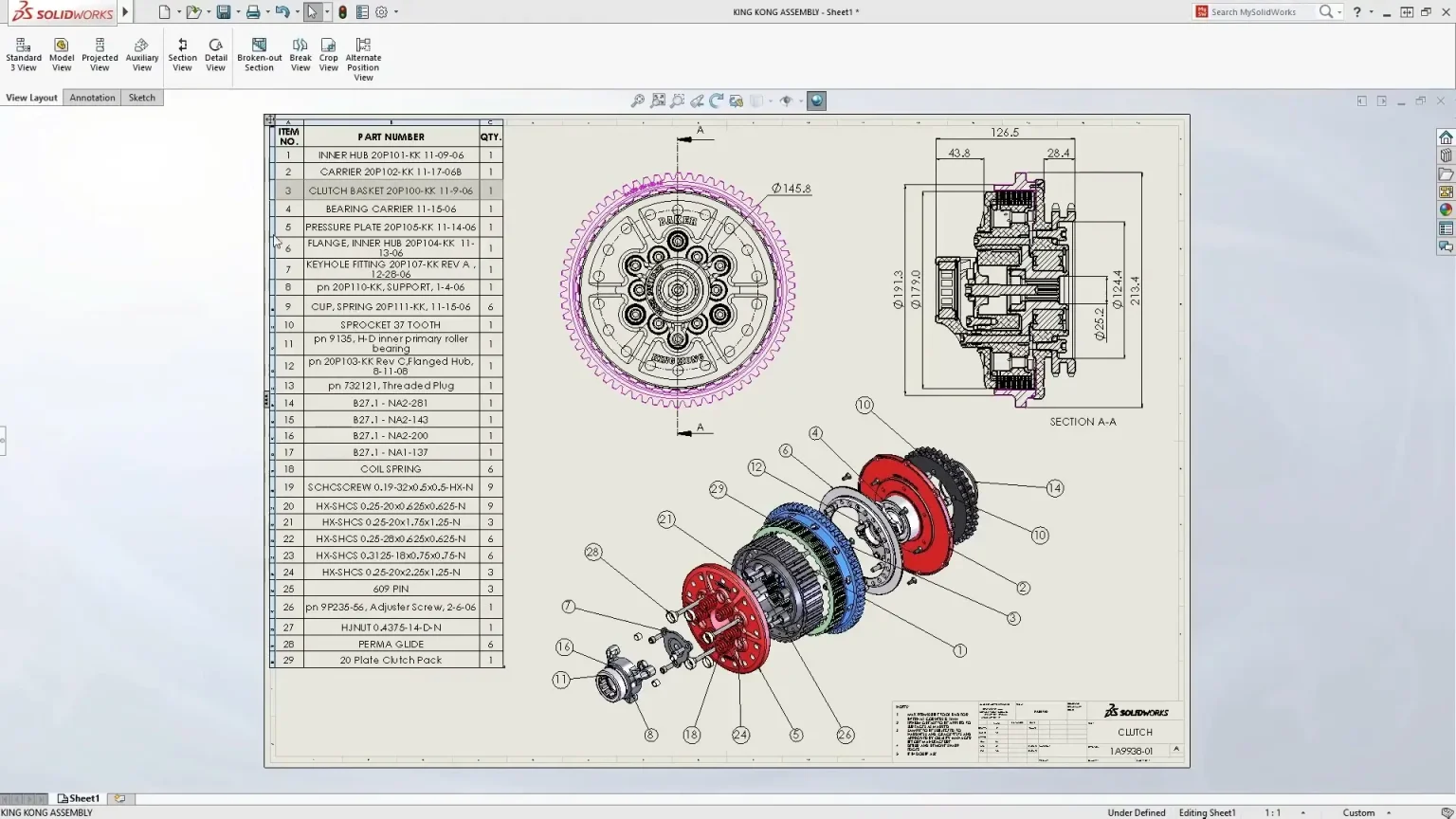
3. Simplified Manufacturing
SOLIDWORKS makes manufacturing easy. Create 2D drawings, 3D annotated models, CAM instructions or files ready for the 3D printer.
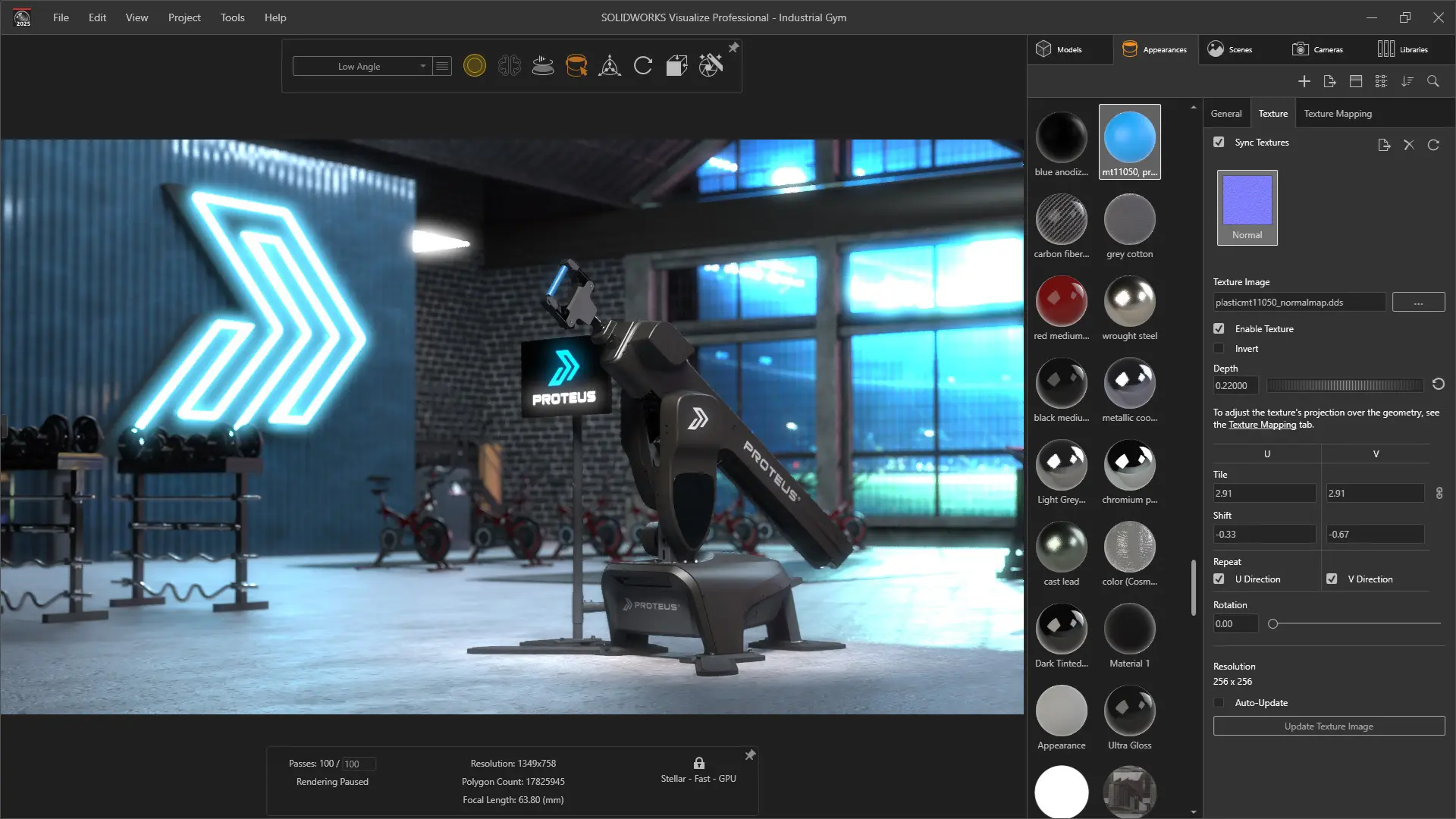
4. Seamless Integration
Bring your models directly into tools for simulation, rendering, electrical CAD and more with seamless integration across the SOLIDWORKS portfolio.
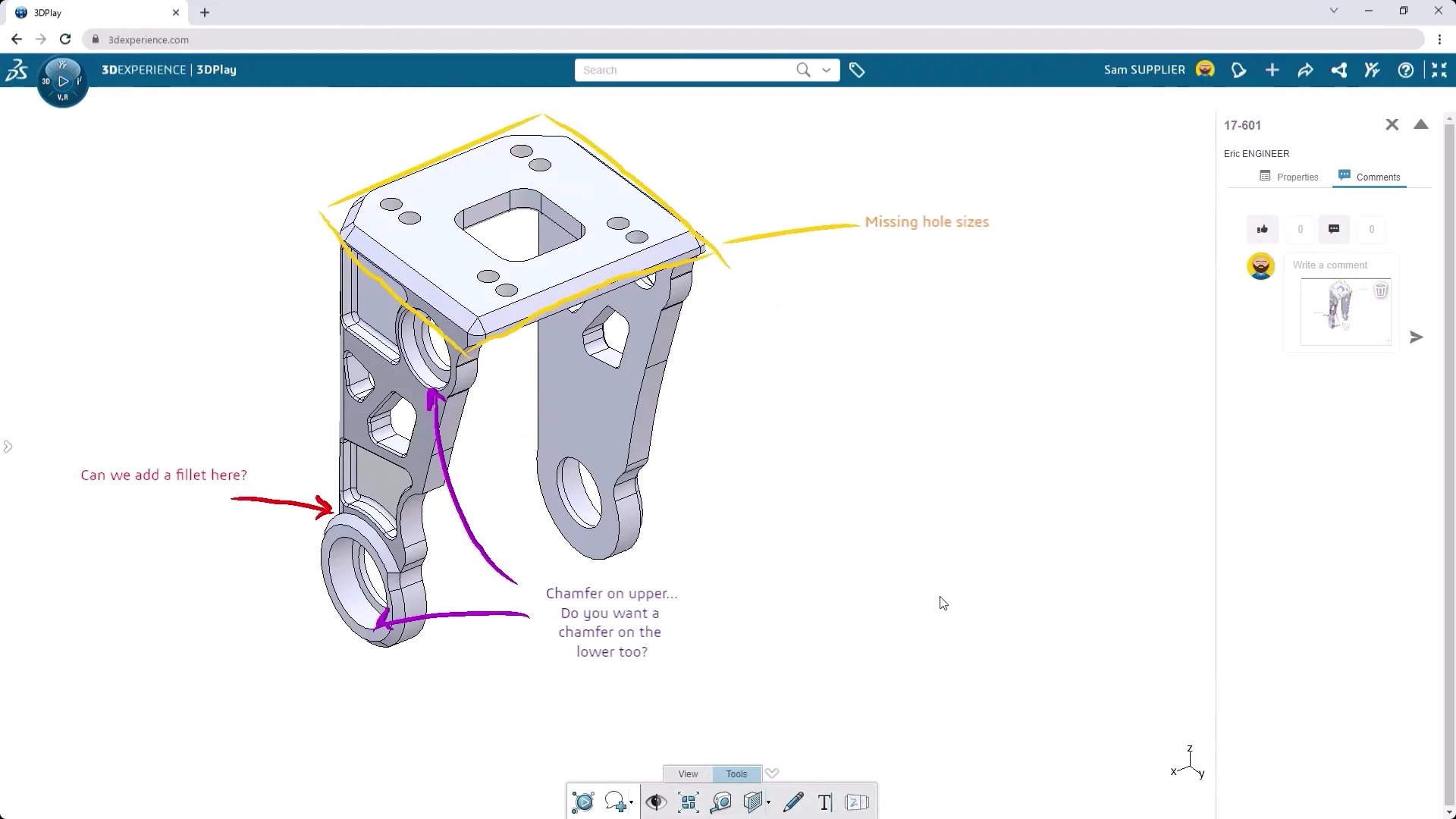
5. Collaborative Features
Make getting feedback frictionless, create secure links that allow stakeholder to view, markup and comment on your designs in any browser.

6. Skilled Professionals
SOLIDWORKS is the chosen CAD system for education and industry, so it's easy to find experienced designers, contractors and graduates.
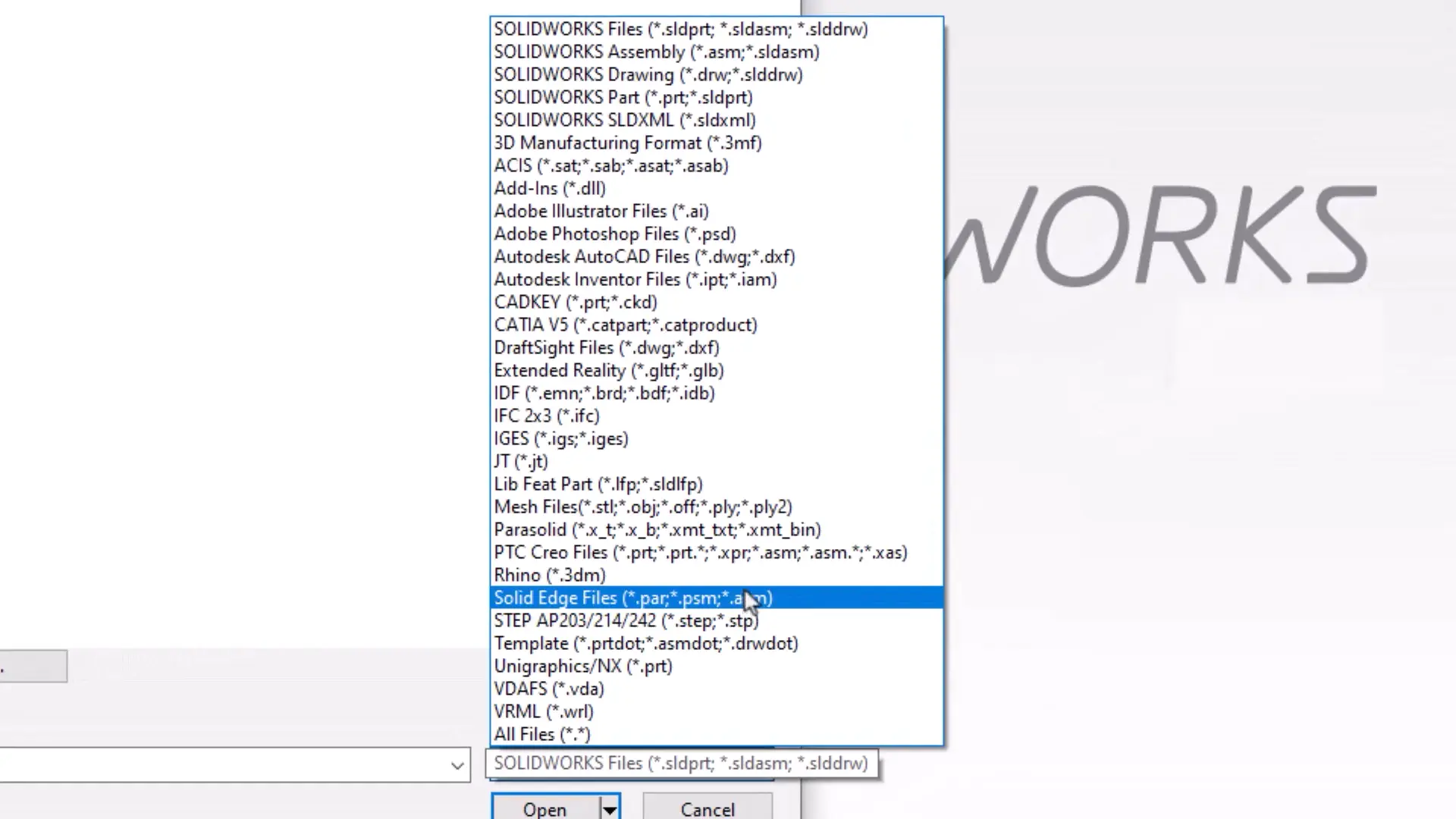
7. Import and Export Flexiblity
SOLIDWORKS Design supports over 30 2D and 3D file formats, making collaboration with your suppliers and customers simple.
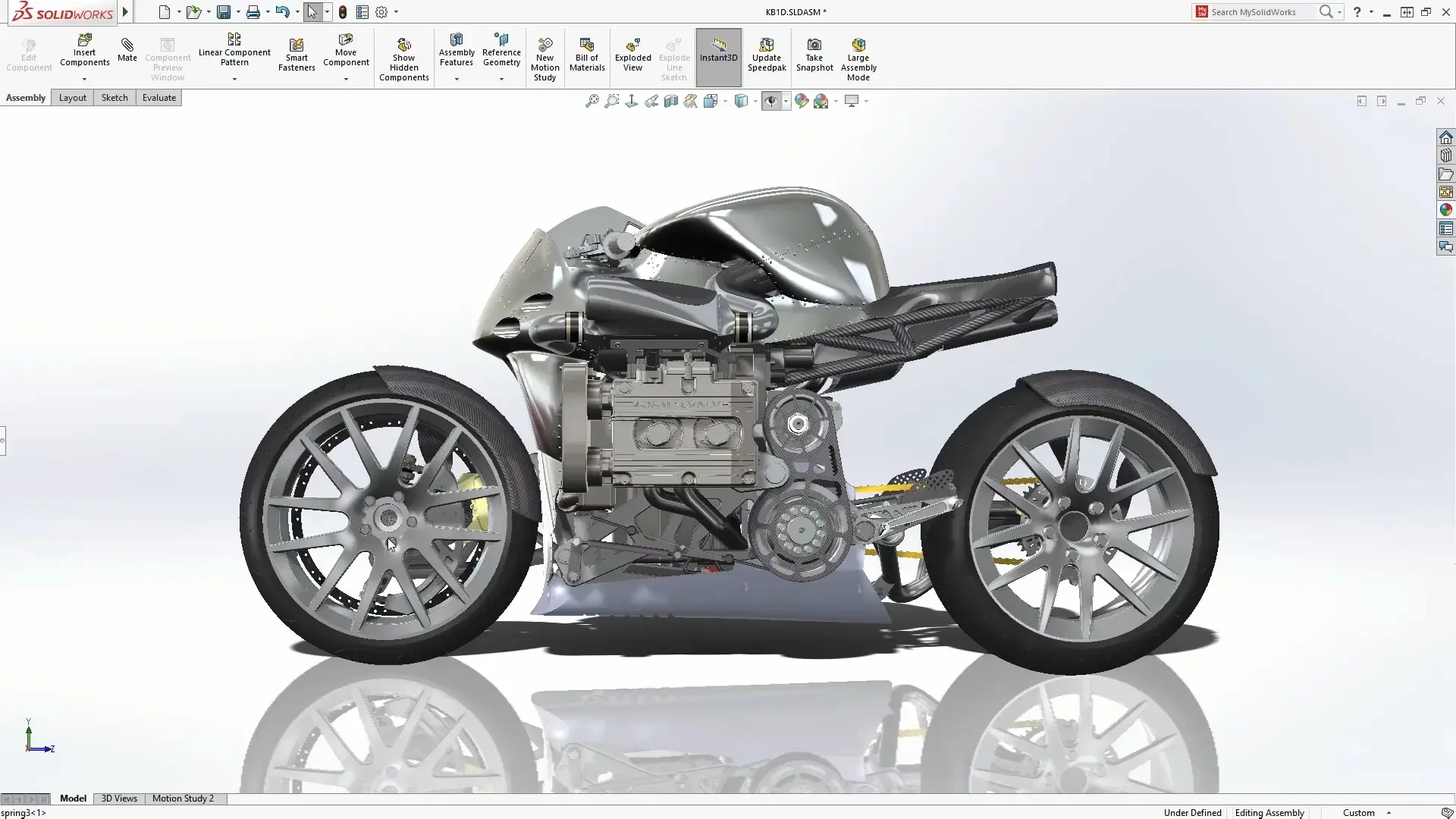
8. Flexible Licencing Options
A range of licencing options are available at competitive prices, including perpetual, network and rental licencing.
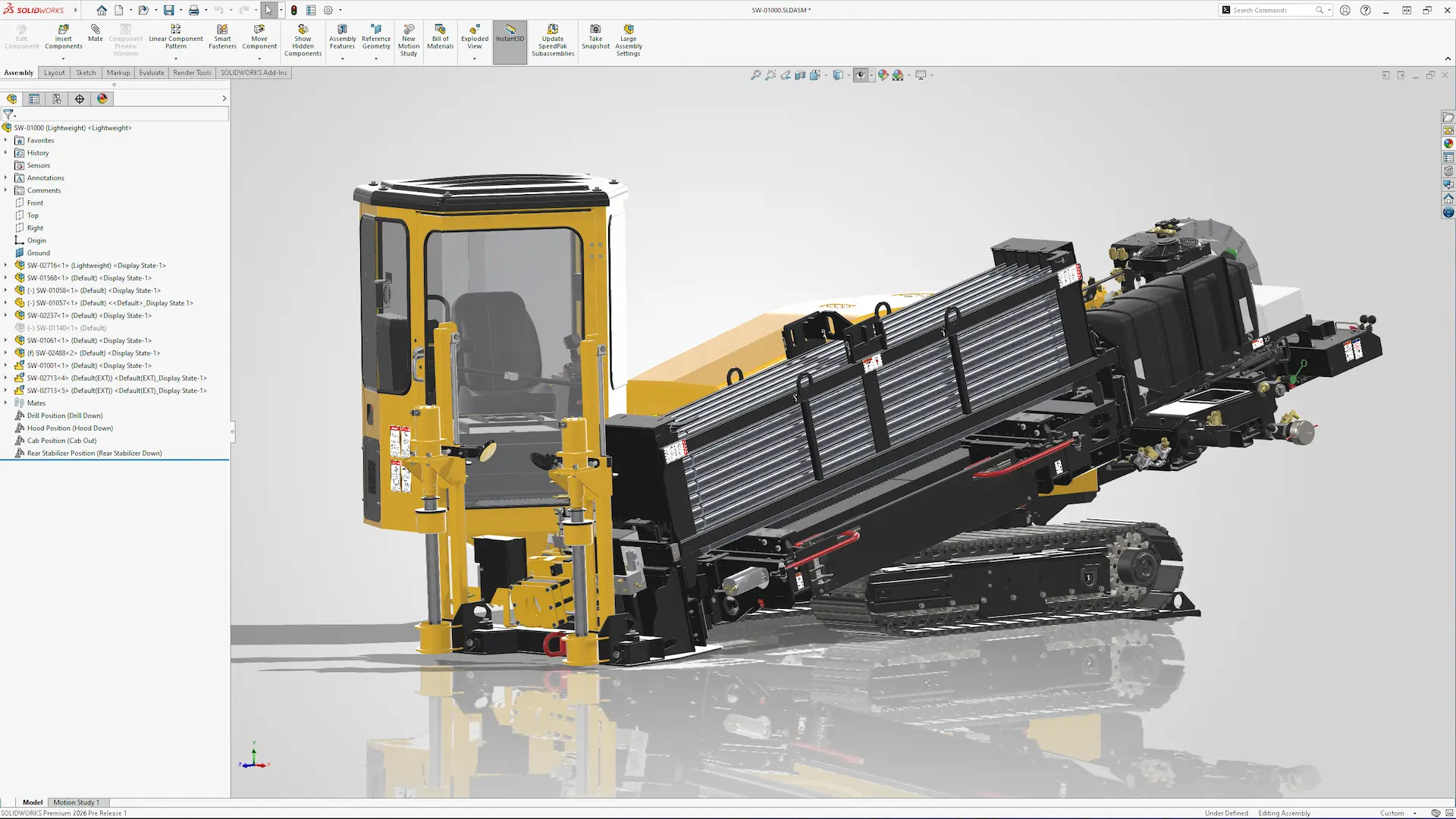
9. Continuous Development
SOLIDWORKS is always improving and over 90% of enhancements come directly from user suggestions and feedback.
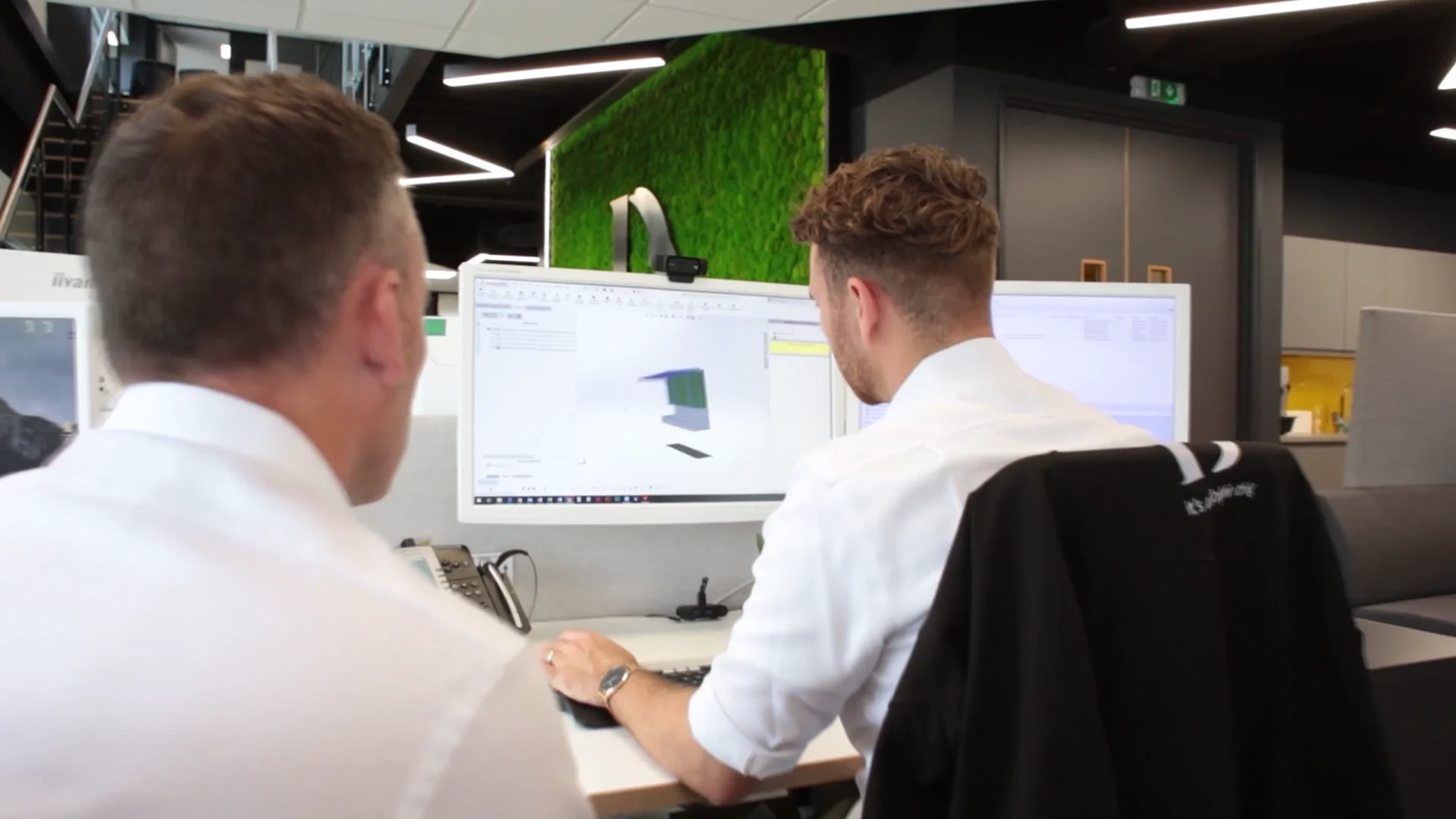
10. Supported by Experts
Access a team of hundreds of skilled engineers. Whether you need technical support, training, or advice — we’re here to help you succeed.
Which SOLIDWORKS Design package do you need?
Each version builds on the one beneath it, so no matter which version you choose you’ll gain access to the powerful set of design and engineering tools that SOLIDWORKS is known for.
Most Affordable
£2,544/ 12 month term
Includes:
- 3D Part and Assembly Design
- 2D Drawing Tools
- Sheet Metal & Weldments
- Mould Design
- CAM Programming and Simulation
- SOLIDWORKS Cloud Services
Most Popular
£3,156/ 12 month term
All of SOLIDWORKS Design Standard plus:
- Photorealistic Rendering
- Data Management (PDM Standard)
- Library of 1000s of common fasteners
- Design Checker & File Utilities
- eDrawings Professional
- Reverse Engineering (ScanTo3D)
Most Comprehensive
£3,876/ 12 month term
All of SOLIDWORKS Design Professional plus:
- FEA (SOLIDWORKS Simulation)
- Motion Analysis
- CATIA V5 Translator
- Electrical Wire and Cable Routing
- Pipe and Tube Routing
- Surface Flatten Commands
A new fourth version also exists, SOLIDWORKS Design Ultimate, primarily it adds extra functionality through a series of cloud based apps.
SOLIDWORKS Design Feature Comparison Matrix
2D & 3D CAD Features
Standard
Pro.
Premium
- Learn Fast: In-Context and Toolbar Menus, Command Search, Built-In Tutorials, Searchable Help Documentation
- Work Fast: Hot Keys, Customisable Commands, and Equations
- Get Help Fast: Local and Worldwide Support Services
Handle all aspects of your part and assembly modelling and transform your ideas and concepts into virtual 3D models.
- 3D Solid Modelling
- Conceptual Design
- Direct Model Geometry Modification
- Large Assembly Design with over 100,000 components
- Advanced Surface Design
- Plastic Part Design
Create production-ready 2D drawings that are always current and clearly communicate how to manufacture and assemble your designs, with tools including:
- Automatic Drawing View Creation
- Automatic Drawing View Updates
- Drafting Standards: ANSI, ISO, DIN, JIS, BSI, GOST, GB
- Manual and Automated Dimensioning and Tolerancing
- Annotations and Symbols
- Automatic Bill of Materials (BOM), Exploded Views, Balloon Notes
- Hole Tables, Weld Tables, Pipe Bend Tables, Cut Lists
- Sheet Metal Bend Notes
- Automated Creation of Radial/Cylindrical Exploded Views
Simplify the reuse of existing design data with rapid searching, reusable features, and configuration tools that help you speed up the creation of new designs.
- Rapid Searching
- Part and Assembly Configurations
- Reuse 2D and 3D CAD Data
- 3D CAD Models from Industry Suppliers
Easily analyse, compare, check and report on your designs.
- Power Selection Tools
- Symmetry Check
- Copy Feature Info into Other Features (Feature Paint)
- Find and Replace in Drawing
Convert incoming CAD data into SOLIDWORKS 3D CAD format and export SOLIDWORKS data to other CAD applications using 30+ translators.
- Interactive Feature Recognition and Conversion
- Automatic Feature Recognition and Conversion
Recreate designs with the ability to import, edit, evaluate and create solid geometry from scanned point-cloud and mesh data.
- Import, Edit, Evaluate, and Create Solid Geometry from Point Cloud and Mesh Data
- Import Adobe® Illustrator Files
- Import Image Files and Convert Raster to Vector Data
Easily find, customise, and share hundreds of thousands of prebuilt industry-standard fasteners that configure on the fly and assemble automatically in your design.
Flatten complex, nondevelopable surfaces typically encountered in products made from materials such as textiles or sheet metal.
- Automated, Interactive Surface and Curve Flattening and Data Export
Develop your designs for plants, hydraulic systems, building services and more with native pipe & tube routing:
- Create Detailed Piping Systems
- Create Flexible or Rigid Tubing Lines
- Customisable Library of Piping Components
- Automatic Assembly of Hangers and Supports
- Output Tube Bend Data for Manufacturing
- Cut Length Calculations Automated for BOM
- Automatic Routing Option for Pipes and Tubes
- Minimum Bend Radius Check for Tubes
- Output of PCF files for ISOGEN® piping software
Quickly add cables, wires and harnesses to your design. Create flattened drawing representations of your 3D cables and harnesses with wire lists, connection information and bills of materials.
- Create Detailed Electrical Cable and Wiring Harnesses
- Run Rigid or Flexible Electrical Conduit Segments
- Conduit
- Ribbon Cable
- Wire Lengths Automatically Calculated
- Automated Harness Flattening for Manufacturing
- BOM and Wire Cut Lists
Route rectangular and round sections that include ducting, cable trays, conveyors, material handling chutes and other systems.
- Automatic Routing Using Imported "From-To" Connection Data
- Mounting Hardware, Splices, Connectors, Insulation, Looms, Heat-Shrink Tubing, Cable Ties
Design Validation
Standard
Pro.
Premium
Before going into production, verify in 2D and 3D that your parts and assemblies will fit, assemble and operate correctly.
- Collision Detection
- Interference Detection
- Hole Alignment
- Thread Checks
- Curvature Visualisation
Before going into production, verify in 2D and 3D that your parts and assemblies will fit, assemble and operate correctly.
- Thickness Analysis
- Geometry Check for CAM
- Compare Parts and Drawings for Changes
- Draft and Undercut Analysis
- Sheet Metal Checks and Flat Pattern
SimulationXpress provides a powerful "first-pass" tool to validate the strength of your parts.
This entry level tool provides the capability to run linear static analysis studies on individual parts with a simple but limited workflow.
Establish design standards and check drawings (or models) against them to create uniform designs and documentation.
- Verify Designs against Company Standards
- Automatically Correct Non-Conforming Issues
- Customise Design Check Rules
Continuously check your designs against cost targets with automatic cost estimation tools fully integrated within the 3D CAD solution.
- Compare Manufacturing Costs
*Cost estimation of assemblies is available only in Premium packages of SOLIDWORKS or 3DEXPERIENCE SOLIDWORKS.
Realistically visualise your product moving throughout its operational cycle world, measure the forces and loads on your design, and use the data to correctly size motors and ensure product performance, quality and safety.
- Kinematic and Dynamic Analysis
- Inputs: Forces, Springs, Dampers, Gravity, Contact, Bushings
- Outputs: Displacement, Velocities, Accelerations, Body Loads, Joint Forces
- View/Publish Animations, Graphs, Reports
Calculate the stresses and deformations of geometry using Finite Element Analysis (FEA) methods, and running linear stress analysis to determine the response of parts and assemblies.
- Inputs: Variable Forces/Pressures, Full Restraint Sets, Connectors, Gravity, Contact, Materials
- Outputs: Factor of Safety, Stress, Displacement, Strain
- View/Publish Animations, Graphs, Reports
Calculate the stresses and deformations of geometry using Finite Element Analysis (FEA) methods, and running linear stress analysis to determine the response of parts and assemblies.
- Life-Cycle Assessment (LCA) for Environmental Impact: SOLIDWORKS Sustainability**
*The Sustainability module included within SOLIDWORKS Premium has been upgraded to the Eco-Design Engineer role with complete lifecycle analysis (LCA), and is available as an add-on role for 3DEXPERIENCE SOLIDWORKS.
**Sustainability Xpress is included within Standard and Professional desktop SOLIDWORKS for LCA of part components.
Data Management & Cloud Collaboration
Standard
Pro.
Premium
Connect SOLIDWORKS to the 3DEXPERIENCE platform with the SOLIDWORKS Cloud Services. Equip SOLIDWORKS with tools for CAD-intelligent cloud data storage, file sharing, markup and collaboration, revision management, and control over processes such as engineering change.
- CAD-Intelligent Data Storage
- File Sharing
- Markup & Collaboration
- Revision Management
- Process Control
*3DEXPERIENCE SOLIDWORKS expands on the functionality provided by the SOLIDWORKS Cloud Services to SOLIDWORKS Subscription customers.
Shorten time to market with a collaborative project planning, monitoring, and execution solution, connecting your design data with all project members, tasks, deliverables, and communications.
Put lean principles into action to address operational waste, variability, and meeting efficiency with a new, visual way to plan, facilitate, and complete objectives.
Ensure consistent product quality by providing a shared product definition, maximising data reuse, reducing the complexity of product structure, and aligning with corporate standards.
Reduce development time with the ability to create, modify, and explore multi-CAD product structures in a single context, reducing design iterations by making the review of designs and proposed changes universally accessible to stakeholders.
Securely store, share, access and manage the latest product design information within a secure vault on your local PC or network.
- Local, On-Premise Storage Options
- User Group Access Rights
- File Vaulting
- Secure Check-in and Check-out
- Automated Revision Control
Visualisation
Standard
Pro.
Premium
Export CAD data for AR, VR and web viewing experiences while retaining geometry, appearance, motion studies, display states and more.
Easily create photographic-quality images from your 3D models early in the design process to get feedback and make informed design decisions with tools including:
- Realistic Textures
- Fully Customisable Appearances
- Representative Lighting & Environments
- Full NVIDIA GPU Support
- Physically Accurate Ray-Trace Rendering
- Live Final Render Previews
Access to eDrawings Professional via a separate installation:
- Create and Publish eDrawings Files
- Allow Measurement in eDrawings Files
- Enable Markup of eDrawings Files
- Exploded Views Support for eDrawings Files
- View Assembly Animations
- Password Protect Intellectual Property
Looking for something else? Additional functionality is available via solutions from the SOLIDWORKS Portfolio and from certified SOLIDWORKS Partner Products.
What to expect from Solid Solutions?
Training
There's no better way to learn SOLIDWORKS than to get hands-on with an expert trainer. Train in-class, online or at your company offices.
Support
Access the world's most qualified SOLIDWORKS support team, with 35+ engineers on hand every day you'll get help quickly whenever you need it.
Onboarding
Hit the ground running with our onboarding team, we can provide help documents, advice and guidance, or hands on-assistance as you require.
Resources
Get up to speed with structured resources, and webinars for new users. Keep your skills sharp with our guides and masterclass sessions.
Events
Attend exclusive events and SOLIDWORKS workshops to develop your professional network and enhance your skills and productivity.
And much more!
From hardware advice, to expert consultancy there's so much more we can offer, explore more of the benefits of a SOLIDWORKS subscription.
By the Numbers
Who uses SOLIDWORKS?
SOLIDWORKS is used in a diverse range of industries across the globe. The widespread adoption makes it easier to find other users to hire, to collaborate with and to learn from.
While these numbers are impressive, we never forget that success comes from people, not statistics. Watch this to learn more about our customer experience.
7,500,000
SOLIDWORKS users worldwide.
400,000
Companies use SOLIDWORKS.
30+
Years since SOLIDWORKS first launched.
90%
Of the annual feature enhancements come from user feedback.
327,262
SOLIDWORKS jobs listed on LinkedIn
Based on January 2024 searches worldwide, far exceeding other 3D cad tools.
Every
Irish school and most U.K. universities teach SOLIDWORKS and are supported by Solid Solutions.
Brands that trust SOLIDWORKS & Solid Solutions








It’s certainly been a rollercoaster of a journey bringing a spark of an idea into a working product. We couldn’t have done it without the support of companies like Solid Solutions, which provided the software, hardware, training and everything in between.
Julian Swan
Engineering Director of Imagination Factory / PlasmaTrack
Frequently Asked Questions
SOLIDWORKS prices begin from as little as £212 per month for commercial customers. The exact price can vary depending on the version required and the type of licence.
See our pricing guide for more information, or contact our team today to discuss the perfect package for your business and provide you with our latest offers.
Yes, you can get a free trial today! Visit our SOLIDWORKS trial page to claim a free 7 day online trial or to request an extended trial of desktop SOLIDWORKS.
As a SOLIDWORKS trial user, you gain access to the world's most-qualified SOLIDWORKS support team and exclusive resources to help you make the most of your free trial.
When buying SOLIDWORKS, you have the choice to rent licences or purchase a perpetual licence. Typically rental licencing becomes less cost-effective than perpetual after three years.
It should be noted that you can mix and match licence models, so perhaps perpetual licensing is best for your sustained business requirements but when there will be an increase in output needed, rental licencing can meet a short term demand.
Getting started with SOLIDWORKS is quick. Following a purchase our onboarding team will provide you with the installation files and instructions
Visit our getting started pages to learn everything you need to know about key topics such as downloading and installing SOLIDWORKS, accessing our help and support, booking your training courses, signing up for our exclusive webcasts and more.
When running SOLIDWORKS software, it’s essential to have a machine that is certified and which meets the SOLIDWORKS system requirements.
To help you find the best SOLIDWORKS hardware for your needs, we have created an easy checklist of hardware recommendations based on our verified testing with real world engineering datasets.
Having partnered with Dell for over 20 years, we can offer optimal SOLIDWORKS certified hardware at great value and with next business day delivery on most models.
The CAD specific desktop and laptops we supply are based on a tightly controlled set of workstation grade components that undergo extensive testing and verification first by Dell and are then sent to SOLIDWORKS and Dassault Systèmes to be certified for software compatibility.
If you’d like tailored advice for your setup, then you can contact our dedicated hardware team can provide personalised recommendations.
Yes, our online store offers a straightforward way to buy SOLIDWORKS and we guarantee delivery of your SOLIDWORKS licence within one working day. It's a great option if you are a new customer looking for a rental licence.
However for most businesses, and for all existing customers, we recommend contacting us before purchasing online.
We're here to help find the best solution for your business and our online offerings only represent a small selection of what we can offer.