











Design Structural Steel in SOLIDWORKS
SolidSteel Parametric
SolidSteel Parametric enables the design of large steel structures within SOLIDWORKS and automate the creation of multi-page drawings.
With tools to handle larger and more detailed steel structures than traditional 3D CAD, the SolidSteel Parametric add-in for SOLIDWORKS comes with a library of structural members and connections, enhances performance for large steel frames, and enables the design of fully-detailed, custom connections.
Streamline your workflow by rapidly generating designs, re-using your existing design data, and automate drawing creation within SOLIDWORKS.
Steel Design Modules for SOLIDWORKS
Expand on the functionality of SOLIDWORKS weldments with 3 modules that offer structural steel designers and engineers a rapid route to delivery. These applications are designed by Klietsch GmbH for SOLIDWORKS users worldwide.
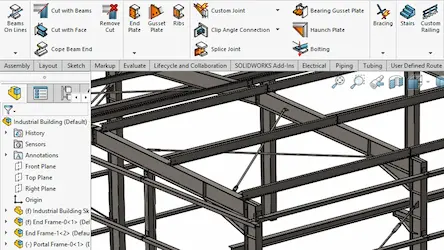
SolidSteel Parametric
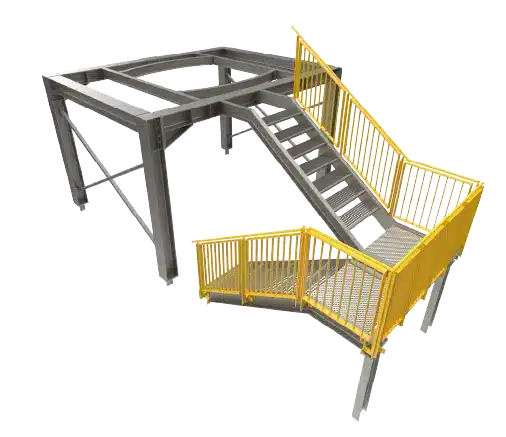
The Advanced Engineering Package allows the creation of steel structures. There are tools for beams, plates, stairs, handrails and more. Complete detailed bills of materials, cuttings lists and fastener counts.
With the Design Package, add cladding and roofing panels. Also included is a tool to export to SDNF format for structural analysis.
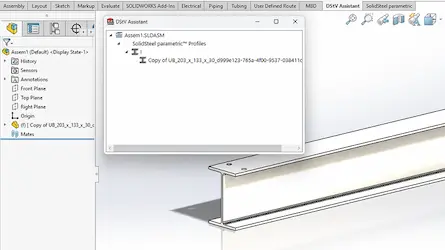
DSTV Assistant
The DSTV Assistant will export NC or NC1 files from your SOLIDWORKS files for accurate machining.
Built to tie in with SolidSteel Parametric, DSTV Assistant can also deliver from any SOLIDWORKS multibody parts and assembly files created with weldments, structure systems and other recognisable steel sections.
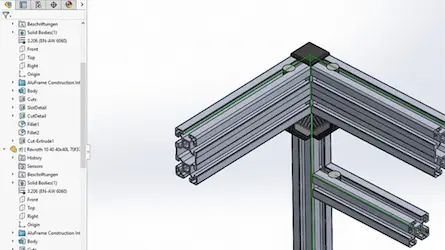
AluFrame Assistant
Design aluminium frames with powerful and user friendly functionality. Set out the sections then create the custom connections to complete the model.
Full bills of materials, manufacturing drawings or even export the manufacturing data to ensure fast construction of your machine frames.
Ready to Start Creating with
SolidSteel Parametric?
Start designing great products with SOLIDWORKS. Buy online today or contact our team to discuss options, bundles or ask us any questions.
Frequently Asked Questions
SolidSteel Parametric will work with any version of SOLIDWORKS.
SolidSteel Parametric uses its own library for profiles. This allows the creation of larger more complex structures than is possible with weldments alone.
However, the DSTV Assistant can still generate NC and NC1 files from existing weldment or structure system files.
Yes. Additional profiles can be added, and custom templates, or pre-set plates can be added to the database of connections.
Connections can be created to suit the needs of the user and project, so rather than supplying a library of connections that may never be used, we can help you to generate the connections and build your own library of standard connections.
Absolutely! The DSTV Assistant will recognise standard beam sizes and contains tools to tell the system what to use when geometry cannot be recognised.
Yes, however, for the automated generation to work they would need to be saved in compatible formats for SolidSteel Parametric.