











Control, Monitor and Maximise Manufacturing Productivity with SolidShop
Written by: Tom Buxton
Published: May 9, 2025
| View All Blogs
SolidShop is the ultimate platform for verifying machine code, managing shop floor data and monitoring machine utilisation.
Underpinned by technology developed by CIMCO, SolidShop streamlines operations and accelerates digital transformation through a suite of globally-established software modules with seamless integration to SolidCAM and SOLIDWORKS.
What is SolidShop?
SolidShop is a suite of applications designed to extend SolidCAM’s reach beyond CNC programming, enabling small and medium-sized companies to unlock the benefits of shop floor digitisation.
Affordable, easy to implement, and integrated with SolidCAM, SolidShop can even evolve into a comprehensive MES (manufacturing execution system) solution.
While SolidCAM serves CNC programmers, SolidShop addresses other critical functions within the CNC manufacturing environment, expanding SolidCAM’s role and making it indispensable for customers.
How SolidShop helps Manufacturers
SolidShop helps manufacturers achieve a fully digitised shop floor experience, offering tools for GCode verification, document management, CNC machine communication, real-time monitoring, and production scheduling.
For years, manufacturers have sought a proven, affordable solution to shop floor digitisation, one that’s compatible with both older and newer CNC machines, offers rapid implementation, and meets modern production needs.
SolidShop is SolidCAM’s answer to these demands, providing a seamless, integrated solution that’s easy to deploy and supports your entire shop floor workflow.
- SolidShop is built to improve productivity, provide actionable insights, and streamline operations across CNC machine shop management.
- Its modules include G-Code Editing, Machine Simulation, PDM (Product Data Management), DNC (Direct Numerical Control) and Real-Time Machine Monitoring.
- These tools empower CAM programmers, operators, and managers to be more productive, precise, and efficient, delivering Industry 4.0 capabilities tailored for small and medium sized businesses.
Manufacturing Industry Challenges in 2025
Machine shops today face challenges like rising operational costs, the need for real-time data, and the pressure to improve efficiency.
SolidShop meets these challenges head-on, offering tools to reduce machine downtime, improve quality control, and seamlessly integrate workflows.
Manufacturers using SolidShop can benefit from simplified vendor management, optimised costs, and reduced complexity, all from a single trusted provider in SolidCAM.
Every SolidShop Product Explained
SolidShop contains a variety of software tools to help manufacturers improve their efficiency across departments. There are 5 core products within SolidShop, so let’s break down what each piece of SolidShop software can do:
SolidShop Editor
SolidShop Editor is an advanced CNC editor designed to enhance NC code manipulation, automate programming tasks, and optimise your workflow.
It allows you to simulate parametric code using solid models, providing a real-time view of how program variables change during execution.
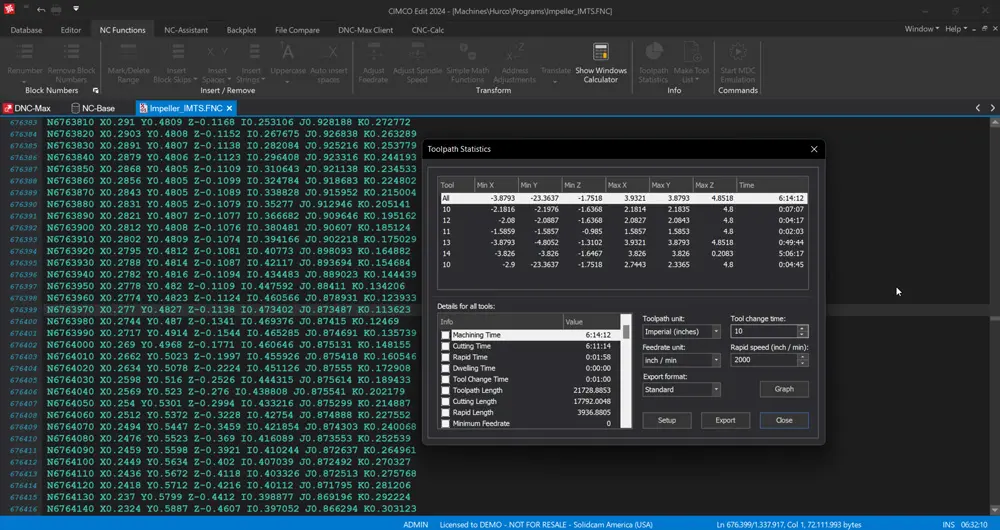
Compare files, create complex cycles, and perform mathematical transformations like mirroring, rotation, scaling, and plane transpositions in just a few clicks!
Additionally, SolidShop supports simulation of various cycles for milling, turning, probing, and conditional logic across leading CNC controls.
G-code Machine Simulator
The G-Code Machine Simulator is an essential add-on that verifies G-code for 2- to 5-axis CNC machines and lathes equipped with C-axis turrets.
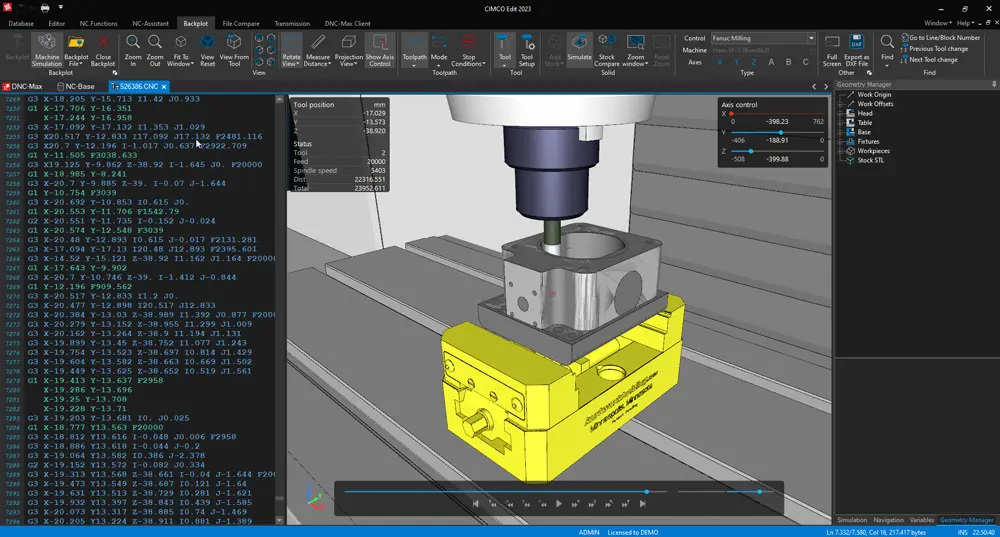
It identifies potential collisions, axis overtravel, and facilitates work envelope analysis and offline training. Featuring an advanced syntax checker and lightning-fast material removal simulation, it ensures your G-code is ready for production.
When integrated with SolidShop DNC, it provides complete bi-directional protection for both your processes and machines.
SolidShop PDM?
SolidShop PDM is a Product Data Management module tailored for manufacturing that accelerates shop floor digitisation.
Fully-integrated with SolidShop Editor, SolidShop PDM centralises all CAM, CNC, CMM files, setup sheets, tool lists, drawings, and more into a single, accessible source of truth available via both desktop and web.
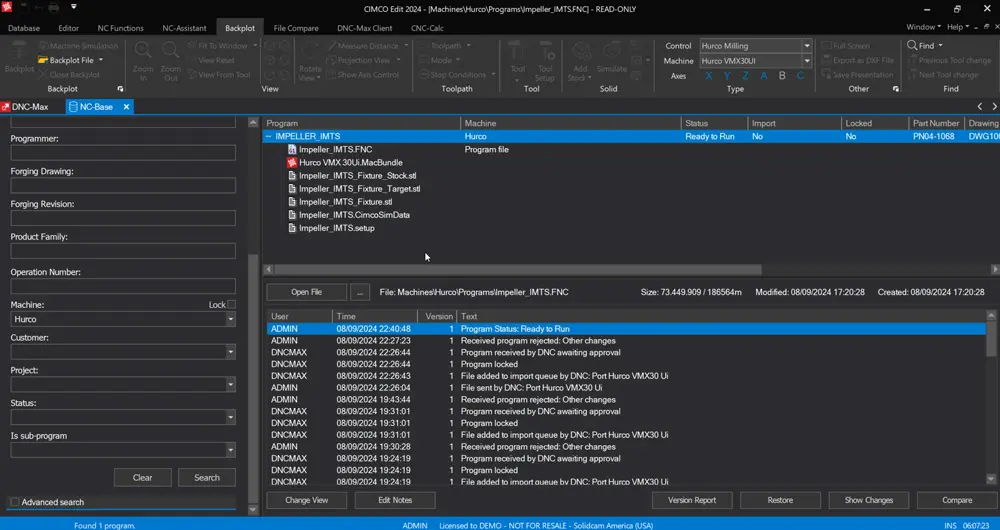
By eliminating paper, managing program relationships, controlling access, and tracking all activities, it ensures full compliance with standards such as ISO 9001 and AS9100.
When paired with SolidShop DNC, it streamlines program transfers with a single click, creating a secure, paperless environment that’s perfect for highly regulated industries.?
SolidShop DNC
SolidShop DNC facilitates seamless communication with CNC machines for uploading, downloading, and capturing signals from PLCs and sensors.
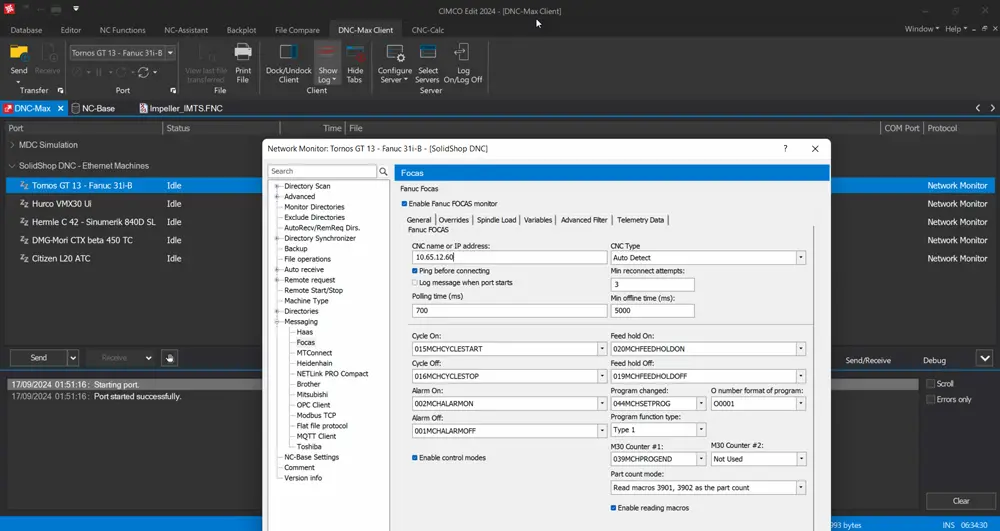
It supports a wide range of protocols, from RS-232 to Ethernet, including FANUC Focas, Heidenhain LSV2, OPC UA/DA, MTConnect, MQTT, and more.
When integrated with SolidShop PDM, it ensures comprehensive bi-directional communication, full traceability, and precise version control throughout your shop floor operations.
SolidShop Machine Monitoring
SolidShop Machine Monitoring provides real-time tracking with seamless integration to ERP, FMS, Power BI, Graphana, SQL databases, TCP connections, and text-based protocols.
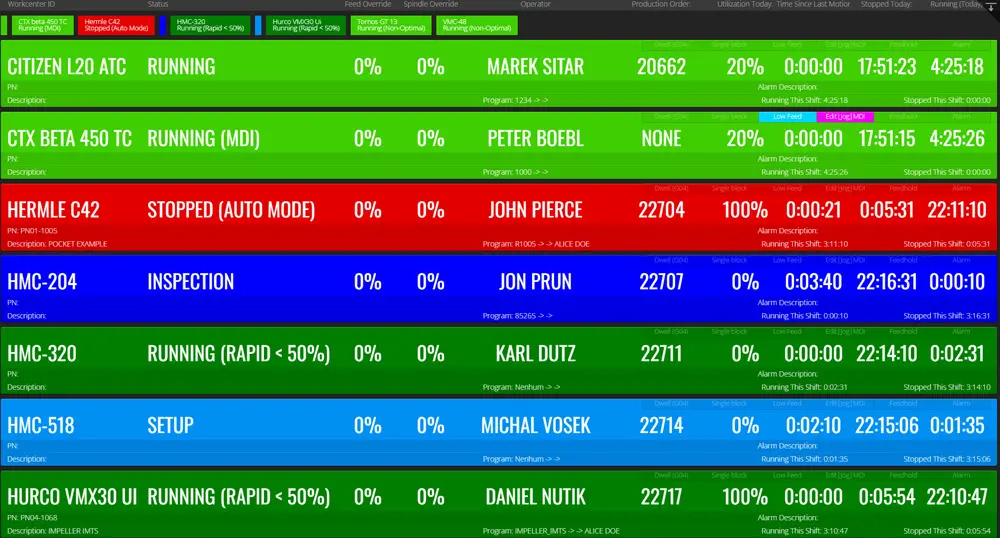
It streamlines the management of production orders and execution status, transforming SolidShop PDM and Machine Monitoring into a comprehensive MES solution.?
Where does SolidShop fit within Manufacturing Workflows?
- Level 1 – SolidShop G-Code Machine Simulator
- Powerful editing capabilities and lightning-fast, GPU-driven simulation.
- Level 2 – SolidShop PDM
- Store manufacturing and CAM process data.
- Control versions react to design changes with full traceability.
- Prepare for industry certifications.
- Level 2 – SolidCAM for Operators
- Integrated to the PDM module.
- Bring the operators to a digital, paperless workflow.
- Complete control & traceability, no matter where the change occurs.
- Level 3 – SolidShop DNC
- Send/receive programs and documents to the CNC control.
- Collect PLC information for the monitoring and planning modules.
- Level 4 – SolidShop Monitoring
- Monitor the shop in real-time from anywhere.
- Get detailed reports about all metrics that matter.
With SolidShop, manufacturers can confidently embrace digital transformation at a pace that suits, enhancing shop floor productivity, quality, and efficiency while reducing downtime and complexity.
By integrating seamlessly with SolidCAM and SOLIDWORKS, SolidShop offers the tools needed to stay competitive in the rapidly evolving manufacturing industry.
Categorised as: SOLIDWORKS CAM | Tech Tips
Get Expert SOLIDWORKS Training
Get hands-on SOLIDWORKS training in-person or online, led by certified experts with real industry experience. With venues across the UK & Ireland, it’s easy to start learning today.
Related Posts

How to Find Reaction Forces in SOLIDWORKS Simulation
SOLIDWORKS helps us to find resultant forces through simulation studies. These virtual tests reduce the need for physical prototypes and give us an accurate answer.

Setting number of decimal places in a table on a drawing
When creating an equation in a drawing general table, is it possible to define the…

Why is my Flat Pattern not showing in SOLIDWORKS Drawings?
This may be linked to how the drawing is saved or it can be related to how sheet metal parts are displayed in drawings, read on to find out how to fix it.

Why is SOLIDWORKS Crashing?
It’s one of the great mysteries of life – why is SOLIDWORKS crashing? Let’s explore how SOLIDWORKS crashes and how we can improve performance in SOLIDWORKS.
Tech Support Blog: Why are my SOLIDWORKS BOM Quantities Wrong?
Why are my SOLIDWORKS BOM Quantities Wrong? A support call cropped up this week which…

How to Get Your Serial Number for SOLIDWORKS Visualize Standard
Want to download Visualize to make photorealistic renders? Follow this guide for accessing your Visualize serial number that comes bundled in with SolidWorks Professional and Premium.

How to Recover SOLIDWORKS Files After a Crash
SOLIDWORKS has two different methods to help you recover from an unexpected crash or loss of data in the form of auto-recovery and back-up settings.
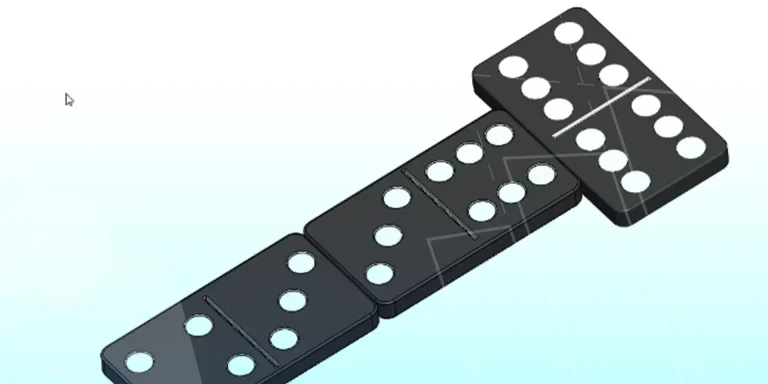
SOLIDWORKS Magnetic Mates
Magnetic makes are used within SolidWorks assemblies to easily configure and position assembly components. Through defining connection points and ground plane(s) – position components through drag and dropping one component within close proximity of another to snap the asset into position.
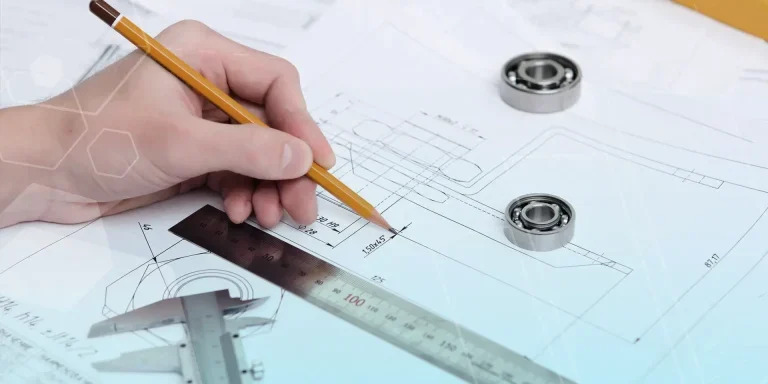
SOLIDWORKS Dimensions – Collated Quick Tips
We have collated some of our favourite tips on creating, manipulating and controlling dimensions in SolidWorks, both at a sketching and drawing level. Read on to find out more…

How to Deactivate (Transfer) a SOLIDWORKS License
A SOLIDWORKS standalone license can only be activated on one machine at a time. If you plan on moving your SOLIDWORKS license to another machine you will first need to deactivate it. Additionally if a standalone license has ended up on multiple machines or you are making a change to your computer, you will need to deactivate the license first.