











What's New in SOLIDWORKS 2021
SOLIDWORKS 2021 helps boost engineering productivity with new features like edge flanges on curved sheet metal and mesh diagnostics in Simulation, while GPU-accelerated graphics and streamlined assembly tools improve performance and workflow efficiency.
Discover our top enhancements below or check out the SOLIDWORKS online web help pages for the full details on What's New in SOLIDWORKS 2021.
Our Top 10
SOLIDWORKS 2021 Enhancements

1. User Interface
Often times customising your user interface is a balance between minimising clutter and having the right tools accessible when you need them. With SOLIDWORKS 2021 you no longer have to choose. The command manager can now be easily collapsed to provide maximum modelling space and there are smart new positions available for the quick access tools. Additionally shortcut menu customisations can now be achieved smoothly and easily, using the new search command, followed by simply dragging and dropping onto the relevant menu.
2. Sheet Metal & Weldments
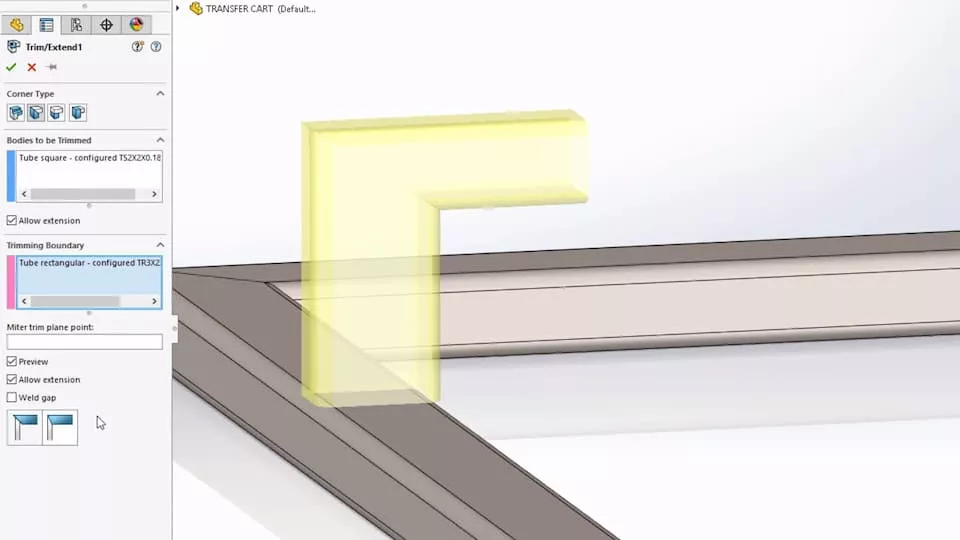
SOLIDWORKS 2021 introduces a number of enhancements when working with parts, our favourites are the improvements to sheet metal and weldments. When working in sheet metal you now have the ability to add edge flanges to curved edges, such as those in a bend region, and weldments now allow you quickly achieve a Flush Miter between different member types, with no requirement to trim afterwards.
Custom properties for parts and weldment cut-lists are more customisable than ever as they now support equations.

3. Assembly Improvements
When working in the assembly environment in SOLIDWORKS 2021 you'll find more streamlined tools to help you assemble, pattern and analyze your assemblies. Two notable improvements are the new options when using configurable parts within assembly patterns, and the option to export a spreadsheet of interference when running an assembly interference check.
Graphics improvements have also been made so that SOLIDWORKS can now take better advantage of your GPU for quicker transitions, and smoother overall performance.
4. eDrawings
eDrawings excels at allowing you to share your 3D concepts while protecting your intellectual property. eDrawings 2021 gives you more options to make communicating your ideas easier than ever. You can now view Custom and Configuration specific properties right inside the eDrawings viewer.
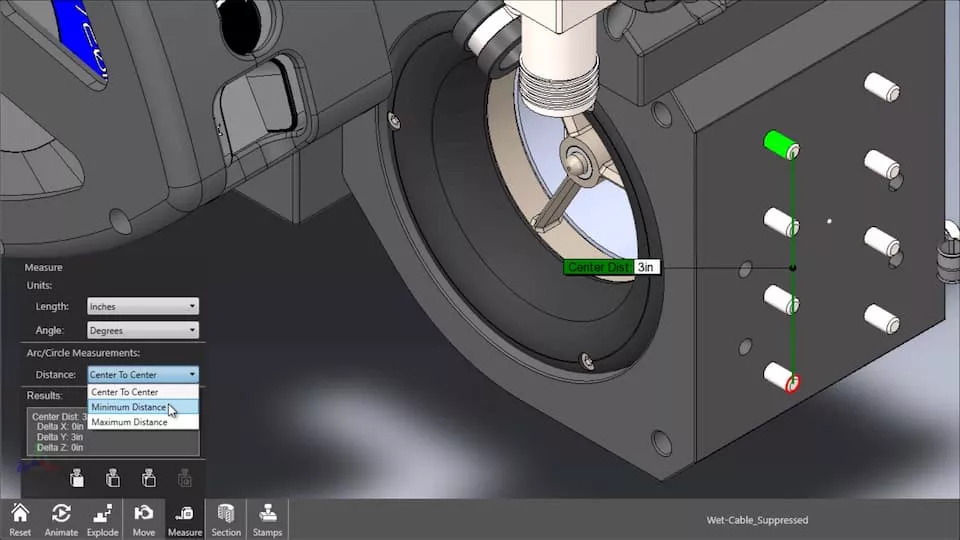
Commands like measure have been improved as well. Finding the center-to-center distance of two circular or cylindrical objects has always been available but now, with eDrawings 2021, you can choose to view the minimum and maximum distances. Finally there are new options to move and rotate bodies, making it easier than ever to interrogate large projects.
5. SOLIDWORKS Manage
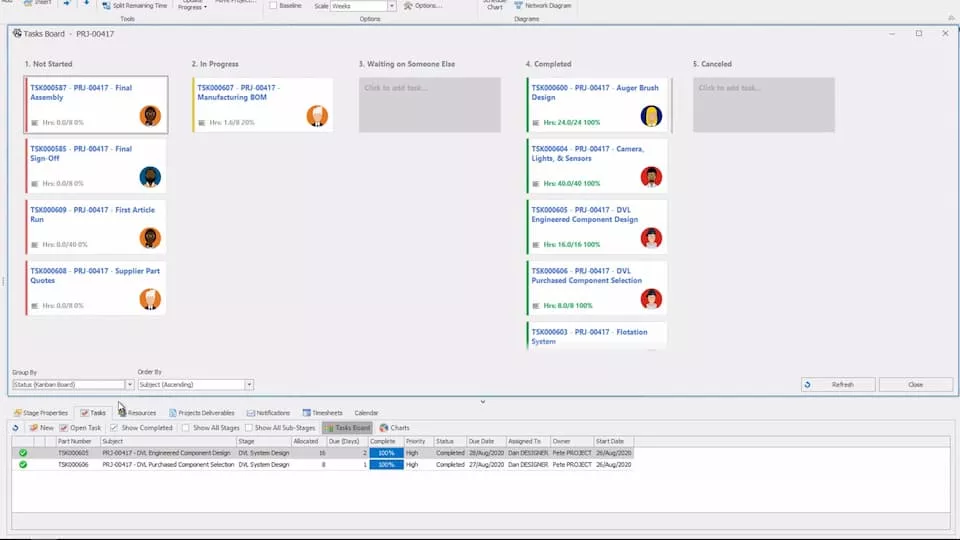
SOLIDWORKS Manage 2021 provides new ways to manage your projects, edit your Bills of Material, and interact with suppliers, increasing your design management efficiency and collaboration like never before. Enhancements in this latest release include project lists, task visualization, support for the preview of SOLIDWORKS CAD data using the Web2 interface, and the ability to share information with clients using a unique protected link.
6. SOLIDWORKS PDM
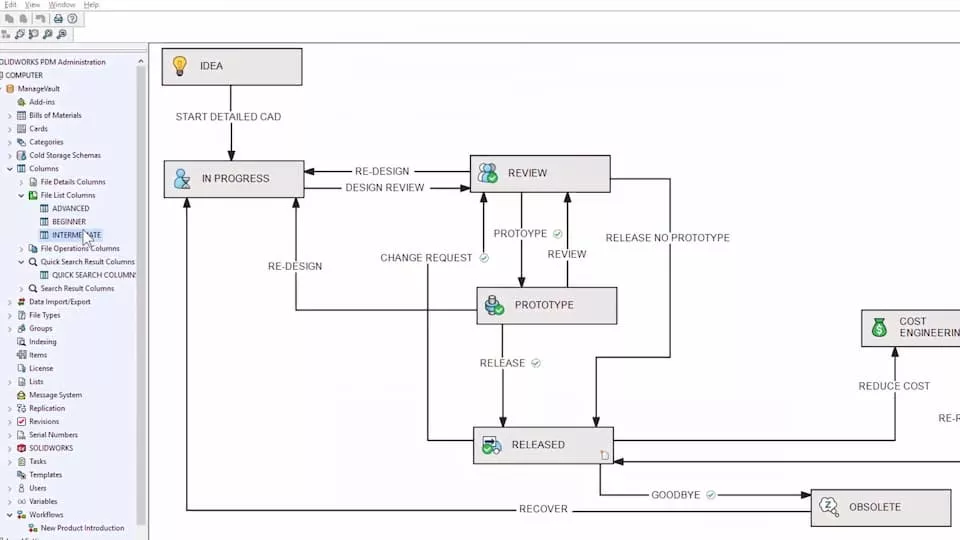
With SOLIDWORKS PDM 2021 you can configure a more tailored and personal view of the vault than before and explore and document file references more intuitively via the Treehouse View that is now integrated within both Contains and Where Used. The library of Workflow Icons have been redesigned to help better illustrates the steps of your workflows, these help build visual cues that create an instant awareness of your processes across the team. Bills of Materials in SOLIDWORKS PDM now support even more of your CAD workflows including the use of weldments and derived parts, in order to streamline your processes further. Lastly, PDM has received a number of under-the-hood performance enhancements to ensure that your everyday PDM operations are faster than ever.
7. SOLIDWORKS Visualize
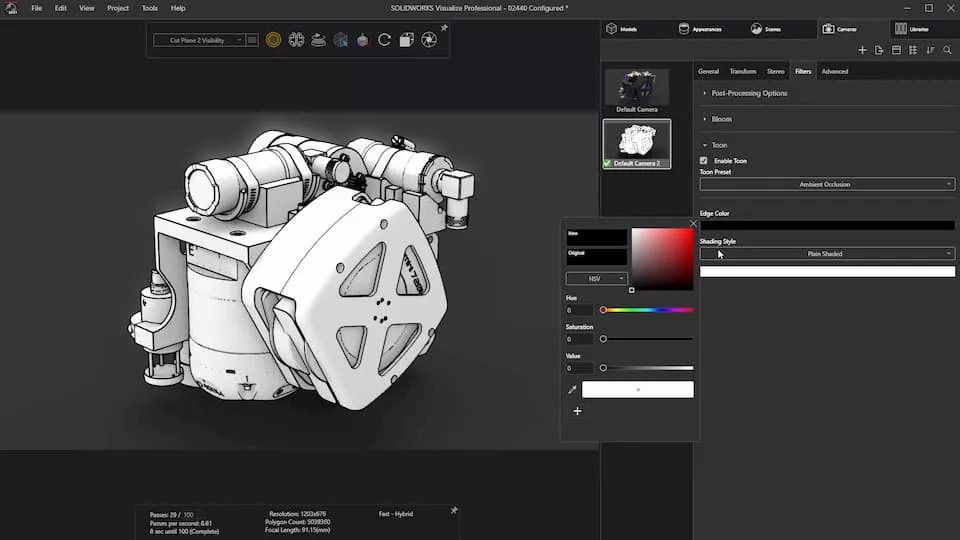
In 2021, the integration between SOLIDWORKS CAD design and Visualize is even better than before. With previous versions, you could only access the last saved configuration when importing a model, wheras in Visualize 2021, all configurations are now accessible from a drop-down menu.
New options have also been added within displacement maps, section cuts and camera filters to help you achieve the exact look and feel needed for your renders.
8. Drawings
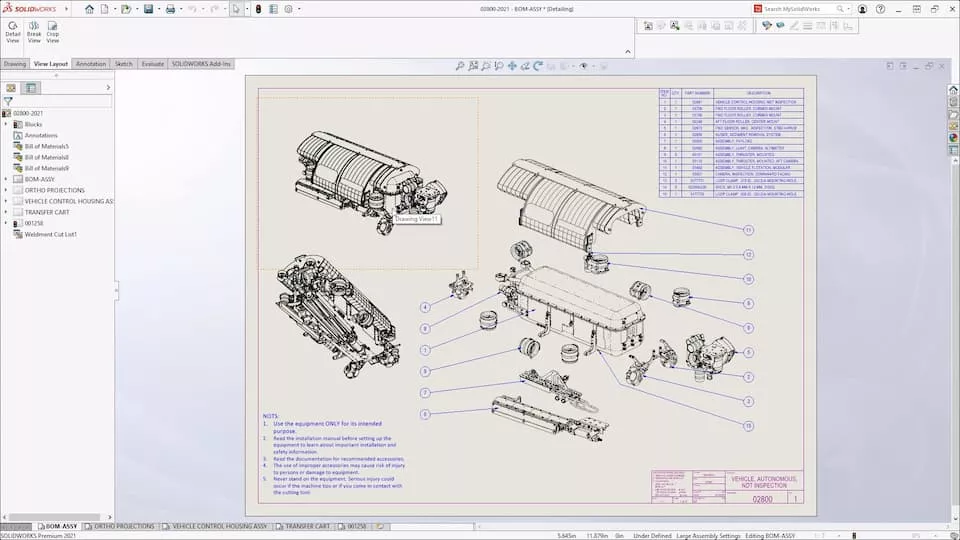
Performance improvements in drawings allow you to pan, zoom and scroll more smoothly, with noticeably less latency.
Last year detailing mode was a major addition to SOLIDWORKS Drawings and this year it has been expanded to support the addition and editing of all annotation types, including ordinate dimensions, hole callouts and tolerance and precisions. Detailing mode also supports additional view types including, broken views, cropped views and even detail views can also be
9. SOLIDWORKS Simulation
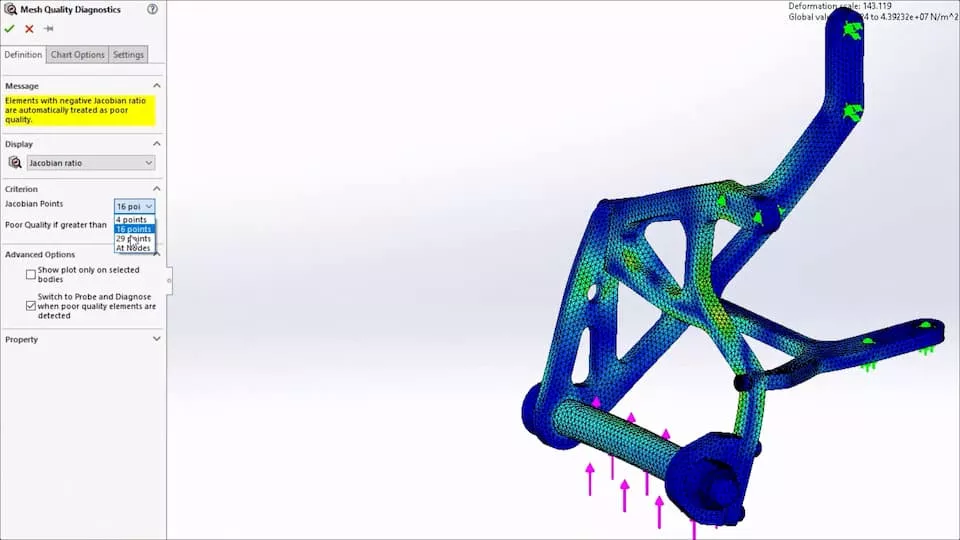
In SOLIDWORKS 2021 the set-up, meshing and running of simulation studies is quicker than ever with a host of new and improved tools. Troubleshooting is simpler than before with new diagnostics tool to help isolate poor quality mesh areas and new Mesh Helper to automate the mesh refinement.
The default solver choice has also been optimised and improvements have been made to many of the solvers to give faster and more accurate results.
10. 3DEXPERIENCE & SOLIDWORKS
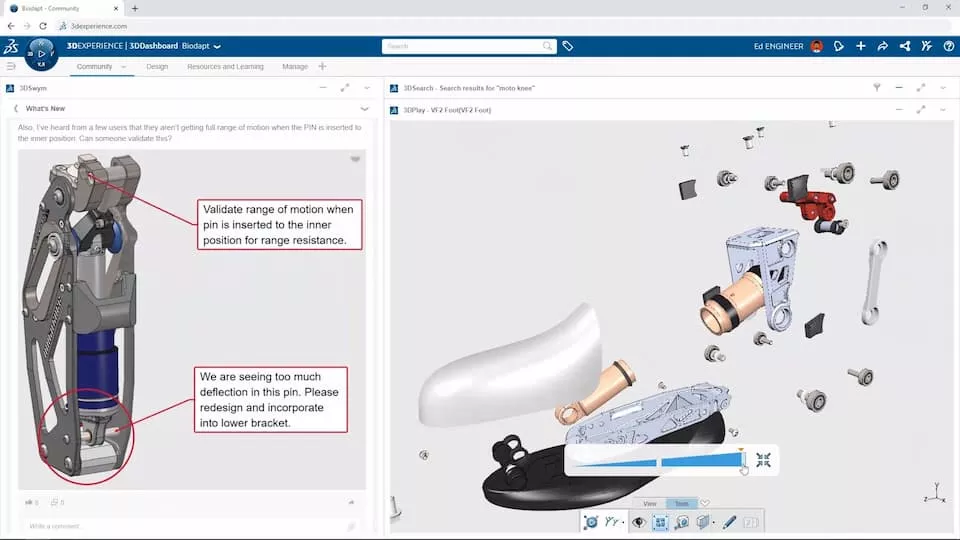
The 3DEXPERIENCE platform is a cloud based tool that brings together all areas of your business. With tools to enable the sharing, review and collaboration of your SOLIDWORKS data as well as dedicated web based apps for design, simulation, rendering and data management.
How to get the latest SOLIDWORKS?
SOLIDWORKS subscription customers are always entitled to the latest version of SOLIDWORKS, along with technical support and many other benefits. Click the link below for the latest downloads.

Related Content
What’s New in SOLIDWORKS 2025
Explore what’s new in SOLIDWORKS 2025 and see how advanced automation, improved UI, DraftSight 2025 and cloud-connected workflows can boost your productivity and design accuracy.
What’s New SOLIDWORKS 2024
Find out what’s new in SOLIDWORKS 2024 including a new automatic repair command, sheet metal tools, and a much-awaited new saving ability. The enhancements to help you model, visualise, and validate more easily with new cloud-based tools to aid collaboration and boost your productivity.
What’s New SOLIDWORKS 2023
SOLIDWORKS 2023 introduces refinements to popular features such as patterning and the ‘Move/Copy Body’ command, making everyday tasks more efficient. Combined with numerous behind-the-scenes performance and stability enhancements, this release offers practical improvements for users across a wide range of workflows.
What’s New SOLIDWORKS 2022
Supercharge your teams productivity with brand new enhancements coming in SOLIDWORKS 2022. Expect to see improved drawing capabilities, enhanced 3D texture support, a more flexible ‘Pack & Go’ feature, upgrades to part modeling and more.