











Who Uses SOLIDWORKS Visualize? | November Customer Spotlight

Written by: Richard Earley
Published: Nov 3, 2023
| View All Blogs
In this month’s Customer Spotlight, we direct our gaze to customers and companies who use SOLIDWORKS Visualize and benefit from its photorealistic CAD rendering capabilities.
Last month saw the retirement of Photoview 360, a rendering tool that has been an integral part of the SOLIDWORKS toolkit since 2009.
However, with the emergence of SOLIDWORKS Visualize into the SOLIDWORKS portfolio in 2017, Solid Solutions customers have found solace in producing stunning visuals of their products thanks to the photo-accurate ray tracing technology in the advanced rendering engine.
Discover who uses SOLIDWORKS Visualize below, as we feature some of the companies that are harnessing the evolution in CAD rendering technology with SOLIDWORKS Visualize to stand out in crowded markets.
Dortrend International Ltd.

Dortrend International has over 40 years of industry experience and is the UK’s leading developer of specialised door systems. Their business extends to markets across Europe, the Middle East, and beyond!
Dortrend is a key supplier of anti-ligature handles and anti-bacterial handles to large hospitals and schools, demonstrating their commitment to international impact. With a legacy of innovation and quality, Dortrend excels in crafting high-calibre door handles for diverse applications.
What Are Dortrend Using SOLIDWORKS Visualize For?
Dortrend maximises their product development efficiency by integrating SOLIDWORKS CAD data with SOLIDWORKS Visualize, seamlessly creating professional-grade visuals.
Leveraging the power of SOLIDWORKS Visualize, Dortrend can generate stunning images and interactive 3D content. This integrated approach streamlines concept creation, validation, and improvement to facilitate effective communication with stakeholders and accelerate decision-making.
SOLIDWORKS Visualize, in conjunction with SOLIDWORKS, contributes to the efficient development of visually compelling and superior products.
Check out the SOLIDWORKS products that help them realise their vision:
SOLIDWORKS Mechanical Design | SOLIDWORKS Visualize
To learn more about Dortrend International and what they do, visit their website.
Utopia Bathrooms

With three decades of industry leadership, Utopia Bathrooms stands as a premier designer and manufacturer of top-tier bathroom solutions in the UK.
Their extensive range, distributed through a network of 600 retailers, encompasses furniture, suites, worktops, mirrors, and accessories.
Utopia continually commits to quality and innovation, and ensures each product surpasses customer expectations, bringing luxury and style to bathrooms with sophistication.
What Are Utopia Using SOLIDWORKS Visualize For?
Utopia Bathrooms transforms the customer experience in bathroom design by leveraging SOLIDWORKS Visualize and DriveWorks design automation.
Customers can vividly explore personalised 3D renderings of bathrooms with interactive features on Utopia’s website. The customisation tools facilitate real-time experimentation with design elements, streamlining decision-making for customers to achieve their ideal bathroom aesthetics.
SOLIDWORKS Visualize, together with their DriveWorks installation, enhances engagement and provides a tailored journey toward creating the perfect bathroom space.
Check out the SOLIDWORKS products that help them realise their vision:
SOLIDWORKS Visualize | DriveWorks Design Automation
To learn more about Utopia Bathrooms and what they do, visit their website.
Woodland
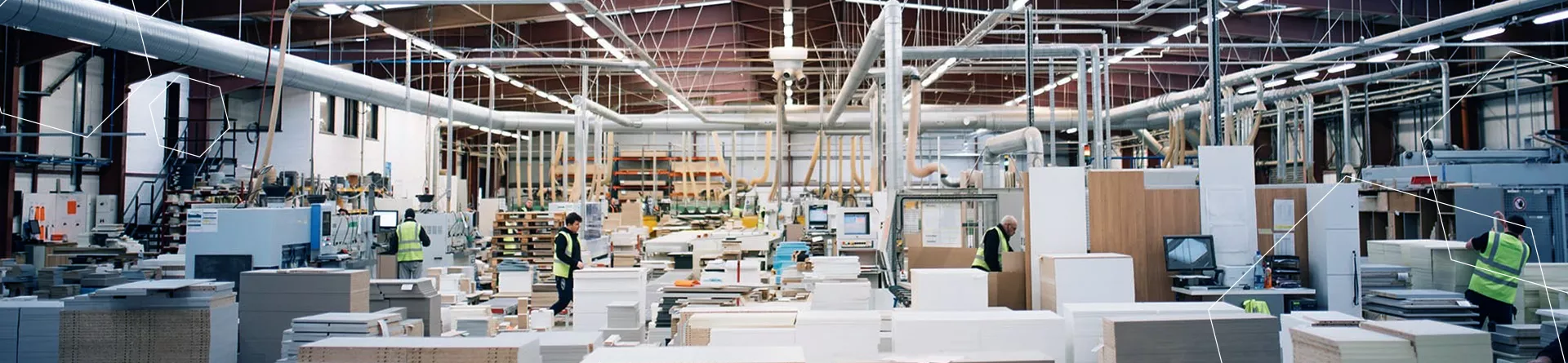
Established in 1987, Woodland is a prominent designer and manufacturer of bespoke kitchen, bedroom, and bathroom furniture for retail customers in Ireland and the UK.
Specialising in made-to-order solutions, the company emphasises quality and innovation in its meticulous production planning and skilled teams, ensuring the seamless execution of large-scale projects.
From design to manufacture and installation, Woodland offers a comprehensive approach to crafting customised interior solutions.
What Are Woodland Using SOLIDWORKS Visualize For?
Woodland leverages SOLIDWORKS Visualize to enhance product visualisation and marketing efforts by creating realistic renderings of their products.
By combining SOLIDWORKS 3D CAD with SOLIDWORKS Composer and SWOOD, Woodland can facilitate effective design collaboration, allowing teams to contribute to a comprehensive and efficient ecosystem for designing, visualising, documenting, and manufacturing wood-based products.
Check out the SOLIDWORKS products that help them realise their vision:
SOLIDWORKS Mechanical Design | SOLIDWORKS Visualize | SOLIDWORKS Composer | SWOOD
To learn more about Woodland and what they do, visit their website.
Amobox

AMOBOX is a leading innovator in the UK, specialising in personalised portable kitchens, mobile bars, and retail kiosks that embody each client’s brand.
Their unique approach combines expertise in design, engineering, and manufacturing, to elevate their product in a crowded market.
What Are Amobox Using SOLIDWORKS Visualize For?
AMOBOX optimises design efficiency and marketing impact through the integration of SOLIDWORKS Visualize, crafting realistic visualisations for rapid client approvals.
These impactful renderings not only reduce reliance on prototypes but, when combined with SOLIDWORKS, provide a comprehensive solution that significantly benefits overall business processes.
Check out the SOLIDWORKS products that help them realise their vision:
SOLIDWORKS Mechanical Design | SOLIDWORKS Visualize
To learn more about AMBOX and what they do, visit their website.
Light Forms

Founded in 2008, Light Forms has emerged as a key player in the realm of high-performance lighting solutions. With operational bases spanning the UK, Europe, and India, the company boasts a decade of expertise dedicated to reshaping the function, mood, and aesthetic of architectural spaces.
Seamless collaboration with architects and developers has resulted in the illumination of notable developments across diverse sectors such as retail, hospitality, education, and healthcare.
Light Forms stands committed to excellence, positioning itself as a trusted partner in the ongoing evolution of illuminated environments.
What Are Light Forms Using SOLIDWORKS Visualize For?
Light Forms strategically utilises SOLIDWORKS Visualize to enhance its design and manufacturing capabilities, ensuring reliable and efficient project delivery.
The seamless integration of SOLIDWORKS Visualize empowers designers and engineers to transform 3D CAD data into realistic visualisations, seamlessly integrated with their SOLIDWORKS CAD to contribute to the effective showcasing of innovative lighting solutions.
Make sure you capitalise on the advanced lighting options, manufacturer light profiles, and caustics capabilities of SOLIDWORKS Visualize Pro.
Check out the SOLIDWORKS products that help them realise their vision:
SOLIDWORKS Mechanical Design | SOLIDWORKS Visualize
To learn more about Light Forms and what they do, visit their website.
Fancy Being in the Spotlight?
If you want your company or product to be featured in next month’s Spotlight, send us an email at marketing@solidsolutions.co.uk, or speak with your Solid Solutions Account Manager.
Categorised as: Customer Stories | SOLIDWORKS Visualize | Visualisation
Get a SOLIDWORKS Quote
Interested in SOLIDWORKS? Contact us for questions, trials, or demos by clicking the button below or call 01926 333777. Our experts will help you find the perfect solution.

Related Posts

SOLIDWORKS Visualize. Why go pro? – 6 Post Processing
In this blog we will be look at the post-processing options that can be found in SOLIDWORKS Visualize

SOLIDWORKS Visualize. Why go pro? – 7 Lighting
SOLIDWORKS Visualize uses a non-biased rendering engine, which allows for physically accurate lighting within a scene. It generates images with high amount of realism and correct set up can replicate photo studio lighting.

How to Get Your Serial Number for SOLIDWORKS Visualize Standard
Want to download Visualize to make photorealistic renders? Follow this guide for accessing your Visualize serial number that comes bundled in with SolidWorks Professional and Premium.
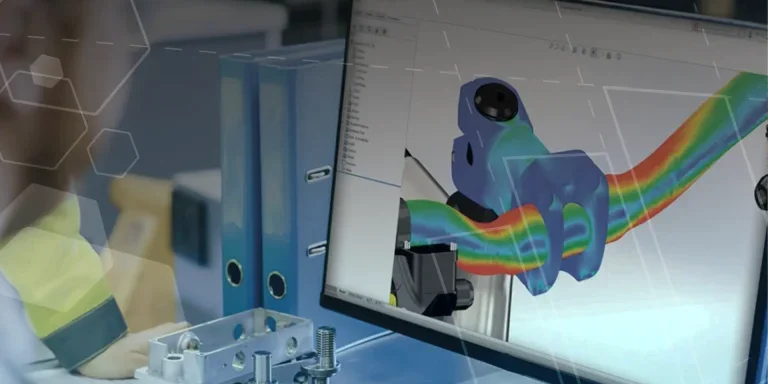
Creating Interactive Animations with SOLIDWORKS Visualize
Interactive Images are a great export option within Visualize Professional, allowing you to view the model in a series of 360 orbital spins within a web browser.
However, what happens if I want to use this interactive method to demonstrate a mechanism or animation instead?

How to Create 360VR Video using SOLIDWORKS Visualize
Virtual Reality(VR) videos provide one of the most immersive methods of viewing a design concept and can be used to bring your product showcases to the next level. Recently VR has become a valuable tool for many companies when it comes to design reviews and interactive product training. Check out this short blog to learn how to export 360VR videos using SOLIDWORKS Visualize.
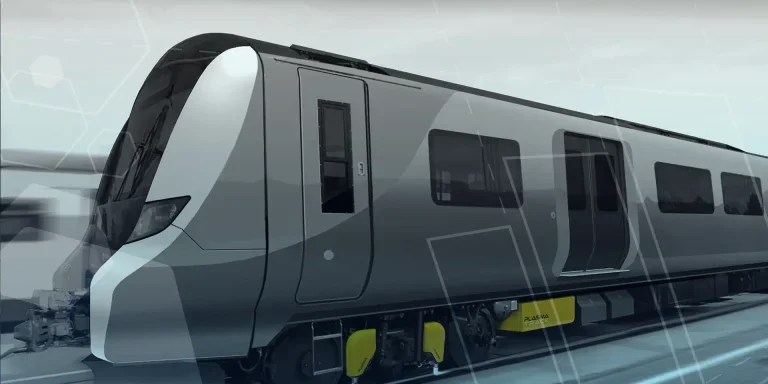
PlasmaTrack Ltd. Solution Blasts Through Major Cause of Rail Delays
Start-up company, PlasmaTrack, are leading the way when it comes to preventing a major source of train disruptions and delays…leaves! During the colder months, railways have the challenge of dealing with wet slippery surfaces from leaves that make their way onto the line. But using PlasmaTrack’s smart technology, it can clear the residue on tracks returning the surface to a dry, clean, and uncontaminated state.

Creating a Kicking Tee for the Rugby Lions Series – Modelling Walkthrough
As the Rugby Lions Series continues Solid Solutions and MECAD are continuing to compete off the pitch using SOLIDWORKS. Our second challenge was to create a Kicking Tee, a small yet key piece of equipment that is used almost every game. Various designs exist but we decided to model an adjustable kicking tee. Read on for some SOLIDWORKS tips and an overview of our modelling process.

Finding Mass in SOLIDWORKS – Using Mass Properties
With SOLIDWORKS it’s simple to calculate properties of your model such as mass, density and volume at any time. In this blog, and accompanying video tutorial, we’ll show you how to view these values using the mass properties command and share some tips on how to make sure you get the most accurate values. Plus, hear from our customer ModBox about how Mass Properties helped them to meet a key design constraint!

How to Create Animations in SOLIDWORKS
3D animations are a great way to display your designs, no matter what stage of the design process you are at and can provide companies of almost any industry with huge leverage in improving their operational efficiency. Animated marketing videos are a fantastic way to communicate a message that may be difficult or costly to explain other than by using conceptual animations. They are very flexible with the only limitation being your imagination.
Below is an example of a marketing video of an GoPro gimbal.
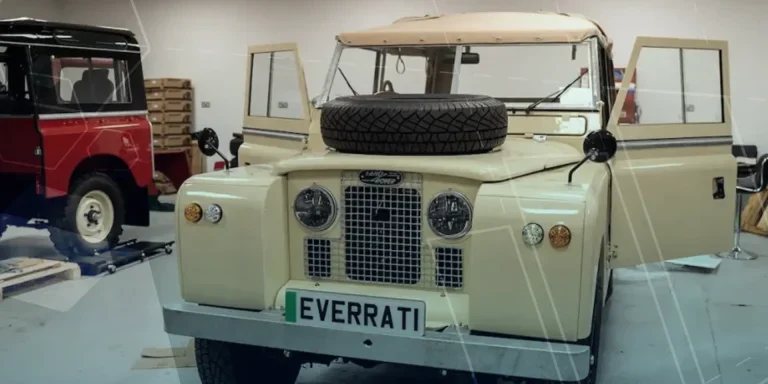
Everrati – Electrifying Classic Cars
Everrati is an automotive agency that passionately redefines the most iconic cars and makes them relevant to the world today. While making a conscious effort to maintain the ‘soul’ and unique characteristics of modern classics, Everrati gives these cars a new lease of life through retrofitting electric vehicle technology and driving net-zero without sacrificing the world’s most iconic cars.