











SOLIDWORKS Assembly Tips

Written by: Emily Quinn
Published: Aug 5, 2026
| View All Blogs
As assemblies grow, so does the risk of slow load times, repetitive mating tasks, and file management headaches. Even experienced CAD users often find themselves repeating manual tasks that SOLIDWORKS could easily automate.
Our SOLIDWORKS Assembly Modelling course focuses on accelerating large assembly performance, mastering top-down design, and managing external references smoothly.
Here are two features taught in the course that transform how you manage large product structures:
1. Skip Repetitive Mating with Mate References
Inserting standard, re-used hardware or common components into an assembly usually involves manually selecting faces and applying the same mates repeatedly.
The Solution: Set up Mate References on your standard components. By pre-defining primary, secondary, and tertiary mate locations on a part, SOLIDWORKS will automatically snap and mate the component into place the moment you drag it into an assembly. You can also re-use existing mating data from previous assemblies to drive component interaction in new projects.
2. Protect Intellectual Property with Defeature and Simplify
Sharing assembly files with suppliers, customers, or third parties is essential, but sending full native CAD files exposes your intellectual property (IP) and leads to massive file sizes. Manually deleting internal features or components often breaks the assembly mates.
The Solution: Use the Defeature and Simplify utilities:
Defeature: Systematically replaces complex geometry or internal components with simplified shapes or single-body representations without destroying top-level assembly links.
Derived Configurations: Save the defeated model as a derived configuration or separate file. This keeps your shareable version lightweight and protected while keeping it linked to updates made to the primary design.
Categorised as: SOLIDWORKS Design | Tech Tips
Optimise Your Assembly Performance
Tired of waiting for large assemblies to rebuild or worrying about sending sensitive CAD data offsite? Learn how to structure assemblies like a pro.

Related Posts

How to Find Reaction Forces in SOLIDWORKS Simulation
SOLIDWORKS helps us to find resultant forces through simulation studies. These virtual tests reduce the need for physical prototypes and give us an accurate answer.

Setting number of decimal places in a table on a drawing
When creating an equation in a drawing general table, is it possible to define the…
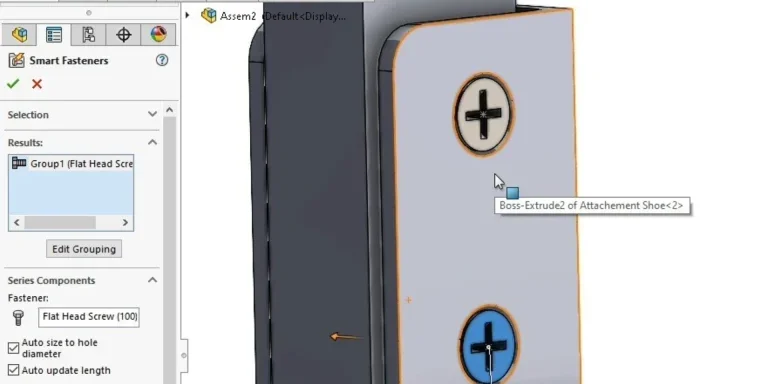
SOLIDWORKS Smart Fasteners
SOLIDWORKS Smart Fasteners is a really useful time saving tool, allowing you to automatically insert toolbox fasteners such as bolts and screws into an assembly providing there is a standard hole.

Why is my Flat Pattern not showing in SOLIDWORKS Drawings?
This may be linked to how the drawing is saved or it can be related to how sheet metal parts are displayed in drawings, read on to find out how to fix it.

Why is SOLIDWORKS Crashing?
It’s one of the great mysteries of life – why is SOLIDWORKS crashing? Let’s explore how SOLIDWORKS crashes and how we can improve performance in SOLIDWORKS.

SOLIDWORKS Tips: Are you Making this Common Mistake in Fatigue Analysis?
Simulation is a vital and complex engineering need. Fortunately, SOLIDWORKS makes it easy to test, correct mistakes and obtain accurate results.

Tech Support Blog: Why are my SOLIDWORKS BOM Quantities Wrong?
Why are my SOLIDWORKS BOM Quantities Wrong? A support call cropped up this week which…

How to Get Your Serial Number for SOLIDWORKS Visualize Standard
Want to download Visualize to make photorealistic renders? Follow this guide for accessing your Visualize serial number that comes bundled in with SolidWorks Professional and Premium.

How to Recover SOLIDWORKS Files After a Crash
SOLIDWORKS has two different methods to help you recover from an unexpected crash or loss of data in the form of auto-recovery and back-up settings.

Redesigning Santa’s Sleigh in SOLIDWORKS
Every year Father Christmas has to fly in his sleigh to deliver presents to boys and girls all over the world in just one night. To put this into perspective, it takes a little under 24 hours to fly from London (UK) to Sydney (Australia) in a streamlined Boeing 747, whereas Father Christmas’ mode of transport is believed to be a rather non-aerodynamic sleigh.