











Redesigning Santa’s Sleigh in SOLIDWORKS
Written by: Solid Solutions Marketing
Published: Dec 2, 2016
| View All Blogs
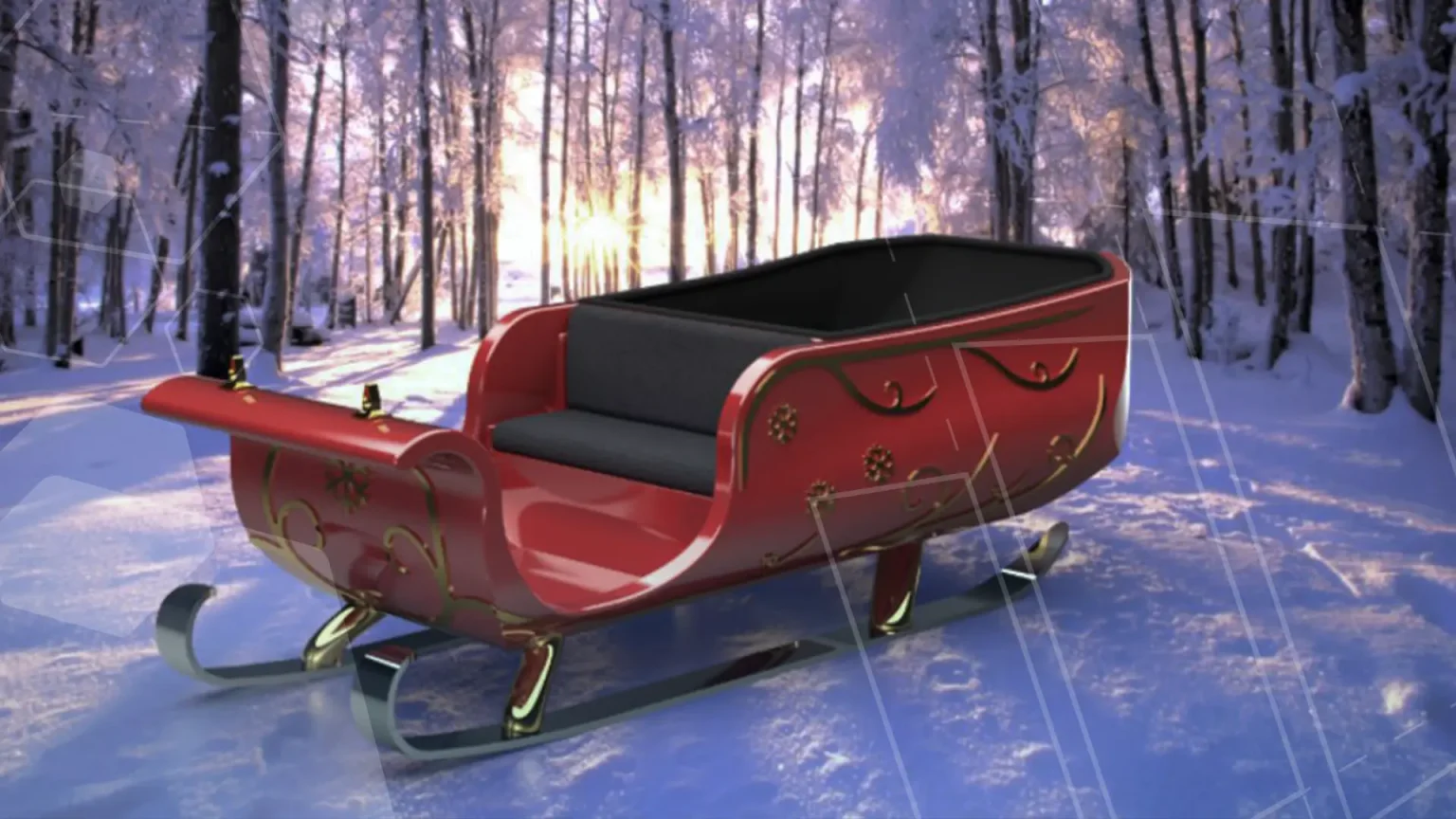
Have you thought of redesigning the traditional Santa’s Sleigh?
Every year Father Christmas has to fly in his sleigh to deliver presents to boys and girls all over the world in just one night. To put this into perspective, it takes a little under 24 hours to fly from London (UK) to Sydney (Australia) in a streamlined Boeing 747, whereas Father Christmas’ mode of transport is believed to be a rather non-aerodynamic sleigh.
If we take a few different figures we can get a rough idea of how aerodynamically suitable the perceived sleigh design is or, alternatively, how much resistance the reindeer are expected to overcome. For example, the earth’s circumference around the equator is a little under 25,000 miles, Father Christmas has around 12 hours to complete his delivery. If he averaged a speed of Mach 2.74, which is about 2,100mph at sea level, he would cover 25,200 miles in that 12 hour period.
Using this value for velocity we can get a good idea of any aerodynamic flaws which may be in the traditional sleigh design.
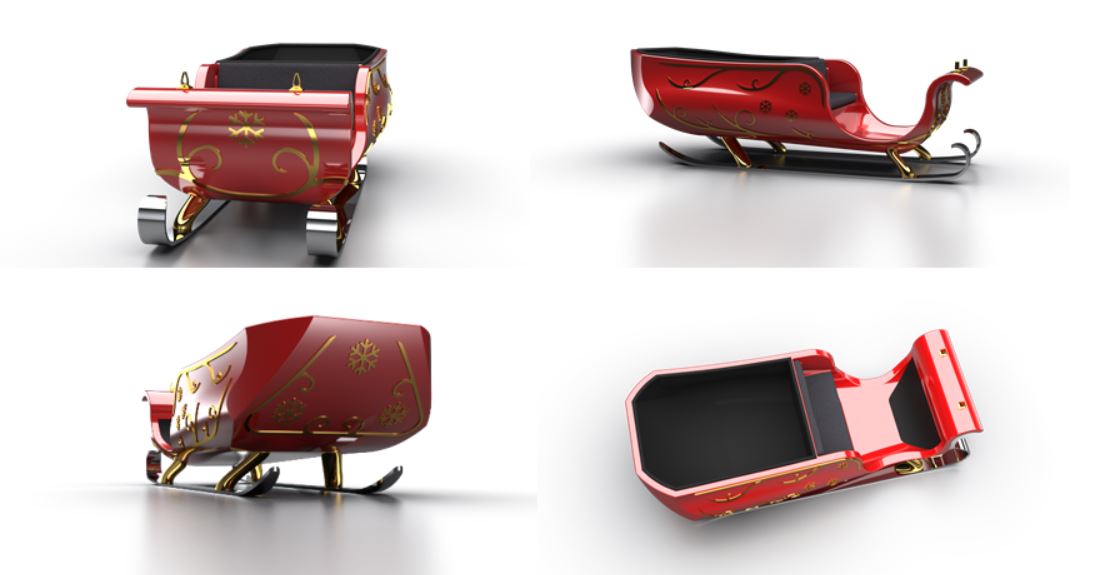
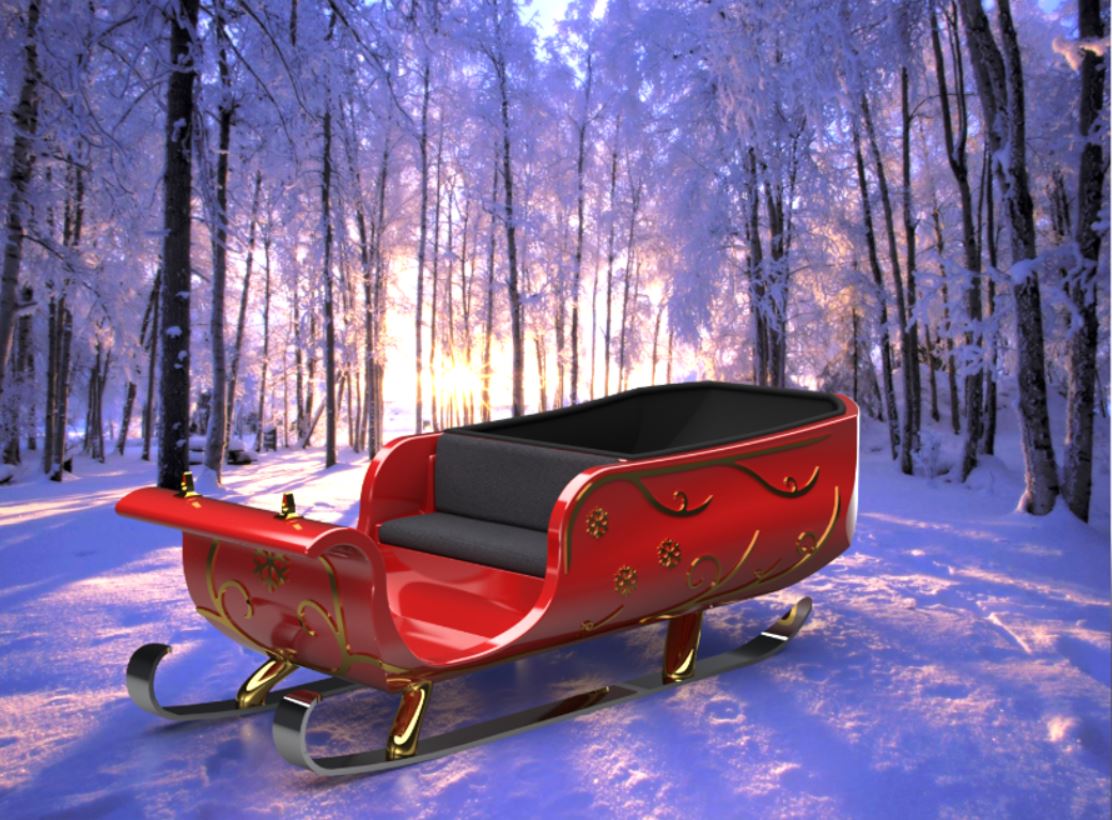
The renders below show a traditional type of sleigh modelled inSOLIDWORKS 2017 using both solid and surface modelling techniques and then being all brought together in an assembly to fit the guide brackets for the reins and the seat to the main body of the sleigh.
We can now run the model through the Flow Simulation add-on to find out just where the problems lie in terms of areas of high pressure as well as how the air generally behaves as it interacts with the sleigh.
An external study was set up, the fluid chosen was ‘air’ at a flow rate of Mach 2.74, using a global mesh with an overall cell refinement level of 3, and automatic refinement during the simulation used to concentrate the mesh in and around the sleigh in areas were the flow changes.
Cell refinement levels of 2 between fluid and fluid cells and a level of 3 along the fluid and solid boundary were used during the simulation.
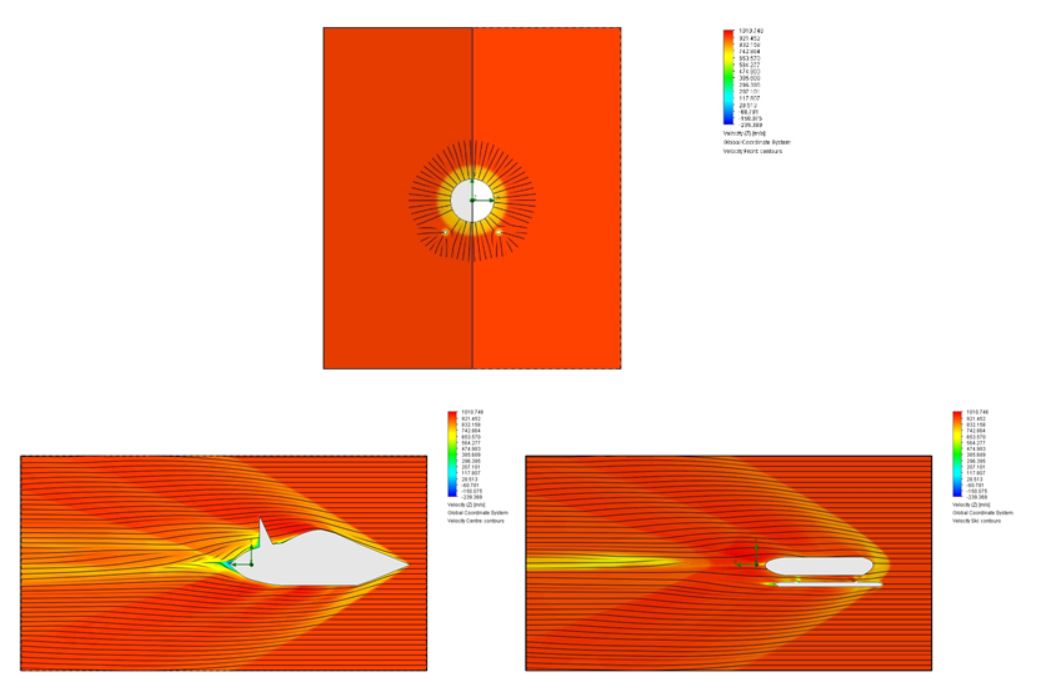
The cut plots below show the largest areas of high pressure on the sleigh are concentrated at the front, i.e. the leading edge. This high pressure creates a bow shockwave and, these are areas where the air is slowed down from 950m/s to just 340m/s (more than 50% less than the surrounding air flow).
Inside the sleigh, e.g. the seating area, the velocity also hugely decreases, and in some areas is recirculated in the opposite direction. Shockwaves also occur at the top of the seat, at the rear end of the present bay and underneath the sleigh around the centre. All of these disturbances in the airflow lead to increased drag and therefore more power required from the reindeer.


Now we have seen the areas of the sleigh which could use some adjustment and improvements, we can modify the model’s geometry to optimise the aerodynamic performance.
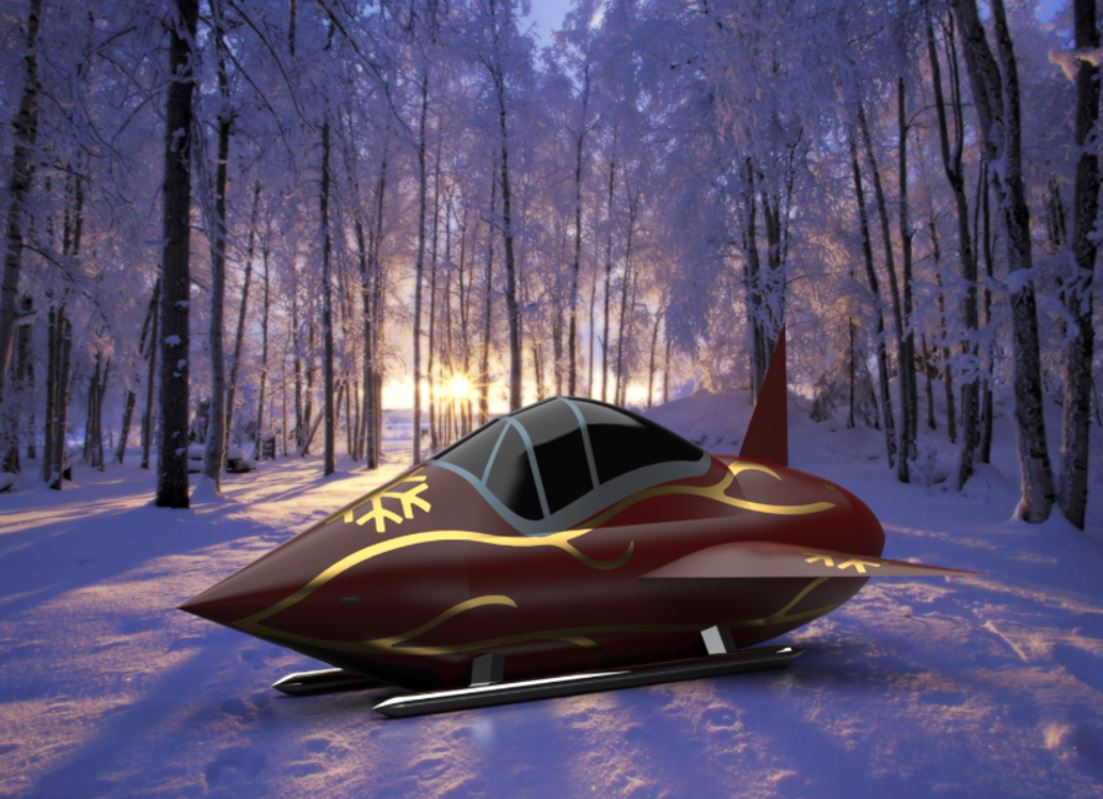
Using combined knowledge from the Solid Solutions Management technical support team, the sleigh has been remodelled and the outcome can be seen below.
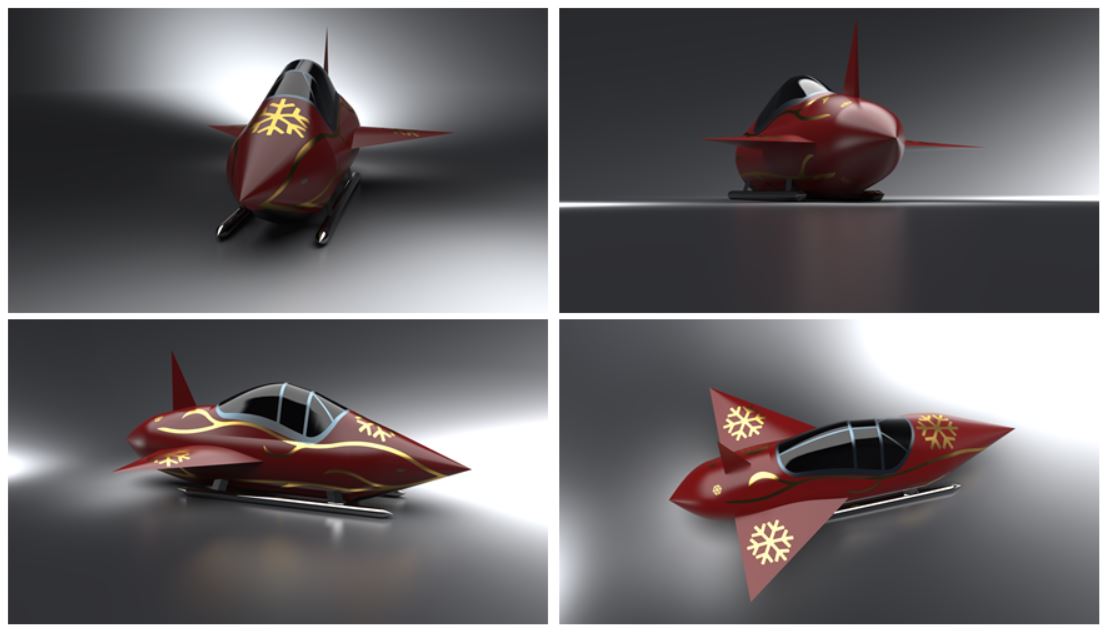
The sleigh was made using surfacing techniques, adding a thin sharp nose cone which creates less drag than the previous design, a canopy was also added to allow the model to flow into a smoother overall shape. Vertical and horizontal stabilizers were added and the model was finished with a rear cone which comes to a point at the back.
The improved model was then put through the Flow Simulation add-on with the same parameters used as before, to ensure a fair comparison. The cut plots below show an oblique shockwave forming around the nose cone which interacts with much less of the air around the sleigh and has a much lower pressure of around 315kPa at the leading edge, whereas the traditional design had a pressure of 889kPa.
Due to the addition of a canopy, the new design has not had to deal with internal turbulent flow and as such the drag encountered will again be significantly reduced.

If you are feeling creative this Christmas and are tired of the same old tree decorations, why not create your own?
With just a 3D printer and a Standard licence of SOLIDWORKS you can create your own from home so you don’t have to go out into the cold this winter, just grab a mince pie, fire up SOLIDWORKS and get designing!
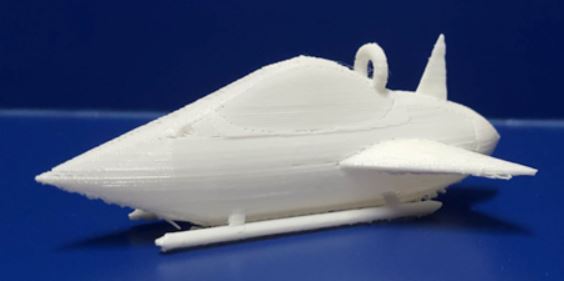
From the models used in the Flow Simulations we created our very own using the MakerBot Replicator Mini Compact 3D Printer. A few modifications were required before printing could go ahead on the traditional sleigh design; a revolve to loop some ribbon through to hang from a tree, the ski’s on the bottom as well as their struts had to be thickened to allow for the necessary support for the model and also the brackets for the reins were taken from the model as they could not be created properly at such a small scale, and also the model was scaled to a little under 100mm in order to fit onto the printing bed.

The sleigh with the improved aerodynamics was modified by filleting the edges of the wings and the tail fin and adding the revolve to create the loop for the ribbon.

Here are a couple of Renders produced using SOLIDWORKS Visualize
Categorised as: Design | SOLIDWORKS Design | SOLIDWORKS Flow Simulation | Simulation
Get a SOLIDWORKS Quote
Interested in SOLIDWORKS? Contact us for questions, trials, or demos by clicking the button below or call 01926 333777. Our experts will help you find the perfect solution.

Related Posts

How to Find Reaction Forces in SOLIDWORKS Simulation
SOLIDWORKS helps us to find resultant forces through simulation studies. These virtual tests reduce the need for physical prototypes and give us an accurate answer.

Setting number of decimal places in a table on a drawing
When creating an equation in a drawing general table, is it possible to define the…

SOLIDWORKS Smart Fasteners
SOLIDWORKS Smart Fasteners is a really useful time saving tool, allowing you to automatically insert toolbox fasteners such as bolts and screws into an assembly providing there is a standard hole.

Why is my Flat Pattern not showing in SOLIDWORKS Drawings?
This may be linked to how the drawing is saved or it can be related to how sheet metal parts are displayed in drawings, read on to find out how to fix it.

SOLIDWORKS Tips: Are you Making this Common Mistake in Fatigue Analysis?
Simulation is a vital and complex engineering need. Fortunately, SOLIDWORKS makes it easy to test, correct mistakes and obtain accurate results.
Series 1 Land Rover Pedal Car – Made Easy with Solidworks!
The Series1 began production in 1948 designed to help get Britain farming after the war effort. It grew extremely popular and today enthusiasts are prepared to throw their life savings at restoring originals from that period.

How to Recover SOLIDWORKS Files After a Crash
SOLIDWORKS has two different methods to help you recover from an unexpected crash or loss of data in the form of auto-recovery and back-up settings.

Radiation in Flow Simulation – Part 1 : Reflection
Technical Manager Andy Fulcher explores ‘Radiation in Flow Simulation, Part 1 : Reflection’
Radiation in Flow Simulation – Part 2 : Refraction
Technical Manager Andy Fulcher explores ‘Radiation in Flow Simulation, Part 2 : Refraction’
The Coanda Effect in Flow Simulation
Can you take advantage of the Coanda Effect & can SOLIDWORKS Flow simulate it? Applications Engineer Romel Cumare investigates in his latest blog post.