











Think You Know the Basics? 2 Hidden Tools in SOLIDWORKS Essentials Training
Written by: Emily Quinn
Published: Jul 31, 2026
| View All Blogs
Even seasoned CAD users often skip foundational training, assuming “Essentials” is strictly for complete novices. However, SOLIDWORKS is a massive application, and many self-taught users spend hours on manual workarounds without realising there’s an automated tool built right into the software.
While our SOLIDWORKS Essentials course covers fundamental setup, it quickly scales up to parameter equations, advanced feature patterns, and reliable design repair techniques.
Here are two high-efficiency tools covered in SOLIDWORKS Essentials that can immediately streamline your daily workflow:
1. Automatically Update Patterns with Up to Reference
When design constraints are constantly changing, updating feature pattern parameters manually – (like recalculating instance counts or spacing) is a time sink. This is especially true when managing multiple product configurations.
The Solution:
Instead of entering fixed numbers, use the Up to Reference option within the Pattern tool. This ties your pattern spacing or instance count directly to selected reference geometry. You can even set offset margins so your pattern automatically adjusts whenever the primary model dimensions shift.
2. Repair Sketch & Feature Errors Without Rebuilding
Error warnings and broken relations (dangling entities) are inevitable when designs evolve. A common reaction is to delete the broken dimensions and start over, which wastes time and risks breaking downstream features.
The Solution:
Reattach Dangling Entities: Click and drag the failing dimension or relation point directly onto a new reference entity to fix it instantly.
FeatureXpert: If a fillet or draft is failing, launch FeatureXpert. It automatically analyses the geometry and splits complex commands into multiple solvable features for you.
Categorised as: SOLIDWORKS Design | Tech Tips
Ready to Build a Stronger CAD Foundation?
Whether you want to refine your fundamentals or eliminate bad habits, our SOLIDWORKS Essentials course ensures your modelling workflow is as fast and stable as possible.

Related Posts

How to Find Reaction Forces in SOLIDWORKS Simulation
SOLIDWORKS helps us to find resultant forces through simulation studies. These virtual tests reduce the need for physical prototypes and give us an accurate answer.

Setting number of decimal places in a table on a drawing
When creating an equation in a drawing general table, is it possible to define the…
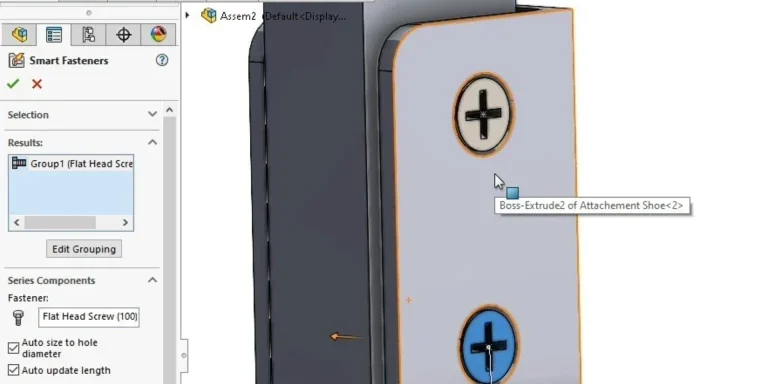
SOLIDWORKS Smart Fasteners
SOLIDWORKS Smart Fasteners is a really useful time saving tool, allowing you to automatically insert toolbox fasteners such as bolts and screws into an assembly providing there is a standard hole.

Why is my Flat Pattern not showing in SOLIDWORKS Drawings?
This may be linked to how the drawing is saved or it can be related to how sheet metal parts are displayed in drawings, read on to find out how to fix it.

Why is SOLIDWORKS Crashing?
It’s one of the great mysteries of life – why is SOLIDWORKS crashing? Let’s explore how SOLIDWORKS crashes and how we can improve performance in SOLIDWORKS.

SOLIDWORKS Tips: Are you Making this Common Mistake in Fatigue Analysis?
Simulation is a vital and complex engineering need. Fortunately, SOLIDWORKS makes it easy to test, correct mistakes and obtain accurate results.
Tech Support Blog: Why are my SOLIDWORKS BOM Quantities Wrong?
Why are my SOLIDWORKS BOM Quantities Wrong? A support call cropped up this week which…

How to Get Your Serial Number for SOLIDWORKS Visualize Standard
Want to download Visualize to make photorealistic renders? Follow this guide for accessing your Visualize serial number that comes bundled in with SolidWorks Professional and Premium.

How to Recover SOLIDWORKS Files After a Crash
SOLIDWORKS has two different methods to help you recover from an unexpected crash or loss of data in the form of auto-recovery and back-up settings.

Redesigning Santa’s Sleigh in SOLIDWORKS
Every year Father Christmas has to fly in his sleigh to deliver presents to boys and girls all over the world in just one night. To put this into perspective, it takes a little under 24 hours to fly from London (UK) to Sydney (Australia) in a streamlined Boeing 747, whereas Father Christmas’ mode of transport is believed to be a rather non-aerodynamic sleigh.