











What’s New in SolidCAM 2025 SP5?
Written by: Tom Buxton
Published: Jun 25, 2026
| View All Blogs
SolidCAM 2025 SP5 introduces a wide range of improvements designed to help manufacturers programme faster, simulate with greater confidence, reduce file handling overheads and improve machining quality across milling, turning and mill-turn workflows.
This release is especially focused on practical productivity: faster simulation, smaller toolpath files, more robust roughing and finishing strategies, and better support for advanced machine configurations.
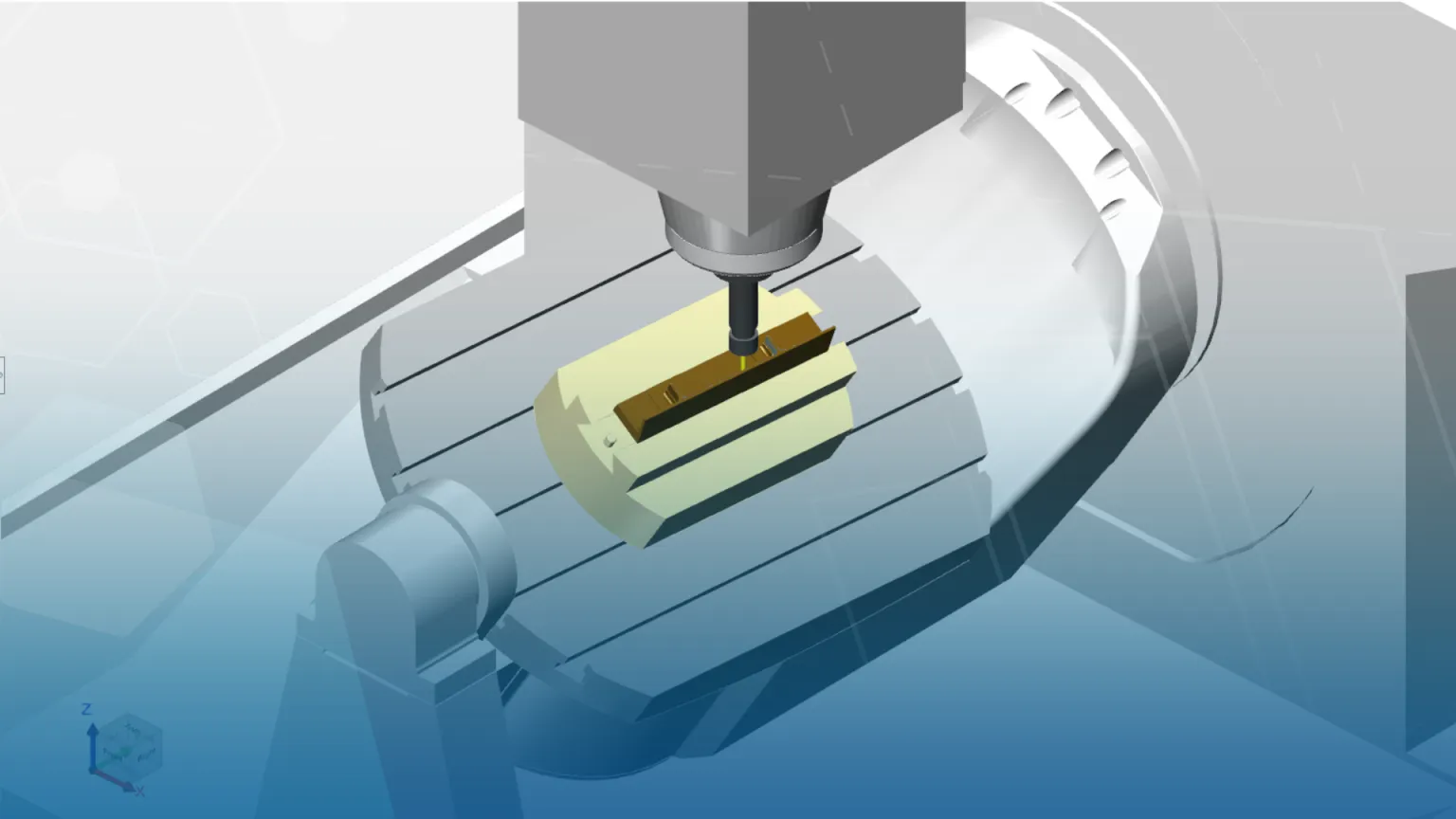
Faster, Smoother Machine Simulation
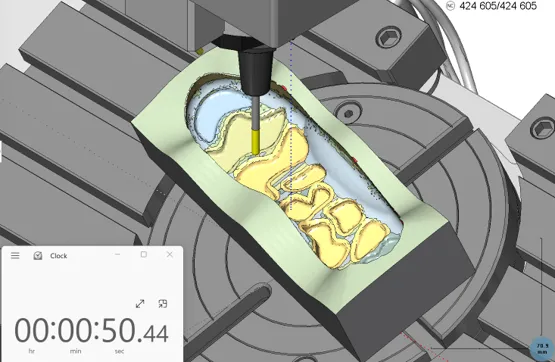
One of the standout additions in SolidCAM 2025 SP5 is GPU accelerated machine simulation. By using GPU acceleration for material removal, simulation can run significantly faster while maintaining a highly detailed view of the evolving stock. This is particularly valuable for complex milling jobs, where programmers need quick feedback without compromising visual accuracy.
The new simulation capability supports 3-axis, 3+2-axis and 5-axis toolpaths, includes collision detection between the tool body and stock, and can work in mixed GPU/CPU workflows where different operation types require different calculation methods.
SP5 also improves updated stock calculation time through point reduction functionality, reducing rest material calculation time by approximately 20–25%. For users working with large parts or detailed rest machining operations, this can make day-to-day programming feel much more responsive.
CPU
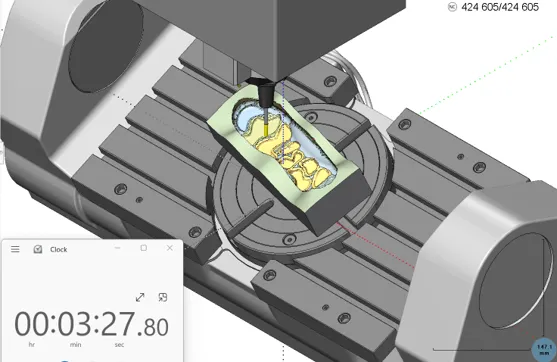
GPU Accelerated
Smaller Toolpath and Simulation Files
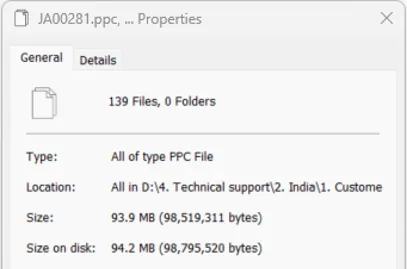
Another major productivity enhancement in SP5 is the beta improvement for toolpath and simulation file sizes. SolidCAM reports that toolpath and simulation files can be up to six times smaller, helping reduce storage requirements and improve overall system performance.
For very large projects, the impact can be even more noticeable. Example figures in the update show PPC files reducing from around 5 GB to 300–800 MB, and TPATH files reducing from around 700 MB to 50–150 MB. In one real customer example, a 2.6 GB PPC file was reduced to 150 MB, with SolidCAM Simulator loading around 25% faster.
Less disk input/output means large files can save faster, Solid Verify can start sooner, and large-file workflows should be more reliable thanks to fixes for long-standing file-handling issues.
Before
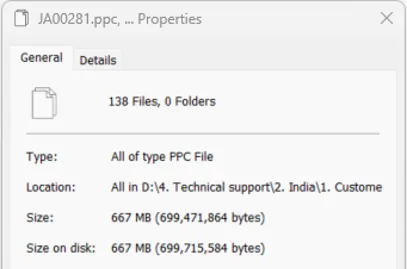
After
Pro 3D HSR, HSM and Auto 3+2 Roughing Enhancements
SolidCAM 2025 SP5 includes several important improvements for Pro 3D HSR, HSM and Auto 3+2 Roughing users, with a clear focus on surface quality, safer machining and reduced non-cutting movement.
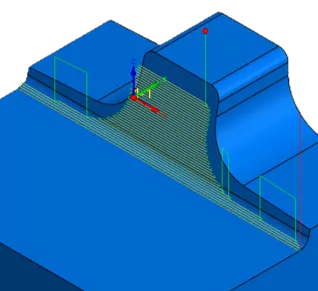
- Improved Edge Rolling: Edge Rolling has been added for Linear and Constant Stepover strategies, helping preserve sharp edge integrity and prevent unintended machining.
SC2025 SP4
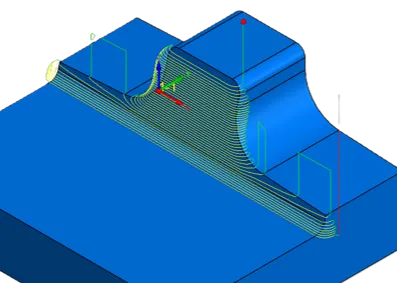
SC2025 SP5
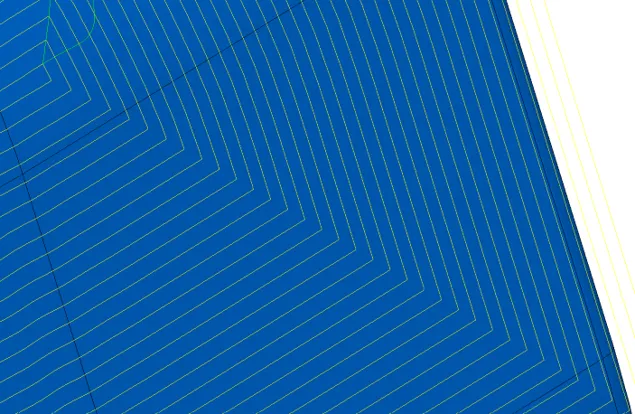
- Optimised corners for Constant Stepover: SP5 delivers a more consistent cut pattern in corners, helping improve surface quality and remove inaccuracies in the toolpath.
SC2025 SP4

SC2025 SP5
- Enhanced Auto 3+2 Roughing directions: SolidCAM can now automatically find optimal machining directions to maximise removable stock volume while maintaining equal stock.
- Improved links between regions: Users gain greater control over linking behaviour, allowing the toolpath to adapt more effectively to different machining scenarios.
- Fixture-aware toolpaths: Fixtures can now be defined for Horizontal and Pencil Milling, helping generate collision-free toolpaths in those strategies.
- Overthickness for Pencil Milling: Corner detection can use an oversized tool to detect more fillets and reduce toolpath fragmentation.
- Area Links Threshold for Pro 3D HSR: Programmers gain more manual control over area links to optimise linking and minimise non-cutting time.
- Contour Rest Finish beta: A new dedicated corner finishing strategy helps remove remaining material from inner corners and improve the finished surface quality.
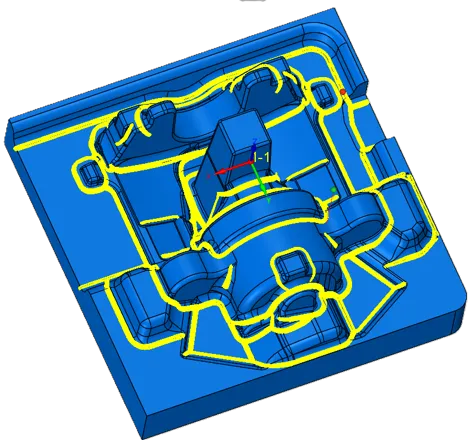
Multiaxis Milling Improvements
SP5 also brings useful updates for multiaxis machining. Swarf machining now uses an improved algorithm that can detect proper guide curves on surfaces, even where rounded corners are present. This helps speed up programming and makes the strategy more adaptable across a wider range of part geometries.
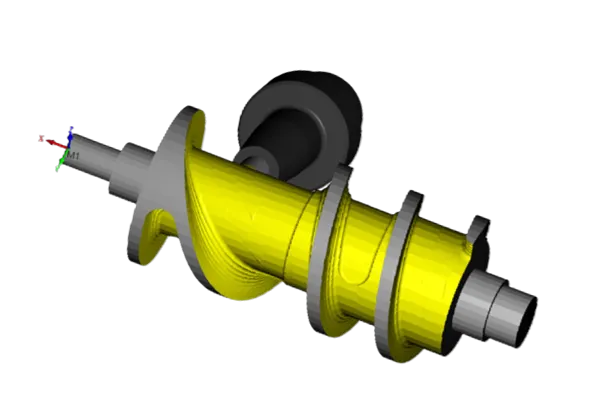
Rotary Milling benefits from optimised stepover, which helps remove unwanted corner pegs in tight areas and delivers cleaner machining even when larger stepovers are used. Collision detection has also been improved so selected fixtures and chucks can be considered during rotary machining toolpath calculation, giving users greater safety and confidence before the programme reaches the machine.
Machine Control has also been refined, with more precise control over the startup rotation angle when Force Head Rotation is used as pole handling.
SC2025 SP4
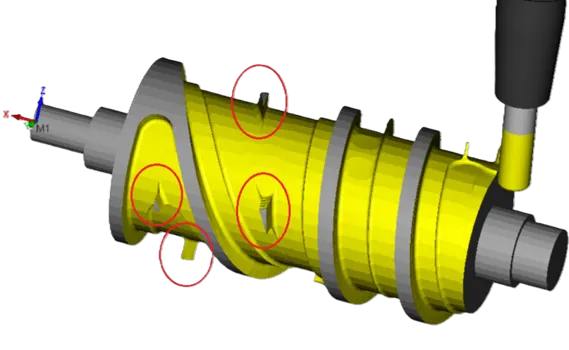
SC2025 SP5
Dynamic Turning Comes into Focus
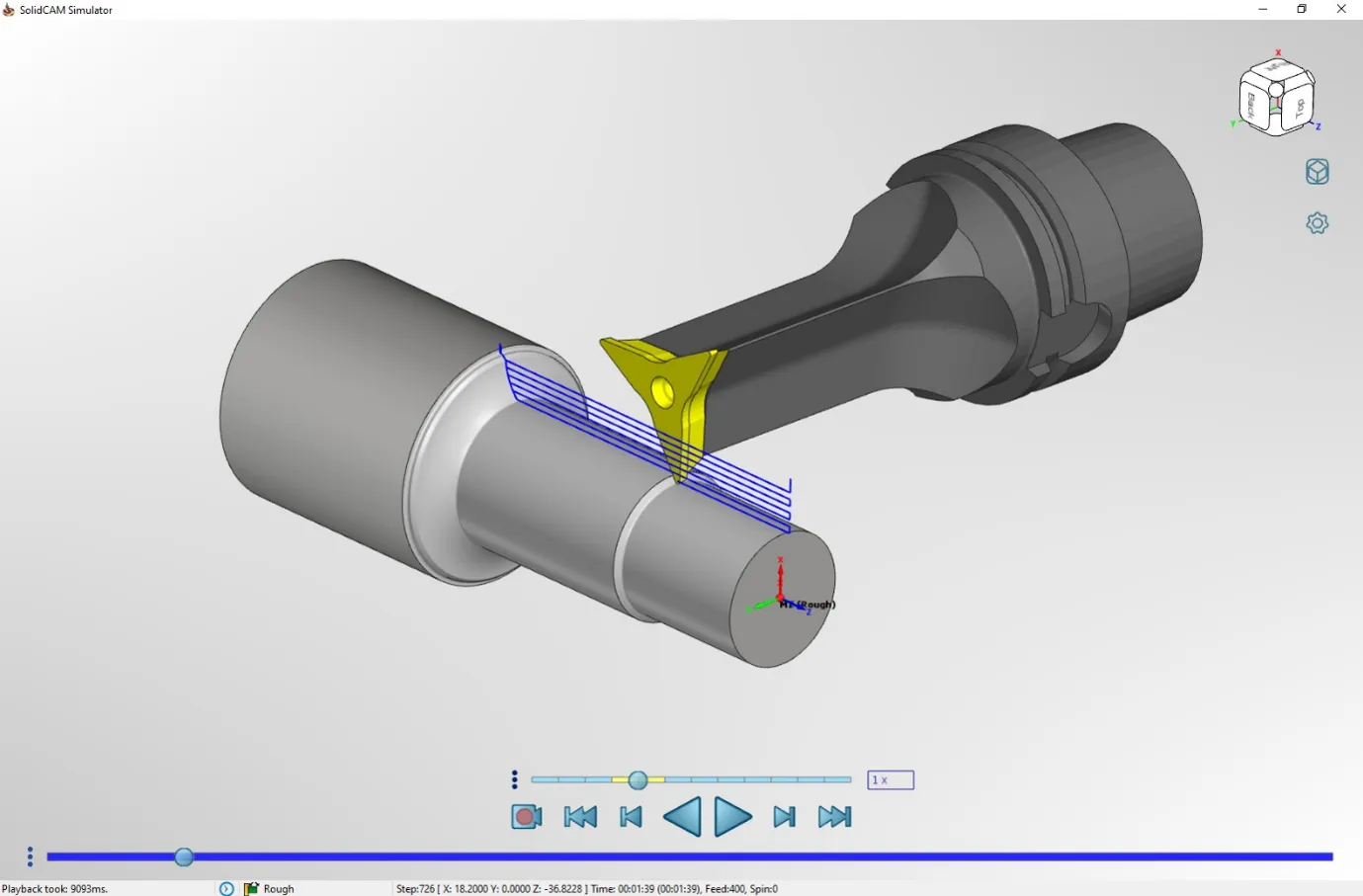
Dynamic Turning is another key area of development in SolidCAM 2025 SP5. This advanced turning approach uses a rotary axis during the turning process, increasing flexibility and allowing more material to be cut with a single tool while helping maintain optimal cutting conditions.
The module includes automatic collision avoidance between the tool, part and fixtures, along with adaptive feed functionality that dynamically changes feed during roughing to help keep a constant load on the tool. This makes Dynamic Turning especially useful for Y-axis turning applications, with functionality for both roughing and finishing processes.
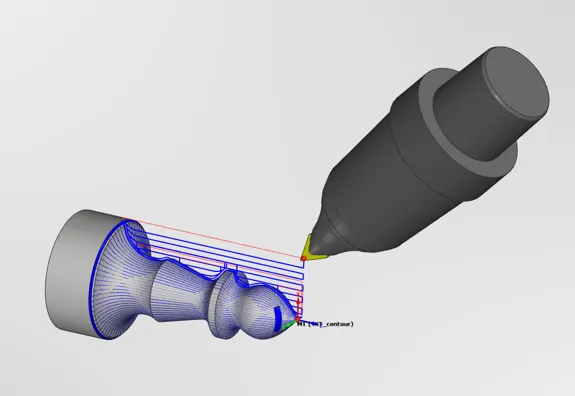
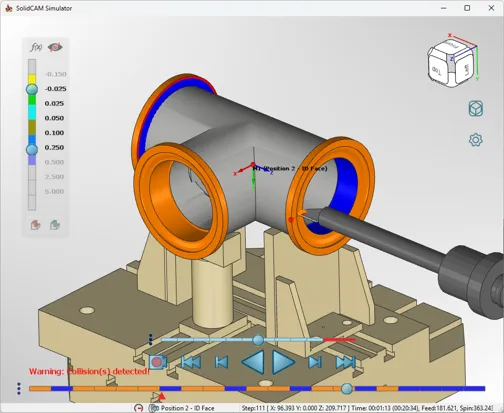
SP5 also adds support for negative X turning output, which is ideal for machines with limited axis travel. Full machine simulation support is included for FreeTurn and Dynamic Turning jobs, helping users validate toolpaths, detect collisions and verify machining motion before cutting metal.
Additional usability improvements include automatic tool orientation using tool data from the Toolkit measurement orientation and predefined FreeTurn tools through third-party import.
Turning in Position with U-Axis Support
For more advanced machine configurations, SP5 adds support for Turning in Position on machines with an integrated U-axis. This includes a Turning Region of Interest at the Position Coordinate System level, along with updated stock, target and fixture envelopes per Position Coordinate System.
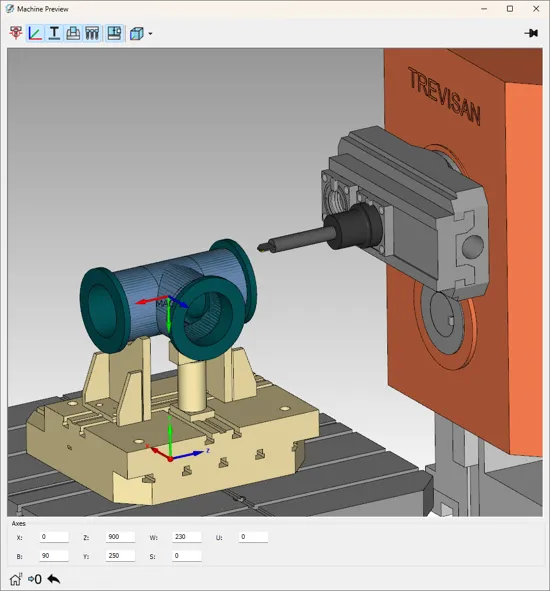
There are a few important notes for this workflow: toolpaths can be simulated in SolidCAM Simulation only, programming uses a Flexible Coordinate System, and changeable U-axis heads are not supported.
Why This Matters
SolidCAM 2025 SP5 is not just a collection of incremental updates. It is a release aimed at improving the real programming experience: faster calculations, lighter files, better simulation, safer toolpaths and more flexible turning capability.
Whether you are programming large 3D milling jobs, complex multiaxis components or advanced turning operations, SP5 helps reduce waiting time and gives programmers more confidence before a job reaches the shop floor.
Get in Touch
If you would like to understand how SolidCAM 2025 SP5 could improve your current programming workflow, speak to the Solid Solutions team. We can help review your machining requirements, demonstrate the latest functionality and advise on the best way to get more from your SolidCAM.
Categorised as: Manufacturing | SOLIDWORKS CAM | Software | SolidCAM
Get a SOLIDWORKS Quote
Interested in SOLIDWORKS? Contact us for questions, trials, or demos by clicking the button below or call 01926 333777. Our experts will help you find the perfect solution.

Related Posts

How to Find Reaction Forces in SOLIDWORKS Simulation
SOLIDWORKS helps us to find resultant forces through simulation studies. These virtual tests reduce the need for physical prototypes and give us an accurate answer.

Setting number of decimal places in a table on a drawing
When creating an equation in a drawing general table, is it possible to define the…

SOLIDWORKS Smart Fasteners
SOLIDWORKS Smart Fasteners is a really useful time saving tool, allowing you to automatically insert toolbox fasteners such as bolts and screws into an assembly providing there is a standard hole.

Why is my Flat Pattern not showing in SOLIDWORKS Drawings?
This may be linked to how the drawing is saved or it can be related to how sheet metal parts are displayed in drawings, read on to find out how to fix it.

SOLIDWORKS Tips: Are you Making this Common Mistake in Fatigue Analysis?
Simulation is a vital and complex engineering need. Fortunately, SOLIDWORKS makes it easy to test, correct mistakes and obtain accurate results.

SOLIDWORKS Visualize. Why go pro? – 6 Post Processing
In this blog we will be look at the post-processing options that can be found in SOLIDWORKS Visualize

SOLIDWORKS Visualize. Why go pro? – 7 Lighting
SOLIDWORKS Visualize uses a non-biased rendering engine, which allows for physically accurate lighting within a scene. It generates images with high amount of realism and correct set up can replicate photo studio lighting.

How to Get Your Serial Number for SOLIDWORKS Visualize Standard
Want to download Visualize to make photorealistic renders? Follow this guide for accessing your Visualize serial number that comes bundled in with SolidWorks Professional and Premium.

How to Recover SOLIDWORKS Files After a Crash
SOLIDWORKS has two different methods to help you recover from an unexpected crash or loss of data in the form of auto-recovery and back-up settings.

Redesigning Santa’s Sleigh in SOLIDWORKS
Every year Father Christmas has to fly in his sleigh to deliver presents to boys and girls all over the world in just one night. To put this into perspective, it takes a little under 24 hours to fly from London (UK) to Sydney (Australia) in a streamlined Boeing 747, whereas Father Christmas’ mode of transport is believed to be a rather non-aerodynamic sleigh.