











6 Reasons Why You Need Cloud Data Management

Written by: Wayne Marshall
Published: Apr 20, 2023
| View All Blogs
Products and processes are becoming increasingly more complex these days.
Juggling different disciplines, suppliers, stakeholders and manufacturers while trying to maintain your workflow and still produce innovative products is a challenging scenario.
The 3DEXPERIENCE platform contains applications and solutions for every aspect of your company, so you can manage everything from one place.
You can collaborate, design, and manage your CAD data, evaluate advanced simulation, manage resources and supply chains, expand into Sub-D modelling, CAM manufacturing, and complete Engineering Change and Requirements management.
Here are 6 reasons you should consider managing your SOLIDWORKS data in the 3DEXPERIENCE platform.

#6 – CLOUD-BASED, SECURE & MOBILE
The 3DEXPERIENCE platform securely stores and manages all your data, with access available from any device, at any time.
You can avoid hefty overheads from replacing hardware as you harness the resources of powerful PCs via a browser-based interface.
Automatic backups and infrastructure that is fully compliant to ISO data security standards protects your data from corruption and cyber attackers.

#5 – INTEGRATED AND INTUITIVE
The 3DEXPERIENCE platform is available as a browser-based or a connected desktop installation.
This means you’ll be working in familiar environments as it can be seamlessly integrated into many common CAD packages including SOLIDWORKS, as well as Microsoft Office and Windows Explorer.
You can manage revisions, lifecycles, change actions, tasks, and collaborate right from your SOLIDWORKS task pane.
With integration to Microsoft Office, you can store, manage, and preview office documents to extend into the management of your non-CAD data as well.

#4 – COLLABORATIVE
The 3DEXPERIENCE platform streamlines collaboration and communication to provide you with the fastest and most robust way to share updates directly linked to relevant data.
Post designs or markups for review, share files with external suppliers and invite external parties to collaborate on projects.
Working with the platform saves time and helps teams to work efficiently without the need to chase communications across Teams, Slack and long email chains… The connected nature of the platform means everything is stored in one place.
Regardless of whether you communicate by text, voice, or video, the platform provides you with the tools to capture your ideas, meeting notes, change actions and tasks.

#3 – TRACEABILITY ALONG THE DIGITAL THREAD
Everything you capture is traceable along the Digital Thread, connecting files and people, and collating information in the same place.
The Digital Thread is the idea that seemingly disconnected, discrete pieces of data like CAD models, revisions, markups, issues, or change actions, are connected by the platform as you create them, so you can always trace your way along the thread in any direction.
With a Digital Thread that winds its way through every aspect of your projects, you can track approvals and enforce strict governance on your data to make sure the right people see the right data at the right time.

#2 – SEARCHABILITY
Powerful search tools help you find your data quickly, just like any strong data management system.
You can search by names, descriptions, part numbers and 6W Tags, create common searches for later use, and search across the entire platform database at once.
Tags allow you to filter and visualize your data graphically.
This way you can analyse data more intuitively, and quickly see important statistics that you wouldn’t normally be able to measure or quantify when you’re working to a tight deadline.

#1 – SCALABILITY
As a SOLIDWORKS user, managing your CAD data is the priority, but from a business standpoint, it’s just one piece of the puzzle.
Documentation and complex simulations can all be managed in the platform, alongside the ability to define product requirements and seamless integration into BOMs.
Whatever your business needs are, the platform can manage them with roles and applications.
These modular roles can be stacked up and distributed as required to create different skill profiles and customised to your benefit.
As you and your business grow, the platform evolves to provide support wherever you need it.
Take the Next Steps…
At Solid Solutions, we can not only implement the 3DEXPERIENCE platform, but support you and your users throughout your design journey with our Expert Technical Support Team, helping to give you a smooth experience and keep your projects on track.
To learn more, contact your Solid Solutions Account Manager, or get in touch with us on 01926 333 777, and we’ll have one of our 3DEXPERIENCE consultants discuss your specific requirements with you in more detail.
Categorised as: Data Management | SOLIDWORKS Design
Get a SOLIDWORKS Quote
Interested in SOLIDWORKS? Contact us for questions, trials, or demos by clicking the button below or call 01926 333777. Our experts will help you find the perfect solution.

Related Posts

How to Find Reaction Forces in SOLIDWORKS Simulation
SOLIDWORKS helps us to find resultant forces through simulation studies. These virtual tests reduce the need for physical prototypes and give us an accurate answer.

Setting number of decimal places in a table on a drawing
When creating an equation in a drawing general table, is it possible to define the…

SOLIDWORKS Smart Fasteners
SOLIDWORKS Smart Fasteners is a really useful time saving tool, allowing you to automatically insert toolbox fasteners such as bolts and screws into an assembly providing there is a standard hole.

Why is my Flat Pattern not showing in SOLIDWORKS Drawings?
This may be linked to how the drawing is saved or it can be related to how sheet metal parts are displayed in drawings, read on to find out how to fix it.

SOLIDWORKS Tips: Are you Making this Common Mistake in Fatigue Analysis?
Simulation is a vital and complex engineering need. Fortunately, SOLIDWORKS makes it easy to test, correct mistakes and obtain accurate results.

How to Recover SOLIDWORKS Files After a Crash
SOLIDWORKS has two different methods to help you recover from an unexpected crash or loss of data in the form of auto-recovery and back-up settings.

Redesigning Santa’s Sleigh in SOLIDWORKS
Every year Father Christmas has to fly in his sleigh to deliver presents to boys and girls all over the world in just one night. To put this into perspective, it takes a little under 24 hours to fly from London (UK) to Sydney (Australia) in a streamlined Boeing 747, whereas Father Christmas’ mode of transport is believed to be a rather non-aerodynamic sleigh.
SOLIDWORKS Grid Systems – hidden away, but very useful!
Rory Niles provides an insight into the uses for Grid Systems within SOLIDWORKS 2018

Furniture Design Made Easy with SOLIDWORKS
Calling all furniture and interior designers: the days of creating square cabinets are over. What if we told you there’s a much easier way to bring your products to life?
Here’s 10 reasons why we feel SOLIDWORKS is better than any other software, especially if you’re designing furniture:
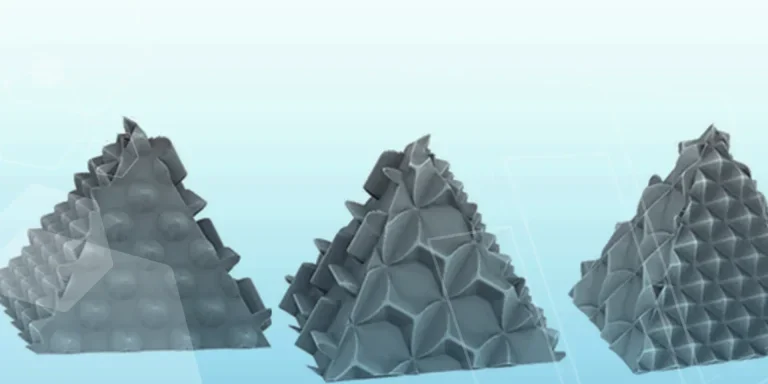
Making 3D Textures from Images on SOLIDWORKS
Turn images into 3D geometry with brand new SOLIDWORKS 3D Textures Feature