











8 Great Updates to SOLIDWORKS Assemblies | What’s New in SOLIDWORKS 2025

Written by: Terry O'Reilly
Published: Jan 8, 2025
| View All Blogs
SOLIDWORKS Assemblies 2025 introduces several exciting updates that significantly enhance assembly modelling.
Whether you’re working with complex assemblies or need better ways to manage your components, the new features in SOLIDWORKS 2025 are designed to make your workflow faster and more intuitive.
Below, we’ve outlined the top assembly modelling enhancements for SOLIDWORKS 2025.
#1 – Performance Evaluation Tool Enhancements
The Performance Evaluation tool in SOLIDWORKS 2025 now offers deeper insights into your assemblies. This tool helps identify areas that may cause performance degradation. New features include:
- Out-of-date component tracking: Easily find components not saved in the current version of SOLIDWORKS, ensuring you’re always working with the latest files. Users can open a reference file to see the location of each out-of-date component.
- Graphic triangle count: Identifies parts with over 5,000 triangles, helping you pinpoint complex parts that might be slowing down your design.
- Direct file opening: You can directly open files from the Performance Evaluation tool to investigate and simplify geometry, allowing you to quickly target and resolve performance issues.

#2 – SpeedPak Configuration Enhancements
The SpeedPak feature, which creates lightweight graphical representations of assemblies, has received a major update.

In SOLIDWORKS 2025, SpeekPak configurations can now be created at the top level of the assembly. Additionally, users can:
- Define specific parts, bodies, faces, edges and more to be included or excluded from the SpeedPak.
- Graphical indicators show exactly what has been included or excluded, helping to ensure that only necessary components are loaded.
- Adjust SpeedPak circle display to control the opacity of the Speed Pack circle, offering a softer visual representation.
#3 – Large Design Reviews (LDR)
SOLIDWORKS 2025 brings significant improvements to Large Design Review (LDR), a mode that lets you open assemblies quickly without resolving all components.

Notable updates to large design reviews in SOLIDWORKS 2025 include:
- Breadcrumb navigation: Navigate easily through large assemblies with breadcrumb trails, improving overall ease of use.
- Component Preview window: Investigate assembly geometry in a second window, making it easier to examine components without fully opening them.
- Interference detection: LDR now fully supports interference detection, allowing you to check for conflicts in large assemblies without needing to resolve the entire model.
- Seamless switching: After identifying interferences, you can seamlessly open components directly in resolved mode for quick fixes.
#4 – Display State Management
Managing multiple Display States in complex assemblies has been made simpler in SOLIDWORKS 2025.
A new Display State table compiles and manages all display states for each component.

Properties such as visibility can be easily toggled from each display state column making display state management far more streamlined.
Changes to any display state can also be seen in real time by applying any changes to the table.
#5 – Document Groups
SOLIDWORKS 2025 introduces Document Groups, a new way to manage and open multiple documents at once. This enhancement is especially useful when working on assemblies that involve many related parts and drawings.

From the home screen or recent documents command, there is now a new tab called document groups, which shows all previously saved groups. With one click you can reopen multiple documents from a previous session, including assemblies, parts, and drawings, without the need to manually find each file.
#6 – Detect Surface Body Interferences
The ability to detect interferences in more complex assembly scenarios has been enhanced in SOLIDWORKS 2025.

Interference detection now supports surface-to-surface and surface-to-solid interactions, ideal for assemblies that include a mixture of surface and solid bodies.
#7 – Copy with Mate Enhancement
The Copy with Mates feature has been updated to support advanced mates and mechanical mates, including slot mates, limit distance mates, and profile centre mates.

This improvement will help when copying components with complex mating relationships, speeding up the workflow without the use of pattern features.
#8 – Y-Up and Z-Up Workflow Support
For users working with different coordinate systems in complex assembly layouts, SOLIDWORKS 2025 now supports Y-up and Z-up workflows:
- Improved orientation: The ability to choose between Y-up or Z-up orientations allows for more flexibility when creating new parts and assemblies.
- Updated planes: The default planes have been renamed to match the chosen orientation, making it easier to work with designs that require specific coordinate setups.

Conclusion
From advanced performance evaluation tools and faster workflow management to smarter interference detection and mating, assembly modelling in SOLIDWORKS 2025 becomes more efficient, easier to manage, and better optimised for performance.
Whether you’re using desktop SOLIDWORKS or 3DEXPERIENCE SOLIDWORKS, these updates offer greater flexibility, visibility, and control over your design process.
For more detailed information about all the new features in SOLIDWORKS, check out the online documentation or arrange a demonstration to understand how SOLIDWORKS 2025 can make a difference in your business.
Take the Next Steps
Master SOLIDWORKS with expert-led courses that help you boost your skills and confidence. You can attend online or in a classroom near you!
Choose from a huge range of professional SOLIDWORKS and CATIA training courses and save on multiple courses with a Training Passport.
Categorised as: SOLIDWORKS Design | What's New
What's New in SOLIDWORKS?
Explore the latest innovations in SOLIDWORKS with our exclusive breakdown of live webinar, giving you on-demand access to the insights that matter most to your workflow.
Related Posts

How to Find Reaction Forces in SOLIDWORKS Simulation
SOLIDWORKS helps us to find resultant forces through simulation studies. These virtual tests reduce the need for physical prototypes and give us an accurate answer.

Setting number of decimal places in a table on a drawing
When creating an equation in a drawing general table, is it possible to define the…
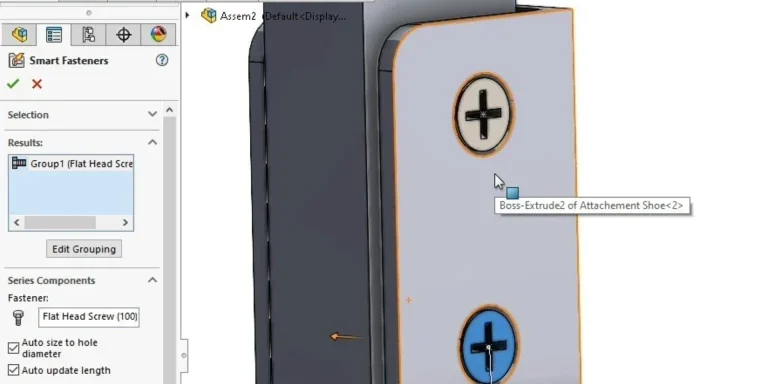
SOLIDWORKS Smart Fasteners
SOLIDWORKS Smart Fasteners is a really useful time saving tool, allowing you to automatically insert toolbox fasteners such as bolts and screws into an assembly providing there is a standard hole.
Why is my Flat Pattern not showing in SOLIDWORKS Drawings?
This may be linked to how the drawing is saved or it can be related to how sheet metal parts are displayed in drawings, read on to find out how to fix it.

SOLIDWORKS Tips: Are you Making this Common Mistake in Fatigue Analysis?
Simulation is a vital and complex engineering need. Fortunately, SOLIDWORKS makes it easy to test, correct mistakes and obtain accurate results.
How to Recover SOLIDWORKS Files After a Crash
SOLIDWORKS has two different methods to help you recover from an unexpected crash or loss of data in the form of auto-recovery and back-up settings.

Redesigning Santa’s Sleigh in SOLIDWORKS
Every year Father Christmas has to fly in his sleigh to deliver presents to boys and girls all over the world in just one night. To put this into perspective, it takes a little under 24 hours to fly from London (UK) to Sydney (Australia) in a streamlined Boeing 747, whereas Father Christmas’ mode of transport is believed to be a rather non-aerodynamic sleigh.
SOLIDWORKS Grid Systems – hidden away, but very useful!
Rory Niles provides an insight into the uses for Grid Systems within SOLIDWORKS 2018
Furniture Design Made Easy with SOLIDWORKS
Calling all furniture and interior designers: the days of creating square cabinets are over. What if we told you there’s a much easier way to bring your products to life?
Here’s 10 reasons why we feel SOLIDWORKS is better than any other software, especially if you’re designing furniture:
Making 3D Textures from Images on SOLIDWORKS
Turn images into 3D geometry with brand new SOLIDWORKS 3D Textures Feature