











All the New Features for Sheet Metal Designers and Fabricators coming in SOLIDWORKS 2025

Written by: Terry O'Reilly
Published: Dec 18, 2024
| View All Blogs
SOLIDWORKS 2025 introduces several improvements specifically targeting sheet metal design and fabrication. Here is our list of the top features and how they can help you to streamline your design process.
#1 – Streamlined Cut List Management
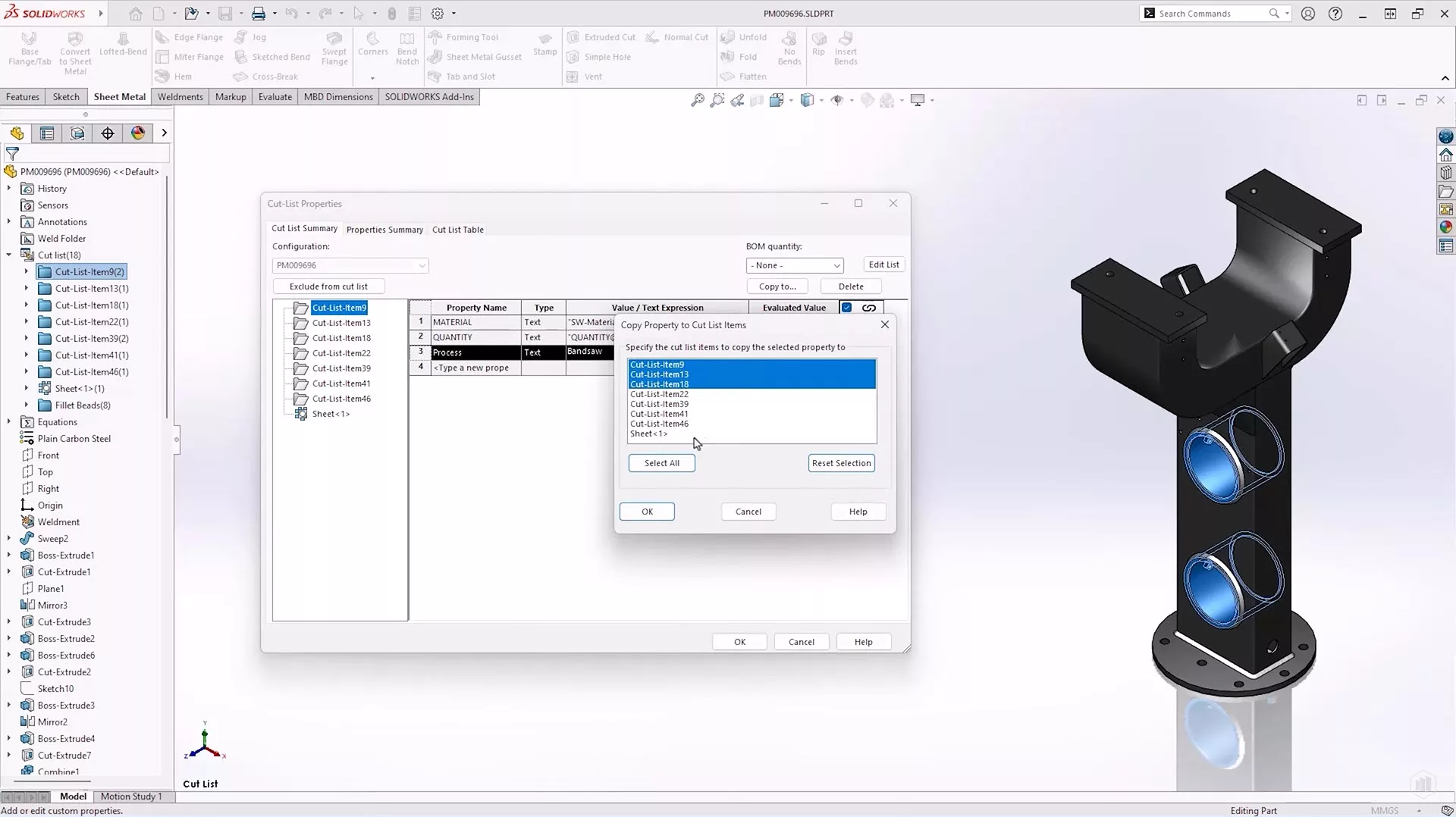
One of the standout features in SOLIDWORKS 2025 is the ability to quickly copy cut list properties across multiple items. Traditionally, managing cut list properties could be a time-consuming task, often requiring manual entry for each component. With the new capability to copy properties from one item to many, we can now create new cut list properties, and copy them to all or specific cut list items. This will significantly reduce data entry time.
#2 – Enhanced Performance for Large Assemblies
SOLIDWORKS 2025 improves performance for fold, unfold and flatten operations in parts with a large amount of sheet metal bodies. Additionally, parts with large quantities of features and cuts within bends will be better optimized to reduce time spent waiting for these operations to complete.
#3 – Introduction of Bend Notches
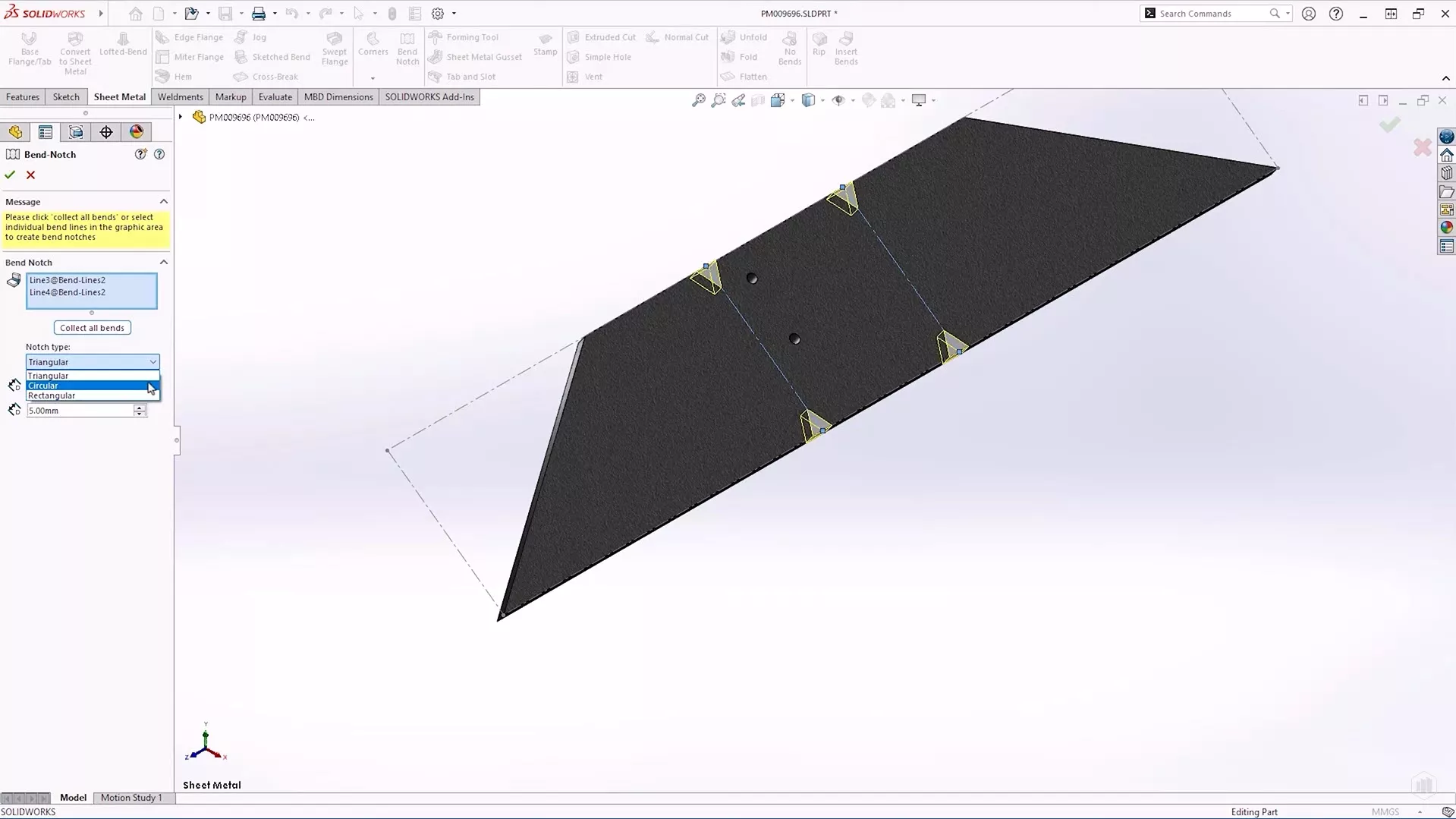
Another significant addition is the introduction of Bend Notches, a brand new feature. These physical marks can now be applied to sheet metal bodies in the flat pattern, enabling operators to align components accurately in press brakes.
Different notch shapes such as triangular, circular, and rectangular provide the flexibility needed for different manufacturing requirements. Adjusting the size of these notches is also straightforward, ensuring that design changes can be made with ease. By default, this new feature will not be in the sheet metal command tab, so you may want to customise your tab and add it as a button.
#4 – Improved Tab and Slot Workflows
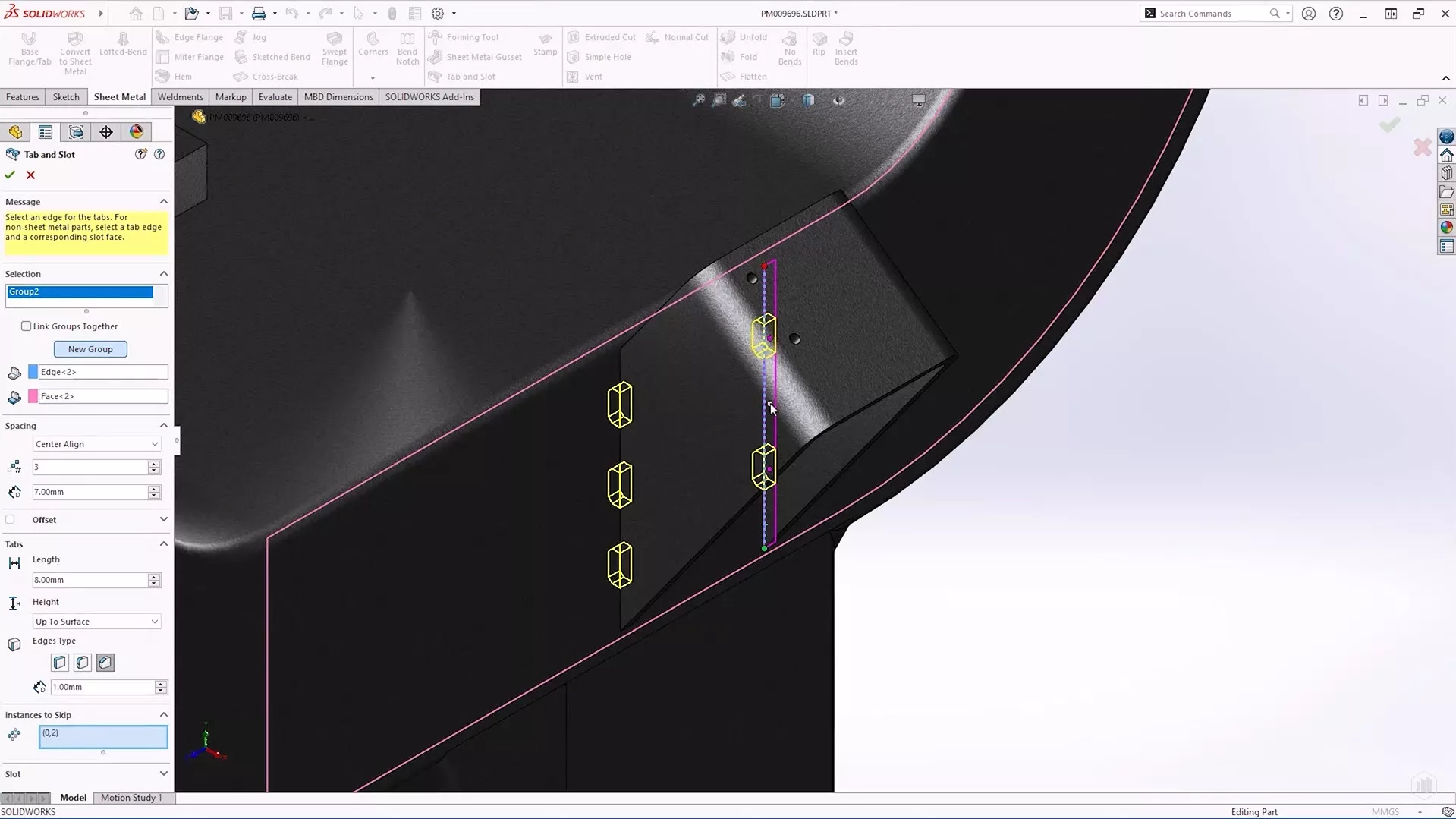
SOLIDWORKS 2025 has revamped the tab and slot functionality, offering new options to centre-align tabs and offset tabs in equal increments. We also now have the ability to skip instances with the tab and slot feature, allowing for greater placement control.
#5 – Multi-Length Edge Flanges
Creating edge flanges of varying lengths has become significantly more straightforward in SOLIDWORKS 2025. Previously, to achieve different lengths in the same edge flange command you were required to edit the flange profile for each edge.
Now, users can check a “multi-length flange” option and adjust lengths directly within the design environment.
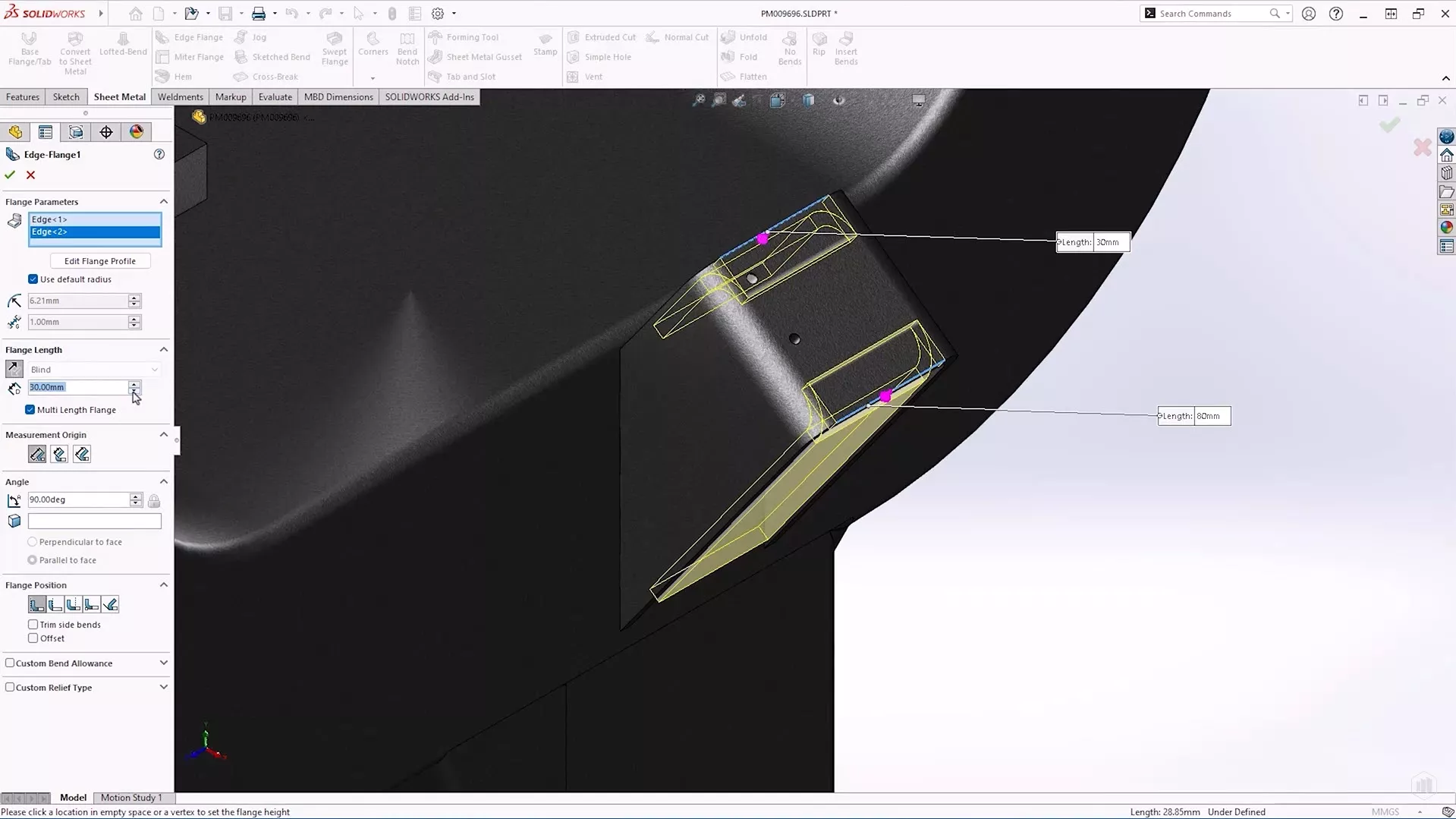
There is also an option to automatically fully define the lengths of edge flange sketches created with the command, which will be useful for designers who like to ensure all sketches are fully defined before moving on.
#6 – Introduction of Groove Beads for Welding
For fabricators, the accurate representation of welds is vital. SOLIDWORKS 2025 introduces a new type of weld bead called the Groove Bead, designed specifically for filling gaps between solid bodies.
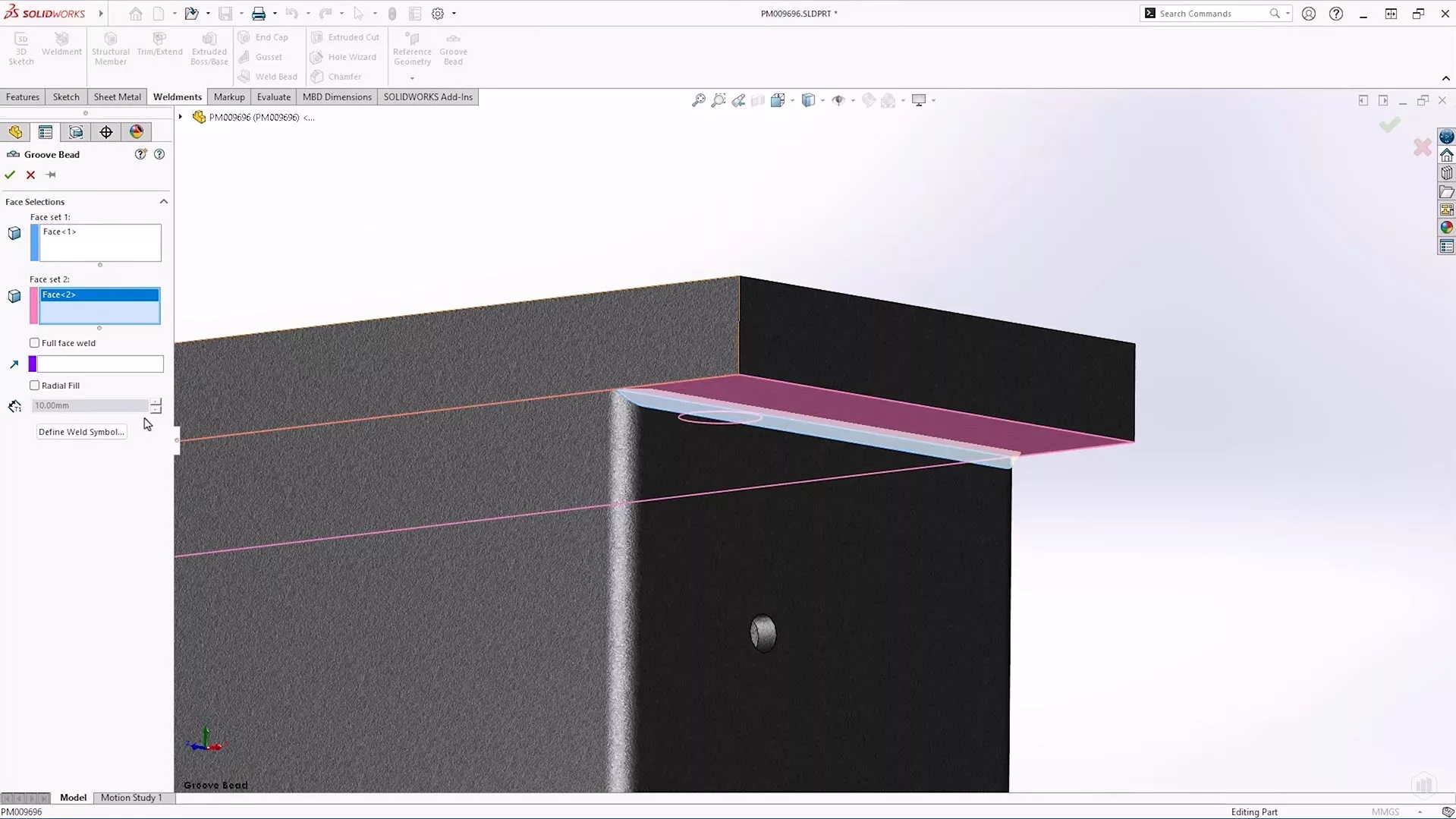
This feature allows users to define weld symbols on-the-fly, enhancing the precision and clarity of welding details in the design which means, combined with the existing Fillet bead command, we now have greater flexibility for adding weld detail.
#7 – Improvements in Structure Systems and weldments
In the weldment environment, complex weldment profiles will now be permitted to protrude during planar body trim operations.
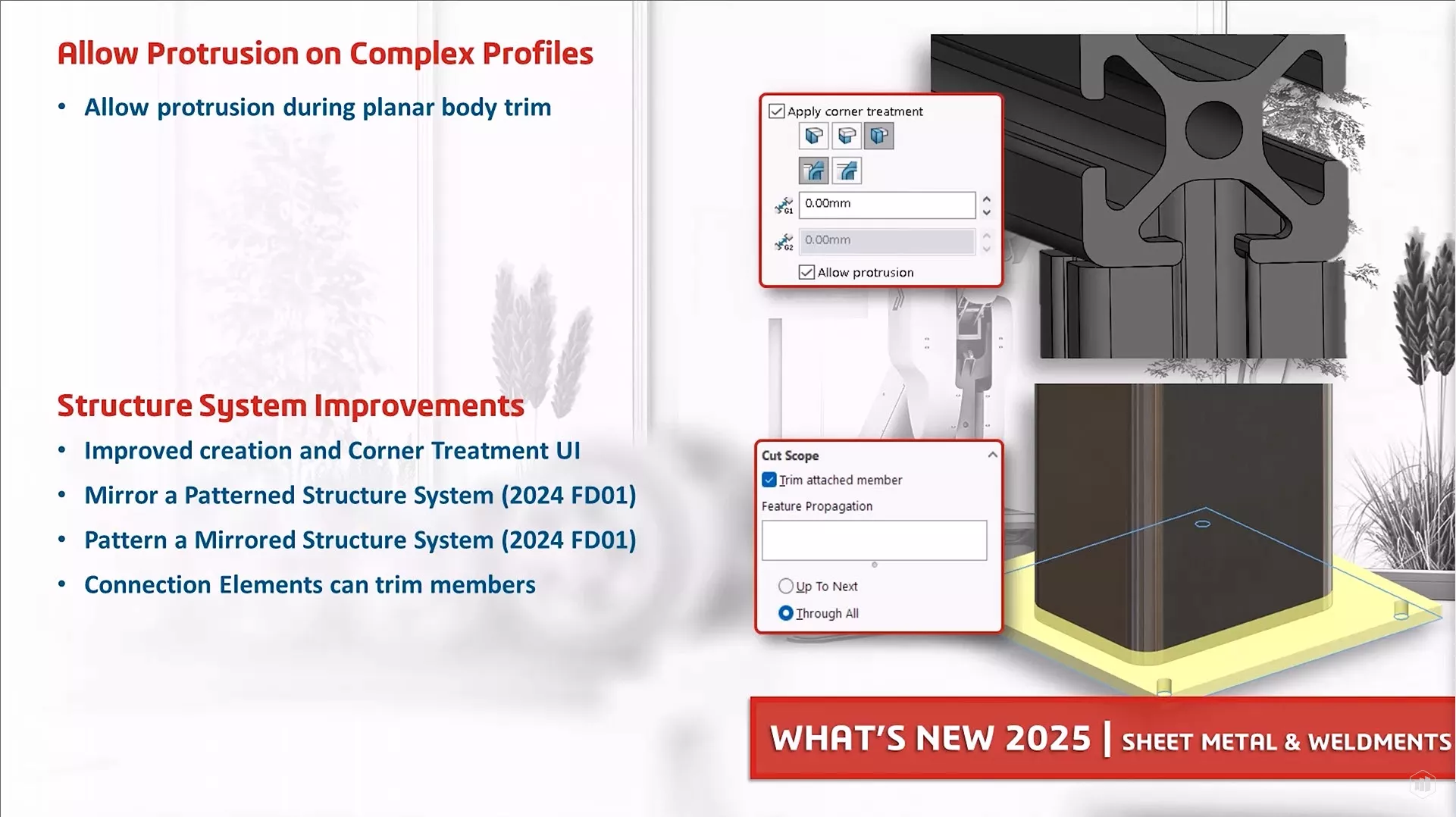
Structure systems have an improved corner treatment creation process along with a new UI.
Also, users can now mirror patterned structure systems as well as pattern mirrored structure systems. Finally, trimming of members will now be possible with connection elements.
For more information on the new features coming soon in SOLIDWORKS 2025, be sure to check out the What’s New documentation.
Categorised as: News | SOLIDWORKS Design
Discover our SOLIDWORKS Subscription
Get the most from your tools and the best from your designers with a SOLIDWORKS subscription package that is designed to help you succeed.

Related Posts

How to Find Reaction Forces in SOLIDWORKS Simulation
SOLIDWORKS helps us to find resultant forces through simulation studies. These virtual tests reduce the need for physical prototypes and give us an accurate answer.

Setting number of decimal places in a table on a drawing
When creating an equation in a drawing general table, is it possible to define the…

SOLIDWORKS Smart Fasteners
SOLIDWORKS Smart Fasteners is a really useful time saving tool, allowing you to automatically insert toolbox fasteners such as bolts and screws into an assembly providing there is a standard hole.

Why is my Flat Pattern not showing in SOLIDWORKS Drawings?
This may be linked to how the drawing is saved or it can be related to how sheet metal parts are displayed in drawings, read on to find out how to fix it.

SOLIDWORKS Tips: Are you Making this Common Mistake in Fatigue Analysis?
Simulation is a vital and complex engineering need. Fortunately, SOLIDWORKS makes it easy to test, correct mistakes and obtain accurate results.

How to Recover SOLIDWORKS Files After a Crash
SOLIDWORKS has two different methods to help you recover from an unexpected crash or loss of data in the form of auto-recovery and back-up settings.

Redesigning Santa’s Sleigh in SOLIDWORKS
Every year Father Christmas has to fly in his sleigh to deliver presents to boys and girls all over the world in just one night. To put this into perspective, it takes a little under 24 hours to fly from London (UK) to Sydney (Australia) in a streamlined Boeing 747, whereas Father Christmas’ mode of transport is believed to be a rather non-aerodynamic sleigh.

SOLIDWORKS Grid Systems – hidden away, but very useful!
Rory Niles provides an insight into the uses for Grid Systems within SOLIDWORKS 2018

Furniture Design Made Easy with SOLIDWORKS
Calling all furniture and interior designers: the days of creating square cabinets are over. What if we told you there’s a much easier way to bring your products to life?
Here’s 10 reasons why we feel SOLIDWORKS is better than any other software, especially if you’re designing furniture:
Making 3D Textures from Images on SOLIDWORKS
Turn images into 3D geometry with brand new SOLIDWORKS 3D Textures Feature