











Browser-Based CAD Modelling | SOLIDWORKS 2025
Written by: Prasad Bhonsule
Published: Jan 8, 2025
| View All Blogs
SOLIDWORKS and the 3DEXPERIENCE platform continue to innovate and elevate design workflows with a suite of powerful online CAD Modelling tools that let you create models in your internet browser.
The 2025 release and the introduction of SOLIDWORKS Ultimate sees new features and updates that bring greater efficiency, creativity, and collaboration to design teams, helping them turn concepts into tangible products.
We’ve pulled together 10 of the best enhancements to browser-based SOLIDWORKS design apps in 2025.
#1 – Ultimate Subdivision Sculpting
The 3D Sculptor role is now included with SOLIDWORKS Ultimate to connect users with an online, freeform modelling environment that allows you to visualise ideas quickly and accurately.
By integrating familiar 2D sketching tools with subdivision modelling, it’s easy to generate organic and ergonomic designs that can be imported into SOLIDWORKS parts, drawings, and assemblies.
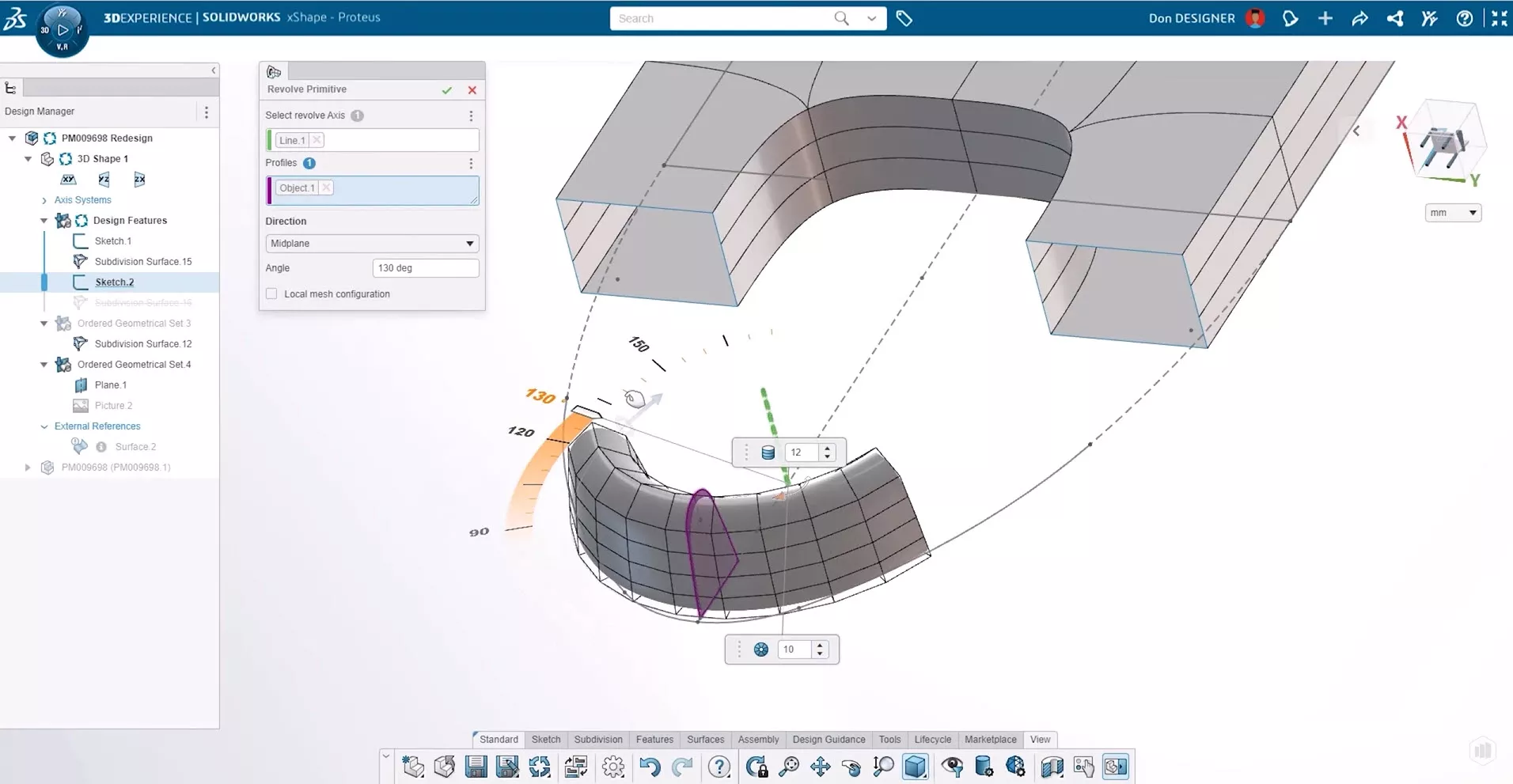
Utilise specialist commands such as the crease tool to sharpen edges, fill gaps rapidly by selecting open boundaries, and push and pull your models to extrude material, reposition mesh, or insert loops.
Move between 3D CAD desktop and online tools seamlessly with SOLIDWORKS and utilise robust evaluation tools to ensure your designs meet specification.
External references between parts are easy to track through the Design Manager, with clear status icons that show which references need updating.
#2 – Convert Pictures into Sketches
The Picture-to-Sketch feature accelerates the design process by automatically generating editable 2D sketches from images.
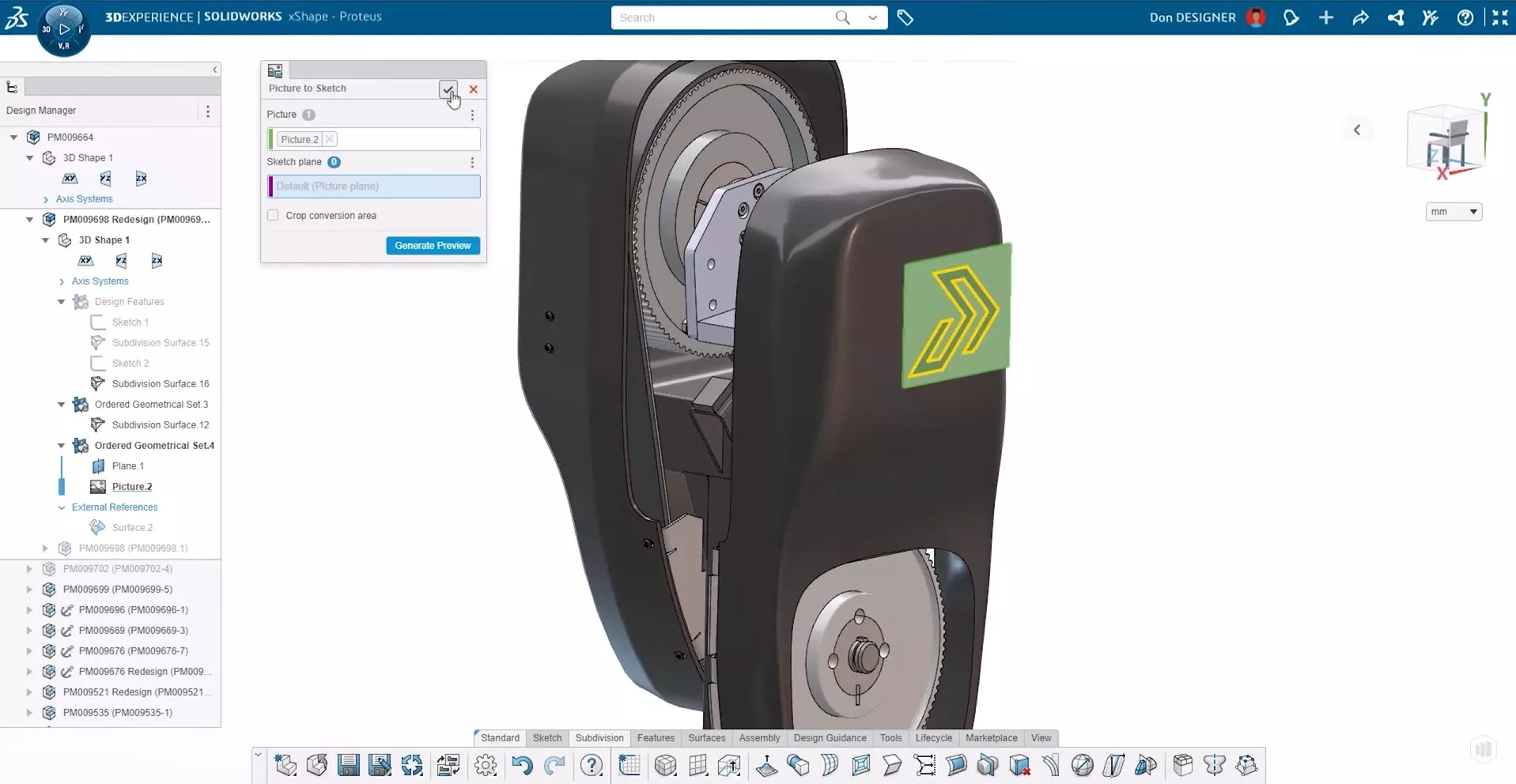
It has never been easier to automatically generate sketches from images with SOLIDWORKS and this enhancement is a huge time-saver as you look for easier ways to capture details from photographs, logos, and diagrams.
#3 – Proactive Manufacturing Preparation
The design phase now integrates essential tools for manufacturing. The Design for Manufacturing (DFM) helper checks part size, wall thickness, hole depth, and other factors crucial for transitioning seamlessly from design to production.
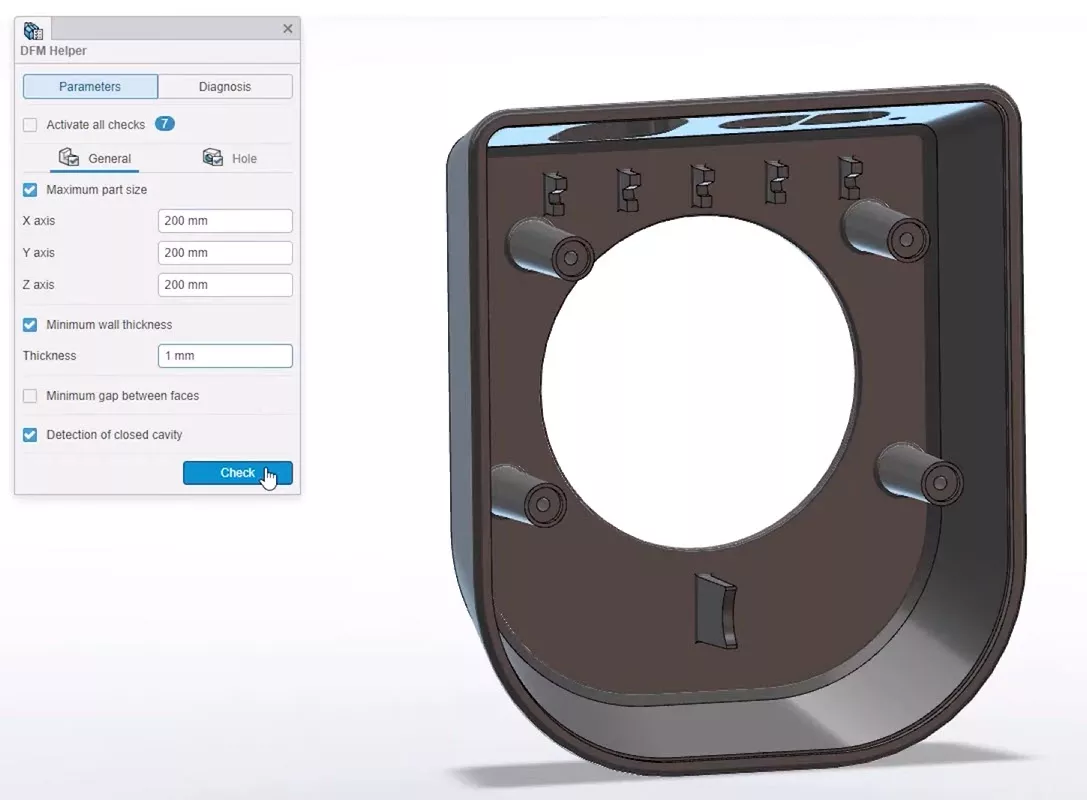
Taking a proactive approach to designing for CAM helps prevent errors before the design is sent to the factory floor.
#4 – Improved Assembly Mating
Managing large assemblies is made easier with improved mating tools and advanced search capabilities.
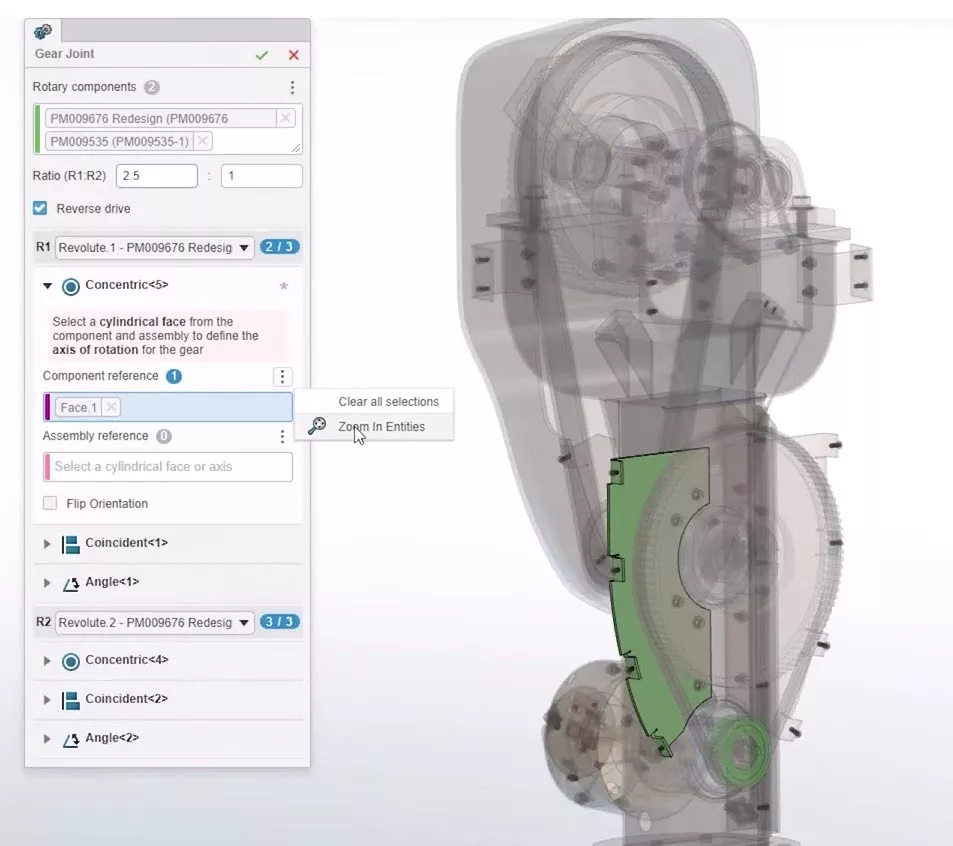
The Smart Match tool lets you drag and drop components into place, while the Zoom and Reframe tool enhances your ability to make selections across complex assemblies.
You can isolate parts or use the “Show Dependence” option to highlight related components and hidden subassemblies, streamlining the assembly process.
#5 – Dynamic Mesh Inspection
A new dynamic mesh inspection tool helps to quickly identify self-intersecting areas in your design. This enhancement helps to ensure that your models are error-free before moving forward.
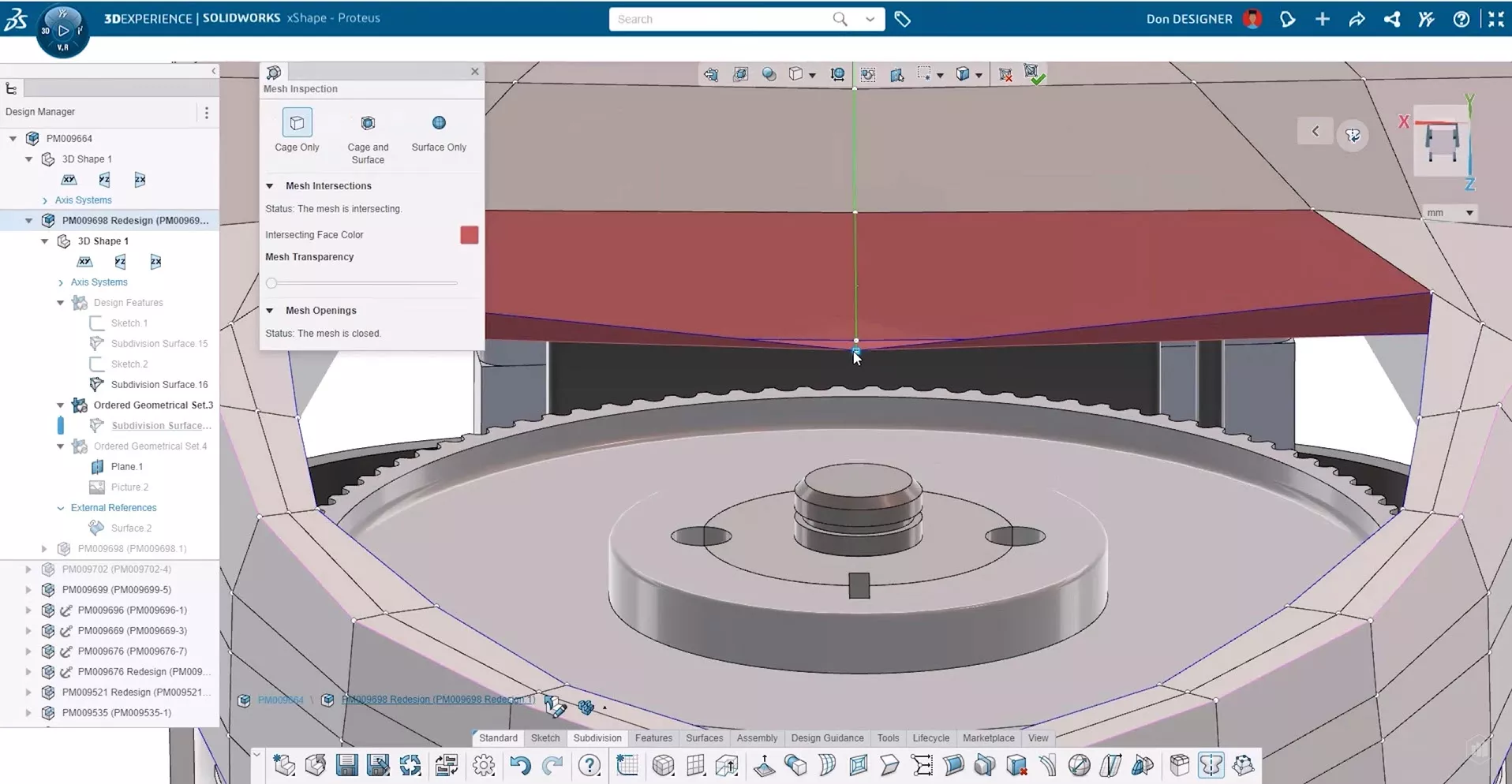
This ensures a consistent level of quality assurance, especially for complex geometries.
#6 – Design Visualisation on Import
The Import Environment command enhances design reviews by allowing you to visualise and design products within their intended context.
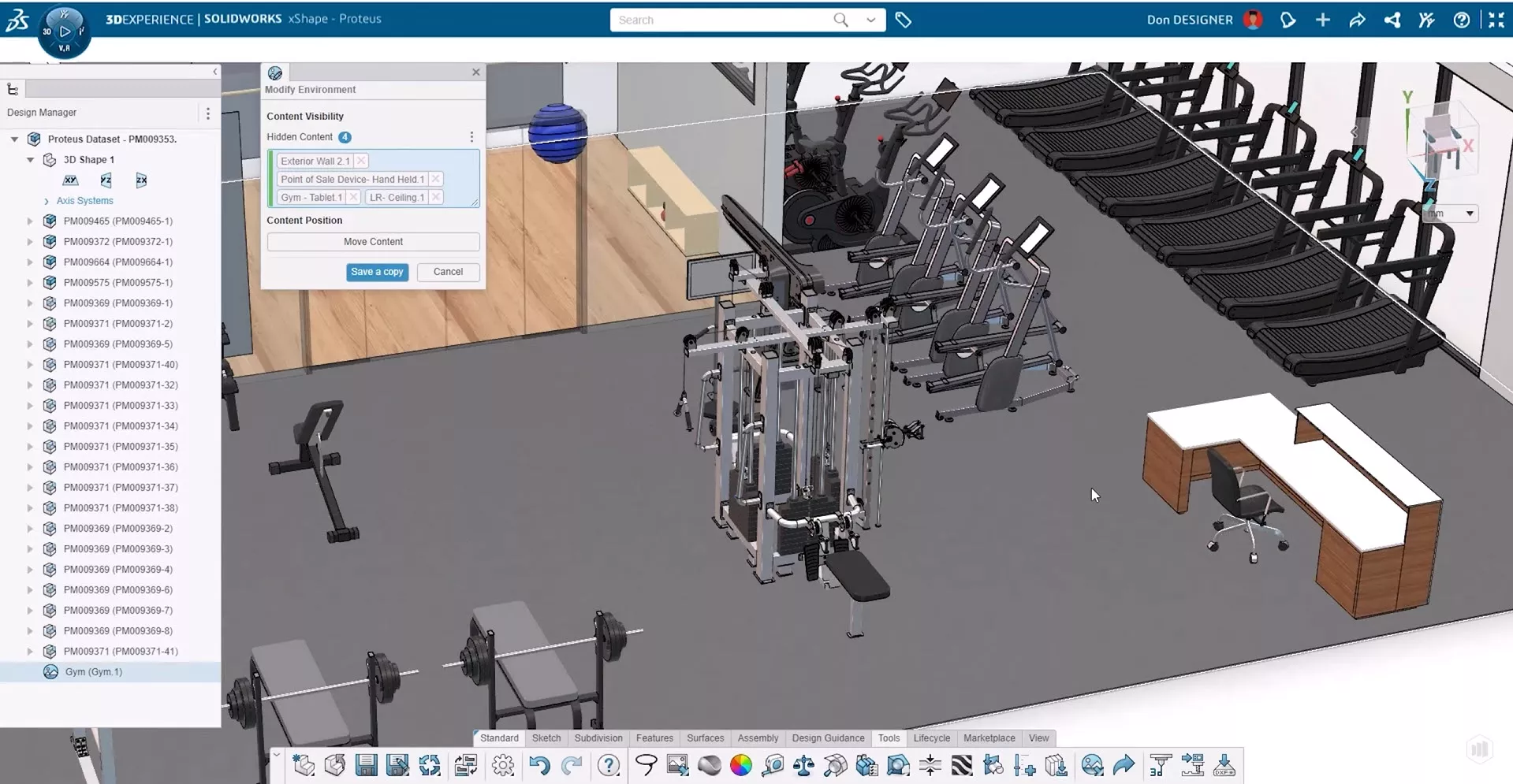
Hide obstructing walls and move components to ensure you can see your designs from all angles, offering more flexibility and clarity when refining product details.
#7 – Online Technical Documentation
xDrawing provides useful capabilities for documenting your designs in 2D technical drawings.
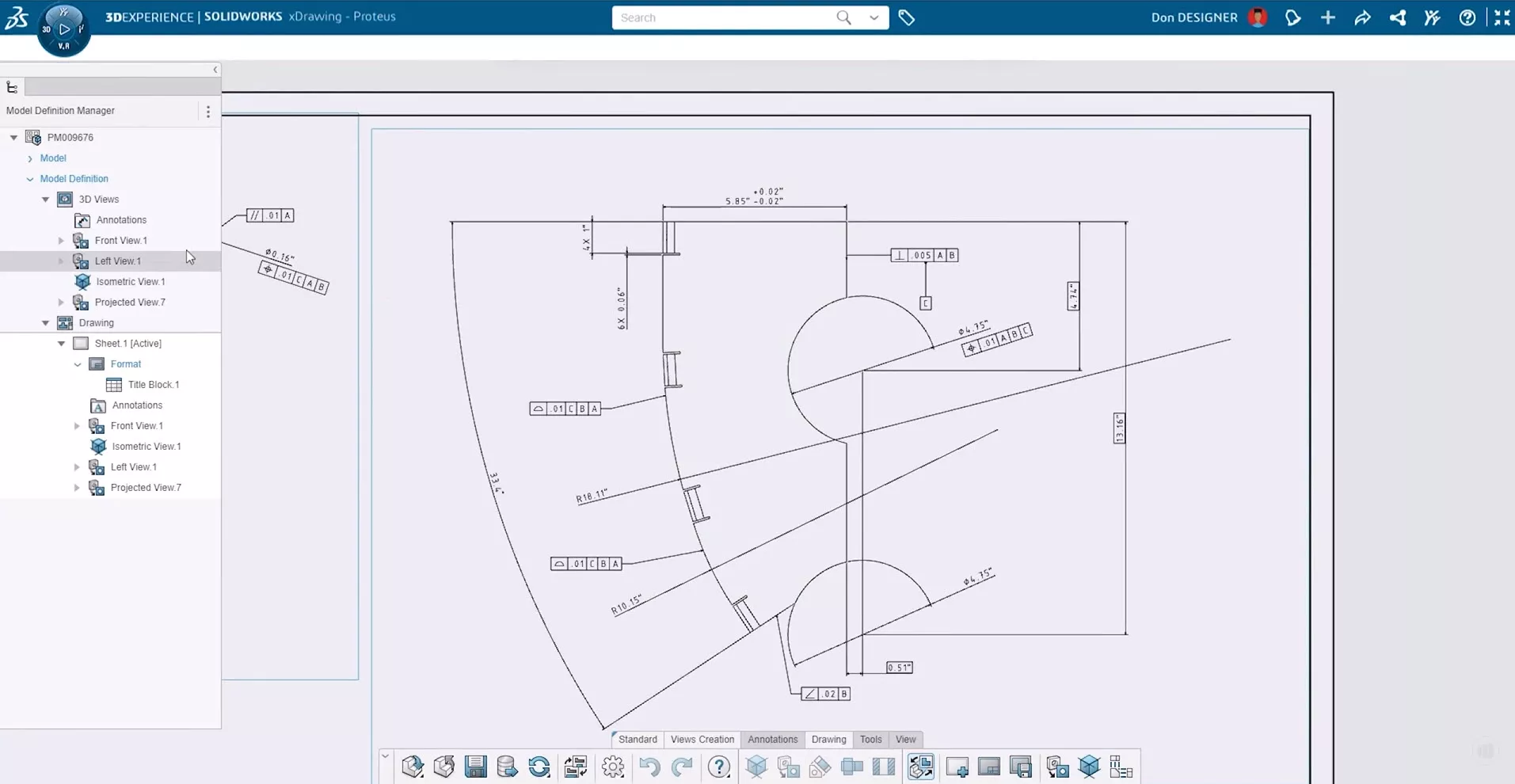
Whether you’re working with traditional geometry, organic CAD designs, complex surfaces, or sheet metal, all product manufacturing information (PMI) can be annotated in compliance with industry and company standards.
Automatic capturing of views and annotations in 3D accommodates model-based definition (MBD), which improves communication across teams.
#8 – Online Rendering Capabilities
The new rendering capabilities offered by the 3DEXPERIENCE platform’s xStudio and 3DEXCITE enables cross-department collaboration on marketing content directly from your CAD files.
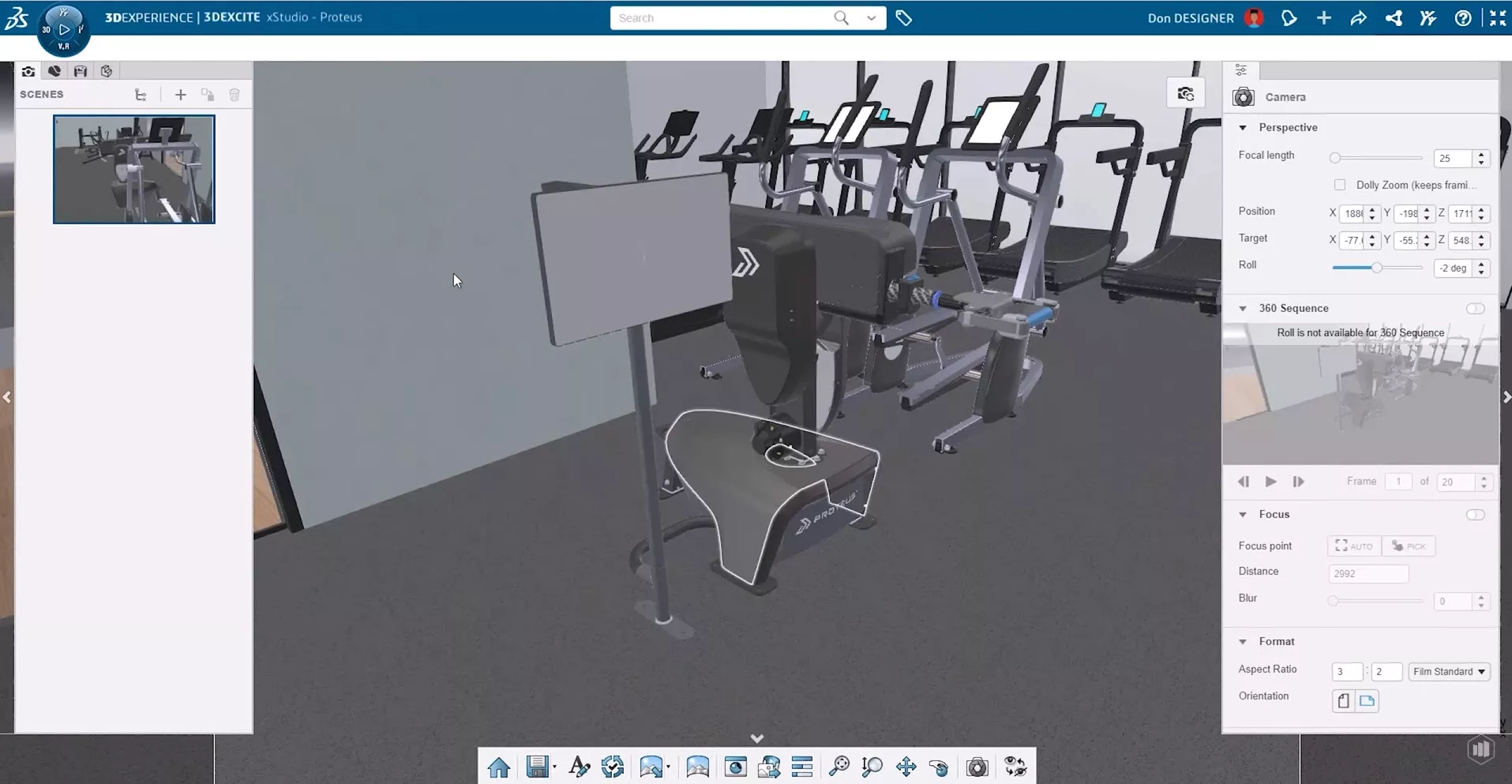
With drag-and-drop functionality, you can easily add components, assemblies, and entire environments to a scene, adjusting focal lengths, formats, and scene information. Any changes made to the design will automatically propagate to the rendering environment, ensuring consistency across all assets.
#9 – Search Across All Apps
The 3DEXPERIENCE platform’s enhanced command search functionality now spans all of the xApps, making it easier to find the right tools, commands, and options regardless of whether you are working in design, simulation, or documentation.
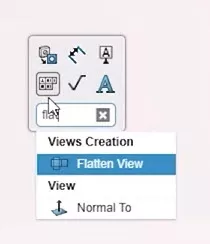
This feature adapts to your environment and shows you commands relevant to your workflow.
#10 – Optimised Model Exports
Sharing models extends beyond those offered by Share & Markup functionality into optimisation of your 3D CAD files.
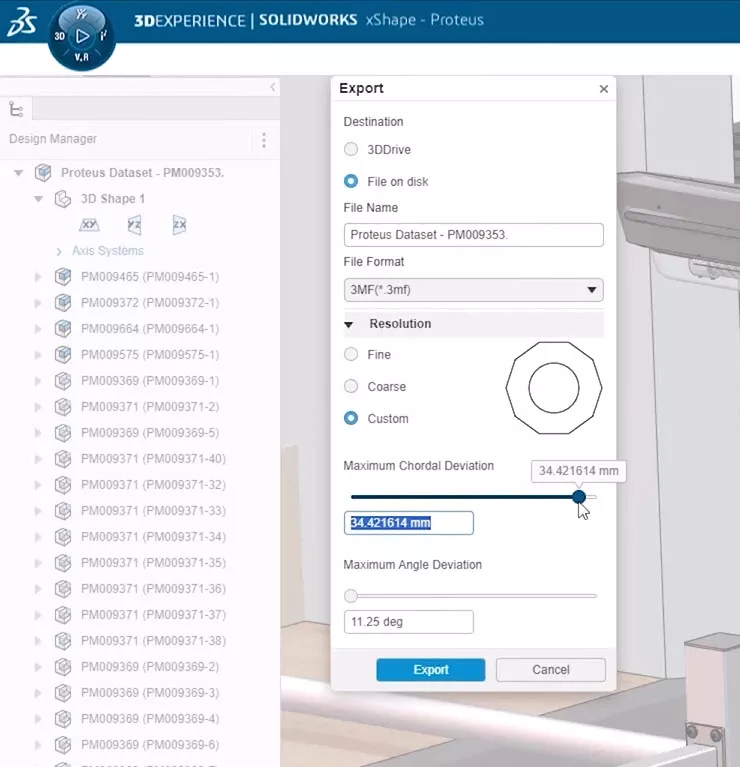
So, when it’s time to share or export a model, mesh resolution can be tailored to ensure that files are optimised to the needs of the platform and/or recipient, aiding preparation ahead of visualisation, manufacturing, and any other application.
Conclusion
The browser-based design tools for SOLIDWORKS have seen some great enhancements that empower designers and businesses with a comprehensive set of tools that enable designing and collaboration from anywhere.
Get in touch< to discover how SOLIDWORKS 2025 and the 3DEXPERIENCE platform can help your product development processes and embrace the future of CAD to take your projects to the next level.
Take the Next Steps
Discover all the latest updates across the SOLIDWORKS 2025 portfolio and how you can enhance your efficiency with our deep-dive webinar, blogs, and videos.
It’s more than just annual updates, though. Make the most of your SOLIDWORKS subscription with our Enhanced subscription package to unlock exclusive discounts, priority support, and so much more!
Categorised as: 3DEXPERIENCE
Get a SOLIDWORKS Quote
Interested in SOLIDWORKS? Contact us for questions, trials, or demos by clicking the button below or call 01926 333777. Our experts will help you find the perfect solution.

Related Posts

3DExperience – Overview and Gaining Access
3DEXPERIENCE allows you to bring together colleagues and invited suppliers into a single web based platform allowing ideas to be shared and decisions to be made. The platform is CAD intelligent so will allow storage and viewing of your 3D models, even to non-SOLIDWORKS users if they need to review designs. In this series of blog posts we break down the general structure of the platform as well as a more in depth look into the main applications you can use. Each blog post will contain a commentated video summarising all that has been discussed in text form.

3D Experience – Dashboard Creation
Without Dashboards your 3DEXPERIENCE platform will be pretty empty so we need to understand what can be done with them on a per user basis and also how they can be shared to the rest of the team. In simple terms the dashboard is the layout of the webpage, the more complicated description you find on the 3DEXPERIENCE “Getting Started” screen is that “a dashboard is a holistic view on any topic or activity, gathering content from various sources. It is made of tabs, each tab containing widgets”.

3D Experience – 3DDrive
3DDrive is the storage application that sits on the 3DEXPERIENCE platform. As a basic comparison it is similar to Dropbox, OneDrive and Google Drive, and in fact these three programs can also be intergrated into 3DEXPERIENCE. Each user you invite to join your platform will consume a license and be given 5GB of storage space within 3DDrive.
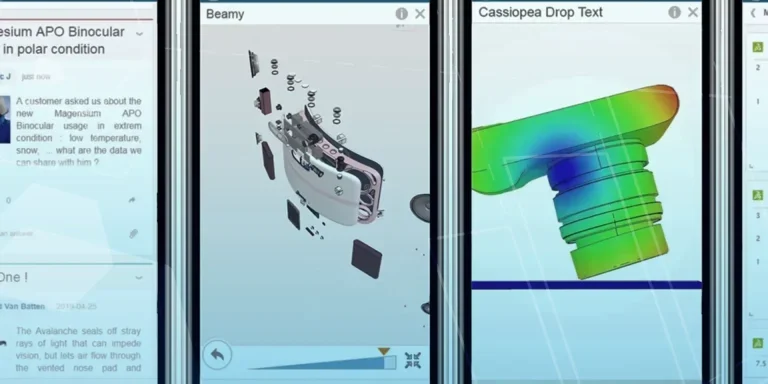
What is 3DSWYM? A 3DEXPERIENCE Platform Tutorial
3DSwym is the application at the heart of the 3DEXPERIENCE, allowing users to connect and collaborate across the platform.

Case Study: Morgan Motors Accelerate Their Business with 3DEXPERIENCE
Discover how our Business Transformation team has been supporting Morgan Motor Company as they continue to strive forward and invest in opportunities to protect and improve their profitability, growth, product line and customer experience.
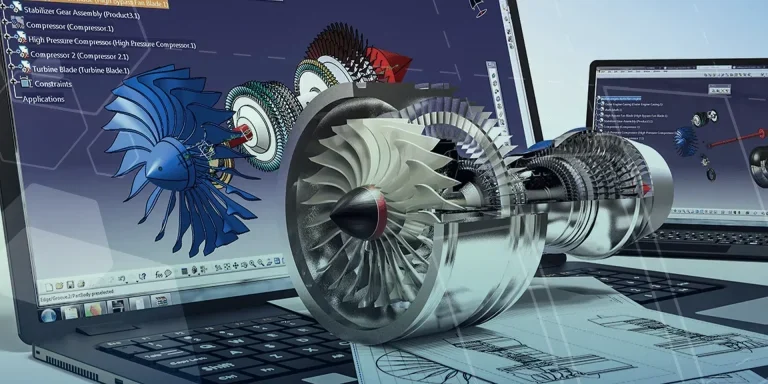
Why Move from CATIA V5 to CATIA 3DEXPERIENCE?
Design on the go, work with team members around the world, engineer across systems and domains, and effortlessly keep all your data up to date when you switch to 3DEXPERIENCE CATIA
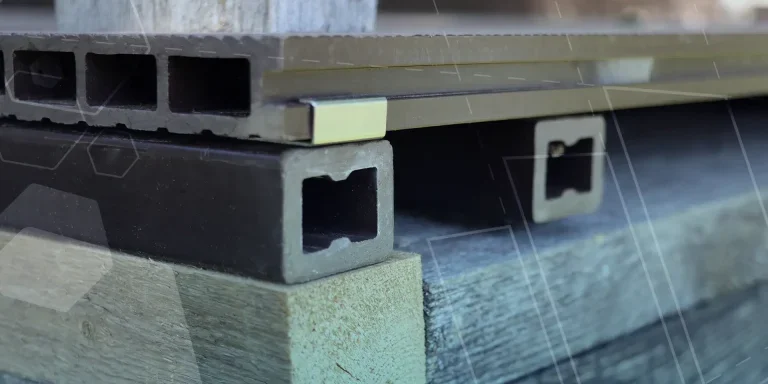
Top 4 Benefits of Composite Materials for Lightweight Engineering
One method design and engineering teams have employed to combat high costs and high carbon emissions is the use of composite materials in the development of parts.

Hydrogen-Powered Aircraft: What are the Challenges?
In aviation industry, we’re seeing the rise of eVOTL concepts which challenge the traditional ideas…
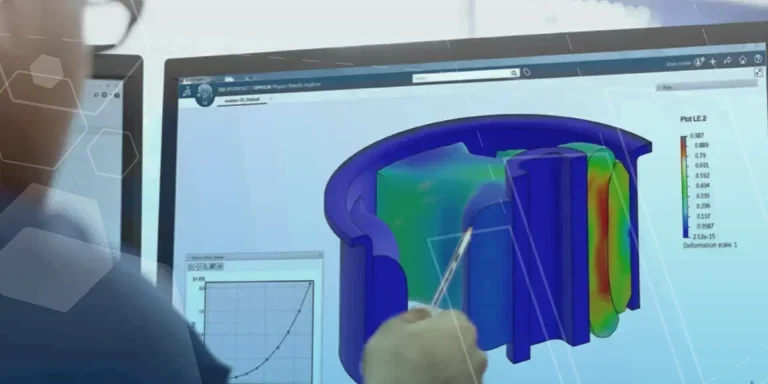
Top 3 Enhancements to 3DEXPERIENCE Platform 2023x FD01
The latest release of the 3DEXPERIENCE platform brings with it many enhancements designed to ease the day-day life of SOLIDWORKS users.

What Happened to the SOLIDWORKS Forums?
The SOLIDWORKS Forum looks a little different these days. Find out what’s changed and what that means for you and your business.