











Extending the Capability of SOLIDWORKS Motion with MSC Adams
Written by: Tom McHale
Published: Nov 15, 2022
| View All Blogs
SOLIDWORKS Motion is a kinematics/dynamics simulation environment for moving assemblies, embedded within the CAD system. It does a great job of using assembly constraints to automatically create joints in a mechanism and allows you to simulate the range of motion of a system giving you insight into the dynamic behaviour and component forces needed for sizing analysis.
But what if you want to take this further and increase the fidelity of your motion simulation? Some scenarios might be:
- Using your motion model to develop your control system software
- Representing the elastic stiffness of key components to check the effects of deflection or vibration on performance
- Recovering dynamic stress histories for durability predictions
- Representing the complex non-linear behaviour of a component like moulded rubber AV mount
- Include the effects of fluid drag on a submerged system through CFD co-simulation
- Include a realistic tire/road model for a vehicle
- Represent complex subsystems like gearboxes and chain drives
Luckily for SOLIDWORKS users, the embedded motion solver that powers SOLIDWORKS Motion Studies is MSC Adams. MSC Adams is probably the most respected and one of the most capable motion dynamics solvers, used in industry by OEM giants for simulating cars, aircraft, spacecraft, gearboxes and a whole range of moving systems.
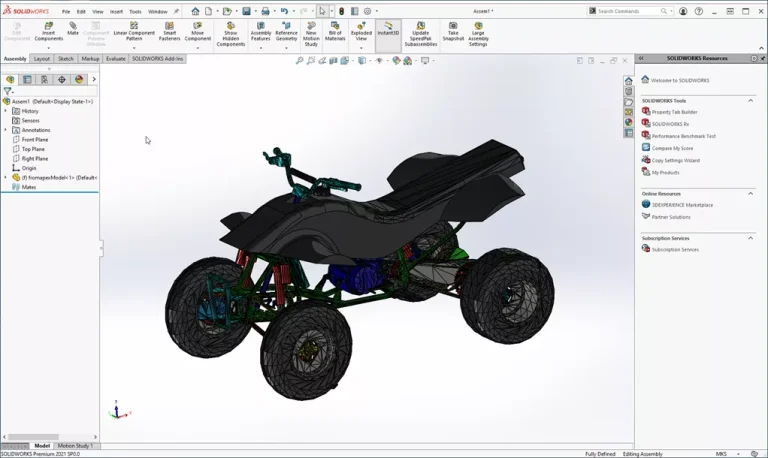
To illustrate by example, imagine you were designing an all-terrain vehicle.
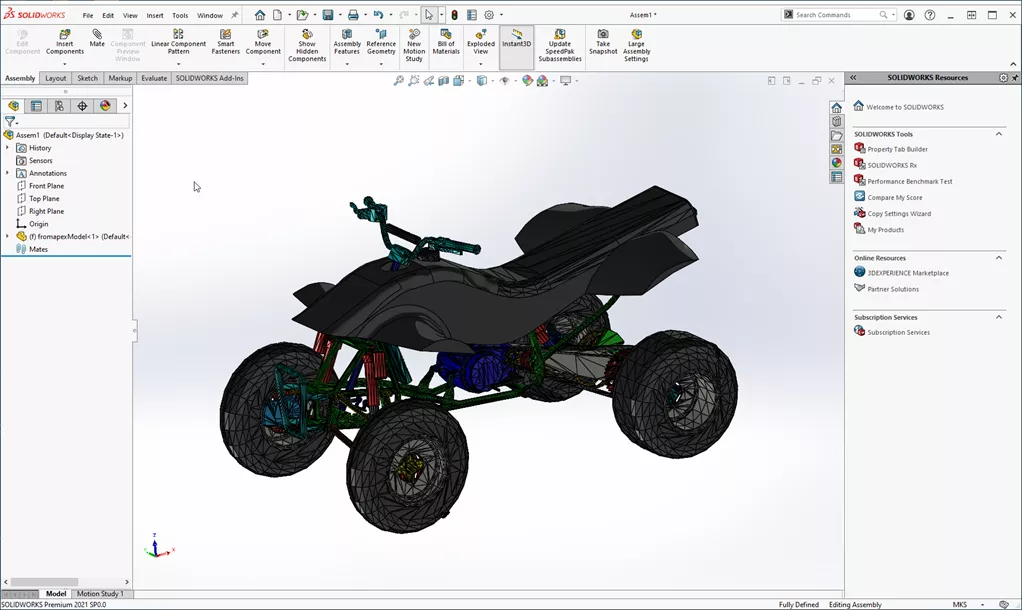
Solidworks motion with msc adams atv
You can easily model the range of movement of the suspension, steering etc. within SOLIDWORKS, but what about predicting the durability life of components? To do this you need a stress time history for a component in order to rain flow cycle count it, evaluate the damage and therefore predict its life.
Inside SOLIDWORKS we can use the loading from a motion run to assess stress levels, but these are static stresses, ignoring any potential amplification due to resonance effects. In a dynamic environment modelling the non-linear compliance of the tyres is also not a trivial problem but can have a significant effect.
With a single click from SOLIDWORKS we can export the model directly to Adams. Within the Adams GUI, we can easily substitute the tyres for a full 3D advanced tyre model, add a four post test rig and run a simulation.
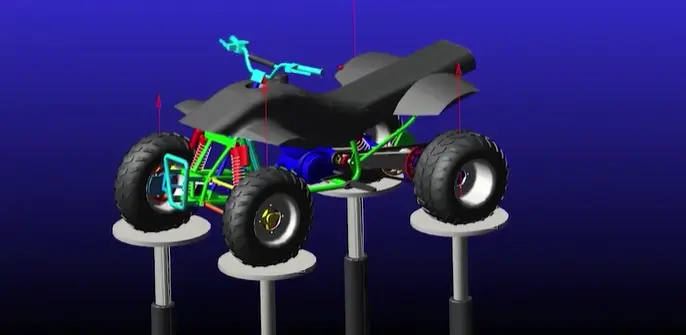
Four post motion simulation
This will give us a more refined set of loads which could influence design decisions.
Another step higher in model fidelity can be achieved by making components flexible. For example, we can very rapidly replace the lower control arm with a flexible body, generated from an MSC Nastran FEA model. Re-running the simulation now allows us to see the stress in the component during the load cycle.
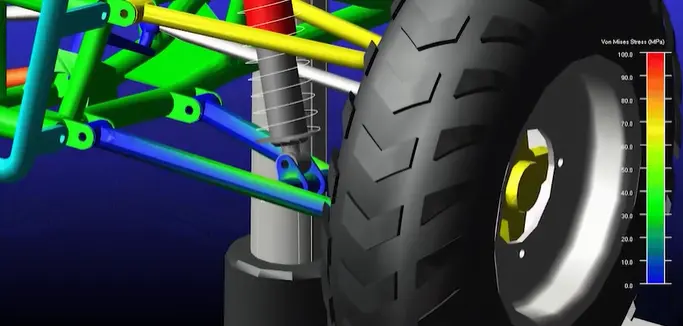
Looking closer at the stress

Stress hotspots table solidworks motion
From this we can easily identify the hotspots in space and time.
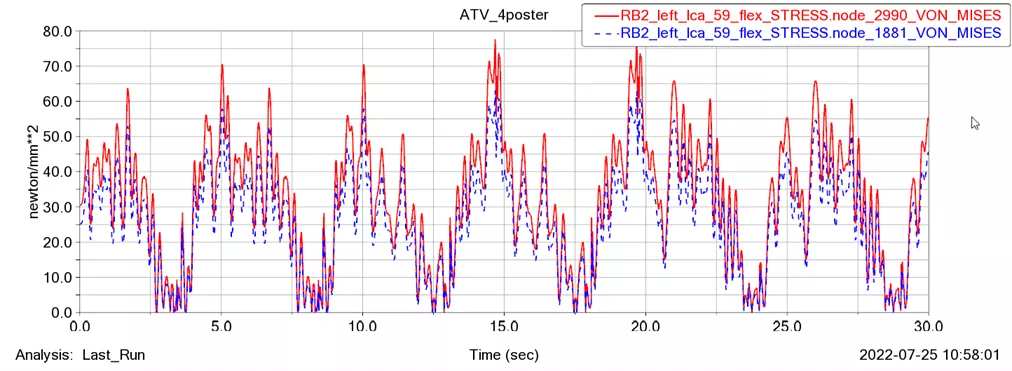
Motion with msc adams stress histories graph
Then plot stress histories.
Also available within the MSC product set is a tool called CAEFatigue. Adams provides a direct link to this to take the stress time history for all nodes on the flexible body directly across allowing a quick calculation of the fatigue damage from this loading event.
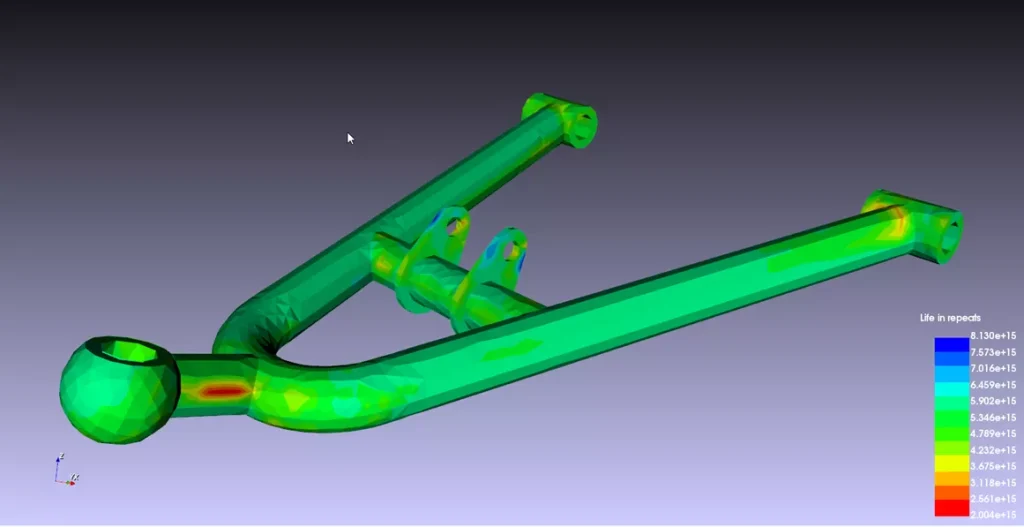
Fatigue simulation results
This is an example of just one of the workflows that can be used with MSC Adams to enhance the value of SOLIDWORKS motion models. MSC Adams is part of the MSC One token licensing system. MSC One makes available the breadth of MSC Software’s portfolio in motion, FEA, CFD and other simulation domains allowing access to industry leading tools like Adams and Nastran in a cost effective and flexible way.
Categorised as: Simulation | Tech Tips
Extending Your Capability with MSC Adams
If you would like to extend the range of your motion simulation or have any questions about this please get in touch for a discussion with our experienced technical team.
Related Posts

How to Find Reaction Forces in SOLIDWORKS Simulation
SOLIDWORKS helps us to find resultant forces through simulation studies. These virtual tests reduce the need for physical prototypes and give us an accurate answer.

Setting number of decimal places in a table on a drawing
When creating an equation in a drawing general table, is it possible to define the…

Why is my Flat Pattern not showing in SOLIDWORKS Drawings?
This may be linked to how the drawing is saved or it can be related to how sheet metal parts are displayed in drawings, read on to find out how to fix it.
Why is SOLIDWORKS Crashing?
It’s one of the great mysteries of life – why is SOLIDWORKS crashing? Let’s explore how SOLIDWORKS crashes and how we can improve performance in SOLIDWORKS.

SOLIDWORKS Tips: Are you Making this Common Mistake in Fatigue Analysis?
Simulation is a vital and complex engineering need. Fortunately, SOLIDWORKS makes it easy to test, correct mistakes and obtain accurate results.

Tech Support Blog: Why are my SOLIDWORKS BOM Quantities Wrong?
Why are my SOLIDWORKS BOM Quantities Wrong? A support call cropped up this week which…

How to Get Your Serial Number for SOLIDWORKS Visualize Standard
Want to download Visualize to make photorealistic renders? Follow this guide for accessing your Visualize serial number that comes bundled in with SolidWorks Professional and Premium.

How to Recover SOLIDWORKS Files After a Crash
SOLIDWORKS has two different methods to help you recover from an unexpected crash or loss of data in the form of auto-recovery and back-up settings.

Redesigning Santa’s Sleigh in SOLIDWORKS
Every year Father Christmas has to fly in his sleigh to deliver presents to boys and girls all over the world in just one night. To put this into perspective, it takes a little under 24 hours to fly from London (UK) to Sydney (Australia) in a streamlined Boeing 747, whereas Father Christmas’ mode of transport is believed to be a rather non-aerodynamic sleigh.

Radiation in Flow Simulation – Part 1 : Reflection
Technical Manager Andy Fulcher explores ‘Radiation in Flow Simulation, Part 1 : Reflection’