











Radiation in Flow Simulation – Part 1 : Reflection

Written by: Solid Solutions Marketing
Published: Jun 19, 2017
| View All Blogs
Radiation in Flow Simulation – Part 1: Reflection
Recently I helped a customer who needed to simulate water being heated by the sun. The water was flowing in a pipe at the centre of a parabolic reflector. This is a great way of heating fluids or solids and surprisingly high temperatures are possible – provided the sun shines!
Naturally, I set up a test in SOLIDWORKS Flow Simulation as it handles all three heat transfer mechanisms – conduction, convection and radiation. What I had not appreciated was the capabilities of Flow for ray-tracing and so I will share what I learnt.
The example is a 250 mm x 300 mm deep parabolic solar trough – to show you how the sun’s rays can be reflected form shiny surfaces. These types of device are commercially available and have implications for the environment and cooking in the third world.
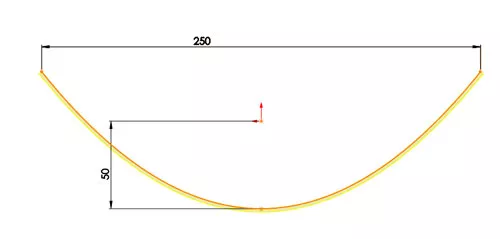
The basic shape I chose is shown below. This was conveniently created using the SOLIDWORKS ‘Parabola’ sketch entity. The reason for the shape is that parabolas have a special optical property: if they are made of material that reflects light, then light which travels parallel to the axis of symmetry of the parabola and strikes its concave side is reflected to its focus, regardless of where on the parabola the reflection occurs. In other words, all the solar energy is focussed at a single point.
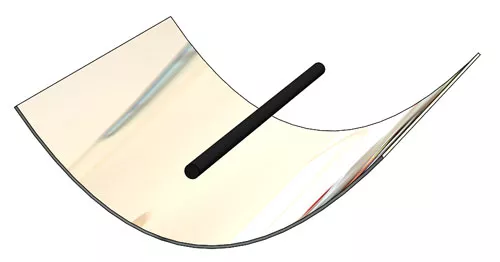
The geometry is therefore very simple: an extruded thin walled parabola and a pipe at the focus …
The Flow set up is also straightforward – provided you know how to define a mirror-like shiny surface.
I set up an External project with ‘Heat Conduction in Solids’, ‘Solar Radiation’ and ‘Gravity’ enabled (to account for the effect of natural convection cooling). I used London as the location and set the date to the end of May.
I added a ‘Blackbody’ Radiative Surface to the pipe. This has an emissivity = 1; i.e. it is a perfect absorber of radiation. Now here is the trick! Initially I applied a ‘Whitebody’ Radiative Surface to the parabolic surface as I wanted a perfect reflector of radiation.
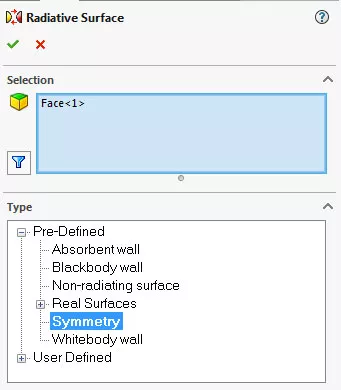
This was partially correct. However, after running I did not get the high temperatures I expected. I called SOLIDWORKS and they explained that the crucial factor I was missing was the surface specularity i.e. shininess. My parabola was reflecting the radiation – but diffusively and therefore scattering the solar radiation. To correct this, they recommended I use the radiative surface called ‘Symmetry’. This is a special surface that has perfect specularity – a mirror!
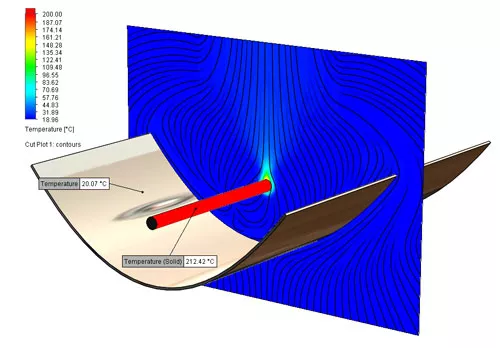
With my whitebody and specular surface in place, the temperatures jumped to realistic values as the radiation became concentrated on the pipe. Here is a temperature plot – note the parabola is at room temperature but the pipe is over 200 deg C.
A hand calculation proves that the majority of solar energy impinges on the pipe: the sun’s radiation rate in this study is 0.07 Watts / cm2 and the ‘collection area’ (i.e. the horizontal open area of the parabola) is 25 cm x 30 cm = 750 cm2. This gives a total wattage of 52.5 Watts.
Theoretically, the 1 cm dia pipe receives all this heat – but spread over its outer surface which is 94.6 cm2. Therefore, the solar radiation rate on the pipe should be 52.5/94.6 Watts per cm2 = 0.55 Watt per cm2.
Here are Flow results

The negative values indicate heat being absorbed into the pipe.
The 4% difference can be explained by the fact that the pipe causes a thermal shadow on the parabola immediately below the pipe. If this area (30 cm2) is removed from the calculations, the predicted wattage = 50.4 Watts and the radiation rate = 0.534 Watts per cm2 – almost identical to Flow.
This confirms that the ray tracing in Flow is accurately reflecting the solar rays that are then heating the pipe.
This can also be run as a Transient Study. This is very helpful as the parabola only works efficiently when the sun’s rays are directly overhead. How sensitive is this? Over what period of time will the parabola work? How does efficiency change over time? These are crucial questions to anyone designing this type of solar device – and in Flow the sun can always shine! Even if it does not you can set a ‘Cloudiness’ Index!
Here is the set-up of radiation in flow simulation. The start time is 9.00 am and I set it to run for 4 hours …
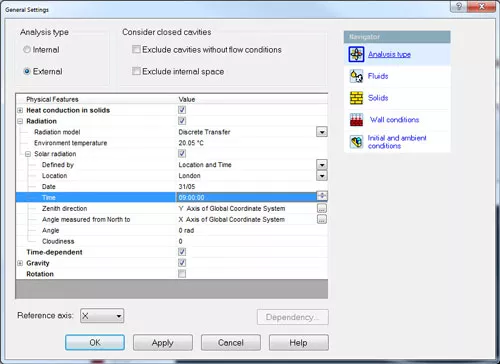
Below is an animation using the 2017 ‘Transient Explorer’ capability. This shows that the parabola is only effective between 2.6 hours and 3.6 hours after 9.00 am i.e. 11.30 am – 12.30 pm. Outside this range the parabola will not work so would need a means of positioning it to face the sun.
Parabolic Reflector Transient Heating
Flow never ceases to amaze me with the depth of capabilities and ease of use. It has inspired me to design a frame, rapid prototype it, buy a sheet of mirrored plastic and build my own barbeque for the long hot summer!
What else can we do with radiation in Flow Simulation? How about a magnifying glass and some refraction? Is that possible? Take a look at Part 2 of this blog where I will show you some more cool stuff.
Categorised as: SOLIDWORKS Flow Simulation | Simulation
Get a SOLIDWORKS Quote
Interested in SOLIDWORKS? Contact us for questions, trials, or demos by clicking the button below or call 01926 333777. Our experts will help you find the perfect solution.

Related Posts

How to Find Reaction Forces in SOLIDWORKS Simulation
SOLIDWORKS helps us to find resultant forces through simulation studies. These virtual tests reduce the need for physical prototypes and give us an accurate answer.

SOLIDWORKS Tips: Are you Making this Common Mistake in Fatigue Analysis?
Simulation is a vital and complex engineering need. Fortunately, SOLIDWORKS makes it easy to test, correct mistakes and obtain accurate results.

Redesigning Santa’s Sleigh in SOLIDWORKS
Every year Father Christmas has to fly in his sleigh to deliver presents to boys and girls all over the world in just one night. To put this into perspective, it takes a little under 24 hours to fly from London (UK) to Sydney (Australia) in a streamlined Boeing 747, whereas Father Christmas’ mode of transport is believed to be a rather non-aerodynamic sleigh.
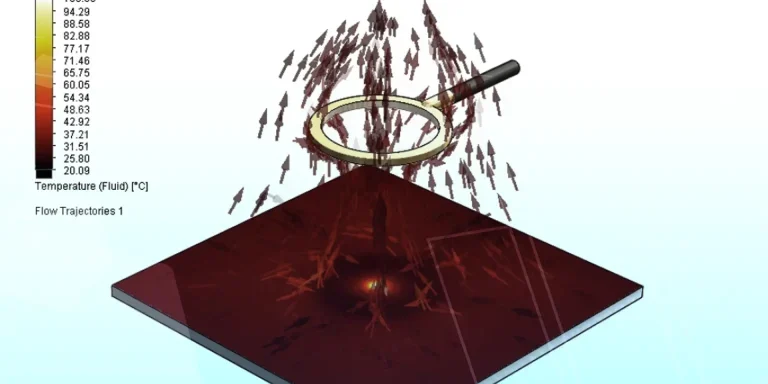
Radiation in Flow Simulation – Part 2 : Refraction
Technical Manager Andy Fulcher explores ‘Radiation in Flow Simulation, Part 2 : Refraction’
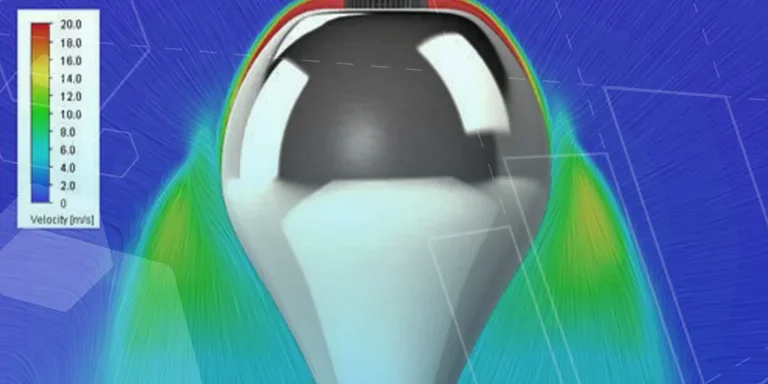
The Coanda Effect in Flow Simulation
Can you take advantage of the Coanda Effect & can SOLIDWORKS Flow simulate it? Applications Engineer Romel Cumare investigates in his latest blog post.
So how accurate is SOLIDWORKS Simulation?
How accurate is SOLIDWORKS Simulation? Elite Applications Engineer Chris Boyles investigates.
Set Your Fluids Free with SOLIDWORKS Flow Simulation
A look at the new Free Surface feature coming in SOLIDWORKS Flow Simulation 2018.
So how accurate is SOLIDWORKS Flow Simulation?
Applications Engineer Chris Boyles explores the accuracy of SOLIDWORKS Simulation.
Finding a Good Mesh Fast in SOLIDWORKS Flow Simulation
‘How do I know when to stop my calculation?’ and ‘How do I know my mesh is good enough?’ are questions often asked when running SOLIDWORKS Flow Simulation studies.
The answer is to ensure the solution reached is both fully converged AND mesh independent. In practice this can take a bit of trial and error as well as some experience in the process. However, SOLIDWORKS Flow can help us do both of these at once! Here’s how…

Free Surface Evaluation & Validation – SOLIDWORKS Flow Simulation
In 2018 SOLIDWORKS introduced a new capability to their Flow software. This is called ‘Free Surface’ and opens up many more applications for users who need to simulate fluid behaviour where a gas and a liquid (or two immiscible liquids) share the same region of space without an intervening solid