











FEA Simulation: Validating SOLIDWORKS Static Simulation Results
Written by: Tom McHale
Published: Aug 29, 2023
| View All Blogs
SOLIDWORKS Simulation is used to predict a wide range of design and engineering scenarios using real-world physics in a virtual environment.
In this series, we’re looking at three simulation applications: fluid dynamics, linear analysis, and electronic cooling. We’ll validate the results of these studies to show you how accurate virtual testing with SOLIDWORKS can be.
Last time we looked at how we could validating SOLIDWORKS Flow Simulation for thermal analysis.
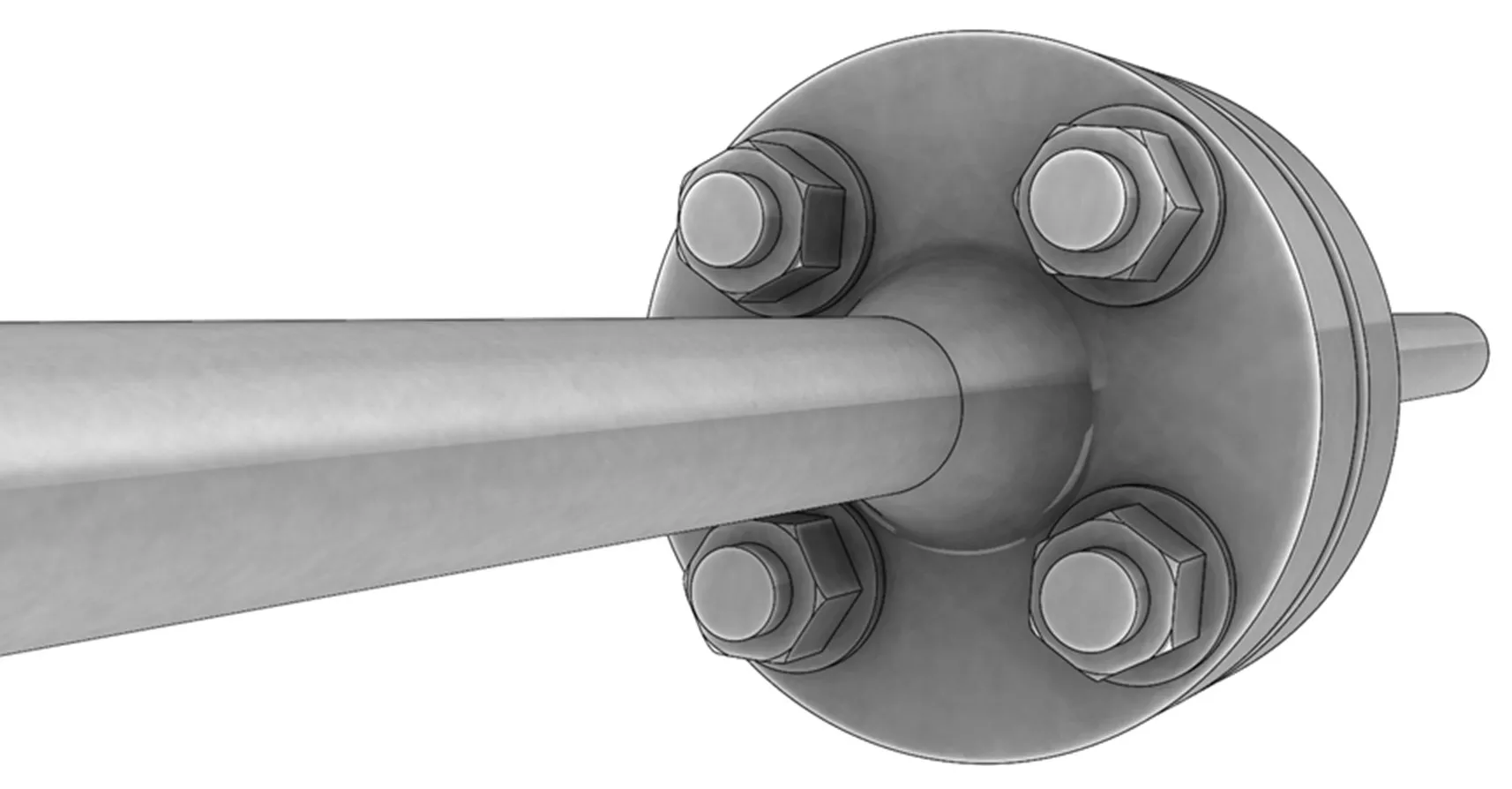
Now we’re putting the finite element analysis (FEA) software SOLIDWORKS Simulation to the test as we replicate the work of Fléjou in their study SSNV228 – Setting in Pre-Tensioning of a Pin and compare our results.
By applying a known extension to the system, we can calculate the clamping force exerted on this bolted flange.
CAN I TRUST SOLIDWORKS SIMULATION?
Comparing SOLIDWORKS Simulation against alternative FEA code is a great way maintain confidence in the reliability of the results.
Ultimately, it gives additional assurance that new designs, when tested virtually, will be fit for purpose in the real world before deciding to prototype and/or go into production.
Which saves a lot of time and money!
PREPARING THE MODEL FOR ANALYSIS
Symmetry in SOLIDWORKS is not limited to features, it can also be employed in simulation studies to reduce analysis time and complexity.
As a powerful tool in SOLIDWORKS, symmetry should always be utilised when possible.
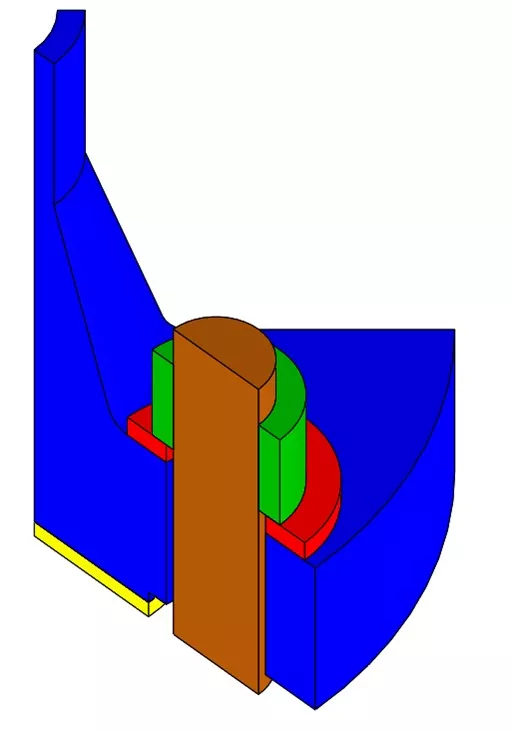
We modelled the geometry analysed by Fléjou and simplified it to a 1/16 symmetry model.
BOUNDARY CONDITIONS
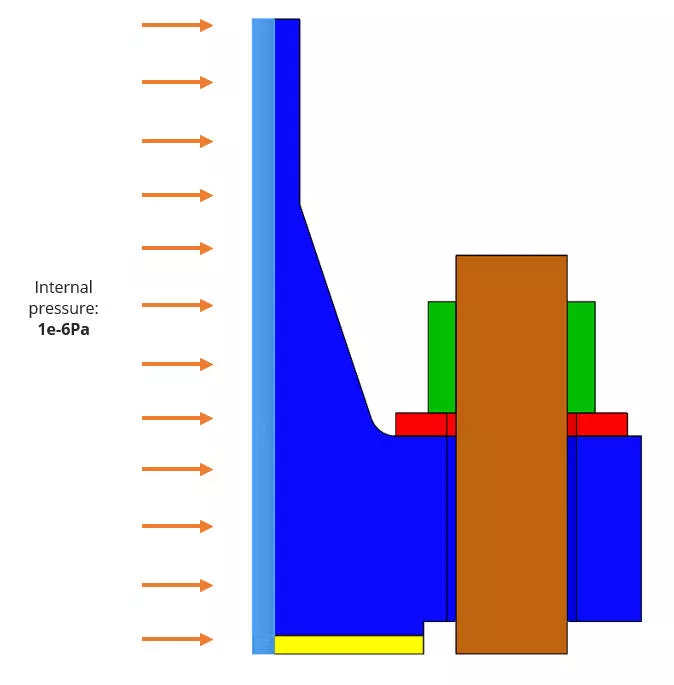
INTERNAL PRESSURE
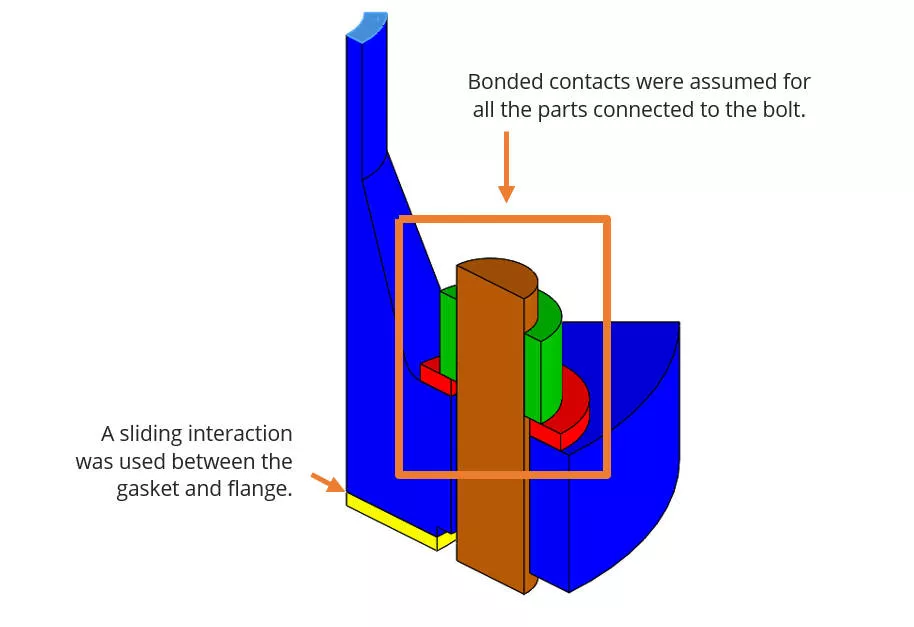
INTERACTIONS
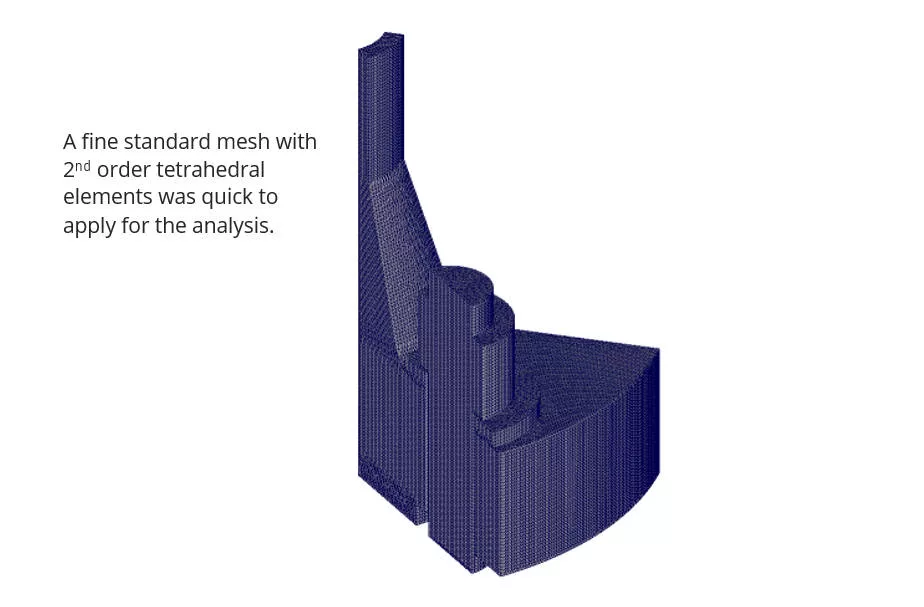
MESHING & LOAD CASES
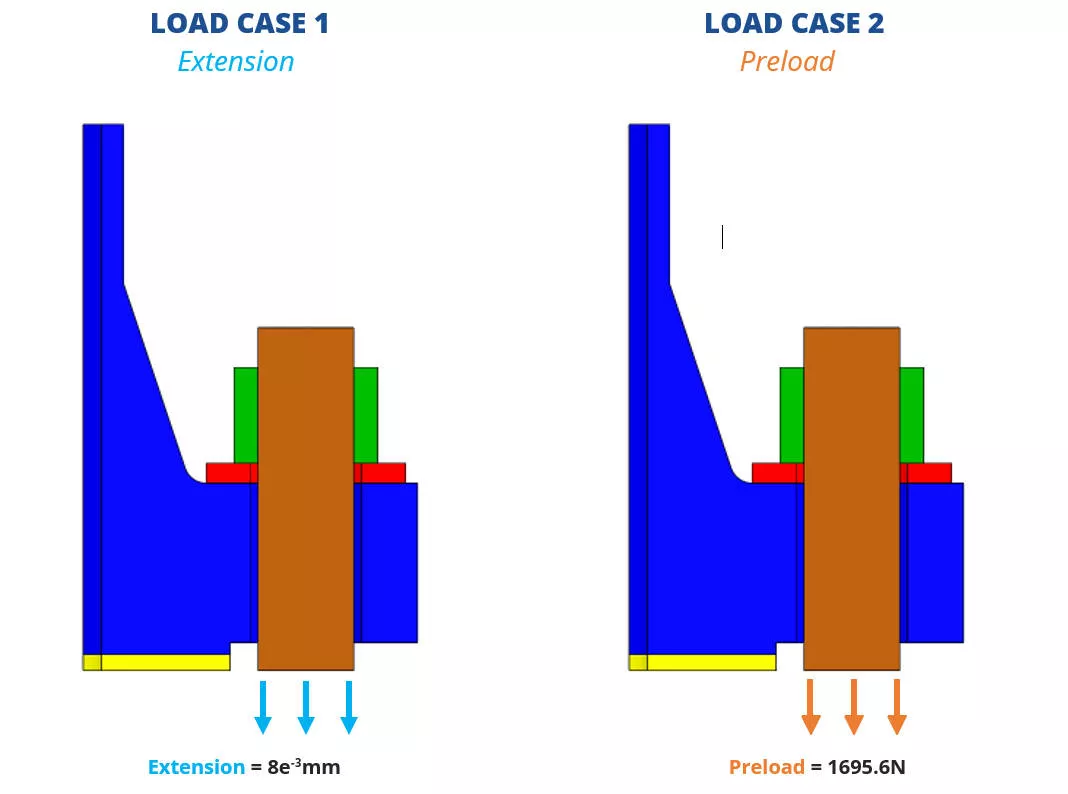
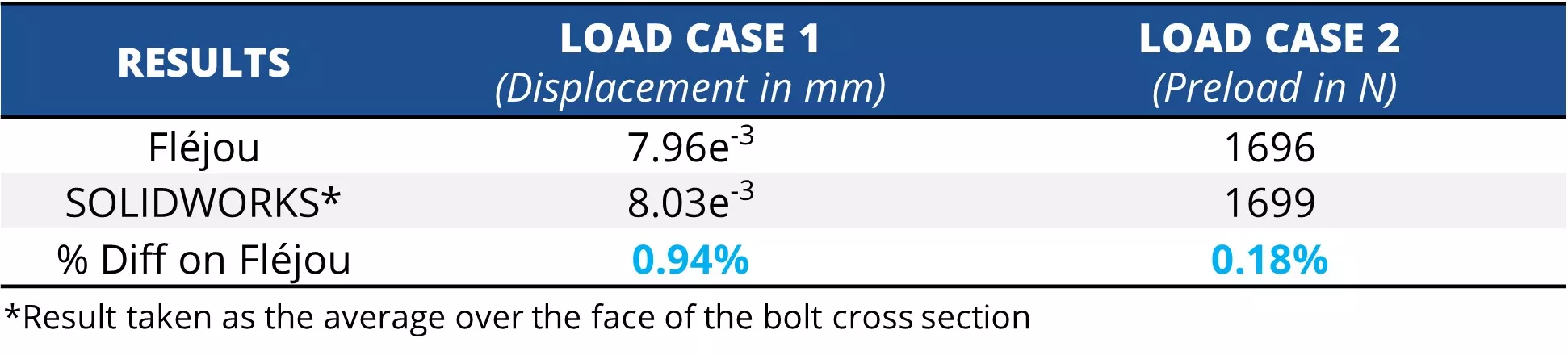
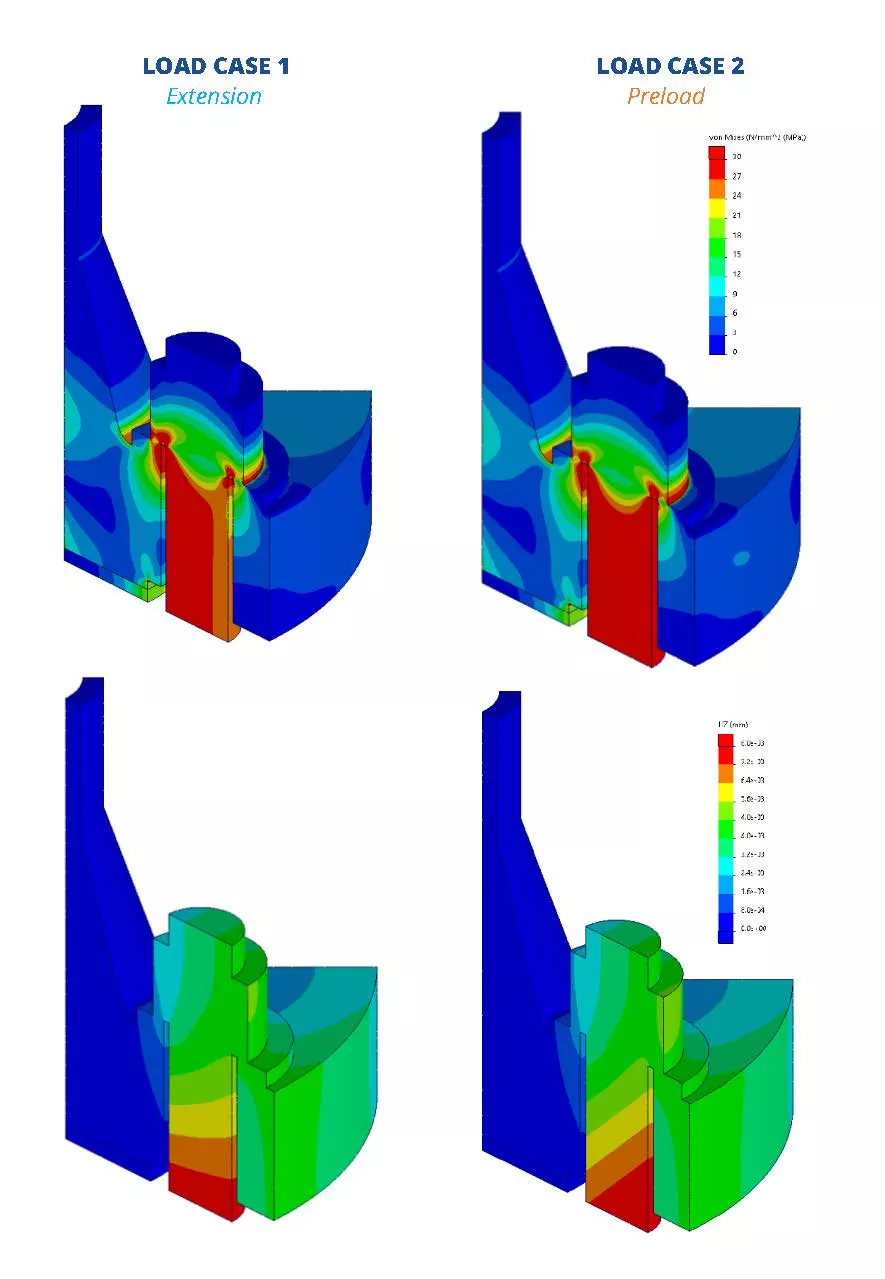
Both load cases aim to apply an approx. average stress of 30MPa over the bolt cross section.
RESULTS
SOLIDWORKS SIMULATION IS RELIABLE
The results between the two analysis methods matched within 1% of each other for both load cases and is an excellent result!
This type of validation gives good confidence that virtual testing can be used as a reliable tool to show how parts will perform in the real world.
While this validation study was created to replicate the test done by Fléjou, SOLIDWORKS Simulation has a more advanced capability to model bolts.
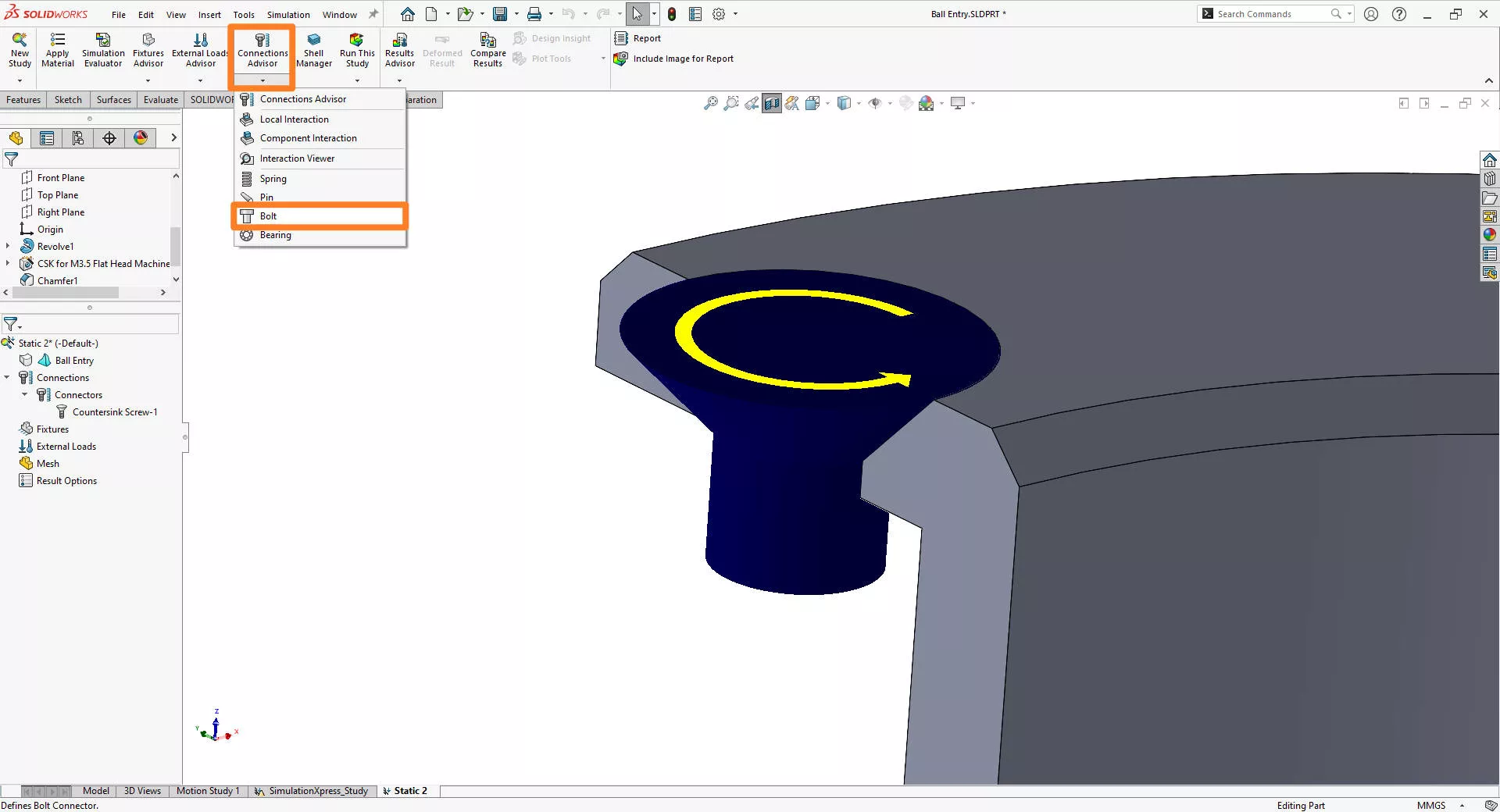
The bolt connector is a very powerful tool – especially on assemblies with many bolts!
It is much faster to solve and easier to apply than modelling and meshing individual bolts.
The results are also more detailed too, as the outputs include axial force, bending moment, and shear force, as well as a failure prediction plot.
Adding the power of SOLIDWORKS Simulation to your design portfolio means having the ability to try out many “what if” scenarios that would simply take too long, or be too costly by and other method.
To find out more, visit our simulation page, where you can find the package to suit your needs.
Categorised as: Simulation | Software
Get a SOLIDWORKS Quote
Interested in SOLIDWORKS? Contact us for questions, trials, or demos by clicking the button below or call 01926 333777. Our experts will help you find the perfect solution.

Related Posts

How to Find Reaction Forces in SOLIDWORKS Simulation
SOLIDWORKS helps us to find resultant forces through simulation studies. These virtual tests reduce the need for physical prototypes and give us an accurate answer.

Setting number of decimal places in a table on a drawing
When creating an equation in a drawing general table, is it possible to define the…

SOLIDWORKS Smart Fasteners
SOLIDWORKS Smart Fasteners is a really useful time saving tool, allowing you to automatically insert toolbox fasteners such as bolts and screws into an assembly providing there is a standard hole.

Why is my Flat Pattern not showing in SOLIDWORKS Drawings?
This may be linked to how the drawing is saved or it can be related to how sheet metal parts are displayed in drawings, read on to find out how to fix it.

SOLIDWORKS Tips: Are you Making this Common Mistake in Fatigue Analysis?
Simulation is a vital and complex engineering need. Fortunately, SOLIDWORKS makes it easy to test, correct mistakes and obtain accurate results.

SOLIDWORKS Visualize. Why go pro? – 6 Post Processing
In this blog we will be look at the post-processing options that can be found in SOLIDWORKS Visualize

SOLIDWORKS Visualize. Why go pro? – 7 Lighting
SOLIDWORKS Visualize uses a non-biased rendering engine, which allows for physically accurate lighting within a scene. It generates images with high amount of realism and correct set up can replicate photo studio lighting.

How to Get Your Serial Number for SOLIDWORKS Visualize Standard
Want to download Visualize to make photorealistic renders? Follow this guide for accessing your Visualize serial number that comes bundled in with SolidWorks Professional and Premium.

How to Recover SOLIDWORKS Files After a Crash
SOLIDWORKS has two different methods to help you recover from an unexpected crash or loss of data in the form of auto-recovery and back-up settings.

Redesigning Santa’s Sleigh in SOLIDWORKS
Every year Father Christmas has to fly in his sleigh to deliver presents to boys and girls all over the world in just one night. To put this into perspective, it takes a little under 24 hours to fly from London (UK) to Sydney (Australia) in a streamlined Boeing 747, whereas Father Christmas’ mode of transport is believed to be a rather non-aerodynamic sleigh.