











Going for Gold! Achieving Precision Machining Excellence: A Step-by-Step Process
Written by: Tom Buxton
Published: Jul 30, 2024
| View All Blogs
Manufacturing embarked on an exciting journey into the world of precision multi-axis machining. Using advanced technologies from GROB machine tools, Lang work holding, and Emuge Franken tooling, all orchestrated by SolidCAM software, we set out to create a trophy worthy of winners.
Step 1: Setting Up the GROB G350 Machine Tool
When multi-axis machining at high volume, a highly capable machine tool is a must, and with the GROB G350, we have exactly that.
Proving itself to be a real asset when working on this project, the G350 has the ability to invert the table and having a horizontal spindle, it is a great combination of versatility and rigidity.
It allowed us to have a large reach and work around multiple pieces of stock.
Machine Preparation
Selection: Choose the GROB G350 for its high acceleration, efficient chip management, and robust tunnel setup, ideal for high-volume, multi-axis machining.
Calibration: Ensure the machine is properly calibrated and ready for precise operations.
Setup: Prepare the workspace and verify all machine settings.
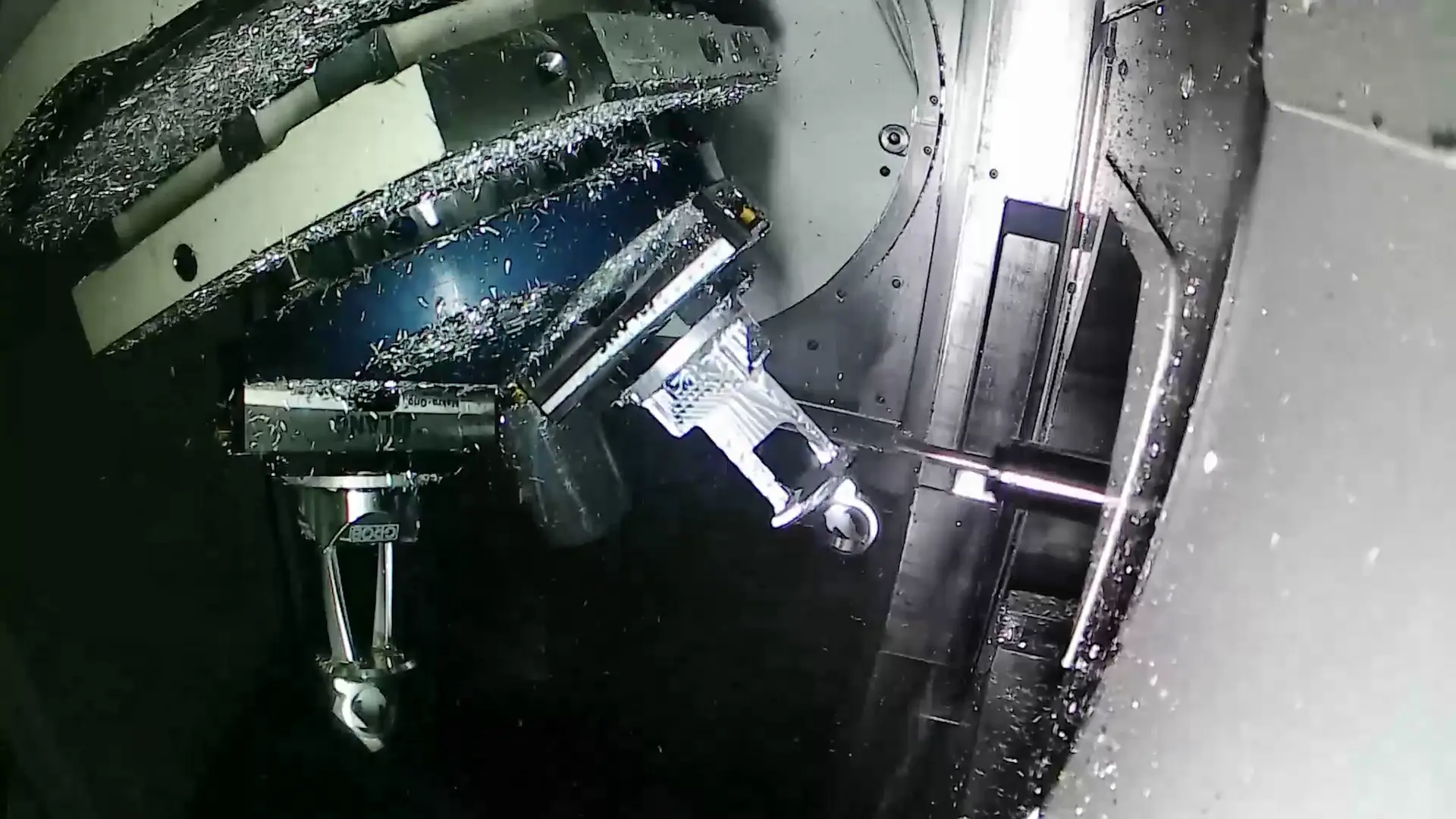
Step 2: Implementing Lang Technik Clamping Solutions
Next is the implementation of Lang Technik’s pioneering clamping pyramid, which allows simultaneous access to all five faces of three parts.
This setup not only increases productivity, but also minimises tool changing time.
The zero-point fixture system ensures accurate and repeatable positioning – a key factor in maintaining precision throughout the machining process.
Fixture Design and Installation
Clamping Solution: Utilise Lang Technik’s pyramid clamping systems to access all five faces of three parts simultaneously, increasing productivity.
Zero-Point Fixture System: Implement the zero-point fixture system for accurate and repeatable positioning, crucial for maintaining precision.
Setup: Secure the Lang Technik clamping system on the GROB G350 machine.

Step 3: Selecting and Setting Up Emuge Franken Tooling
With the machine and fixtures in place, the next focus is tooling.
Emuge Franken’s Franken Alu-Cut range, known for its accuracy and precision, is a perfect fit for this project.
The use of standard off-the-shelf solutions makes Emuge Franken the ideal tooling partner for our trophy project, providing reliable tooling options without the requirement for custom designs.
Try SolidCAM for free and discover how intelligent CAM tools can streamline your entire design‑to‑manufacturing process, reduce errors, and get your parts to production faster.
Tool Selection and Preparation
Tool Range: Choose tools from the Emuge Franken Franken Alu-Cut range, known for precision and reliability.
Standard Solutions: Use off-the-shelf tools to meet the specific requirements of the parts, avoiding the need for custom designs.
Tool Setup: Install and calibrate the selected tools on the machine, ensuring they are ready for the machining process.

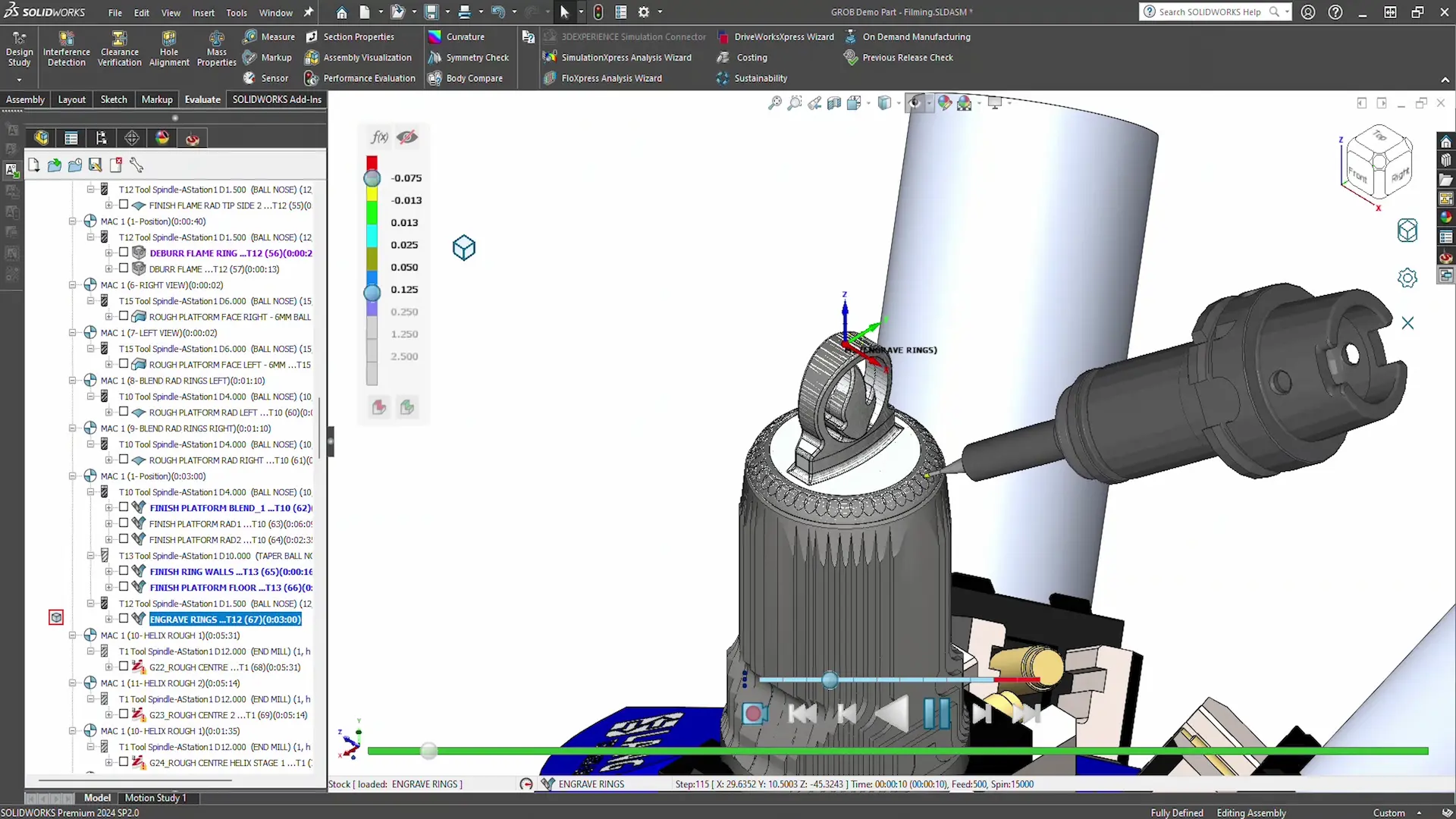
Step 4: Integrating SolidCAM Software
SolidCAM software plays a pivotal role in this process – connecting everything together by integrating data from the machine, fixtures, and tooling.
SolidCAM applies tool paths, digitally simulates machining, and optimises processes to ensure the best quality parts.
The software’s patented iMachining technology enhances material roughing efficiency, while barrel tools help achieve high-precision surfaces, maximising the performance of the entire setup.
CAM Programming and Optimisation
Data Integration: Input data from the machine, fixtures, and tools into SolidCAM.
Tool Path Application: Use SolidCAM to apply precise tool paths based on the integrated data.
Simulation: Digitally simulate the machining process to identify and resolve any potential issues before actual machining begins.
Optimisation: Utilise SolidCAM’s patented iMachining technology for efficient roughing and high-precision finishing.
Step 5: Executing the Machining Process
Set up complete – the machining can begin. The GROB G350, equipped with Lang’s fixtures and Emuge Franken’s tools, operates under the guidance of SolidCAM’s optimised tool paths.
Machining Execution
Machine Operation: Start the GROB G350, equipped with Lang’s fixtures and Emuge Franken’s tools, and execute the machining process as guided by SolidCAM.
Versatility and Rigidity: Take advantage of the machine’s ability to invert the table and use a horizontal spindle to handle complex geometries and multiple pieces of stock.
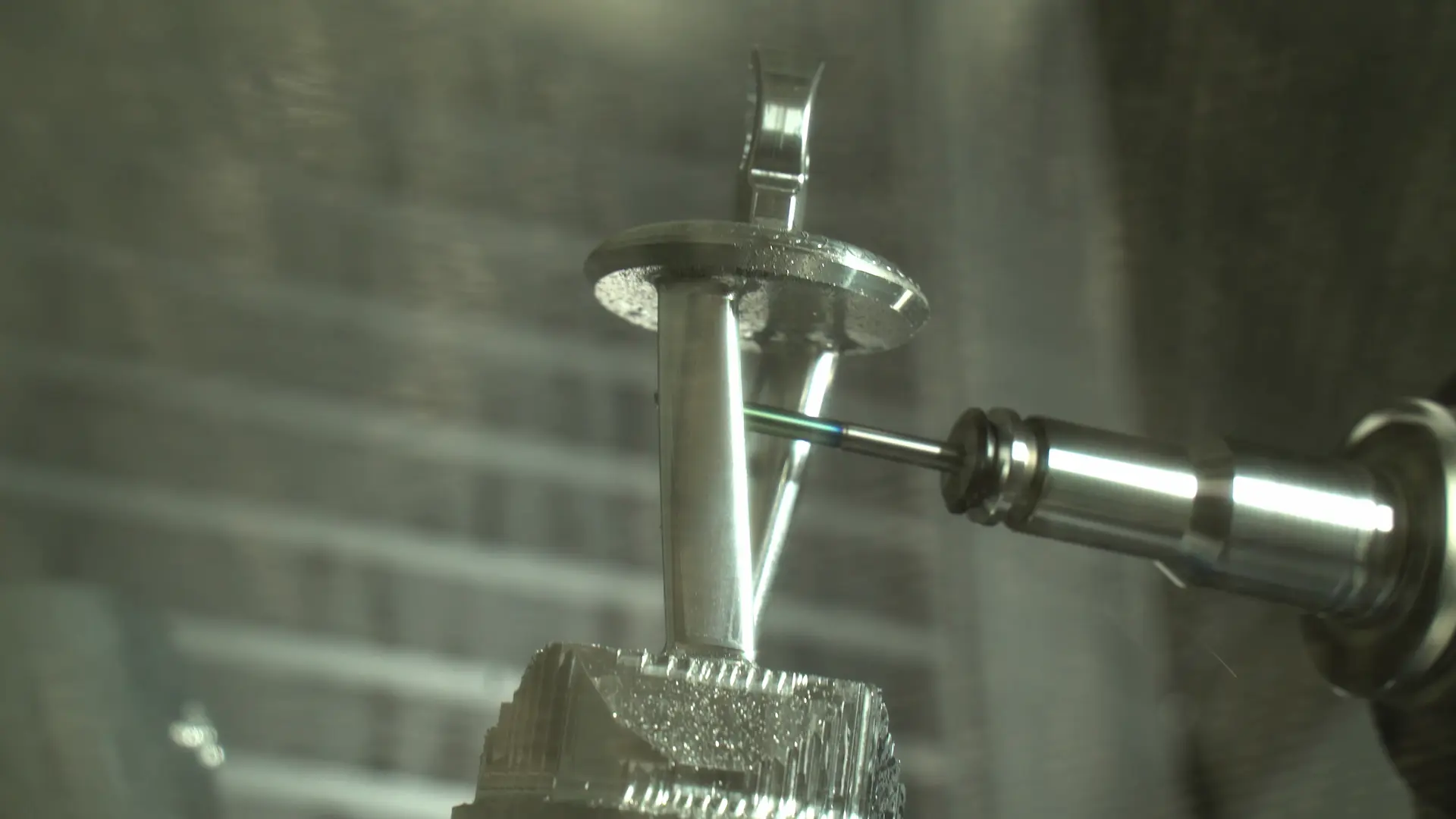
Conclusion: The Power of Integration
“Now with our finished part, you can see how the right tooling can make all the difference to the success and the quality of a job, along with using the right tool and the right application to optimise cycle times every step of the way.”
Will Kearse – Technical Engineer, Solid Solutions
This comprehensive approach, integrating advanced machine tools, innovative fixturing, precise tooling, and sophisticated CAM software, demonstrates how complex parts can be machined precisely and efficiently.
Together with our key industry partners, Solid Solutions Manufacturing is well positioned to provide turnkey solutions for machining.
The collaboration between GROB, Lang Technik, Emuge Franken, and SolidCAM showcases the potential of manufacturing technologies to produce high-quality parts, optimising every step of the process for maximum efficiency and precision.
Categorised as: Manufacturing | SOLIDWORKS Design | SolidCAM | Tech Tips
Start Your Free SOLIDWORKS Trial
Get a FREE trial of 3D CAD SOLIDWORKS to experience the capabilities of SOLIDWORKS Premium and SOLIDWORKS Visualize.

Related Posts

How to Find Reaction Forces in SOLIDWORKS Simulation
SOLIDWORKS helps us to find resultant forces through simulation studies. These virtual tests reduce the need for physical prototypes and give us an accurate answer.

Setting number of decimal places in a table on a drawing
When creating an equation in a drawing general table, is it possible to define the…

SOLIDWORKS Smart Fasteners
SOLIDWORKS Smart Fasteners is a really useful time saving tool, allowing you to automatically insert toolbox fasteners such as bolts and screws into an assembly providing there is a standard hole.

Why is my Flat Pattern not showing in SOLIDWORKS Drawings?
This may be linked to how the drawing is saved or it can be related to how sheet metal parts are displayed in drawings, read on to find out how to fix it.

Why is SOLIDWORKS Crashing?
It’s one of the great mysteries of life – why is SOLIDWORKS crashing? Let’s explore how SOLIDWORKS crashes and how we can improve performance in SOLIDWORKS.

SOLIDWORKS Tips: Are you Making this Common Mistake in Fatigue Analysis?
Simulation is a vital and complex engineering need. Fortunately, SOLIDWORKS makes it easy to test, correct mistakes and obtain accurate results.
Tech Support Blog: Why are my SOLIDWORKS BOM Quantities Wrong?
Why are my SOLIDWORKS BOM Quantities Wrong? A support call cropped up this week which…

How to Get Your Serial Number for SOLIDWORKS Visualize Standard
Want to download Visualize to make photorealistic renders? Follow this guide for accessing your Visualize serial number that comes bundled in with SolidWorks Professional and Premium.

How to Recover SOLIDWORKS Files After a Crash
SOLIDWORKS has two different methods to help you recover from an unexpected crash or loss of data in the form of auto-recovery and back-up settings.

Redesigning Santa’s Sleigh in SOLIDWORKS
Every year Father Christmas has to fly in his sleigh to deliver presents to boys and girls all over the world in just one night. To put this into perspective, it takes a little under 24 hours to fly from London (UK) to Sydney (Australia) in a streamlined Boeing 747, whereas Father Christmas’ mode of transport is believed to be a rather non-aerodynamic sleigh.