











Hardware for SOLIDWORKS: Can SOLIDWORKS Run on a Mac in 2023?

Written by: Terry O'Reilly
Published: Aug 2, 2023
| View All Blogs
We often get asked about whether it’s possible to run SOLIDWORKS on a Mac. As we have several customers successfully running SOLIDWORKS on Mac computers, the short answer is: Yes, you can!
However, it’s time for the long answer, as there are some things to be aware of…

In 2019, SOLIDWORKS updated their system requirements to include virtualisation software such as Parallels.
However, this only means that the software can be installed. SOLIDWORKS make no guarantees regarding performance or stability as the hardware itself is unsupported.
For this reason, we always recommend SOLIDWORKS be used on a Windows-based professional workstation. Our Hardware page contains a variety of compatible computers for SOLIDWORKS to suit your requirements and budget.
Although SOLIDWORKS will run on a Mac computer, there are some important considerations to be aware of.
HOW TO INSTALL SOLIDWORKS ON A MAC
SOLIDWORKS cannot run directly on MacOS, so first you will need to install a genuine copy of Windows on your machine using an application like Parallels.
Parallels allows you to run a virtual copy of Windows within MacOS. The advantage is that you can easily switch between Windows and MacOS within the same session.
It is worth noting that this setup can suffer from poor performance, particularly if you are running multiple programs on both Windows and MacOS at once.
Since Apple released the M1 and M2 chips produced by ARM, things have become a little more complicated.
Officially, only x86 CPUs are supported for SOLIDWORKS. The M1 and M2 chips are x64.
To get SOLIDWORKS operational on these machines, users will need to install the 64bit ARM version of Windows, and make some modification to the Windows pre-requisites – a process which can be quite intimidating for some users, and which may not work in the future.

Once you have correctly set up your Mac, our expert Technical Support team and hardware specialists are able to help you navigate the challenges of installing and running SOLIDWORKS on a Mac.
WHAT YOU NEED TO KNOW BEFORE USING SOLIDWORKS ON A MAC
Once SOLIDWORKS is up and running on a Mac, you may notice that the graphics don’t quite match an equivalent Windows workstation.
This is because Apple don’t offer laptops with appropriate video cards such as the NVIDIA RTX Professional series, AMD Radeon Pro series, or the Intel Arc Pro series.
Without these cards and their approved drivers, SOLIDWORKS lacks access to the OpenGL technology that drives a lot of its advanced graphics options.
This means that options like RealView graphics and Enhanced Graphics Performance may be unavailable.
There are some workarounds out there, but these are not always reliable and are not supported by SOLIDWORKS, Apple, or Solid Solutions.
Your best bet for help with using Parallels is their own official support, particularly their FAQs and forums.
Be aware, however, that many fixes are not officially supported by SOLIDWORKS and may involve manual edits to the registry, a process which carries a significant level of risk.
CAN I RUN OTHER SOLIDWORKS APPLICATIONS ON MAC?
We don’t recommend running the more demanding SOLIDWORKS programs such as SOLIDWORKS Visualize or the SOLIDWORKS Simulation and Flow Simulation add-ins on Mac, as not enough resources can be committed to running them effectively.
However, there are several SOLIDWORKS application designed specifically for MacOS and iOS.
These include eDrawings View, eDrawings, eDrawings Professional, and DraftSight.
The 3DEXPERIENCE platform is also designed to run in any browser on any device, so you can review, edit, and manage your CAD data wherever you are, even if you’re using an Apple device.
Visit the 3DEXPERIENCE platform website to find out how you can harness the SOLIDWORKS Cloud Services and get the most out of your designs.
If you are considering attempting to use SOLIDWORKS on Apple hardware, then we recommend contacting us to discuss pros and cons of using SOLIDWORKS on MacOS before any final decisions are made.
Looking for More Tips?
It doesn’t matter whether you’re a complete beginner or are intimately familiar with CAD, our friendly and expert trainers are ready to help you get the most out of SOLIDWORKS, either online or in a classroom local to you.
Categorised as: Hardware | SOLIDWORKS Design
Get Expert SOLIDWORKS Training
Get hands-on SOLIDWORKS training in-person or online, led by certified experts with real industry experience. With venues across the UK & Ireland, it’s easy to start learning today.
Related Posts

How to Find Reaction Forces in SOLIDWORKS Simulation
SOLIDWORKS helps us to find resultant forces through simulation studies. These virtual tests reduce the need for physical prototypes and give us an accurate answer.

Setting number of decimal places in a table on a drawing
When creating an equation in a drawing general table, is it possible to define the…

SOLIDWORKS Smart Fasteners
SOLIDWORKS Smart Fasteners is a really useful time saving tool, allowing you to automatically insert toolbox fasteners such as bolts and screws into an assembly providing there is a standard hole.

Why is my Flat Pattern not showing in SOLIDWORKS Drawings?
This may be linked to how the drawing is saved or it can be related to how sheet metal parts are displayed in drawings, read on to find out how to fix it.

SOLIDWORKS Tips: Are you Making this Common Mistake in Fatigue Analysis?
Simulation is a vital and complex engineering need. Fortunately, SOLIDWORKS makes it easy to test, correct mistakes and obtain accurate results.

How to Recover SOLIDWORKS Files After a Crash
SOLIDWORKS has two different methods to help you recover from an unexpected crash or loss of data in the form of auto-recovery and back-up settings.

Redesigning Santa’s Sleigh in SOLIDWORKS
Every year Father Christmas has to fly in his sleigh to deliver presents to boys and girls all over the world in just one night. To put this into perspective, it takes a little under 24 hours to fly from London (UK) to Sydney (Australia) in a streamlined Boeing 747, whereas Father Christmas’ mode of transport is believed to be a rather non-aerodynamic sleigh.

SOLIDWORKS Grid Systems – hidden away, but very useful!
Rory Niles provides an insight into the uses for Grid Systems within SOLIDWORKS 2018

Furniture Design Made Easy with SOLIDWORKS
Calling all furniture and interior designers: the days of creating square cabinets are over. What if we told you there’s a much easier way to bring your products to life?
Here’s 10 reasons why we feel SOLIDWORKS is better than any other software, especially if you’re designing furniture:
Making 3D Textures from Images on SOLIDWORKS
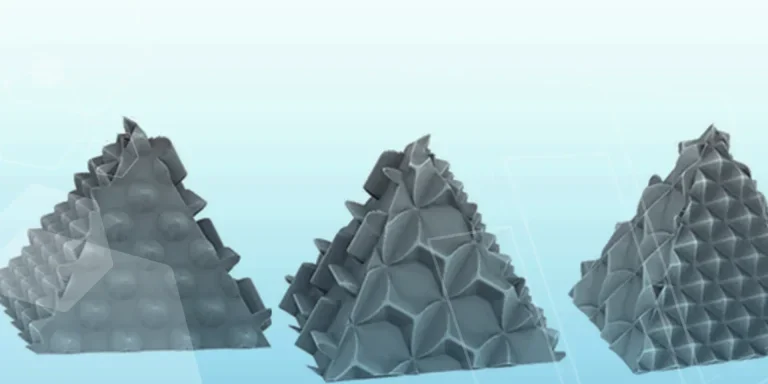
Turn images into 3D geometry with brand new SOLIDWORKS 3D Textures Feature