











How to Find SOLIDWORKS Xpress Product Codes

Written by: Terry O'Reilly
Published: May 24, 2019
| View All Blogs
SOLIDWORKS Xpress tools come with every seat of SOLIDWORKS and can be unlocked using a product code.
Let’s walk you through how to find SOLIDWORKS Xpress product codes in 5 simple steps.
WHAT ARE SOLIDWORKS XPRESS PRODUCT CODES?
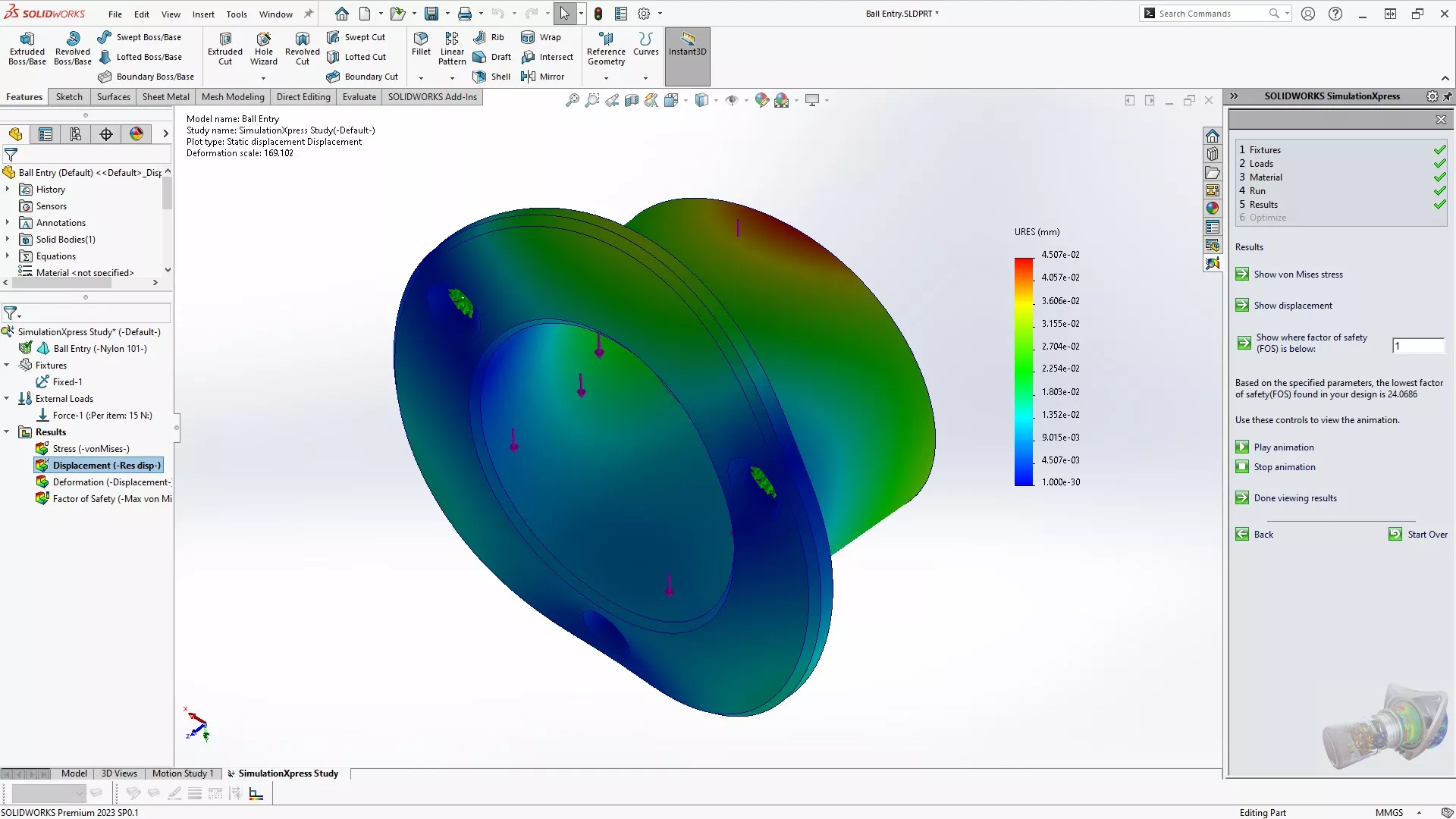
Xpress codes are generated by SOLIDWORKS so they can monitor how many people are using these applications and keep them relevant and updated.
There are 5 Xpress products available to SOLIDWORKS users:
- FloXpress
- SimulationXpress
- DFMXpress
- SustainabilityXpress
- DriveWorksXpress
Click each product in the list to find out more about them.
Xpress products must be activated before they can be used in SOLIDWORKS by an Xpress product code.
HOW DO I FIND XPRESS PRODUCT CODES?
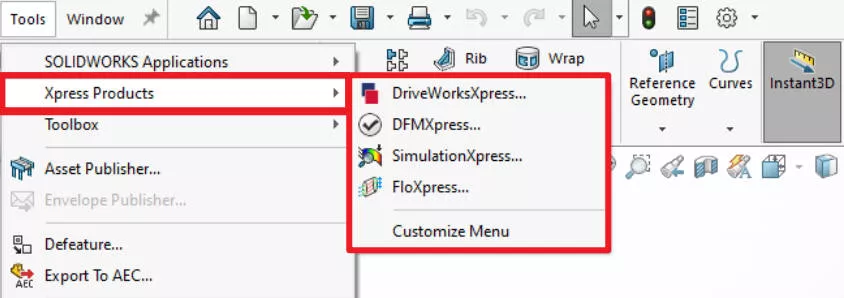
- Open SOLIDWORKS and navigate to Tools > Xpress Products and select the product that you wish to activate.
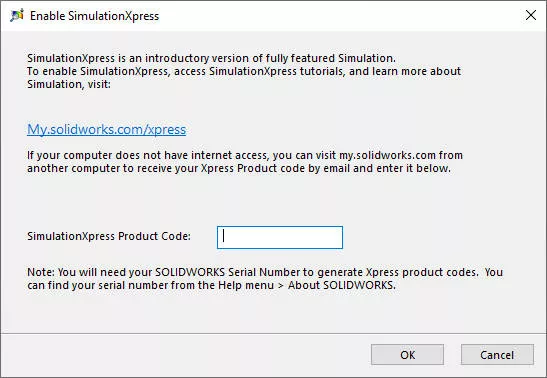
- Click the link to take you to the MYSOLIDWORKS website.
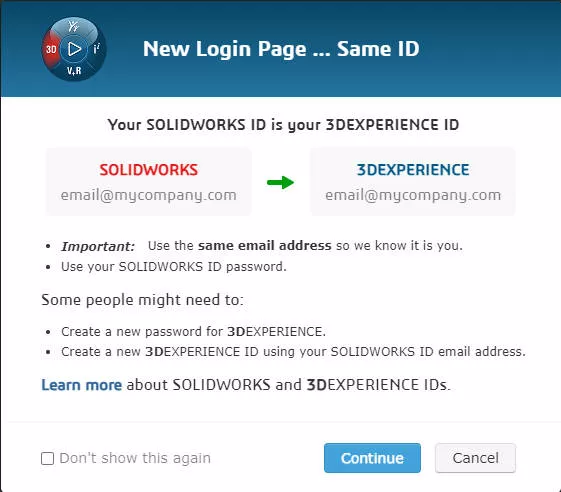
- Log in using your 3DEXPERIENCE ID.
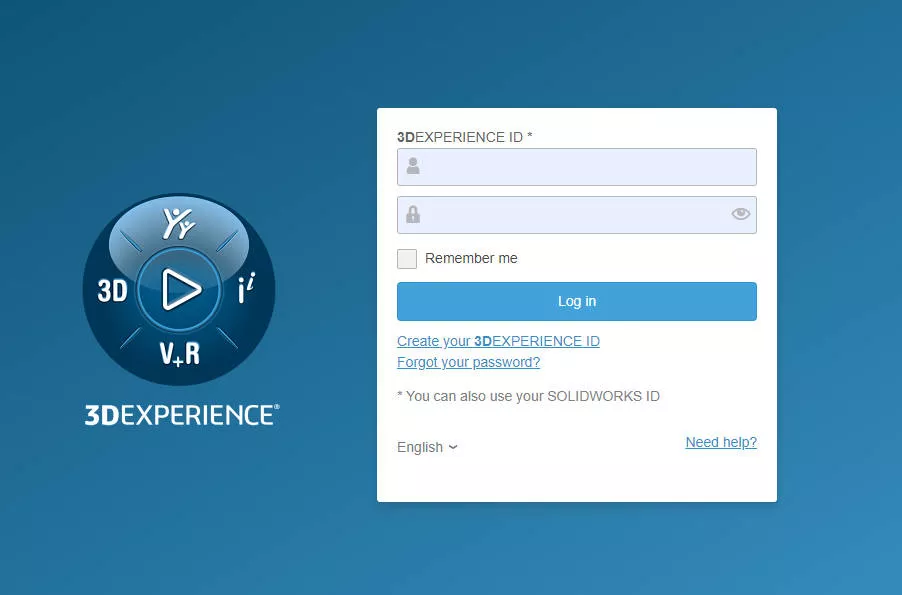 Note that the 3DEXPERIENCE ID has replaced SOLIDWORKS IDs, but your login will be the same.
 If you don’t have a 3DEXPERIENCE ID, then you can create one here using your SOLIDWORKS serial number.
- A code will be generated for you.
- Copy and paste the code into the SOLIDWORKS dialog box and click Okay.
- The Xpress product should open and be available for use.
Xpress product codes should only need to be generated the first time you use them on each installation of SOLIDWORKS.
Categorised as: SOLIDWORKS Design
Get SOLIDWORKS Technical Support
With a SOLIDWORKS subscription you gain access to our expert SOLIDWORKS Technical Support team.
Call on 01926 333 777 or drop an email to help@trimech.com and one of our expert engineers will be in contact.

Related Posts

How to Find Reaction Forces in SOLIDWORKS Simulation
SOLIDWORKS helps us to find resultant forces through simulation studies. These virtual tests reduce the need for physical prototypes and give us an accurate answer.

Setting number of decimal places in a table on a drawing
When creating an equation in a drawing general table, is it possible to define the…

SOLIDWORKS Smart Fasteners
SOLIDWORKS Smart Fasteners is a really useful time saving tool, allowing you to automatically insert toolbox fasteners such as bolts and screws into an assembly providing there is a standard hole.

Why is my Flat Pattern not showing in SOLIDWORKS Drawings?
This may be linked to how the drawing is saved or it can be related to how sheet metal parts are displayed in drawings, read on to find out how to fix it.

SOLIDWORKS Tips: Are you Making this Common Mistake in Fatigue Analysis?
Simulation is a vital and complex engineering need. Fortunately, SOLIDWORKS makes it easy to test, correct mistakes and obtain accurate results.

How to Recover SOLIDWORKS Files After a Crash
SOLIDWORKS has two different methods to help you recover from an unexpected crash or loss of data in the form of auto-recovery and back-up settings.

Redesigning Santa’s Sleigh in SOLIDWORKS
Every year Father Christmas has to fly in his sleigh to deliver presents to boys and girls all over the world in just one night. To put this into perspective, it takes a little under 24 hours to fly from London (UK) to Sydney (Australia) in a streamlined Boeing 747, whereas Father Christmas’ mode of transport is believed to be a rather non-aerodynamic sleigh.

SOLIDWORKS Grid Systems – hidden away, but very useful!
Rory Niles provides an insight into the uses for Grid Systems within SOLIDWORKS 2018

Furniture Design Made Easy with SOLIDWORKS
Calling all furniture and interior designers: the days of creating square cabinets are over. What if we told you there’s a much easier way to bring your products to life?
Here’s 10 reasons why we feel SOLIDWORKS is better than any other software, especially if you’re designing furniture:
Making 3D Textures from Images on SOLIDWORKS
Turn images into 3D geometry with brand new SOLIDWORKS 3D Textures Feature