











Moving from AutoCAD to SOLIDWORKS: What to Expect and How to Approach It
Written by: Sophie Dranfield
Published: May 21, 2026
| View All Blogs
Many engineering and design teams begin their CAD work in 2D tools such as AutoCAD or DraftSight. These tools handle documentation and drafting tasks well. As products grow in complexity and collaboration increases, some teams begin to review whether their workflow still supports their needs.
Moving from AutoCAD to SOLIDWORKS changes how designs are created, managed, and shared. It introduces a different way of working, so it helps to understand what changes and how to plan the transition without affecting ongoing work.
Why Teams Consider Moving from AutoCAD
AutoCAD continues to support many industries. As design demands increase, extra effort often appears in the workflow. Teams may spend more time updating drawings, checking revisions, and maintaining consistency across files. Geometry remains separate from drawings, so visual context can be harder to interpret without experience. Communication between design and downstream teams can take longer, especially when changes need explanation. These patterns often lead teams to consider a more connected workflow.
What Changes When Moving from 2D to 3D CAD
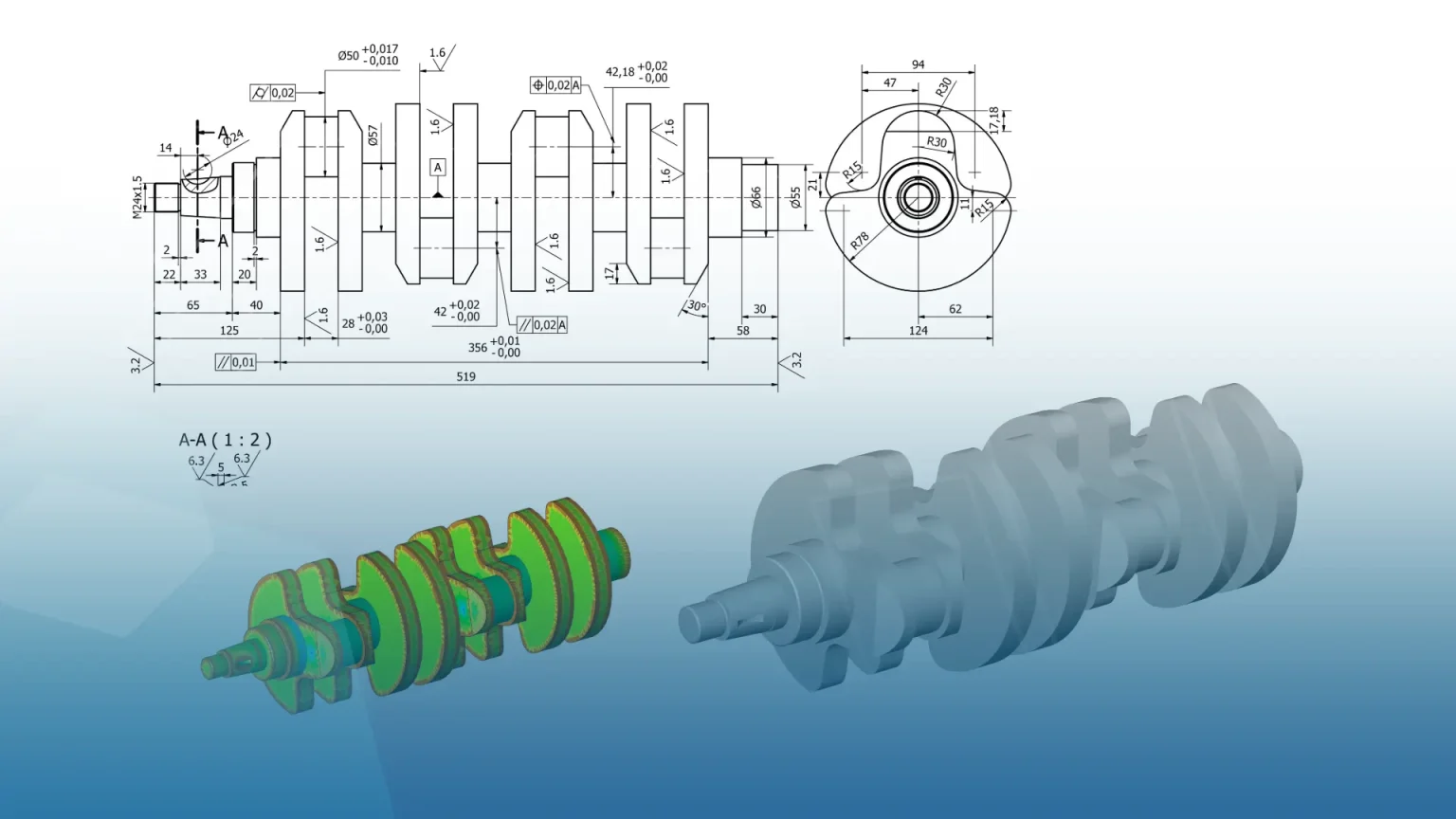
The main difference is how design data is created and maintained. In a 3D workflow, a model becomes the central reference. Drawings are generated from that model, and updates carry through automatically. Relationships between components remain linked, which helps maintain consistency. This reduces repeated work and keeps documentation aligned with the design.
Common Questions When Switching from AutoCAD
Teams usually focus on a few practical concerns. They want to understand how their existing drawings will be handled, how long the learning process takes, and whether current projects will be affected. Many also ask how DWG files fit into a new workflow. Most transitions take place in stages rather than all at once.
How the Transition Is Typically Managed
There is no single way to make the move. Most teams take a gradual approach. They continue using AutoCAD for current work while starting new projects in SOLIDWORKS. Over time, reliance on 2D tools reduces. Some teams maintain a mix of data and only rebuild what they need. A smaller number choose to standardise everything in one step, often supported by structured training. The right pace depends on workload, team capacity, and business priorities.
What Happens to Existing AutoCAD Data
A full conversion is rarely required. Older drawings often remain in their original format, especially when they are no longer active. Critical designs may be recreated or converted when needed. DWG files can still be referenced, so teams do not lose access to existing work. This approach keeps the transition manageable.
Learning Curve: What to Expect
The biggest shift comes from moving from 2D thinking to 3D modelling. The interface feels different at first, though most users adapt once they begin working with models. Experience in AutoCAD remains useful, particularly for understanding sketching and design structure.
How Support and Training Help
Training and support play a key role in helping teams adjust. Learning is structured around individual roles, so each engineer focuses on relevant tasks. Access to support allows questions to be answered quickly, which keeps work moving.
What Teams Typically Notice After Transitioning
Teams often describe a more consistent workflow after the move. Drawing updates require less manual effort, and design changes flow through more easily. Collaboration improves as teams work from a shared model rather than separate drawings.
Final Thoughts
Moving from AutoCAD to SOLIDWORKS changes how design work is carried out. With the right planning and support, teams adapt steadily and continue working without disruption.
Next Steps
If you are considering a move from AutoCAD or DraftSight, the following resources may help:
Frequently Asked Questions
Is it difficult to move from AutoCAD to SOLIDWORKS?
The process is manageable with planning and training. Most teams adjust by starting new projects in SOLIDWORKS while continuing to use AutoCAD for existing work.
Do we need to convert all AutoCAD drawings?
No. Many teams keep existing drawings in their original format and only recreate or convert designs that are still in active use.
Will switching affect current projects?
Projects can continue during the transition. Teams often move gradually to avoid disruption.
How long does it take to learn SOLIDWORKS after AutoCAD?
Learning time varies, but many engineers become comfortable quickly once they begin working in a 3D environment.
Can we still use DWG files after switching?
Yes. DWG files can still be referenced and used alongside new SOLIDWORKS work when needed.
Categorised as: Design | DraftSight | Industry Insight | Services
Get a SOLIDWORKS Quote
Interested in SOLIDWORKS? Contact us for questions, trials, or demos by clicking the button below or call 01926 333777. Our experts will help you find the perfect solution.

Related Posts

How to Find Reaction Forces in SOLIDWORKS Simulation
SOLIDWORKS helps us to find resultant forces through simulation studies. These virtual tests reduce the need for physical prototypes and give us an accurate answer.

Setting number of decimal places in a table on a drawing
When creating an equation in a drawing general table, is it possible to define the…

SOLIDWORKS Smart Fasteners
SOLIDWORKS Smart Fasteners is a really useful time saving tool, allowing you to automatically insert toolbox fasteners such as bolts and screws into an assembly providing there is a standard hole.

Why is my Flat Pattern not showing in SOLIDWORKS Drawings?
This may be linked to how the drawing is saved or it can be related to how sheet metal parts are displayed in drawings, read on to find out how to fix it.

SOLIDWORKS Tips: Are you Making this Common Mistake in Fatigue Analysis?
Simulation is a vital and complex engineering need. Fortunately, SOLIDWORKS makes it easy to test, correct mistakes and obtain accurate results.
Series 1 Land Rover Pedal Car – Made Easy with Solidworks!
The Series1 began production in 1948 designed to help get Britain farming after the war effort. It grew extremely popular and today enthusiasts are prepared to throw their life savings at restoring originals from that period.

How to Recover SOLIDWORKS Files After a Crash
SOLIDWORKS has two different methods to help you recover from an unexpected crash or loss of data in the form of auto-recovery and back-up settings.

Redesigning Santa’s Sleigh in SOLIDWORKS
Every year Father Christmas has to fly in his sleigh to deliver presents to boys and girls all over the world in just one night. To put this into perspective, it takes a little under 24 hours to fly from London (UK) to Sydney (Australia) in a streamlined Boeing 747, whereas Father Christmas’ mode of transport is believed to be a rather non-aerodynamic sleigh.

SOLIDWORKS Grid Systems – hidden away, but very useful!
Rory Niles provides an insight into the uses for Grid Systems within SOLIDWORKS 2018

Furniture Design Made Easy with SOLIDWORKS
Calling all furniture and interior designers: the days of creating square cabinets are over. What if we told you there’s a much easier way to bring your products to life?
Here’s 10 reasons why we feel SOLIDWORKS is better than any other software, especially if you’re designing furniture: