











SOLIDWORKS What’s New 2025 – Top 10 Features

Written by: Solid Solutions Marketing
Published: Sep 10, 2024
| View All Blogs
SOLIDWORKS 2025 is nearly here, and with it comes a huge number of improvements that have been chosen directly from user feedback. Check out our highlights video, or read our write-up below to discover our top 10 enhancements and learn how SOLIDWORKS 2025 will help accelerate your design process.
TOP 10 FEATURES IN SOLIDWORKS 2025
For a full overview of everything coming in SOLIDWORKS 2025 watch our on-demand SOLIDWORKS 2025 Deep Dive Webinar.
#10 – Improved User Experience
SOLIDWORKS 2025 introduces a number of user interface tweaks to make it faster and more intuitive to perform common actions. Here are two of our favourites!
Easily Fix Broken Sketch Dimensions
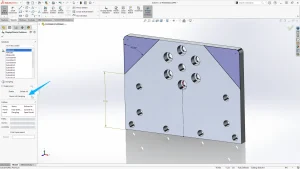
Making changes in SOLIDWORKS can sometimes cause errors in sketches further down your feature tree because those sketches may have referenced a model edge, or vertex that no longer exists.
To fix this, we need to reattach the dangling dimension to a new entity, but with SOLIDWORKS 2025 there is a new option to automatically fix all dangling dimensions after making a single selection, which has the potential to save a huge amount of time.
Breadcrumbs in Large Design Review Mode
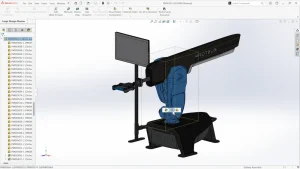
In SOLIDWORKS 2025, selecting an item in Large Design Review mode will show an improved breadcrumbs menu, allowing you to easily refine your selection.
The above image shows the breadcrumb menu being used to pick between selecting the assembly, the sub-assembly and the part.
Clicking the auto repair button will have SOLIDWORKS solve the issue for us.
#9 – Cutlist Property Editor Improvements
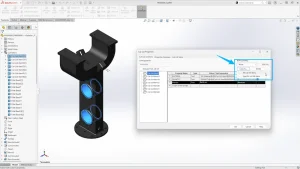
It’s now possible to quickly copy and cutlist items from one item to multiple others. This simple improvement will make it much more efficient to add information to models with a large number of cutlist items.
#8 – Render Efficiently with Automation and ‘Fast Mode’
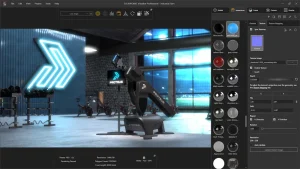
Create compelling, realistic marketing visuals faster than ever by automating the creation of SOLIDWORKS Visualize renders by using the SOLIDWORKS API. This API, available through SOLIDWORKS Visualize allows you to either render SOLIDWORKS documents directly or convert them into Visualize project files.
When working within SOLIDWORKS Visualize, you can now choose Fast Mode to render your project with the Stellar render engine.
This provides real-time, interactive ray-traced rendering by taking advantage of the Vulkan ray-tracing API and Deep Learning AI technology to maximise performance of next-generation video cards, especially when creating high-resolution renders.
#7 – Streamlined ECAD/MCAD Collaboration and Design
CircuitWorks is now available to all SOLIDWORKS users, and it is now possible to import internal and external copy features, including vias traces and shapes from ECAD to SOLIDWORKS by using IDX files.
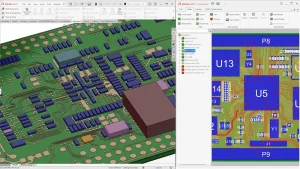
This enables more accurate mass, thermal structural shock, and even electromagnetic analysis with access to more detailed copper trace information in the PCB giving a more complete PCB design and simulation workflow.
#6 – More Flexible 3D Dimensioning and Tolerancing
With SOLIDWORKS 2025, the process of adding dimension and tolerance information to 3D models has become faster, easier, more flexible and frankly, more enjoyable.
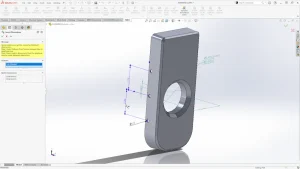
Save time by creating DimXpert dimensions from sketch dimensions.
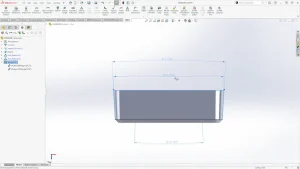
Generate DimXpert information for drafted geometry.
DimXpert is often underutilised, but can be a huge time saver when dealing with moulded components that require geometric dimensioning and tolerances.
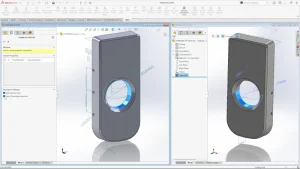
Step 242 export settings have also been expanded in SOLIDWORKS 2025.
Options to include custom properties, split periodic faces, and export face/edge properties have been added when exporting SOLIDWORKS geometry to Step 242 files.
#5 – Improved Detailing of Drawings
We’ll bundle a couple of great enhancements to technical drawing creation in SOLIDWORKS 2025 to make life a little easier for fabricators and approvers.
Improved Approval Process
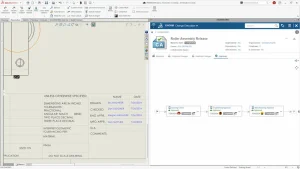
Streamline drawing quality control and approvals by enforcing company rules with multi-approval stamps on drawings that can be used to make approval a mandatory and integrated part of your workflow.
Approvers can access drawings from any connected device to review and approve drawings thanks to the SOLIDWORKS Cloud Services.
BOM Improvements for Structural Members
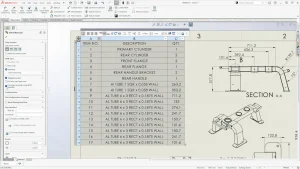
When it comes to creating bills of materials on our drawings, we can now choose whether to display the quantity for structural members in the bond tableas QUANTITY or LENGTH x QUANTITY.
This will be a huge time saver when it comes to providing accurate information for manufacturing.
#4 – Faster Assembly Modelling
There are also several upgrades to enhance your assembly modelling workflows in SOLIDWORKS 2025.
Improved Copying of Assembly Components
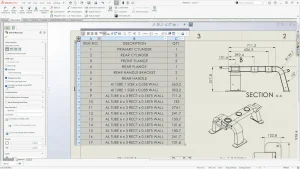
We’ve long been able to accelerate assembly design by copying assembly components along with their mates. In 2025 this has been improved by allowing us to copy components along with their associated advanced and mechanical mates.
New Interference Detection Options
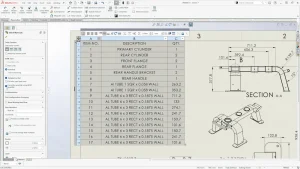
SOLIDWORKS 2025 adds the option to detect interferences between solid and surface bodies, and also allows for inteference while in large desgn review mode.
These improvements will save valuable time when evaluating assemblies with large numbers of components.
#3 – Improved Performance
Every new release of SOLIDWORKS makes changes to improve performance, offering faster speeds and better responsiveness.
Along with the usual under-the-hood improvements, SOLIDWORKS 2025 has made a few changes to help you handle large assemblies smoothly.
Associative Silhouette Defeature
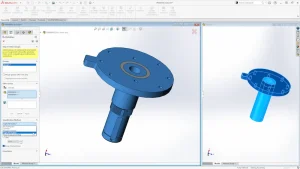
The new options for the silhouette defeature method enable users to create highly simplified parts that remain associate to the parent part.
Using the simplified versions of these models in assemblies can offer significant performance gains when working with parts and assemblies with large amounts of detail.
Easily Add SpeedPaks
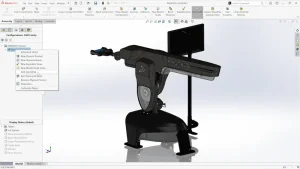
SpeedPak configurations at the top level of your assemblies, without needing to modify any of the subassemblies that might be contained within it. The SpeedPak instance is saved in the top-level assembly.
Faster Mass Properties
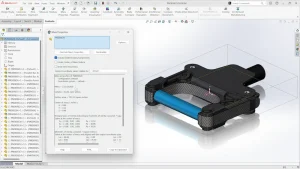
Mass Properties calculation time in assemblies has been improved as SOLIDWORKS now only needs to recalculate the mass of changed components.
#2 – More Effective Collaboration and Data Management
SOLIDWORKS 2025 brings several smart additions to help teams work together seamlessly on projects.
3DEXPERIENCE Communities Inside SOLIDWORKS
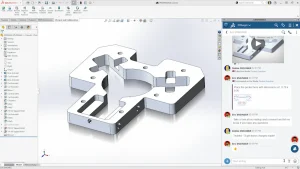
3DEXPERIENCE communities provide a straightforward place for team members to share updates, leave comments, provide feedback on designs and much more. In SOLIDWORKS 2025, you can access communities directly from within SOLIDWORKS.
Real-time Notifications
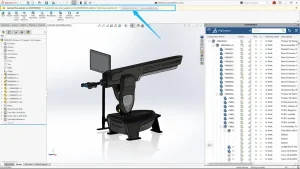
Keep your whole team up-to-date by using the new real-time notification options in SOLIDWORKS. This helps everyone to work with the latest file versions during collaborative design processes.
SOLIDWORKS PDM for 3DEXPERIENCE SOLIDWORKS
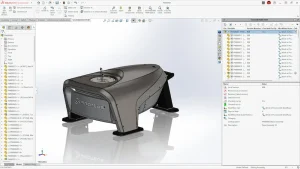
If you are using 3DEXPERIENCE SOLIDWORKS and would rather manage your files in SOLIDWORKS PDM than on the 3DEXPERIENCE Platform, this is now an option.
Both options provide robust file management for SOLIDWORKS data but there are some key differences. If you aren’t sure which is the best fit for your team, then we are more than happy to provide advice and discuss your options, so get in touch with us today.
#1 – Greater Part Modelling Flexibility
For our top feature this year, we’d like to highlight a number of part modelling enhancements which will help you model more efficiently, especially if you need to create smooth aesthetically pleasing designs.
Continuous Blending for Variable Fillets
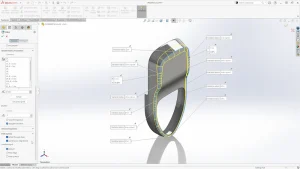
Create highly specific, rounded edges for your models with the new option for variable-size fillets. The continuous blend option uses an improved algorithm to create continuously blended edges that are extremely smooth.
Pattern Reference Geometry
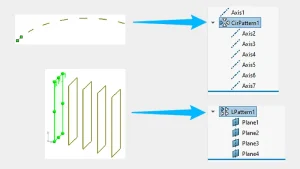
It’s now quicker than ever to set up reference geometry as you can use the linear and circular pattern commands to create multiple planes or axes.
Customisable Bend Notches
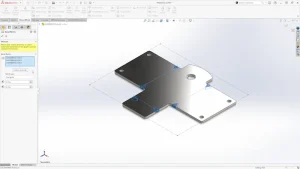
A new Bend Notch command makes it faster than ever to generate customisable bend notches for the flat patterns of your sheet metal parts.
Rapid Edge Selection for Chamfers
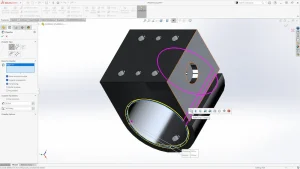
The selection accelerators for fillets are now also available for the chamfer command. Levelling these dynamic options helps to rapidly select edges on your parts.
Categorised as: News | SOLIDWORKS Design | What's New
What's New in SOLIDWORKS?
Explore the latest innovations in SOLIDWORKS with our exclusive breakdown of live webinar, giving you on-demand access to the insights that matter most to your workflow.
Related Posts

How to Find Reaction Forces in SOLIDWORKS Simulation
SOLIDWORKS helps us to find resultant forces through simulation studies. These virtual tests reduce the need for physical prototypes and give us an accurate answer.

Setting number of decimal places in a table on a drawing
When creating an equation in a drawing general table, is it possible to define the…

SOLIDWORKS Smart Fasteners
SOLIDWORKS Smart Fasteners is a really useful time saving tool, allowing you to automatically insert toolbox fasteners such as bolts and screws into an assembly providing there is a standard hole.

Why is my Flat Pattern not showing in SOLIDWORKS Drawings?
This may be linked to how the drawing is saved or it can be related to how sheet metal parts are displayed in drawings, read on to find out how to fix it.

SOLIDWORKS Tips: Are you Making this Common Mistake in Fatigue Analysis?
Simulation is a vital and complex engineering need. Fortunately, SOLIDWORKS makes it easy to test, correct mistakes and obtain accurate results.

How to Recover SOLIDWORKS Files After a Crash
SOLIDWORKS has two different methods to help you recover from an unexpected crash or loss of data in the form of auto-recovery and back-up settings.

Redesigning Santa’s Sleigh in SOLIDWORKS
Every year Father Christmas has to fly in his sleigh to deliver presents to boys and girls all over the world in just one night. To put this into perspective, it takes a little under 24 hours to fly from London (UK) to Sydney (Australia) in a streamlined Boeing 747, whereas Father Christmas’ mode of transport is believed to be a rather non-aerodynamic sleigh.

SOLIDWORKS Grid Systems – hidden away, but very useful!
Rory Niles provides an insight into the uses for Grid Systems within SOLIDWORKS 2018

Furniture Design Made Easy with SOLIDWORKS
Calling all furniture and interior designers: the days of creating square cabinets are over. What if we told you there’s a much easier way to bring your products to life?
Here’s 10 reasons why we feel SOLIDWORKS is better than any other software, especially if you’re designing furniture:
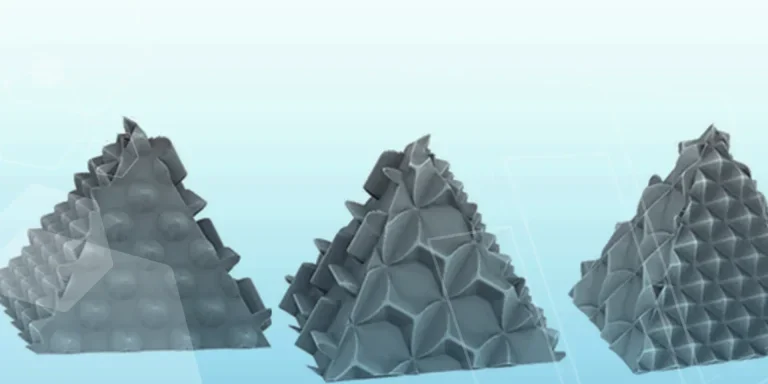
Making 3D Textures from Images on SOLIDWORKS
Turn images into 3D geometry with brand new SOLIDWORKS 3D Textures Feature