











What’s New for Simulation in SOLIDWORKS 2025?
Written by: Tom McHale
Published: Dec 18, 2024
| View All Blogs
SOLIDWORKS 2025 introduces plenty of new enhancements for the Simulation and Plastics environments. Lets take a closer look at what you can expect.
#1 – Faster Meshing for Large Assemblies
Since SOLIDWORKS 2024, users with SolidWorks Simulation Professional and SolidWorks Simulation Premium have been able to mesh assemblies quicker due to the blended curvature-based mesher’s ability to identify identical parts and reuse the data.
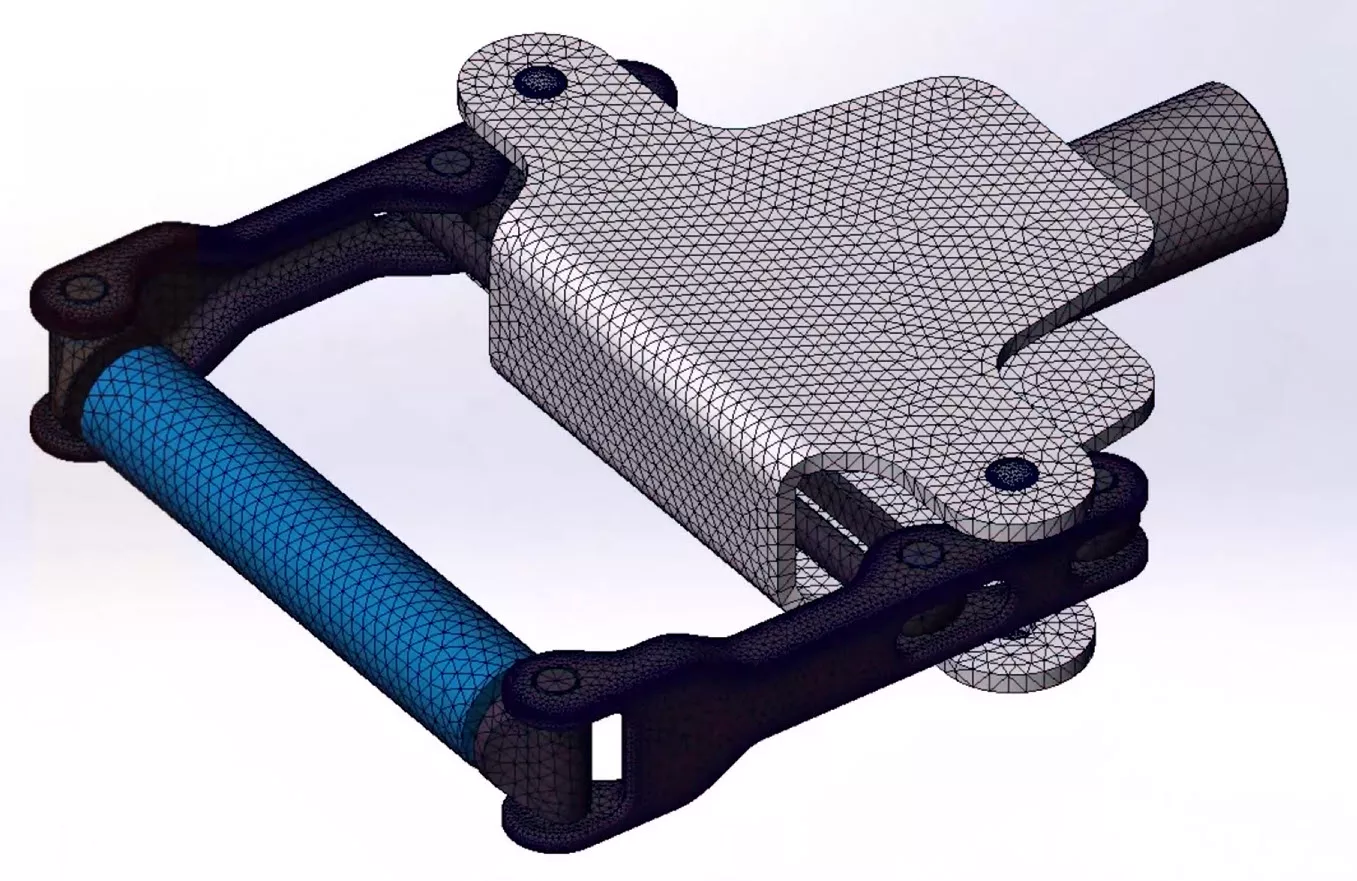
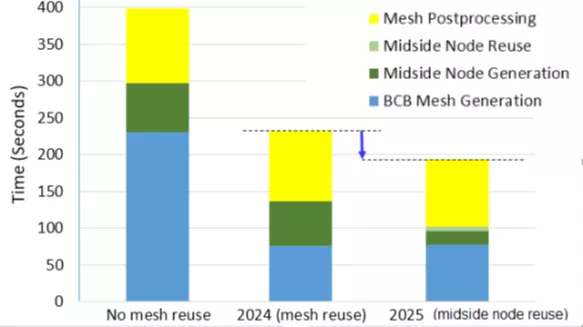
This functionality has been further enhanced in 2025 as midside node positions (in high quality elements) across identical parts are reused, giving further performance improvements for an even quicker meshing time. The following graph shows the improvement over the last three years for the same assembly containing 450 parts.
#2 – Enhanced Connectors
Pin Connectors
The distributed connection type has been available for pins in linear static studies since 2020, giving more accurate stresses around the connector due to the ability of the coupling nodes on the cylindrical faces to move relative to each other.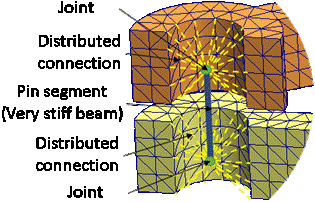
However, in 2025 pin connectors see further improvements when applied to large numbers of nodes using distributed coupling technology, giving more accurate results and quicker solves when using the intel direct sparse solver specifically.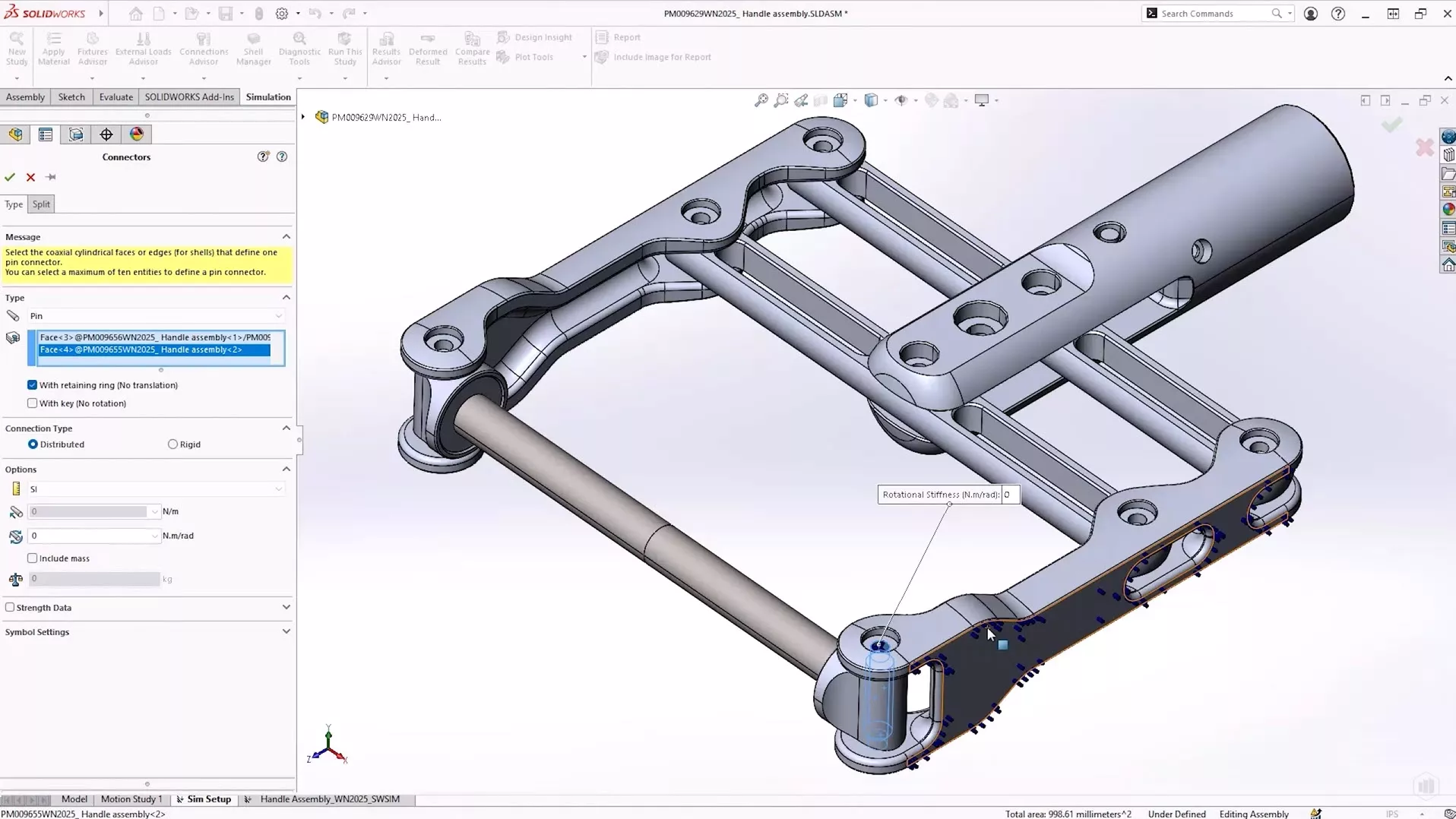
New Spring Connector
A new “General Spring” connector is available in SolidWorks Simulation Professional and SolidWorks Simulation Premium. The original spring connector is still available, but a new and different range of functionality is available in the general variant.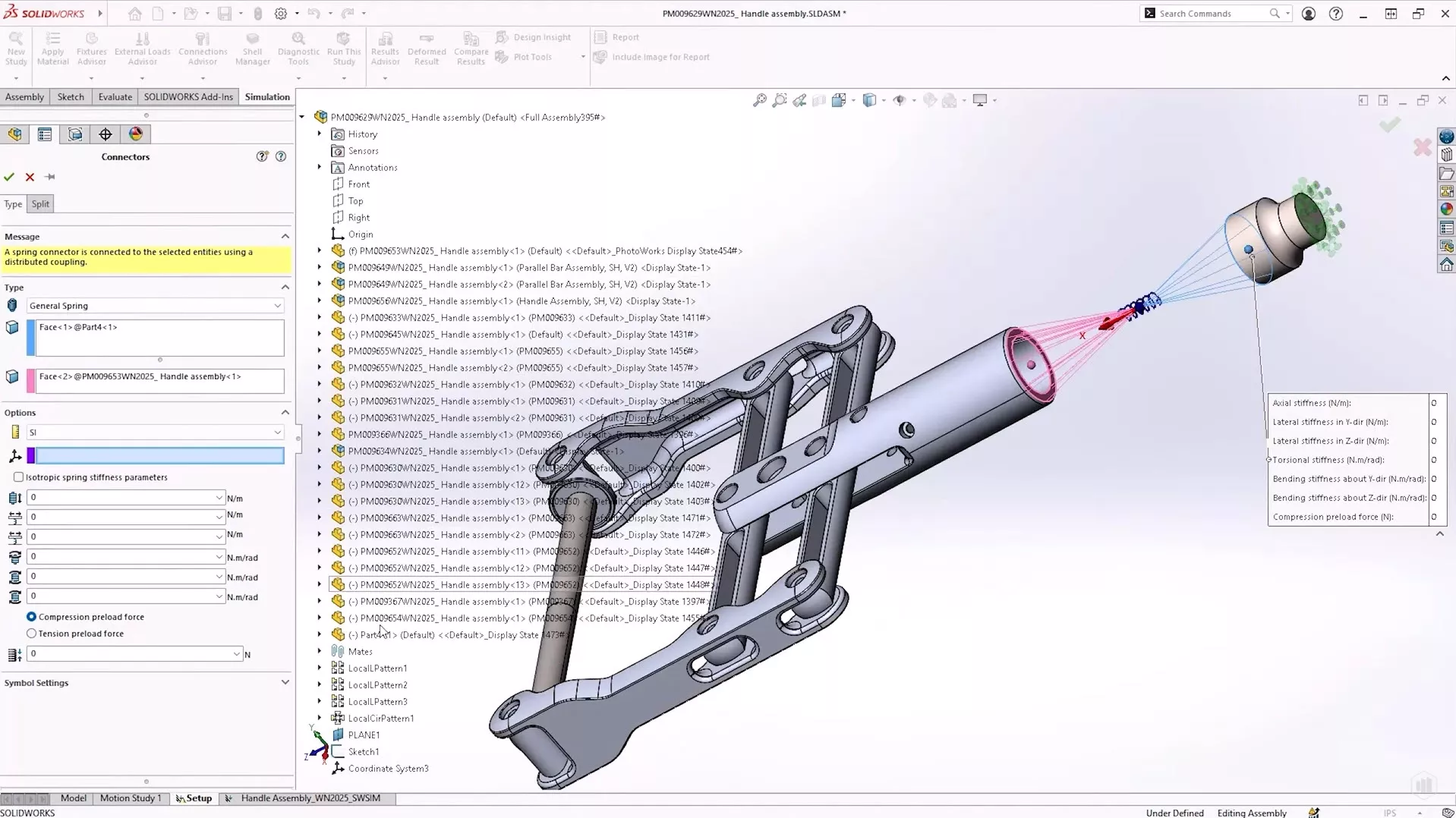
The original spring connector was limited to pairs of either parallel faces, concentric cylindrical faces, or vertexes.
This meant as a result that the stiffness options were limited to normal, tangential and rotational to the normal direction between the entities.
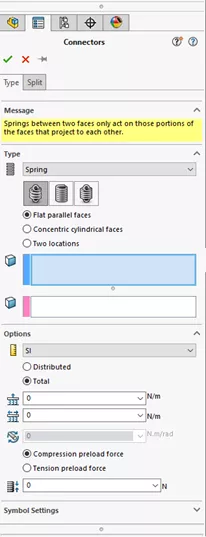
The general spring connector uses a distributed coupling and enhanced formulation that improves both the speed and accuracy of the simulation. Additionally, it can connect flat, concentric and non-flat surfaces. Instead of relying on the geometry for the stiffness direction this can now be defined using a local coordinate system.
Bending and lateral stiffness can be defined as anisotropic, as well as the standard axial and torsional values. The usual tensile and compressive preload force options are still available as well. This in turn allows for more accurate representations of spring components in your simulations.
Edge Weld Connectors
The property manager and results for edge weld connectors have also seen an overhaul, with improvements including visibility of the estimated weld throat size when defining the connector, and also when reviewing the weld check plot.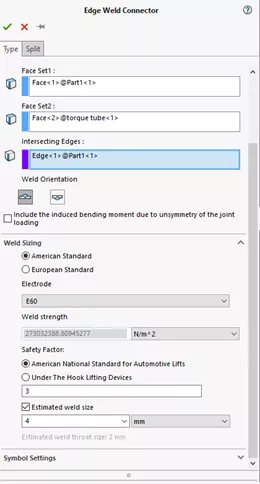
#3 Better Usability
In cases where we need to analyse and assembly structure where many components are not integral to the structure, we can use “Exclude others from Analysis” to quick isolate a small subset of parts to analyse.
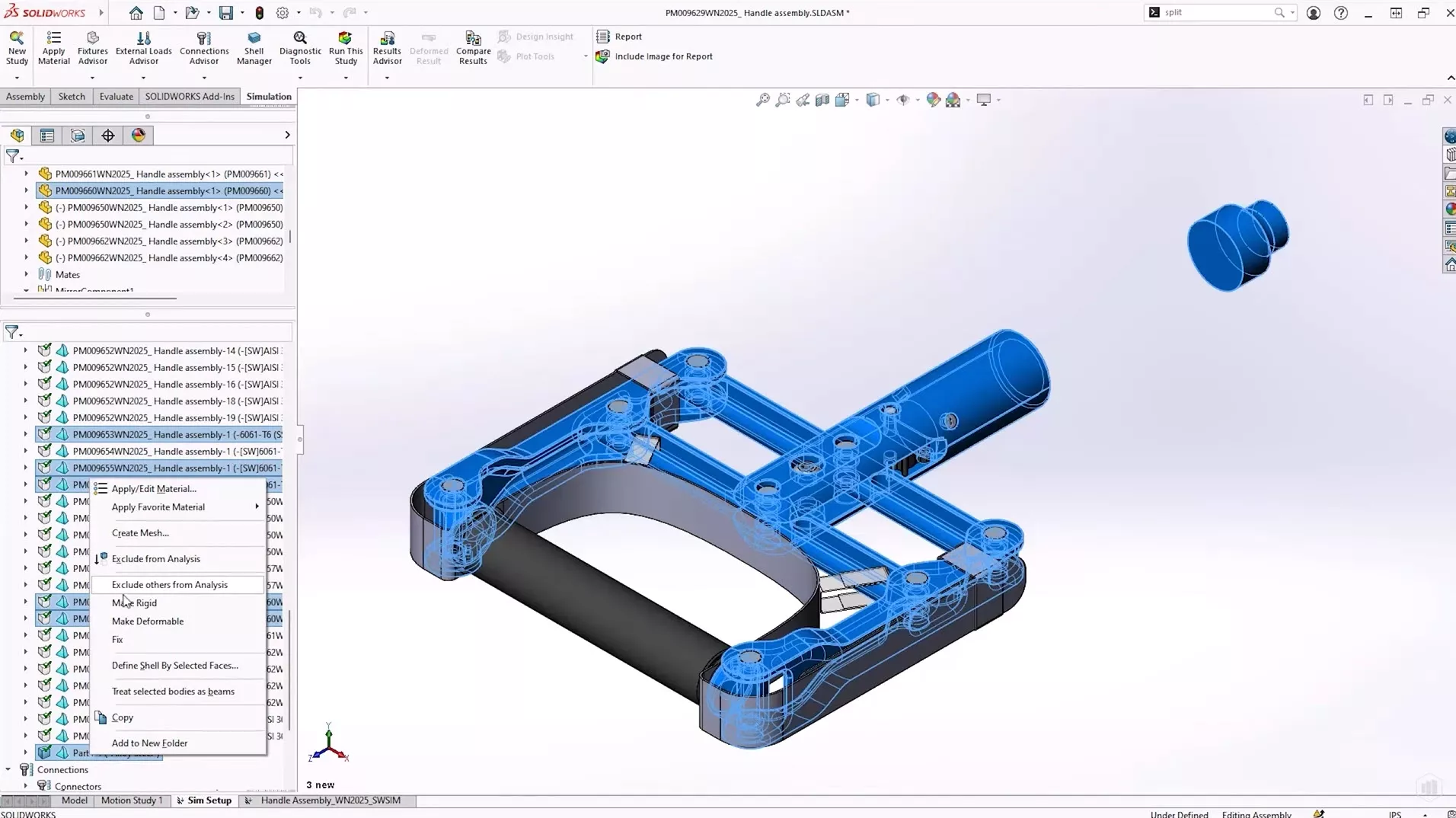
This is a huge time saver for large assemblies, avoiding pre-processing the model before creation of the analysis, or trawling and filtering through the list of default included bodies.
#4 – Improved Interactions
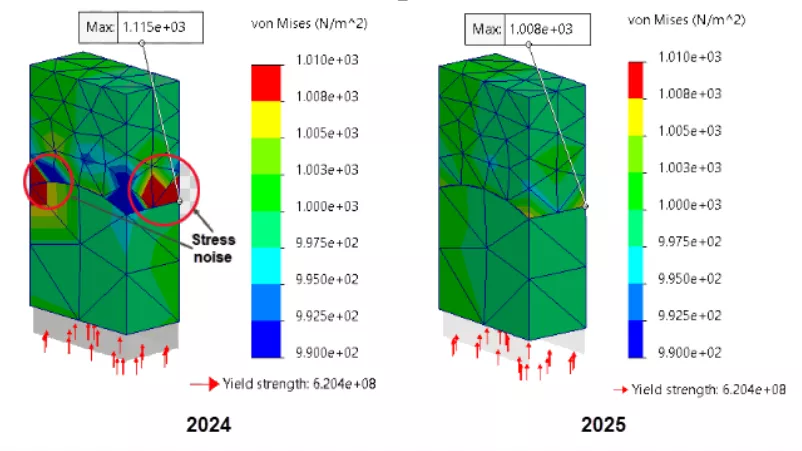
The accuracy of bonding with offset has been improved when a user-defined gap has been used. This improvement is across all study types using this type of interaction, as well as all combinations of bonded interaction including solid and shell elements.
Additionally, the algorithm behind the scenes has been modified to improve the accuracy when bonding curved surfaces together using the surface-to-surface formulation between mesh containing elements of different sizes. This in turn eliminates stress noise at these interaction boundaries and gives a clearer result from the more accurate solution allowing users to quickly and correctly understand these kinds of results.
#5 – Plastic analysis enhancements
SolidWorks Plastics sees continued updates with 365 material grades added and another 142 updated, keeping all the relevant material data easy to find.
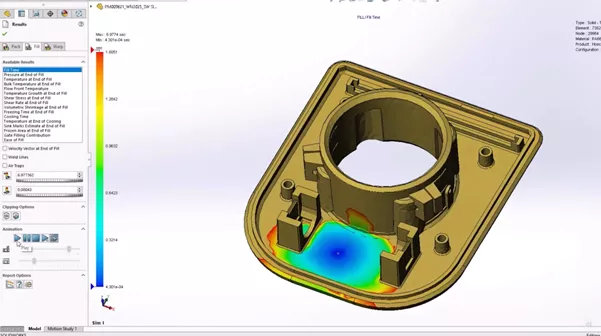
Fill analysis in SolidWorks Plastics Standard has also seen multiple enhancements, with better performance using fibre-filled materials (by 25%) and accelerated fill-time animations (up to 75% quicker in the larger cases) due to being able to use more available memory for the generation. Air traps can now be identified, even in the case of a short shot, and isosurface animations export smoother.
Improved sink mark solver
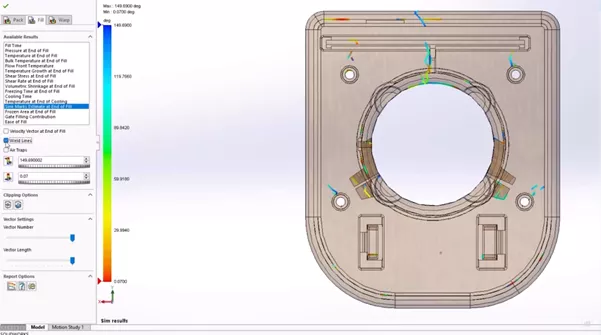
SolidWorks Plastics Professional also sees improvement, with a new pack solver giving more accurate results – when using solid mesh – for both the location and depth of sink marks by analysing geometric features that are likely induce them. The shell mesh approach still uses the current sink mark solver.
Categorised as: News | SOLIDWORKS Design | Simulation
Get Expert SOLIDWORKS Training
Get hands-on SOLIDWORKS training in-person or online, led by certified experts with real industry experience. With venues across the UK & Ireland, it’s easy to start learning today.
Related Posts

How to Find Reaction Forces in SOLIDWORKS Simulation
SOLIDWORKS helps us to find resultant forces through simulation studies. These virtual tests reduce the need for physical prototypes and give us an accurate answer.

Setting number of decimal places in a table on a drawing
When creating an equation in a drawing general table, is it possible to define the…

SOLIDWORKS Smart Fasteners
SOLIDWORKS Smart Fasteners is a really useful time saving tool, allowing you to automatically insert toolbox fasteners such as bolts and screws into an assembly providing there is a standard hole.

Why is my Flat Pattern not showing in SOLIDWORKS Drawings?
This may be linked to how the drawing is saved or it can be related to how sheet metal parts are displayed in drawings, read on to find out how to fix it.

SOLIDWORKS Tips: Are you Making this Common Mistake in Fatigue Analysis?
Simulation is a vital and complex engineering need. Fortunately, SOLIDWORKS makes it easy to test, correct mistakes and obtain accurate results.

How to Recover SOLIDWORKS Files After a Crash
SOLIDWORKS has two different methods to help you recover from an unexpected crash or loss of data in the form of auto-recovery and back-up settings.

Redesigning Santa’s Sleigh in SOLIDWORKS
Every year Father Christmas has to fly in his sleigh to deliver presents to boys and girls all over the world in just one night. To put this into perspective, it takes a little under 24 hours to fly from London (UK) to Sydney (Australia) in a streamlined Boeing 747, whereas Father Christmas’ mode of transport is believed to be a rather non-aerodynamic sleigh.

Radiation in Flow Simulation – Part 1 : Reflection
Technical Manager Andy Fulcher explores ‘Radiation in Flow Simulation, Part 1 : Reflection’
Radiation in Flow Simulation – Part 2 : Refraction
Technical Manager Andy Fulcher explores ‘Radiation in Flow Simulation, Part 2 : Refraction’
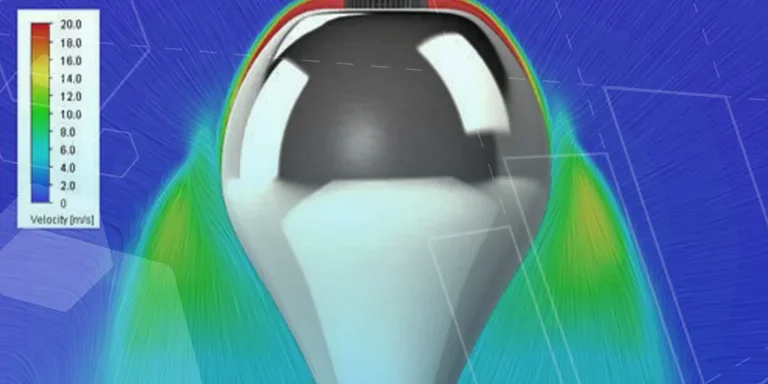
The Coanda Effect in Flow Simulation
Can you take advantage of the Coanda Effect & can SOLIDWORKS Flow simulate it? Applications Engineer Romel Cumare investigates in his latest blog post.