











Are There Any Updates to Technical Drawings? | What’s New in SOLIDWORKS 2025
Written by: Terry O'Reilly
Published: Jan 8, 2025
| View All Blogs
This year, SOLIDWORKS sees possibly the most exciting update to technical drawings since the invention of CAD.
SOLIDWORKS 2025 introduces a series of exciting updates aimed at improving the drawings environment, making it easier for users to create, manage, and update their drawings with greater efficiency.
Whether you’re working with bills of materials (BOMs), surface finish symbols, or exporting DXF/DWG files, SOLIDWORKS 2025 brings tools that streamline these tasks.
Here’s a breakdown of the major enhancements to the drawings environment.
#1 – Reload Drawings for Easier Version Management
One of the standout features in SOLIDWORKS 2025 is the ability to reload drawings, which will help users to quickly reverse unwanted changes.
This feature allows you to quickly revert a drawing to its last saved version with just a single click—no more closing and reopening the drawing or losing progress.

The reload function comes with a dialog box that alerts users to any potential loss of changes, ensuring that you are always in control of your drawings’ revisions and up-to-date with the most recent save.
#2 – Enhanced Bills of Materials (BOM) with Cut List Integration
Bills of Materials (BOMs) have received notable enhancements, particularly for assemblies containing welded components.
In previous versions of SOLIDWORKS, users could include detailed cut lists in BOMs, which was especially useful for welding designs. Now, in SOLIDWORKS 2025, a BOM can be used to fully replace a standard cut list.

Using the ‘calculate quantity using BOM quantity’ checkbox, users can override the quantity value to read assigned cut-list properties instead (such as length).
This improvement makes it easier to manage the quantities of welded parts and components directly from the BOM without needing to handle a separate cut list.
#3 – Surface Finish Symbol Updates for ISO 21920 Standard
To ensure that your drawings comply with the latest industry standards, SOLIDWORKS 2025 introduces updates to surface finish symbols based on the ISO 21920 standard.
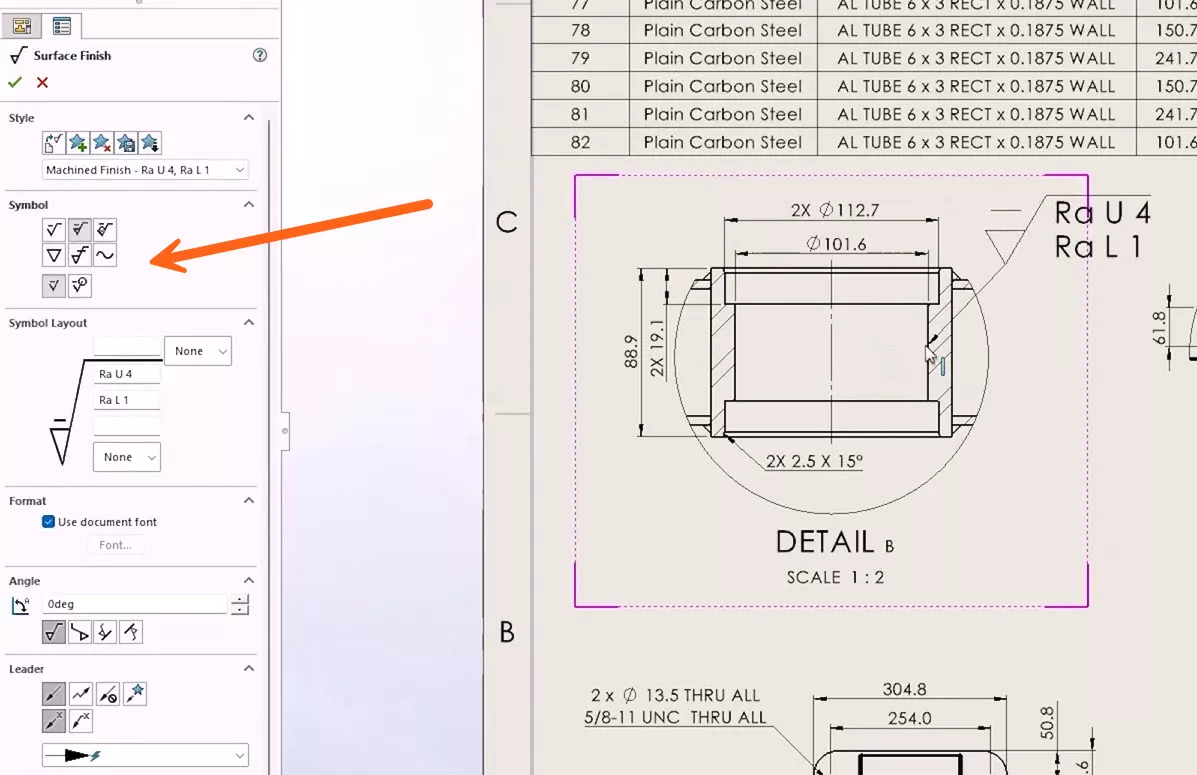
This update provides better consistency in your annotations and helps users ensure that their drawings align with the latest guidelines for surface finishes.
Users can also use saved styles to streamline the process of adding repeated surface finish annotations throughout the drawing.
#4 – Improved DXF/DWG Export with Drawing Views as Blocks
Exporting drawings to DXF and DWG formats is now easier than ever. A major enhancement in SOLIDWORKS 2025 is the ability to export drawing views as blocks, which eliminates a time-consuming step when opening drawings in 2D CAD programs like DraftSight.

Traditionally, users had to manually select all individual entities for each view and convert them into blocks to make editing in 2D CAD software possible.
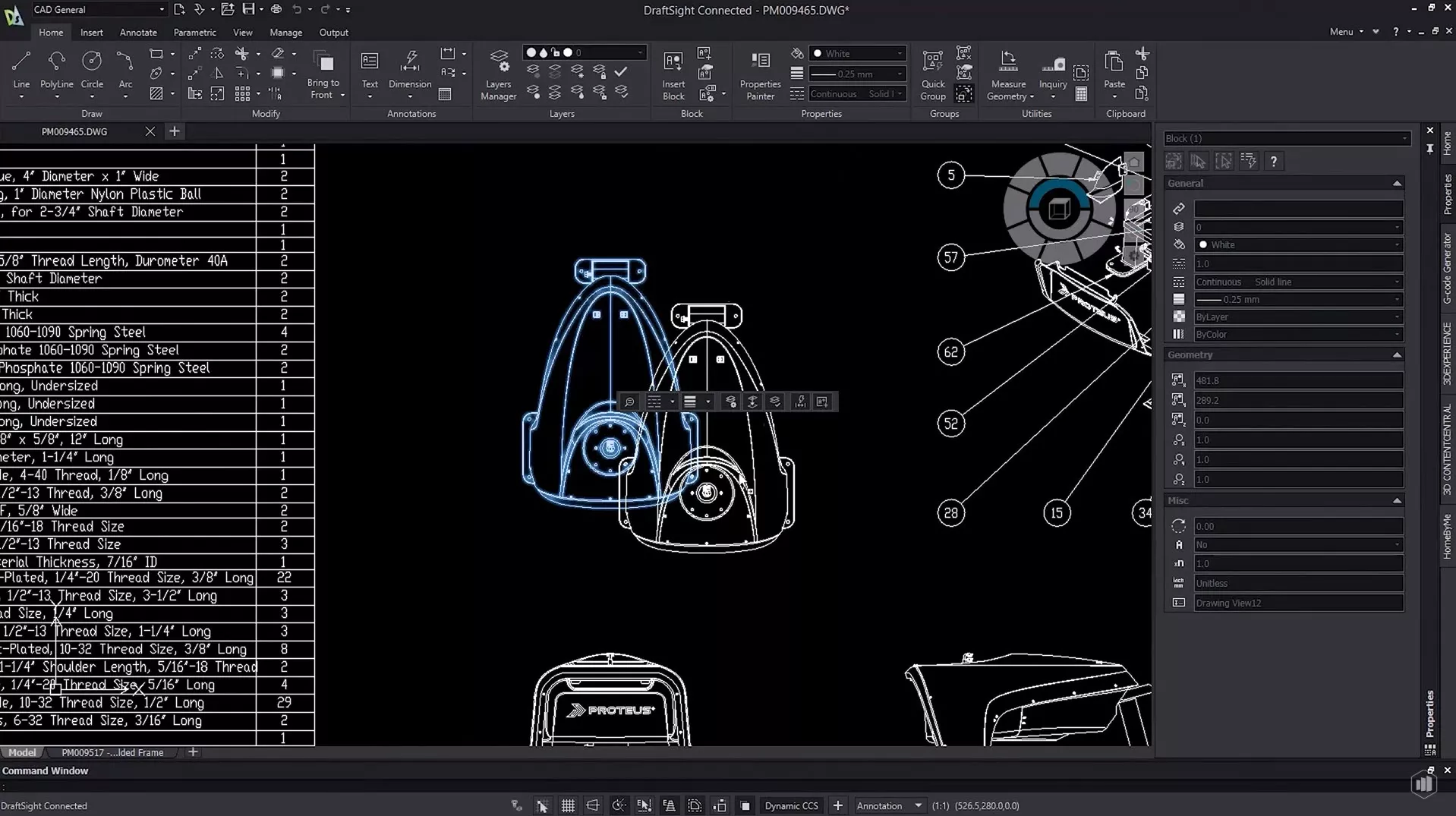
With this new option, SOLIDWORKS automatically exports the drawing views as blocks, allowing for a seamless transition between your SOLIDWORKS drawings and 2D CAD programs.
#5 – Automated Drawing Creation
Okay, hyperbole aside, this is a great feature and looks to be one that will receive continued investment in the future, the headliner? SOLIDWORKS 2025 can automatically generate 2D technical drawings.
Annotated drawing views can be created for SOLIDWORKS parts and assemblies within your custom drawing borders in just a few clicks!
It’s a good way to get the bulk of the heavy lifting done before checking over the annotations and adding markups before design reviews.
Categorised as: Design | What's New
Discover our SOLIDWORKS Subscription
Get the most from your tools and the best from your designers with a SOLIDWORKS subscription package that is designed to help you succeed.

Related Posts

Series 1 Land Rover Pedal Car – Made Easy with Solidworks!
The Series1 began production in 1948 designed to help get Britain farming after the war effort. It grew extremely popular and today enthusiasts are prepared to throw their life savings at restoring originals from that period.

Redesigning Santa’s Sleigh in SOLIDWORKS
Every year Father Christmas has to fly in his sleigh to deliver presents to boys and girls all over the world in just one night. To put this into perspective, it takes a little under 24 hours to fly from London (UK) to Sydney (Australia) in a streamlined Boeing 747, whereas Father Christmas’ mode of transport is believed to be a rather non-aerodynamic sleigh.
SOLIDWORKS Grid Systems – hidden away, but very useful!
Rory Niles provides an insight into the uses for Grid Systems within SOLIDWORKS 2018

Furniture Design Made Easy with SOLIDWORKS
Calling all furniture and interior designers: the days of creating square cabinets are over. What if we told you there’s a much easier way to bring your products to life?
Here’s 10 reasons why we feel SOLIDWORKS is better than any other software, especially if you’re designing furniture:
Modelling an Archimedes’ Screw with SOLIDWORKS
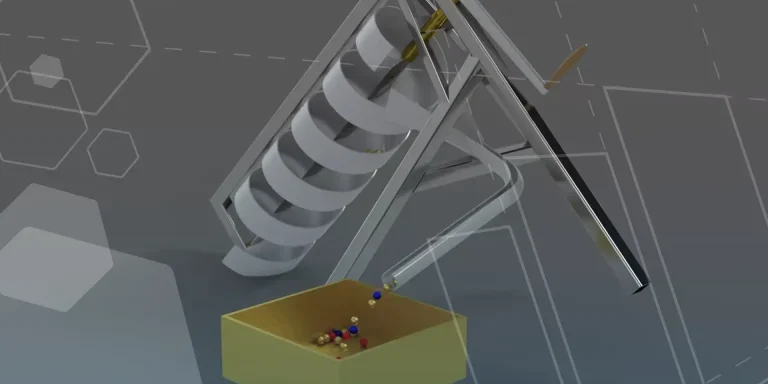
Archimedean screws are often referred to as “water screws” since they are commonly used to transport water between different heights. We often see some of our customers do screw feeders and we thought it may be beneficial to create a blog documenting an effective modelling workflow to create your very own Archimedean screw.

How to come up with ideas for your design or engineering project – some helpful tips
We know coming up with an interesting and creative design or engineering project can be…
Managing Disk Space with SOLIDWORKS PDM Part #3: Web2.0 Temporary Session Files
In this blog series we are examining the factors influencing disk usage within PDM and what you can do to manage them. In the first part we discussed how you can re-organise your archive across multiple drives to get you back up and running quickly should you find you are short on space. In the second part we looked at the differences between a deleted and a destroyed file and the impact the PDM recycle bin has on Disk usage. In this third part we are looking at storage for Web2 temporary files, so this is especially important to customers who have deployed the Web2.0 interface for PDM Professional and have lots of users viewing / interacting with managed data.

Design considerations when 3D printing
3D printing is a colloquial term used to generalise a family of additive manufacturing processes. At the consumer level the most common 3D printing process is Fused Deposition Modelling (FDM) – a technique whereby thermoplastics are extruded through a nozzle, and a part is built up layer by layer. FDM is very popular with hobbyists due to the relatively low cost of the printer, alongside the wide range of properties and appearances thermoplastics present. The conveniency to turn a custom CAD model into a product in a short space of time is a superb way to make life easier.
Laser Cut with SOLIDWORKS 2022
Create your own laser cut Christmas decorations with SOLIDWORKS 2022. We had a go ourselves and look how they turned out!

Product Lifecycle Management (PLM) Top 10 Benefits
Contrary to popular belief, a Product Lifecycle Management (PLM) Platform goes beyond the design and engineering departments and encompasses the organisation as a whole. Because of this, benefits can be unlocked across the entire organisation.