











Design considerations when 3D printing
Written by: Solid Solutions Marketing
Published: Aug 25, 2021
| View All Blogs
What is 3D printing
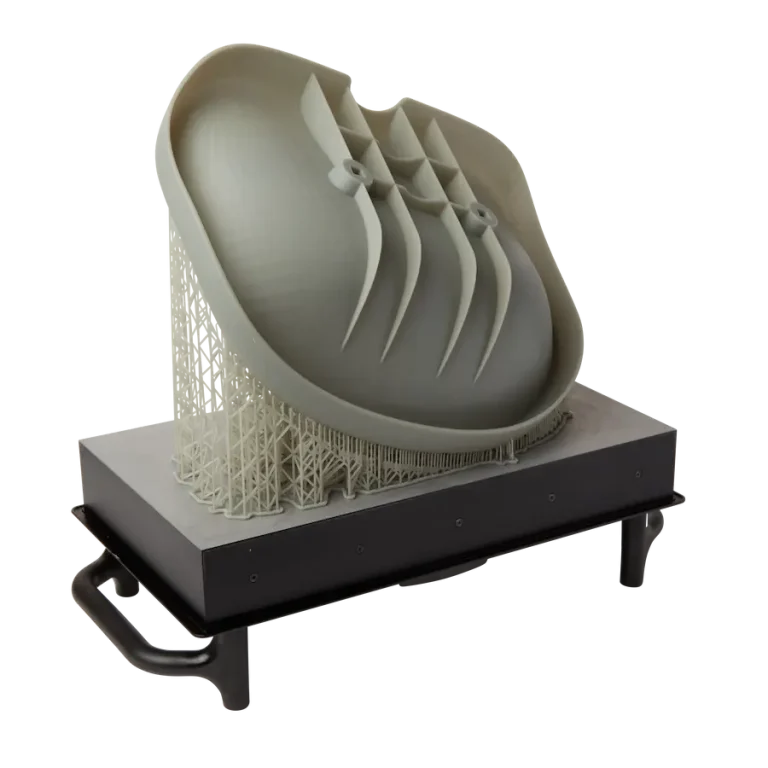
3D printing is a colloquial term used to generalise a family of additive manufacturing processes. At the consumer level the most common 3D printing process is Fused Deposition Modelling (FDM) – a technique whereby thermoplastics are extruded through a nozzle, and a part is built up layer by layer. FDM is very popular with hobbyists due to the relatively low cost of the printer, alongside the wide range of properties and appearances thermoplastics present. The convenience of being able to to turn a custom CAD model into a product in a short space of time is a superb way to make life easier.
Top tips for modelling with 3D printing in mind
1 – Reduce the number of overhangs
Where possible, a model should be designed in a way where the number of overhangs are reduced. Normally overhangs of more than 45° require ‘scaffolding supports’ to provide a temporary base where the next layer of desired material can be printed upon. These scaffold supports are then removed after printing but can sometimes leave an adverse surface finish.
2 – Consider the build orientation
It is important to think about which face you want attached to the build plate. Often this face will have a reduced quality surface finish. Plus, thinner features attached to the build plate may require a brim or a raft to prevent thermal warpage. By considering orientation, it may also be possible to reduce the number of overhangs in the part.
3 – Understand the capabilities of the printer
Typically, FDM printers can only handle one material at a time. That also limits the print appearance to one colour at a time. It is therefore best if a product can be made from one material. Some more advanced printers allow for dual nozzle printing, which prints a separate support material, which leaves a better surface finish after removing. If the product to be printed requires differing materials or appearances, consider splitting the part into separate bodies and printing them separately.
Each make and model of printer will also result in varying print bed sizes. This is the maximum size of a part that can be printed by a given printer. This seriously needs to be considered when designing a product to be 3D printed, if a product is larger than the print bed, it is not possible to print it in one piece. For larger designs, consider splitting it up into smaller parts at suitable locations and joining them together via a suitable method.
4 – Measure twice, print once
Print times can often be quite long depending on the complexity and size of the product. It is therefore best practice to double check whether the CAD model is dimensioned accurately before printing, as any mistakes could cost hours in reprint time.
5 – Tolerances
If parts of a model are required to fit together, or to be joined with removable fasteners, be sure to leave a suitable tolerance. SOLIDWORKS ‘Hole Wizard’ tool will automatically provide a suitable tolerance for any required holes.
6 – Avoid sharp corners
Any load bearing parts should avoid having sharp corners. Sharp corners are prone to crack initiation and propagation and could be a weak point in a product. It is also good practice to round off sharp edges to reduce the risk of scratches or lacerations. Make use of the ‘Fillet’ command in SOLIDWORKS to help round off any sharp edges or corners.
Reverse engineered 3D printing case study
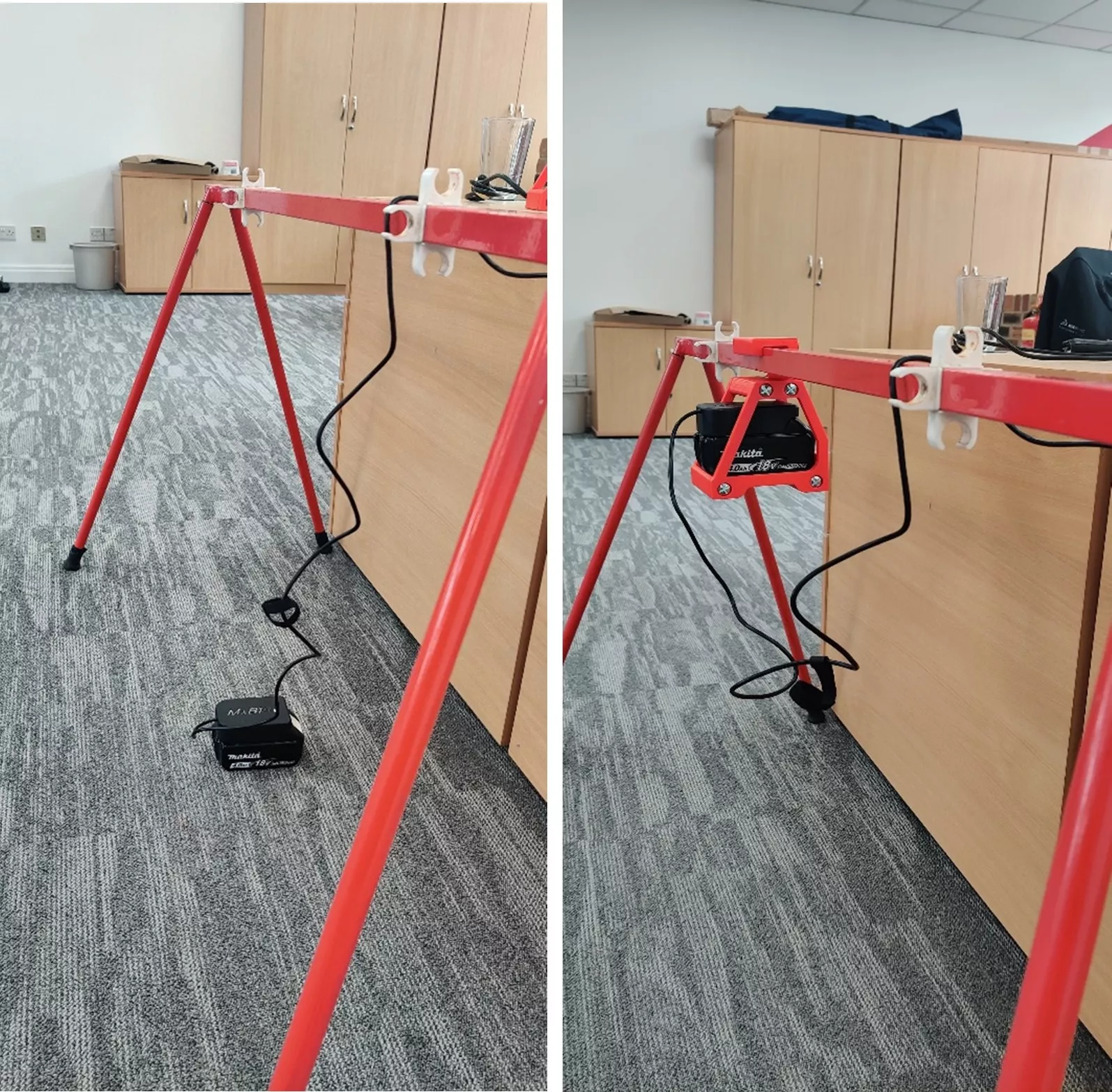
Recently, my manager Jon purchased a mains powered ski sharpening tool, which includes an adapter to make use of a drill battery when away at competitions. The nature of the ski sharpener is such that the battery adapter, positioned at the end of a 1.5m long wire, does not have a suitable place to sit when sharpening ski’s. The setup is also too big to fit in any pockets, and so is left to sit on the floor. (See picture)
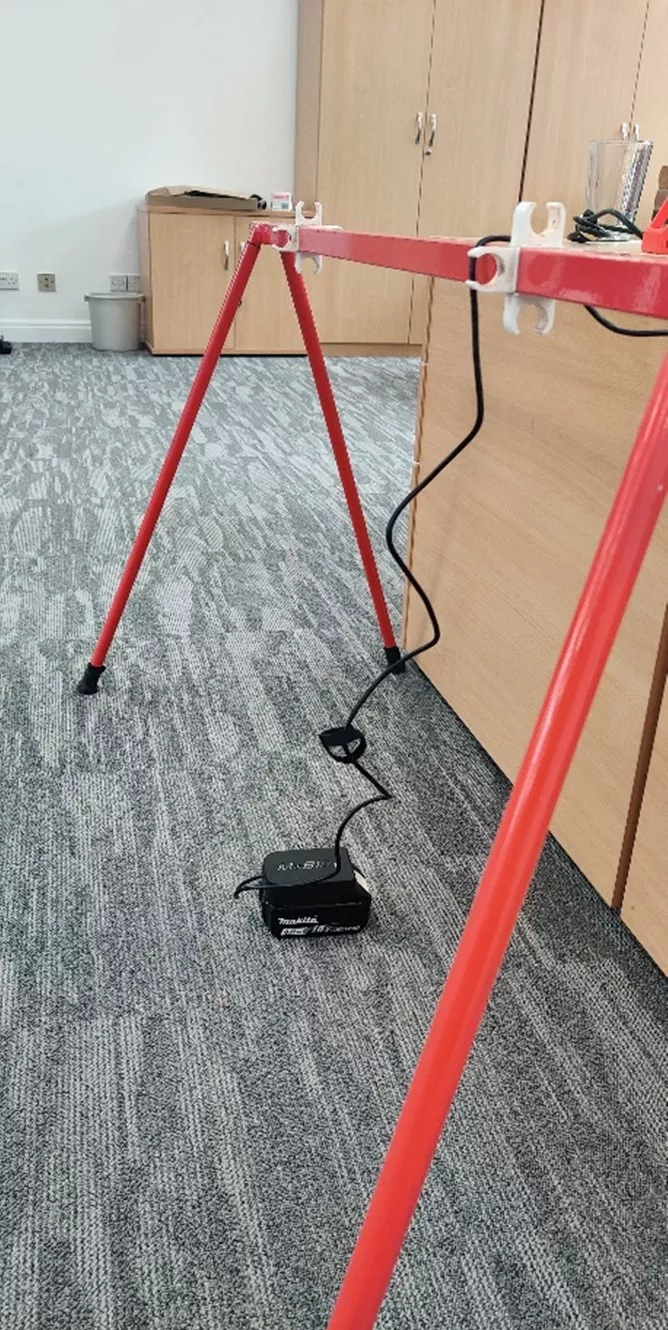
Jon challenged me to provide him with a solution. 3D printing allows a quick permanent fix for this problem – by designing a shelf that the drill battery and adapter can sit on, and attach to the ski clamp frame, the battery will be raised off the ground allowing greater use of the 1m wire available.
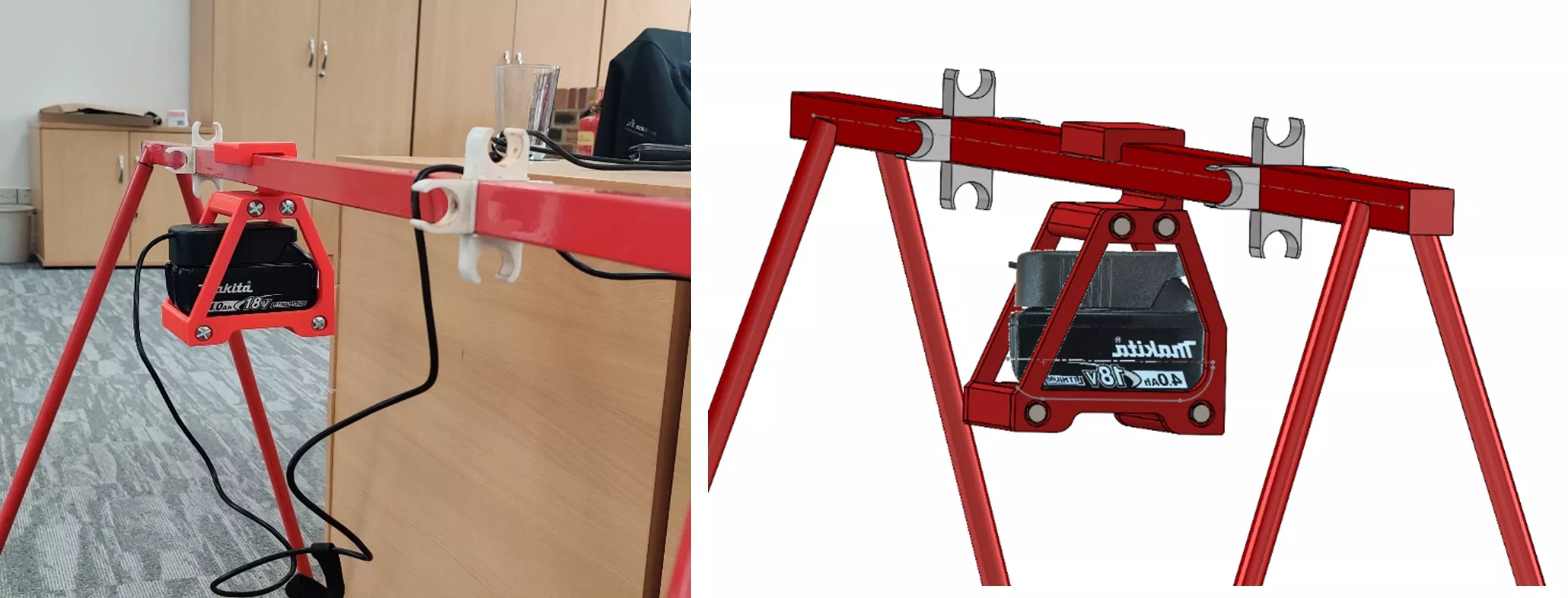
To ensure the design would be the correct size for the battery, the model was reverse engineered by using the sketch tool ‘Sketch Picture’, where a side profile of the battery could be inserted into the SOLIDWORKS graphics area. A sketch and then be based off the picture. By applying the scale tool, the picture can correctly be sized, allowing for a more accurate sketch. The sketch itself was used to create two lips at either end of the base plate.
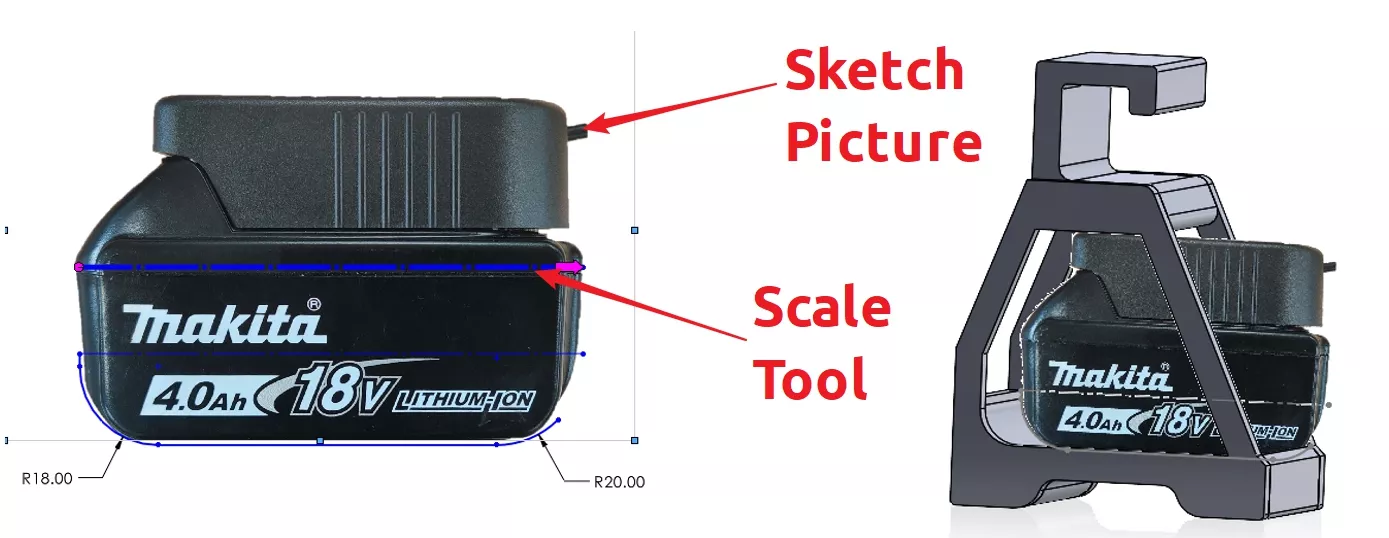
Top tip for sketch picture – take a photo with a white background; this enables the background of the picture to be made transparent in the graphics area.
After extruding the base, two sides and a hook were created to complete the battery enclosure. The design intent was to create each section as a separate body. If this design was printed in one piece, it would require a large number of scaffold supports for the hook section. This is effectively waste material and only increases the print time if any alterations were required.
Since the design was created from 4 separate bodies, consideration was given to the removable fasteners required. A local hardware shop provided some M6 x 100mm bolts and square nuts. These will run the full width of the product to add additional strength. With use of the Hole Wizard inside of SOLIDWORKS, four M6 counterbore holes were formed with predetermined tolerances. To make the square nuts flush with the face, square extruded cuts were made slightly bigger than the nuts to provide a tolerance. The final touches were to round off any sharp edges.

The 3D Printing Process
Each solid body from the model was saved out individually as an STL file which could then be opened in a piece of software that prepares a code for the 3D printer. The software, typically unique to each make of printer, governs a whole load of printer settings and properties that can be used to fine tune a print. The standard settings from the software are often fine for most applications.
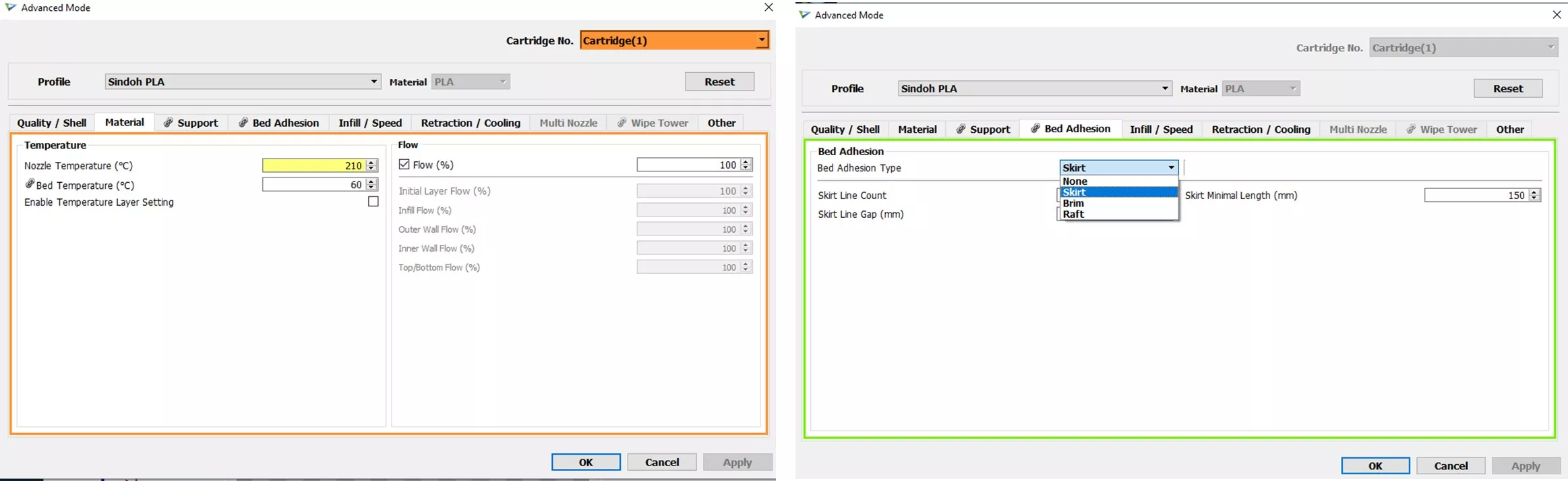
The 3D printer used for this project was a Sindoh 3DWOX 1, which makes use of its dedicated 3DWOX printing software for a seamless print.
The notable changes made for this print was a slightly increased nozzle temperature and the use of a skirt over a brim or a raft (to save waste material and achieve a better surface finish). By only using a skirt, some parts printed directly onto the printer bed suffered from very mild thermal warpage. The base section suffered from severe thermal warpage and was unusable – this part needed to be reprinted using a raft to firmly attach the part to the print bed. This small mistake highlights the need to ensure the printer settings are correct before to begin with, to avoid any problems such as thermal warpage causing any issues.
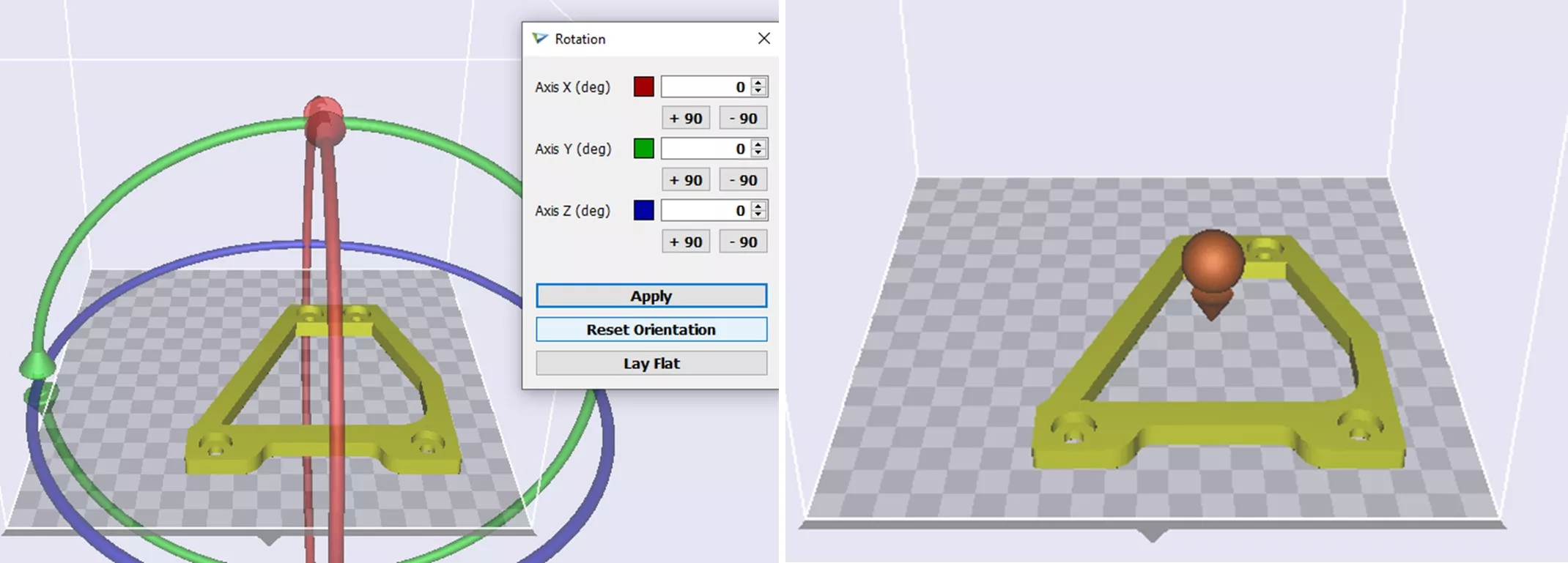
The 3D printer software also allows for the orientation of the part and position on the print bed to be set. Again, this was useful to remove any overhangs which could be caused by the counterbore holes. For each part, a G-code was created; the G-code is essentially a set of instructions the 3D printer reads and follows.
3D Printer Settings
Part Orientation and Placement
Comparing Before and After
Real Life vs. SOLIDWORKS
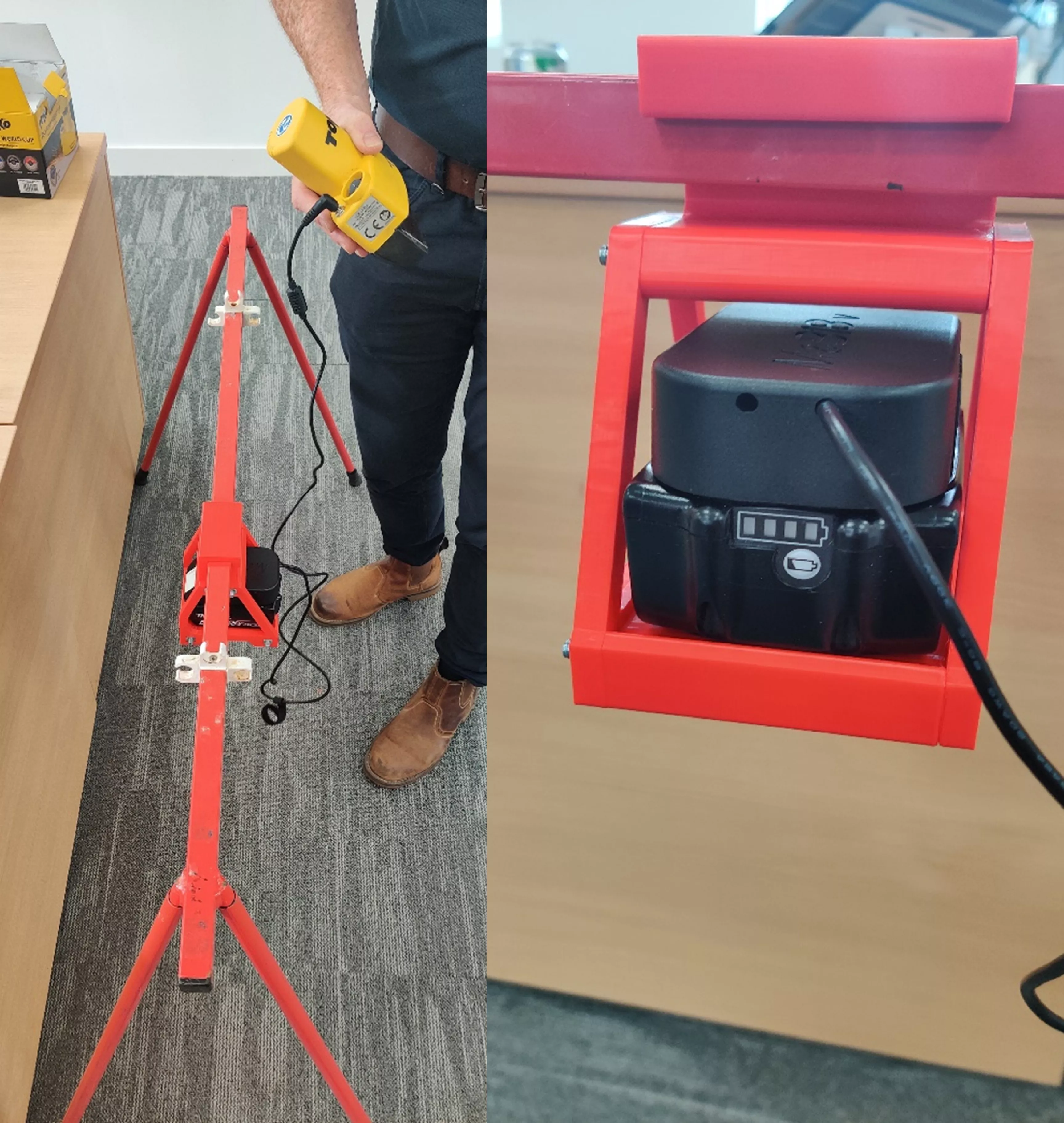
As with most designs, there are areas where a second iteration would allow for development in some areas of the product. However, this example is a perfect showcase of utilising 3D printing to solve a problem at home. Jon can raise the battery and adapter up to a platform, which hangs below the ski clamp frame, when away at competitions now. I am sure there will be some very envious ski parents when they see Jon’s accessory.
Categorised as: Design | Manufacturing
Curious about which printer suits you?
To provide impartial advice coupled with best-in-class 3D printing, 3D scanning and workbench manufacturing solutions.
Related Posts
Series 1 Land Rover Pedal Car – Made Easy with Solidworks!
The Series1 began production in 1948 designed to help get Britain farming after the war effort. It grew extremely popular and today enthusiasts are prepared to throw their life savings at restoring originals from that period.

Redesigning Santa’s Sleigh in SOLIDWORKS
Every year Father Christmas has to fly in his sleigh to deliver presents to boys and girls all over the world in just one night. To put this into perspective, it takes a little under 24 hours to fly from London (UK) to Sydney (Australia) in a streamlined Boeing 747, whereas Father Christmas’ mode of transport is believed to be a rather non-aerodynamic sleigh.
SOLIDWORKS Grid Systems – hidden away, but very useful!
Rory Niles provides an insight into the uses for Grid Systems within SOLIDWORKS 2018

Furniture Design Made Easy with SOLIDWORKS
Calling all furniture and interior designers: the days of creating square cabinets are over. What if we told you there’s a much easier way to bring your products to life?
Here’s 10 reasons why we feel SOLIDWORKS is better than any other software, especially if you’re designing furniture:
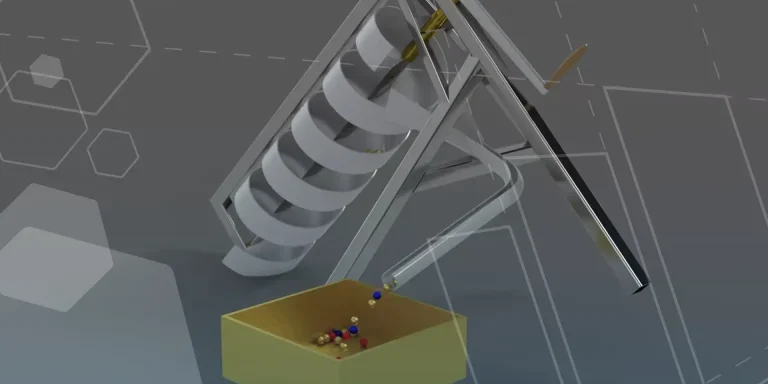
Modelling an Archimedes’ Screw with SOLIDWORKS
Archimedean screws are often referred to as “water screws” since they are commonly used to transport water between different heights. We often see some of our customers do screw feeders and we thought it may be beneficial to create a blog documenting an effective modelling workflow to create your very own Archimedean screw.
How to come up with ideas for your design or engineering project – some helpful tips
We know coming up with an interesting and creative design or engineering project can be…
Why should I be nesting parts?
Firstly we should define what is nesting? Nesting is like putting the pieces of a jigsaw together, it is the process of creating an optimal layout of your flat parts so that you get the most out of your material. Typically this process would be used in the sheet metal, fabric, plastic and wood/joinery markets. Nesting can also be used to align parts with a specific grain such as brushed metal products, patterned materials or wood grain.
Laser Cut with SOLIDWORKS 2022
Create your own laser cut Christmas decorations with SOLIDWORKS 2022. We had a go ourselves and look how they turned out!
Top 4 Benefits of Composite Materials for Lightweight Engineering
One method design and engineering teams have employed to combat high costs and high carbon emissions is the use of composite materials in the development of parts.
SWOOD Licensing Explained
Learn the differences between SWOOD licensing. Understand how online licences connect to Eficad’s server for flexibility, while network licences allow shared access across multiple users. Discover which option suits your workflow.