











Slash Render Times with 6 Powerful New Updates to SOLIDWORKS Visualize 2025

Written by: Richard Earley
Published: Jan 8, 2025
| View All Blogs
SOLIDWORKS Visualize has long been a go-to solution for CAD users to slash render photorealistic images, create animations, and generate interactive content.
With the 2025 release, SOLIDWORKS Visualize is making it easier for design teams to create stunning visuals by offering powerful new features that boost speed, flexibility, and quality.
Whether you’re looking to create high-quality marketing media or engaging interactive content, these improvements will help you achieve your goals faster and more efficiently.
#1 – Transition to Dassault Systèmes’ Stellar Rendering Engine
One of the most significant changes in SOLIDWORKS Visualize 2025 is the retirement of the Nvidia Iray render engine and the full adoption of Dassault Systèmes’ Stellar engine.

This change brings faster rendering speeds, improved image quality, and a more robust foundation for rendering tasks across various Dassault Systèmes’ tools like 3DEXCITE and CATIA. Stellar enables smoother workflows and helps achieve more accurate and visually appealing results.
#2 – Rapid Real-Time Rendering with AI Denoising
The new rendering engine has unlocked real-time rendering capabilities in fast render mode, allowing users to instantly see changes as they make them.
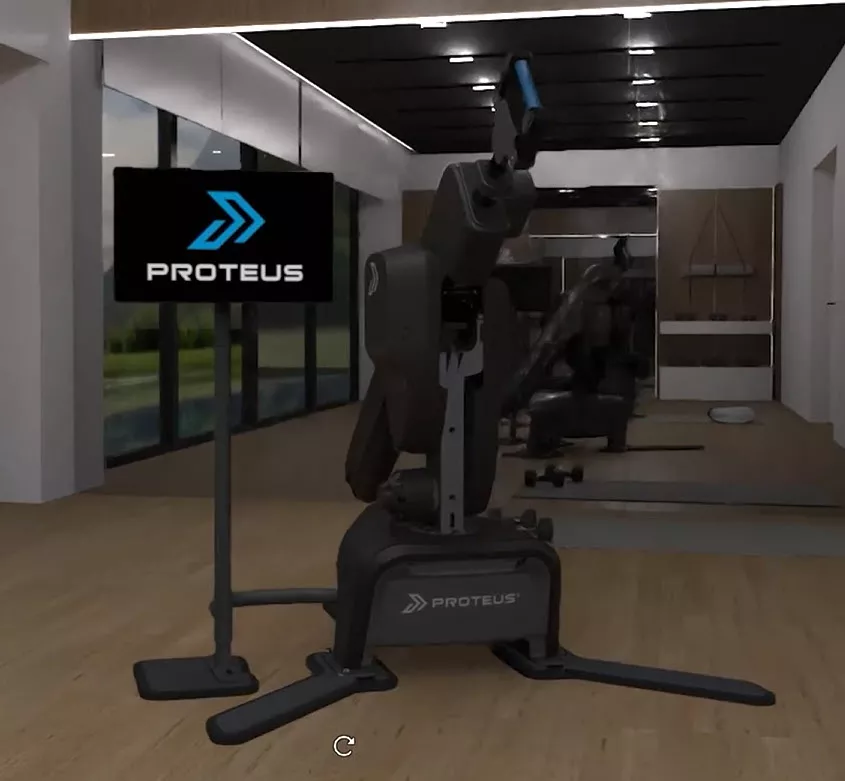
This dramatic improvement in rendering speed ensures that designer>#5 – Direct Access to Visualize API Tools from SOLIDWORKS
SOLIDWORKS users can now access Visualize’s API tools directly within their CAD environment. This integration allows for seamless automation of rendering tasks, including specifying render settings such as image types, sizes, and pass numbers.

The ability to trigger rendering in the background while continuing with design work is ideal for last-minute renders before meetings or presentations, keeping the workflow smooth and efficient.
Are you ready for SOLIDWORKS 2025? Find the best CAD workstations for your budget!
Discover more automations and time-saving tools inside SOLIDQ, the batch-processor for SOLIDWORKS.
#6 – Enhanced Support for Interactive GLB and glTF Files
The demand for interactive content continues to grow, with web and mobile presentations, as well as augmented reality (AR) becoming essential in modern marketing strategies.
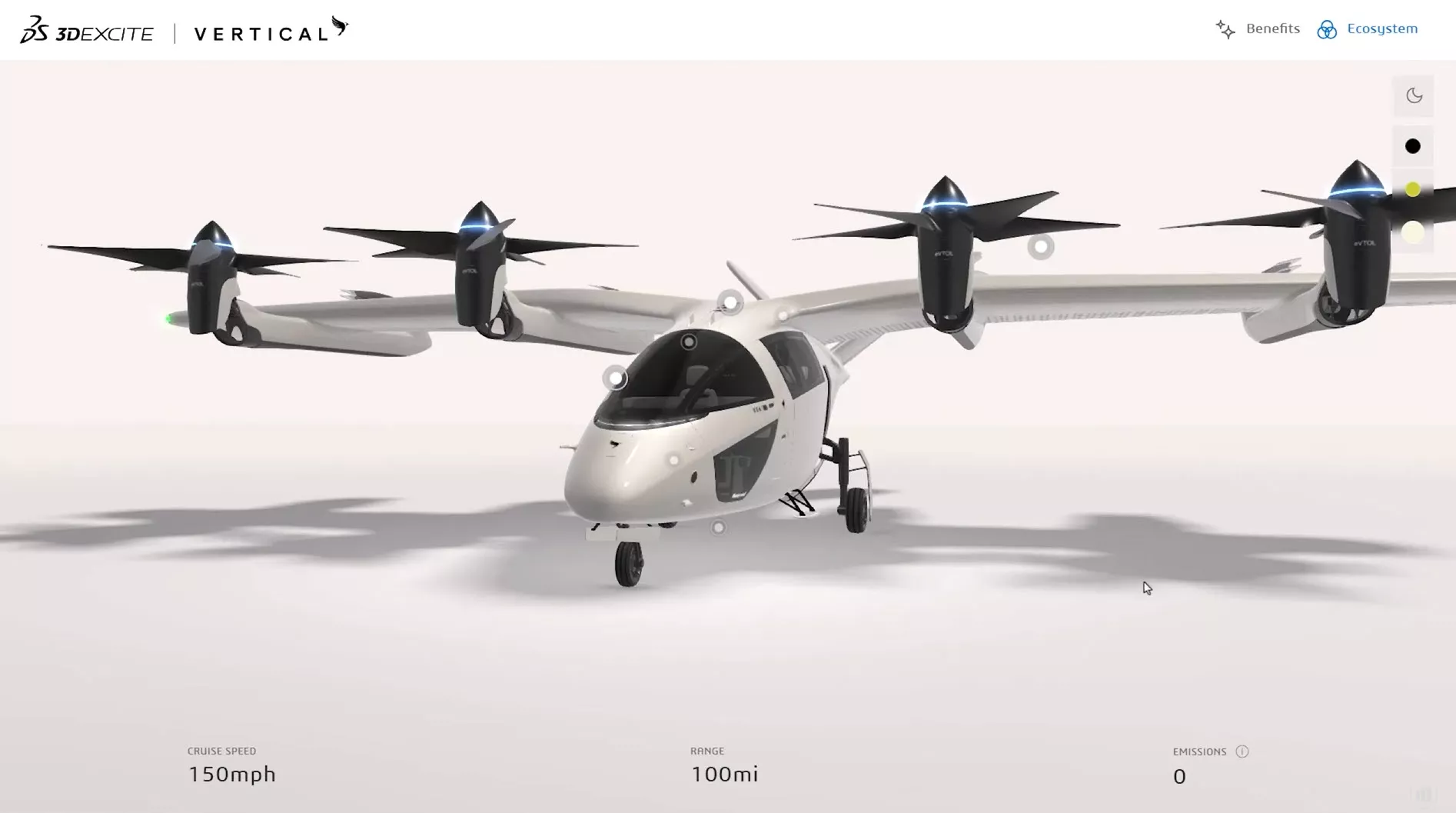
SOLIDWORKS Visualize 2025 expands its interactive content capabilities by offering improved visual consistency when exporting to popular formats like GLB and glTF.
SOLIDWORKS Visualize leverages Dassault Systèmes’ appearance format (DSP) to ensure that your interactive models retain the same high-quality visuals as your rendered images, providing a seamless experience across platforms.
Are you Ready to Download SOLIDWORKS 2025?
The 2025 release of SOLIDWORKS Visualize marks a significant milestone in rendering technology, providing users with faster rendering speeds, more flexibility, and better integration with other Dassault Systèmes tools.
Whether you’re creating images, animations, or interactive 3D models, make sure you are ready for SOLIDWORKS 2025 to harness all the tools you need to bring your designs to life with unparalleled speed and quality.
Discover all the latest updates across the SOLIDWORKS portfolio and upgrade to SOLIDWORKS Visualize 2025 today to experience a new era of rendering that empowers you to deliver captivating content for your projects.
Categorised as: Visualisation
What's New in SOLIDWORKS?
Explore the latest innovations in SOLIDWORKS with our exclusive breakdown of live webinar, giving you on-demand access to the insights that matter most to your workflow.
Related Posts

SOLIDWORKS Visualize. Why go pro? – 6 Post Processing
In this blog we will be look at the post-processing options that can be found in SOLIDWORKS Visualize

SOLIDWORKS Visualize. Why go pro? – 7 Lighting
SOLIDWORKS Visualize uses a non-biased rendering engine, which allows for physically accurate lighting within a scene. It generates images with high amount of realism and correct set up can replicate photo studio lighting.

How to Get Your Serial Number for SOLIDWORKS Visualize Standard
Want to download Visualize to make photorealistic renders? Follow this guide for accessing your Visualize serial number that comes bundled in with SolidWorks Professional and Premium.
Creating Interactive Animations with SOLIDWORKS Visualize
Interactive Images are a great export option within Visualize Professional, allowing you to view the model in a series of 360 orbital spins within a web browser.
However, what happens if I want to use this interactive method to demonstrate a mechanism or animation instead?

How to Create 360VR Video using SOLIDWORKS Visualize
Virtual Reality(VR) videos provide one of the most immersive methods of viewing a design concept and can be used to bring your product showcases to the next level. Recently VR has become a valuable tool for many companies when it comes to design reviews and interactive product training. Check out this short blog to learn how to export 360VR videos using SOLIDWORKS Visualize.

Creating a Kicking Tee for the Rugby Lions Series – Modelling Walkthrough
As the Rugby Lions Series continues Solid Solutions and MECAD are continuing to compete off the pitch using SOLIDWORKS. Our second challenge was to create a Kicking Tee, a small yet key piece of equipment that is used almost every game. Various designs exist but we decided to model an adjustable kicking tee. Read on for some SOLIDWORKS tips and an overview of our modelling process.

How to Create Animations in SOLIDWORKS
3D animations are a great way to display your designs, no matter what stage of the design process you are at and can provide companies of almost any industry with huge leverage in improving their operational efficiency. Animated marketing videos are a fantastic way to communicate a message that may be difficult or costly to explain other than by using conceptual animations. They are very flexible with the only limitation being your imagination.
Below is an example of a marketing video of an GoPro gimbal.

SOLIDWORKS Visualize Import Modes – Updated for 2022
If you have been using SOLIDWORKS Visualize 2022 you may have noticed some subtle changes on the import geometry tab from previous versions. These changes weren’t listed in the What’s New documentation and were introduced a little under the radar. In this blog we’ll explain what has changed and how it can save you time.

How to Create Realistic Lighting in SOLIDWORKS Visualize
SOLIDWORKS Visualize is equipped with some simple tools to help you get realistic lighting for your product renders.

SOLIDWORKS Visualize: Rendering with Gravity
SOLIDWORKS Visualize allows you to recreate the imperfections of photography by creating random, organic arrangements of components with gravity.