











Understanding SOLIDWORKS AI Blue Tokens

Written by: Charlie Pretorius
Published: Sep 29, 2026
| View All Blogs
Understanding SOLIDWORKS AI Blue Tokens: A Practical Guide for Engineers
Artificial intelligence is rapidly becoming a valuable engineering tool, helping designers and engineers find information faster, automate repetitive tasks, and make better decisions throughout the product development process. As more SOLIDWORKS users begin exploring AI-powered capabilities, one question comes up frequently:
What exactly are Blue Tokens, and how do they work?
If you’re looking to adopt SOLIDWORKS AI within your organisation, understanding Blue Tokens is key to getting the most value from your investment.
Why SOLIDWORKS AI Uses a Token System
The latest AI capabilities within SOLIDWORKS and the 3DEXPERIENCE platform are powered by intelligent Virtual Companions that can assist with everything from answering technical questions to generating design-related outputs and supporting engineering decision-making.
Rather than purchasing separate licences for every AI capability, Dassault Systèmes uses Blue Tokens as a flexible consumption model. This approach allows businesses to scale their AI usage according to their needs, whether they’re experimenting with AI for the first time or integrating it into daily engineering workflows.
Think of Blue Tokens as an engineering resource that is consumed when AI performs meaningful work on your behalf.
What Can You Use Blue Tokens For?
Blue Tokens power interactions with the growing family of 3DEXPERIENCE Virtual Companions, including: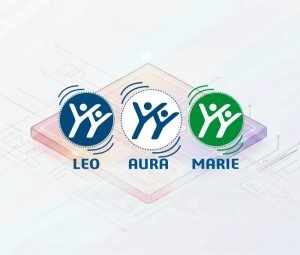
AURA
Your AI-powered knowledge companion, helping engineers access information from company resources, technical documentation, and trusted web sources more efficiently.
LEO
An engineering-focused assistant designed to support design, validation, manufacturing, and systems engineering activities.
MARIE
A scientific research companion that can assist with materials selection, scientific analysis, research exploration, and technical investigations.
Together, these companions enable engineers to spend less time searching and more time innovating.
How Token Consumption Works
One of the common misconceptions about Blue Tokens is that every prompt consumes large quantities of tokens.
In reality, token usage is designed around the value and complexity of the task being performed.
For example:
Low Consumption Activities
These typically include:
- Asking technical questions
- Requesting design guidance
- Researching concepts or standards
- Accessing engineering knowledge
Moderate Consumption Activities
Examples include:
- Feature recognition
- Assembly investigations
- Workflow assistance
- Engineering data analysis
Higher Consumption Activities
More advanced engineering tasks may require additional tokens, such as:
- Drawing generation
- Complex design assistance
- Simulation-related activities
- Automated engineering workflows
The goal is simple: the greater the engineering effort being offloaded to AI, the more tokens are likely to be used.
Your Included Tokens
To help organisations begin their AI journey, SOLIDWORKS Design customers receive a complimentary allocation of Blue Tokens.
These introductory tokens allow users to explore AI capabilities, evaluate real-world use cases, and understand where AI can drive measurable productivity improvements within their teams.
For many organisations, this provides an excellent opportunity to identify quick wins before expanding AI adoption across the wider engineering department.
Getting the Most Value from SOLIDWORKS AI
The most successful AI implementations aren’t about replacing engineers. They’re about eliminating low-value tasks that consume valuable engineering time.
We are already seeing customers use Virtual Companions to:
- Accelerate information discovery
- Improve design decision-making
- Reduce time spent searching for technical answers
- Support design validation activities
- Increase overall engineering productivity
When used strategically, AI becomes another tool in the engineer’s toolkit, allowing teams to focus on innovation, problem-solving, and product development rather than repetitive administrative work.
Planning for Future AI Adoption
As SOLIDWORKS continues to introduce new AI-powered capabilities, Blue Tokens provide organisations with a flexible way to access emerging technologies without committing to fixed usage levels.
Whether you’re exploring AI-powered knowledge assistants today or preparing for more advanced design automation tomorrow, understanding token consumption helps you plan and budget with confidence.
The key question isn’t how many tokens you use. It’s how much engineering time you save.
Why Solid Solutions?
At Solid Solutions, we’re helping organisations across the UK understand where AI can deliver genuine value throughout the design and engineering process.
Whether you’re interested in AURA, LEO, MARIE, or the broader SOLIDWORKS AI roadmap, our experts can demonstrate real-world use cases and help you make the most of your available Blue Tokens.
Categorised as: AI | Automation | Design | Software
Ready to Explore SOLIDWORKS AI?
Book a session with our engineers to discuss SOLIDWORKS AI, to discover how it can help your engineers work smarter today, as well as a preview into what’s coming soon.

Related Posts
How to Find Reaction Forces in SOLIDWORKS Simulation
SOLIDWORKS helps us to find resultant forces through simulation studies. These virtual tests reduce the need for physical prototypes and give us an accurate answer.

Setting number of decimal places in a table on a drawing
When creating an equation in a drawing general table, is it possible to define the…
SOLIDWORKS Smart Fasteners
SOLIDWORKS Smart Fasteners is a really useful time saving tool, allowing you to automatically insert toolbox fasteners such as bolts and screws into an assembly providing there is a standard hole.
Why is my Flat Pattern not showing in SOLIDWORKS Drawings?
This may be linked to how the drawing is saved or it can be related to how sheet metal parts are displayed in drawings, read on to find out how to fix it.
SOLIDWORKS Tips: Are you Making this Common Mistake in Fatigue Analysis?
Simulation is a vital and complex engineering need. Fortunately, SOLIDWORKS makes it easy to test, correct mistakes and obtain accurate results.
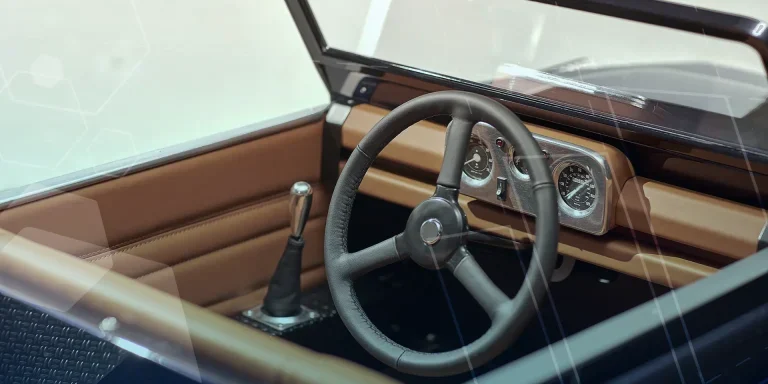
Series 1 Land Rover Pedal Car – Made Easy with Solidworks!
The Series1 began production in 1948 designed to help get Britain farming after the war effort. It grew extremely popular and today enthusiasts are prepared to throw their life savings at restoring originals from that period.

SOLIDWORKS Visualize. Why go pro? – 6 Post Processing
In this blog we will be look at the post-processing options that can be found in SOLIDWORKS Visualize

SOLIDWORKS Visualize. Why go pro? – 7 Lighting
SOLIDWORKS Visualize uses a non-biased rendering engine, which allows for physically accurate lighting within a scene. It generates images with high amount of realism and correct set up can replicate photo studio lighting.
How to Get Your Serial Number for SOLIDWORKS Visualize Standard
Want to download Visualize to make photorealistic renders? Follow this guide for accessing your Visualize serial number that comes bundled in with SolidWorks Professional and Premium.
How to Recover SOLIDWORKS Files After a Crash
SOLIDWORKS has two different methods to help you recover from an unexpected crash or loss of data in the form of auto-recovery and back-up settings.