











SOLIDWORKS Competition: Solid Solutions Placement Students Design New Medals for Paris 2024
Written by: Tom Buxton
Published: Jan 22, 2026
| View All Blogs
Now that summer has finally arrived, we can at last enjoy the sunshine alongside the vast amount of sporting events on show! From racquets to balls, wickets to javelins, the summer of 2024 offers something for everyone.
Now as the eyes of the world turn to look to Paris this summer, we set some of our talented placement students the challenge of re-imagining the winners’ medals.
The Brief
The brief was simple: Design winners’ medals that epitomise sporting excellence and promote French culture.
Three talented students are competing for the adoration of the crowds and the chance to have their design manufactured in time for the first medal ceremony in 2024.
Take a look at their designs below and decide whose design best fits the brief and symbolising sporting excellence.
You can head over to our LinkedIn page to vote for your favourite in our poll. Voting closes on July 9th 2024.
The winning medal will be manufactured with SolidCAM on the Pocket NC.
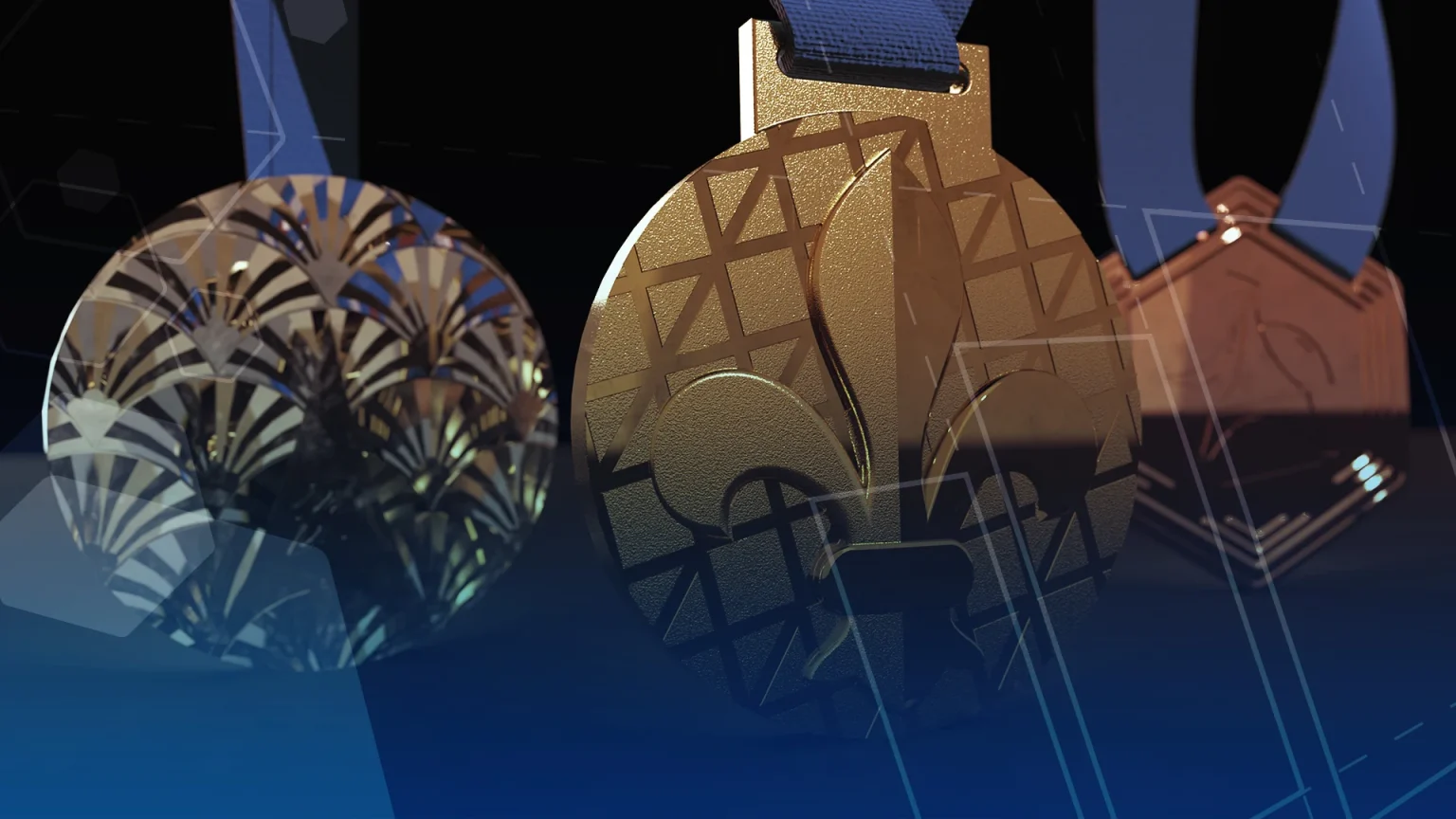
‘FLEUR-DE-PARIS’ – Adi Lampert
MECHATRONIC & ROBOTIC ENGINEERING, University of Sheffield
Design Inspiration
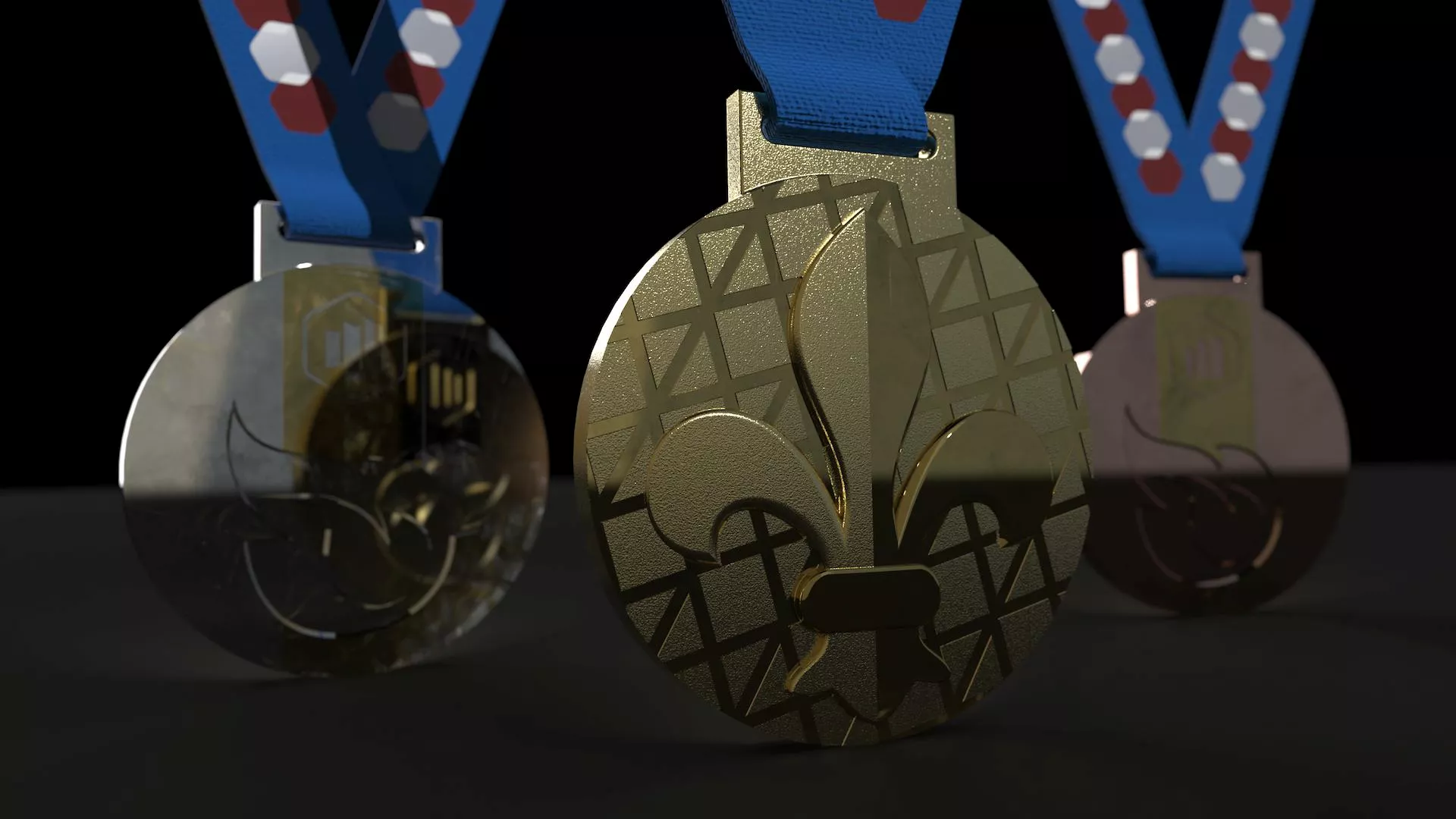
The Fleur-De-Lis originated in the 18th century and is the historical coat of arms for France.
“Fleur-De-Lis” translates to “flower of the lily” and has historically been associated with French Royalty.
This symbol of sophistication and grace seems like the most fitting way to crown our athletes as champions.
Such a graceful icon is backed up by a series of struts inspired by the Eiffel Tower, a landmark that will be looking over the athletes as they compete.
On the other side of the medal, an outline of the Flame of Liberty shines onto the logo of the TriMech Group that brings together Solid Solutions and a network of businesses, united in the same way sport brings people together!
The Flame of Liberty in Paris is a perfect copy of the flame in the Statue of Liberty that was gifted to New York in the mid-1800s by the French.
Behind this flame lie 3 distinct faces that evoke the national flag – the Tricolor.

ADI DRAWINGS
How Did You Design Your Medal?
I designed this within SOLIDWORKS, and the symbols were created using the Sketch Picture tool which allowed me to trace an outline of the image with splines.
The spline tool makes complex and organic geometry a breeze to sketch, and to clean up the tracing I used the control polygon and tinkered until I was happy.
Faceted faces on the Fleur-De-Lis were captured using a combination of surfaces and the Cut with Surface tool.
Finally for an organic and polished look, I placed variable fillets around the edge of the symbol and added chamfers to highlight the depth of the design.
Once I finished modelling the design, I added appearances before taking the file into SOLIDWORKS Visualize to render. This made it easier to add the realistic appearances for rendering.
I replaced the generic appearances I added in SOLIDWORKS with the new appearances in SOLIDWORKS Visualize to quickly enhance the realism and added a default environment to light the scene and rendered the model.
Adi returns to the University of Sheffield to complete her Masters in Mechatronic & Robotic Engineering later this year.
Check out more of Adi’s work on her LinkedIn profile.
‘THE HIGH CLIMB’ – Tom Winfield
PRODUCT DESIGN, Aston University
Design Inspiration
Sport is nothing without people, without the competitors.
Those competitors drive each other to succeed, to climb higher than ever, and to push the limits of the human body and mind.
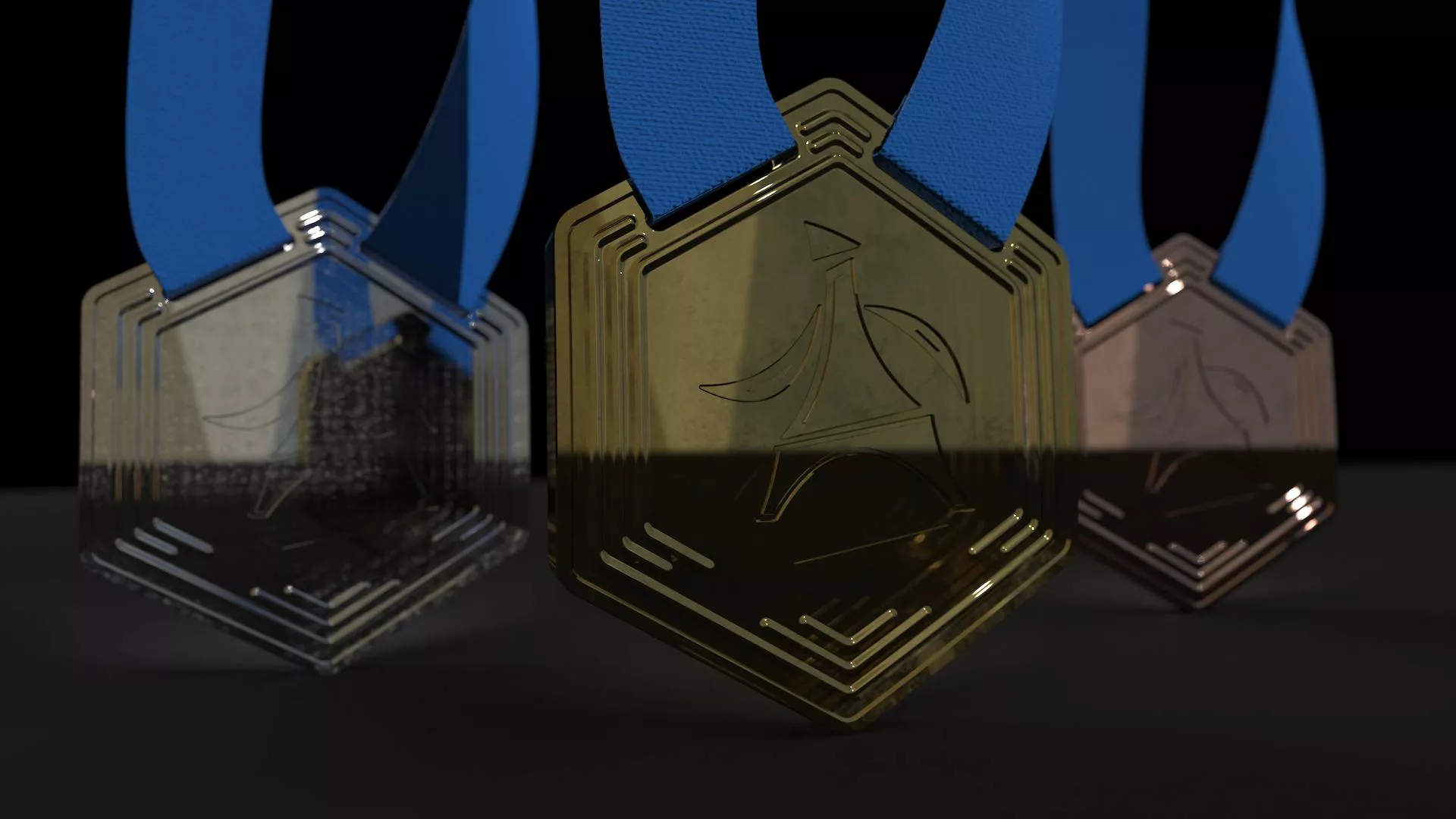
My design is inspired by the iconic designs that came out of London in 2012 and focuses on the people who make sporting competitions so entertaining and emotional.
It’s abstract and a bit of fun, but I wanted to include a Parisian influence and the centrality of the Eiffel Tower to Paris gave the perfect opportunity to reflect the importance of people in sport.
Round medals aren’t ‘iconic’, in my opinion, so I opted for hexagons instead, gently curving the shape of the medal’s body like the ancient Greek architects did to their columns.

TOM W DRAWING
How Did You Design Your Medal?
By making it in SOLIDWORKS it was really easy to make changes as I like to change up my ideas often.
Having the SOLIDWORKS Cloud Services also meant I could manage my project data during my commute on the train, and tweak things with 3D Sculptor if I fancied more organic shapes.
But I settled on this angular, abstract concept, and utilised the skills I’d picked up on the surface modelling training course to create the curved body.
I notice that people often over-complicate their surfacing, so I wanted to be as efficient as possible with two sketches, a surface trim, and a boundary surface.
Once I had the main body, the wrap feature in SOLIDWORKS made short work of embossing & debossing the design onto the curved surface.
After putting it through SOLIDWORKS Visualize, I think you’ll agree it looks pretty mega.
Tom put in a great shift in the Caldicot office this year and heads back to Aston University for his final year of Product Design.
Check out more of his work via his LinkedIn profile.
‘FIREWORKS IN PARIS’ – Keely Woodhead
PRODUCT DESIGN, Nottingham Trent University
Design Inspiration
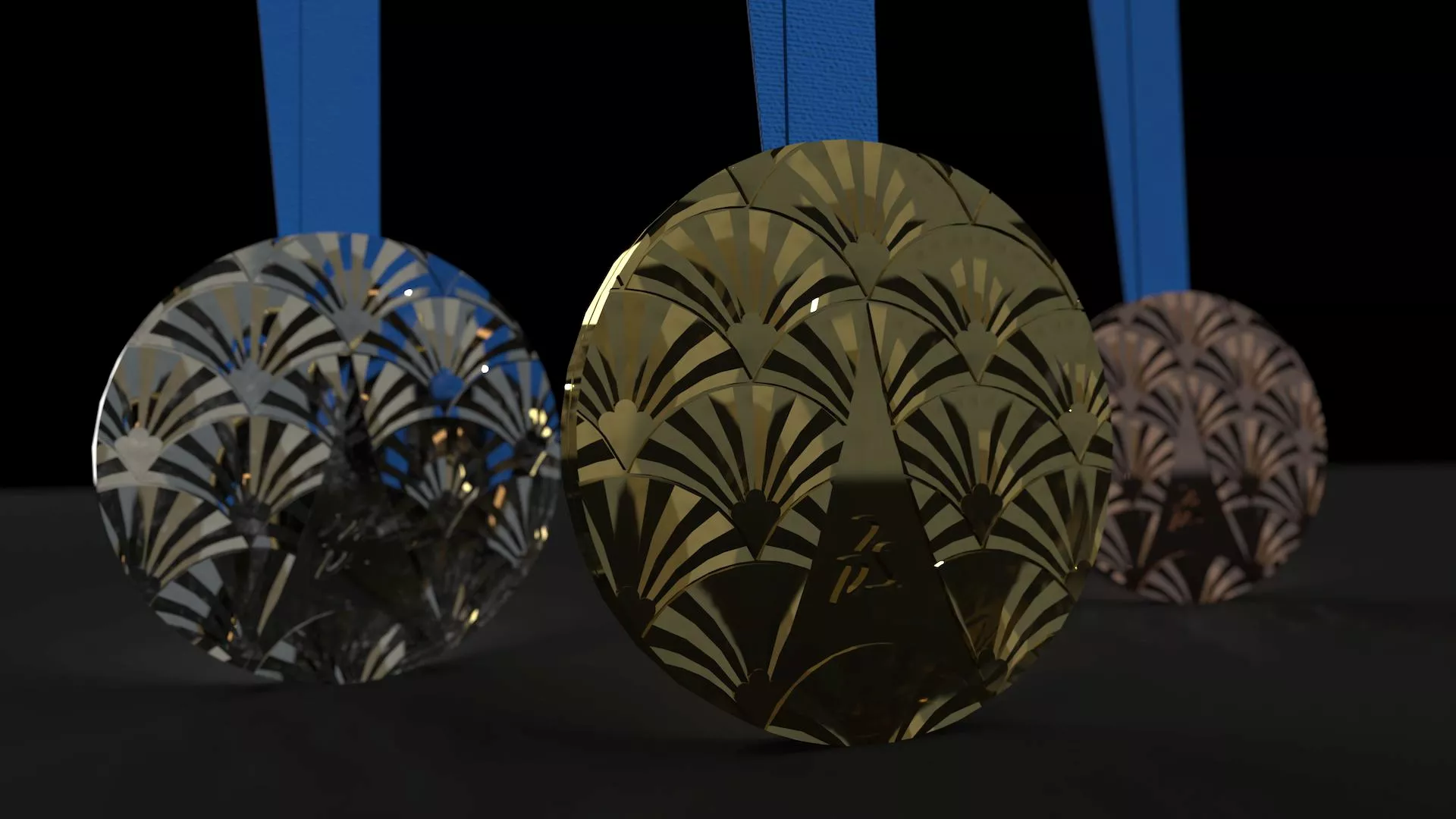
This medal is a captivating tribute to French culture, elegantly intertwining elements of Parisian heritage, artistic tradition, and culinary delight.
At the heart of the Medal, the Eiffel Tower stands proudly, capturing the essence of the architectural phenomenon.
Surrounding the tower lies delicate patterns inspired by Art Nouveau – their flowing lines and organic forms evoking the movement and freedom felt through sport.
More specifically, the art could be seen as golden wheat sheaves to symbolise the bountiful French countryside and its rich agricultural heritage.
Or perhaps (and maybe more appealing to some!) you see croissants represented by the crescent shapes, evoking the tradition of French Patisserie… Quite fitting when it comes to the classic medal ‘bite’ pose when an athlete stands proudly for the photographer!
While themselves not edible, the medals are crafted from a blend of metals, predominantly silver, to reflect the elegance and sophistication associated with French culture.
Each one has a unique ridged edge to assist identifying them – one ridge for gold, two for silver and three for bronze.
This year’s medal is not merely an award, but a piece of wearable art.

KEELY DRAWINGS
How Did You Design Your Medal?
Starting with one of the crescent shapes, this required a range of both solid and surface modelling techniques in SOLIDWORKS.
From split lines and delete face commands to ruled surfaces used as construction geometry, the resulting model comprised around 40 surface bodies which then needed to be knitted together and turned into a solid.
A simple linear pattern of the body then resulted in the repeated pattern, which I then crafted into the medal shape using standard cut and boss extrude features.
SOLIDWORKS Visualize is where the magic happens, and the medal comes to life.
With some simple drag and drops, lighting adjustments, and camera angles, I was able to quickly create realistic images of the medal so we can see what it really will look like when it (hopefully!) gets manufactured.
Keely will soon be returning to Nottingham Trent University to complete her BSc in Product Design.
Check out more of her work via her LinkTree.
Choose Your Winner
Three cracking designs. One tough choice. The pressure is simply too much for us…
So instead, it’s over to you!
Click here to vote for your favourite design and we’ll take you along for the wonderful ride of the manufacturing process over the next couple of months.
Come back regularly to see more sporting SOLIDWORKS content, and learn how it can be used to modify, validate, and communicate designs effectively.
*Voting has now closed for this competition
Categorised as: Education | News | SOLIDWORKS Design | SolidCAM
Start-ups Get SOLIDWORKS for FREE
Join the SOLIDWORKS for Start-ups programme and access professional SOLIDWORKS CAD software FREE for 12 months. Perfect for entrepreneurs, freelancers, and new businesses ready to build the future.
Related Posts

How to Find Reaction Forces in SOLIDWORKS Simulation
SOLIDWORKS helps us to find resultant forces through simulation studies. These virtual tests reduce the need for physical prototypes and give us an accurate answer.

Setting number of decimal places in a table on a drawing
When creating an equation in a drawing general table, is it possible to define the…

SOLIDWORKS Smart Fasteners
SOLIDWORKS Smart Fasteners is a really useful time saving tool, allowing you to automatically insert toolbox fasteners such as bolts and screws into an assembly providing there is a standard hole.

Why is my Flat Pattern not showing in SOLIDWORKS Drawings?
This may be linked to how the drawing is saved or it can be related to how sheet metal parts are displayed in drawings, read on to find out how to fix it.

SOLIDWORKS Tips: Are you Making this Common Mistake in Fatigue Analysis?
Simulation is a vital and complex engineering need. Fortunately, SOLIDWORKS makes it easy to test, correct mistakes and obtain accurate results.

How to Recover SOLIDWORKS Files After a Crash
SOLIDWORKS has two different methods to help you recover from an unexpected crash or loss of data in the form of auto-recovery and back-up settings.

Redesigning Santa’s Sleigh in SOLIDWORKS
Every year Father Christmas has to fly in his sleigh to deliver presents to boys and girls all over the world in just one night. To put this into perspective, it takes a little under 24 hours to fly from London (UK) to Sydney (Australia) in a streamlined Boeing 747, whereas Father Christmas’ mode of transport is believed to be a rather non-aerodynamic sleigh.
SOLIDWORKS Grid Systems – hidden away, but very useful!
Rory Niles provides an insight into the uses for Grid Systems within SOLIDWORKS 2018

Furniture Design Made Easy with SOLIDWORKS
Calling all furniture and interior designers: the days of creating square cabinets are over. What if we told you there’s a much easier way to bring your products to life?
Here’s 10 reasons why we feel SOLIDWORKS is better than any other software, especially if you’re designing furniture:
Making 3D Textures from Images on SOLIDWORKS
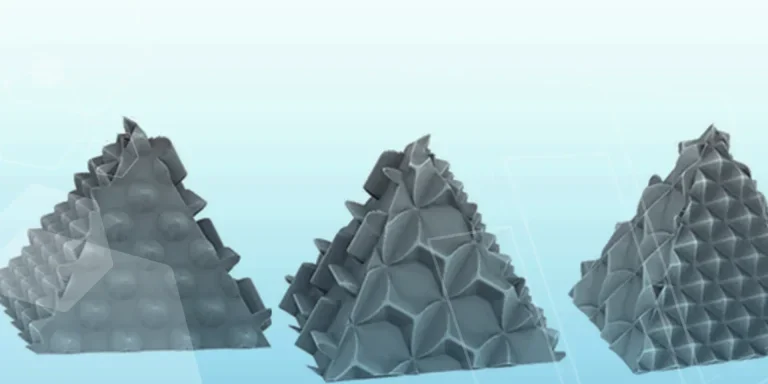
Turn images into 3D geometry with brand new SOLIDWORKS 3D Textures Feature