











Teach SOLIDWORKS: Discover What’s Included in a SOLIDWORKS Education Subscription

Written by: Solid Solutions Marketing
Published: Nov 10, 2023
| View All Blogs
As a researcher, educator, or student, SOLIDWORKS is a great CAD tool to use to help you design in 2D and 3D easily.
For decades, SOLIDWORKS has been powering innovative research and is taught to countless students in schools and colleges across the UK & Ireland, as well as the rest of the world!
One of the major benefits to having SOLIDWORKS is the SOLIDWORKS Education subscription that sits alongside it.
This entitles educators and researchers to support directly from our expert Technical Support team here at Solid Solutions.
What exactly is included in a SOLIDWORKS Education Subscription? Let’s break it down.
How many Schools use SOLIDWORKS?

SOLIDWORKS Educational products are used by more than 80% of the world’s top engineering schools, and SOLIDWORKS Education Subscription give students the power to realise their ideas and helps them prepare for their careers by learning the industry-standard CAD software.
For researchers that are involved in developing intellectual property, applying for patents, or publishing results from internally or externally funded projects SOLIDWORKS Research Edition provides perfect solution.
What Software is Included in SOLIDWORKS Education?

SOLIDWORKS Education is an inclusive resource for teaching 3D mechanical CAD, 2D technical drawings, design validation, and data management.
The following software is included within the SOLIDWORKS Education Subscription:
- SOLIDWORKS Premium 3D CAD for straightforward 2D and 3D design.
- SOLIDWORKS Simulation Premium for FEA design validation.
- SOLIDWORKS Flow Simulation for CFD design validation.
- SOLIDWORKS Plastics for injection moulding simulation.
- SOLIDWORKS Electrical for 2D schematics and 3D wire routing.
- SOLIDWORKS MBD for drawingless manufacture.
- SOLIDWORKS Composer for technical documentation and product manuals.
- SOLIDWORKS CAM for manufacturing.
- SOLIDWORKS PDM Standard for configurable data management.
- SOLIDWORKS Visualize for photorealistic rendering and animations.
- eDrawings® for review and markup
- 3DEXPERIENCE community access.
Follow the links to the product pages to discover more about the individual capabilities of each!
Each of these products contains vast functionality that is straightforward and easy to use to become productive almost immediately.
With SOLIDWORKS Education, students and instructors can focus on what’s really important—fostering new ideas, solving problems, working as a team, and innovating products.
What Software is Included in SOLIDWORKS Research?
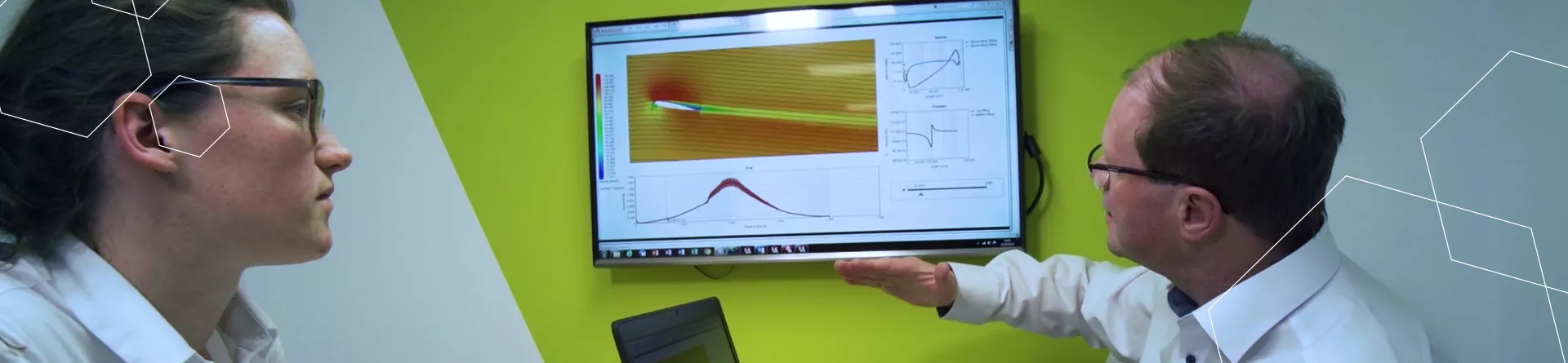
The SOLIDWORKS Research Edition can be used for a wider range of work than the Educational edition and it does not watermark files or run on a delayed release cycle.
SOLIDWORKS Research Edition is also available at approximately half the price of a commercial license.
The research license follows the commercial SOLIDWORKS licensing structure, meaning that it is not a bundle and instead products must be purchased individually.
However, the special pricing for the Research Edition allows for substantial savings over commercial rates.
Why should Educational Institutions use SOLIDWORKS?

SOLIDWORKS is used by thousands of designers and engineering firms across the world and is widely recognised as the industry-standard in 3D CAD.
By teaching and learning SOLIDWORKS, students and academics are equipped with vital skills to enhance the Design & Engineering sector, wherever they end up working in the future.
We provide a wide range of accessible SOLIDWORKS training courses for teachers, lecturers, and academics that can help you learn all the skills you need to inspire the next generation of engineers and product designers or design innovative creations.
A SOLIDWORKS Education subscription also entitles you to the SOLIDWORKS Fundamentals training manual, a comprehensive online video course, and SOLIDWORKS certification access for your students at no extra cost.
How much does SOLIDWORKS Educational cost?

The price for SOLIDWORKS Educational will vary with your institution’s size and whether you are using it for education or research.
Is Support Included in SOLIDWORKS Educational Subscription?

Yes! Your SOLIDWORKS Education Subscription includes full support for staff and academics from our expert Technical Support team.
We aim to equip educators with the skills they need to be able to answer any questions students may have. So while we do not offer technical support directly to students, educators can request assistance on their behalf should the issue be unable to be resolved.
If you are a student who needs SOLIDWORKS support, then check out these Why You Should Join the Solid Solutions Student Community.
Can I Sell my SOLIDWORKS Education Models?

The short answer is ‘no’. SOLIDWORKS Education Subscription is a non-commercial package and as such cannot be used for commercial gain.
Models created in SOLIDWORKS Education are watermarked and cannot be sold or distributed.
If you are looking to start or grow your business, then we recommend checking out our offers for start-ups and entrepreneurs, or our commercial SOLIDWORKS packages.
Categorised as: Education | SOLIDWORKS Design
Need SOLIDWORKS for Education?
The SOLIDWORKS Student Access Initiative offers a range of solutions to SOLIDWORKS Education Edition customers, providing easy options to get SOLIDWORKS into student’s hands.
Related Posts

How to Find Reaction Forces in SOLIDWORKS Simulation
SOLIDWORKS helps us to find resultant forces through simulation studies. These virtual tests reduce the need for physical prototypes and give us an accurate answer.

Setting number of decimal places in a table on a drawing
When creating an equation in a drawing general table, is it possible to define the…

SOLIDWORKS Smart Fasteners
SOLIDWORKS Smart Fasteners is a really useful time saving tool, allowing you to automatically insert toolbox fasteners such as bolts and screws into an assembly providing there is a standard hole.

Why is my Flat Pattern not showing in SOLIDWORKS Drawings?
This may be linked to how the drawing is saved or it can be related to how sheet metal parts are displayed in drawings, read on to find out how to fix it.

SOLIDWORKS Tips: Are you Making this Common Mistake in Fatigue Analysis?
Simulation is a vital and complex engineering need. Fortunately, SOLIDWORKS makes it easy to test, correct mistakes and obtain accurate results.

How to Recover SOLIDWORKS Files After a Crash
SOLIDWORKS has two different methods to help you recover from an unexpected crash or loss of data in the form of auto-recovery and back-up settings.

Redesigning Santa’s Sleigh in SOLIDWORKS
Every year Father Christmas has to fly in his sleigh to deliver presents to boys and girls all over the world in just one night. To put this into perspective, it takes a little under 24 hours to fly from London (UK) to Sydney (Australia) in a streamlined Boeing 747, whereas Father Christmas’ mode of transport is believed to be a rather non-aerodynamic sleigh.

SOLIDWORKS Grid Systems – hidden away, but very useful!
Rory Niles provides an insight into the uses for Grid Systems within SOLIDWORKS 2018

Furniture Design Made Easy with SOLIDWORKS
Calling all furniture and interior designers: the days of creating square cabinets are over. What if we told you there’s a much easier way to bring your products to life?
Here’s 10 reasons why we feel SOLIDWORKS is better than any other software, especially if you’re designing furniture:
Making 3D Textures from Images on SOLIDWORKS
Turn images into 3D geometry with brand new SOLIDWORKS 3D Textures Feature