











Set Your Fluids Free with SOLIDWORKS Flow Simulation
Written by: Tom McHale
Published: Oct 4, 2017
| View All Blogs
| 2018 is almost here and I have been eagerly exploring the big new feature for SOLIDWORKS Flow Simulation. That is Free Surfaces. We can now have two immiscible fluids. We can have a liquid and a gas in the same fluid domain. However, any phase transitions (including Humidity, Condensation, and Cavitation), Rotation, surface tension and boundary layer on an interface between immiscible fluids are not allowed in this version. So what does this mean? Well we used to be able to examine flow over our private jets and personal submarines, but now we can look at our yachts as well! So that’s exactly what I did. First thing was to acquire a luxury yacht. | |
| A quick look through GrabCAD and I found a tasty looking number. I did need to sort out some surfacing issues to ensure that the boat would not fill with water, but with that done it was time to set up the test. | |
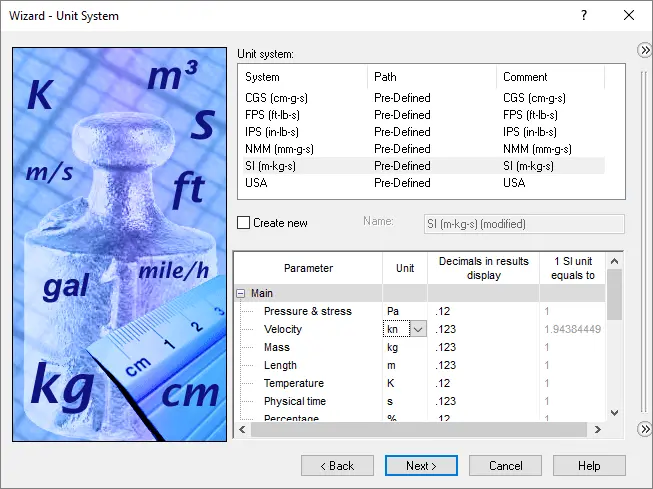 | 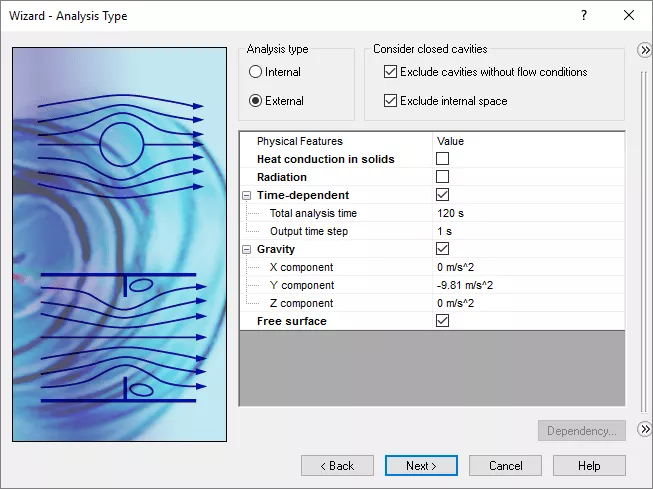 |
| I thought that speed should in knots, so we can easily set that up. Next we need to set the free surface tag. Doing this does mean that we have to make the analysis time dependent. Gravity is optional, but was a must for this study. Fluids of Air and Water were selected. The rest was fairly standard until the final page of the wizard. | |
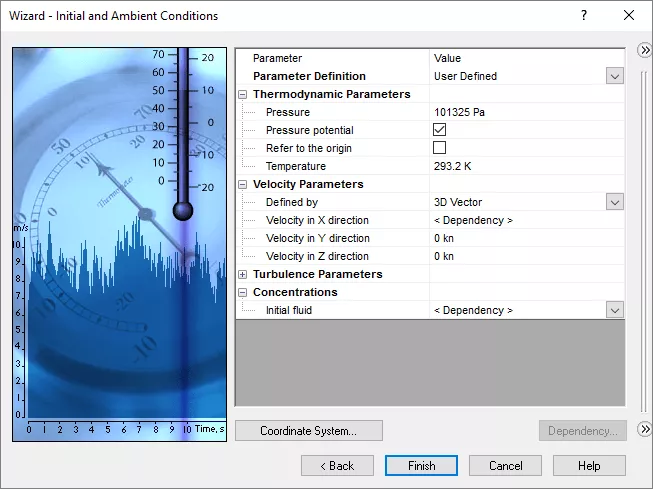 | |
| In the Initial and Ambient Conditions we need to set up a dependency for the main flow and the initial fluid. The Initial Fluid can be set as a function of height in the simulation to give an initial surface level. Next the velocity was set up. Again this was set as varying with time as follows: | |
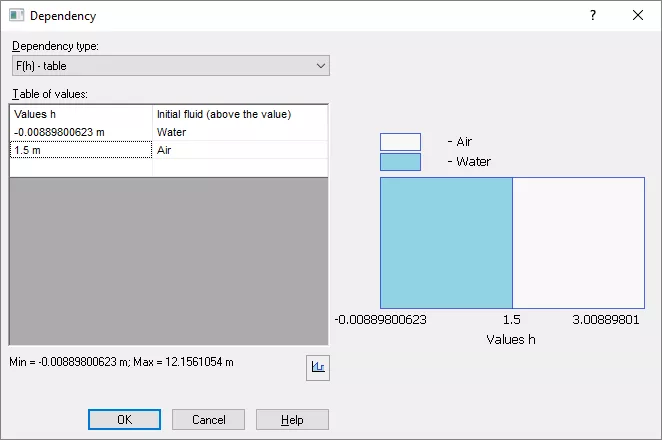 | 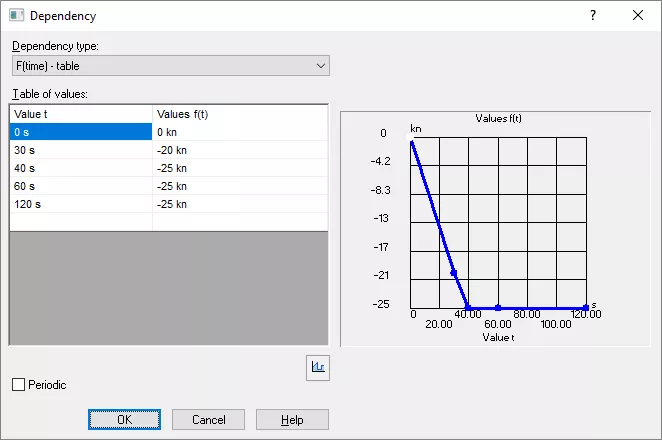 |
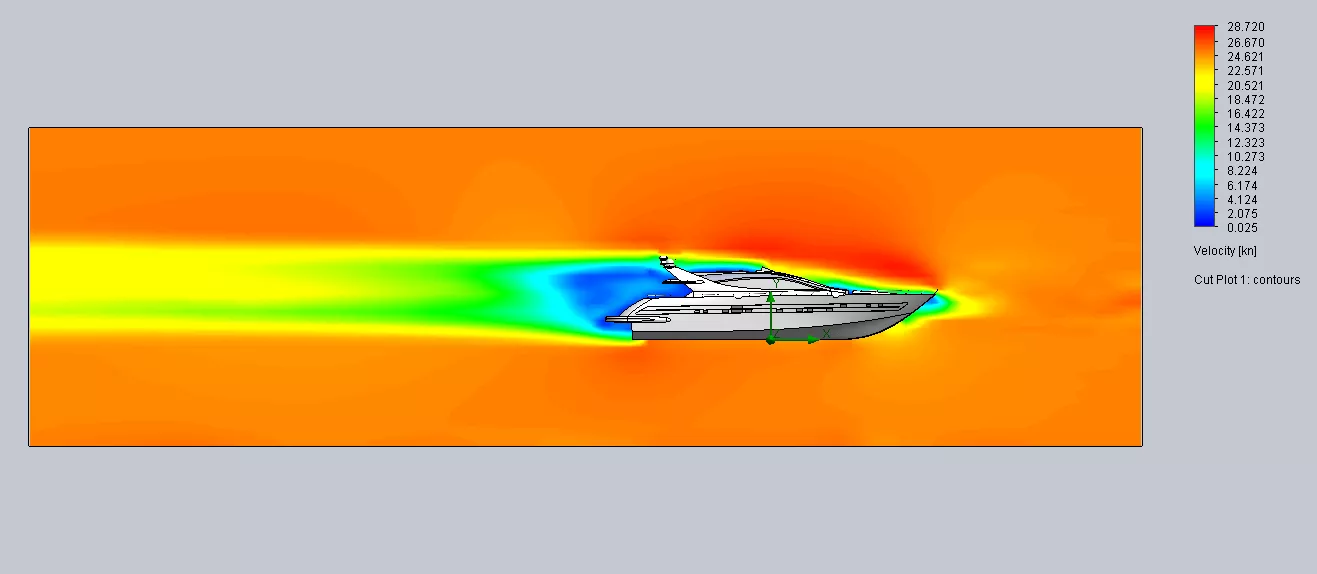
| Through a number of tests I determined that there was a limit to how fast I could get the boat to accelerate. Starting at high speed was out of the question for this as the surface is initially flat, which would not be the case in a real system. With that I set the global mesh to level 5, I was looking for reasonable results, but did not want refinement. I was also saving every two seconds and had turned on the transient explorer too. I then hit run. After only three hours and twenty two minutes I had my results. I always start with a cut plot as a sanity check to look at velocity here and things were looking promising. A great thing about the cut plot is that you can also use this in the transient explorer to see ultra-detailed results from the complete study. | |
 | |
| We can even get a great animation from that too | |
| But what was the water levels? For this we need to use the isosurface plot. This allows us to show the point where the fluid volume fraction was at a particular value. Here we see the result of that. | |
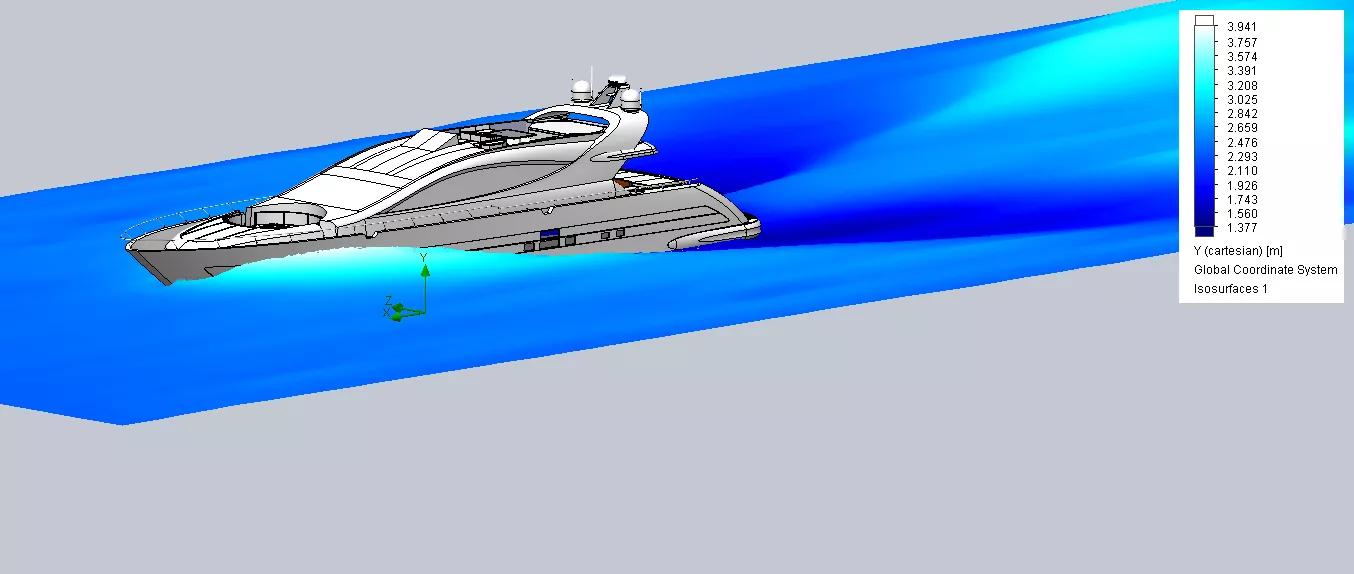 | |
| The shape of the surface is the result. For a colour I set that to look at the height of the surface. The zero point was at the base of the keel. We can also change the colour bar to get a more pleasing output too. I can almost feel the spray! We can also get a great animation from this. We cannot use the transient explorer for this one so we have to ensure that we set our save increment high enough. If we have then the results have me steaming off to the yacht club for a G&T with the Commadore. | |
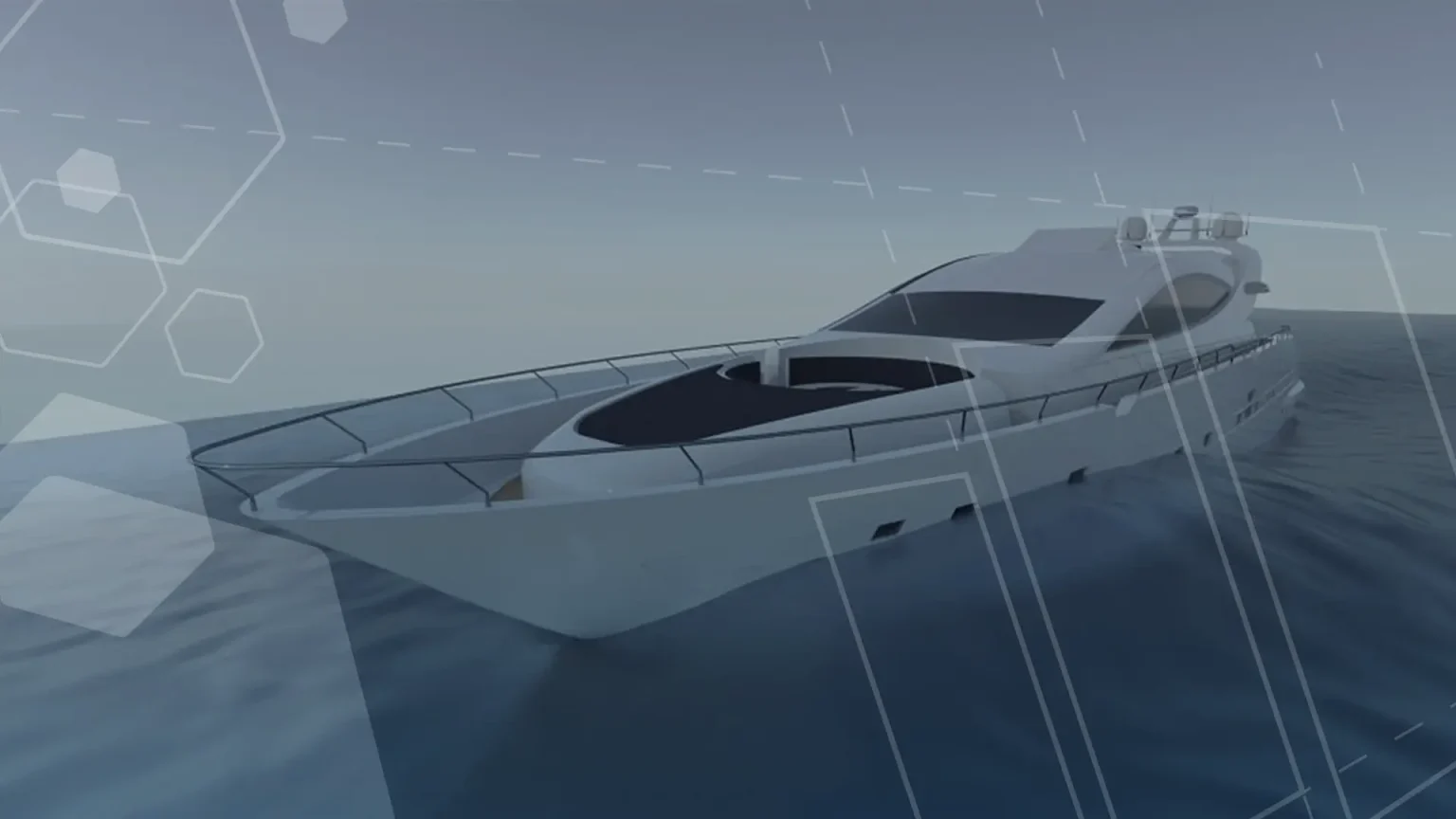
| You can even get a great render from this. Just export the plot as a VRML file and use ScanTo3D to make the surface. Then extrude a block up to that surface to create the body of water. Import into visualize and set the materials and off you go. The render at the start was created using this method. This looks like a fantastic addition to SOLIDWORKS Flow simulation and I can’t wait to see what we can do with it. Tank filling, wave like behaviour, overflow. Could I get a vortex from a plug hole? Note the Coriolis Effect is not the only thing that causes this. Geometry is a far more likely cause. Maybe I need to have a visit to the bathroom store. SOLIDWORKS 2018 is almost here, so start planning how Free Surfaces can help unlock more solutions to your design questions. | |
Categorised as: SOLIDWORKS Flow Simulation | Simulation
Get Expert SOLIDWORKS Training
Get hands-on SOLIDWORKS training in-person or online, led by certified experts with real industry experience. With venues across the UK & Ireland, it’s easy to start learning today.
Related Posts

How to Find Reaction Forces in SOLIDWORKS Simulation
SOLIDWORKS helps us to find resultant forces through simulation studies. These virtual tests reduce the need for physical prototypes and give us an accurate answer.

SOLIDWORKS Tips: Are you Making this Common Mistake in Fatigue Analysis?
Simulation is a vital and complex engineering need. Fortunately, SOLIDWORKS makes it easy to test, correct mistakes and obtain accurate results.

Redesigning Santa’s Sleigh in SOLIDWORKS
Every year Father Christmas has to fly in his sleigh to deliver presents to boys and girls all over the world in just one night. To put this into perspective, it takes a little under 24 hours to fly from London (UK) to Sydney (Australia) in a streamlined Boeing 747, whereas Father Christmas’ mode of transport is believed to be a rather non-aerodynamic sleigh.

Radiation in Flow Simulation – Part 1 : Reflection
Technical Manager Andy Fulcher explores ‘Radiation in Flow Simulation, Part 1 : Reflection’
Radiation in Flow Simulation – Part 2 : Refraction
Technical Manager Andy Fulcher explores ‘Radiation in Flow Simulation, Part 2 : Refraction’
The Coanda Effect in Flow Simulation
Can you take advantage of the Coanda Effect & can SOLIDWORKS Flow simulate it? Applications Engineer Romel Cumare investigates in his latest blog post.
So how accurate is SOLIDWORKS Simulation?
How accurate is SOLIDWORKS Simulation? Elite Applications Engineer Chris Boyles investigates.
So how accurate is SOLIDWORKS Flow Simulation?
Applications Engineer Chris Boyles explores the accuracy of SOLIDWORKS Simulation.
Finding a Good Mesh Fast in SOLIDWORKS Flow Simulation
‘How do I know when to stop my calculation?’ and ‘How do I know my mesh is good enough?’ are questions often asked when running SOLIDWORKS Flow Simulation studies.
The answer is to ensure the solution reached is both fully converged AND mesh independent. In practice this can take a bit of trial and error as well as some experience in the process. However, SOLIDWORKS Flow can help us do both of these at once! Here’s how…

Free Surface Evaluation & Validation – SOLIDWORKS Flow Simulation
In 2018 SOLIDWORKS introduced a new capability to their Flow software. This is called ‘Free Surface’ and opens up many more applications for users who need to simulate fluid behaviour where a gas and a liquid (or two immiscible liquids) share the same region of space without an intervening solid