











Staying in Touch with MSC Nastran

Written by: Tom McHale
Published: Jul 25, 2024
| View All Blogs
Our recent article on analytical contact got me thinking about Nastran contact in general. There’s a lot going on there that could use a good simple explanation.
MSC Nastran uses the contact body method of defining the interaction between two parts. This was inherited from Marc when Nastran adopted the best-in-class contact capabilities from it.
Rather than having to define primary and secondary contact faces for every interface between parts, we define bodies which can interact with any other body in the model simply be declaring it can through a contact pair.
TYPES OF CONTACT PAIRS IN MSC NASTRAN
A contact pair defines all the properties of the individual contact interface. There are essentially two types of contact in Nastran: Touching and Glued.
Touching contact means that the two bodies can come into contact, slide relative to each other and separate.
A demonstration of a touching contact in MSC Nastran.
The steel upper part moves down and up, while the rubber lower part is deformed by it. Yet when the steel part moves away, it separates again.
A glued contact comes in several forms, but each of these bonds two parts together so that there is no penetration, sliding, or separation (unless we choose to use the debonding option).
If we make the contact glued, then we observe a different behaviour.
A glued contact in MSC Nastran.
The steel part moves through the same trajectory as the example of the touching contact, and contact is detected between the two parts.
This time, however, as the steel part moves away, no separation is permitted, and the two parts move together.
The stress field is also different because there is no spreading of rubber part as sliding is not permitted either.
Glued contacts are very useful when assembling parts, but we do need to be a bit careful with them.
WHAT IS PERMANENT GLUE?
One of the options for glued contacts is known as ‘Permanent Glue’.
When we use permanent glue, contact is established at the initiation of the analysis and tying equations are written, but not updated.
This makes the solution quicker, because no contact checks are being run at each increment, but if wrongly used it will give very poor answers.
Running the previous example with permanent glue gives us the following result.
At the very beginning of the analysis, just one node on the steel part is touching the rubber, so a single tie is written. This does not update as the solution progresses, so the steel is able to penetrate the rubber part as shown.
WHAT ARE OTHER TYPES OF GLUED CONTACTS?
There are two other interesting sub-types of glued contact: cohesive glue and breaking glue.
Cohesive glue allows us to define the stiffness of the interface between the two parts in the normal and tangential directions to simulate an adhesive without the need to physically model it.
The gap between a cohesive glue contact is a function of the cohesive stiffness and the load.
The example above shows the apparent separation between the two bodies, but the stress contours indicate that load is still being transferred.
Breaking glue allows us to define the conditions under which the glued contact is allowed to fail.
We do this with an allowable normal and shear stress limit for the contact pair.
As the criteria is exceeded, separation occurs, and the interface at that node becomes a touching contact. So if the two parts come back into contact later in the simulation, they will not penetrate, but they also will not renew the glued bond.
This is a cheaper way of modelling adhesive failure or delamination than full cohesive zone modelling.
A breaking glue contact in action with a plot of contact status.
You can see the contact develop as the steel part moves down. Then, as is starts to rise, the rubber remains glued for some of the travel, but then starts to peel away as the tension and shear stress in the bond exceeds the criteria set.
WHY IS MSC NASTRAN A GOOD CHOICE FOR CONTACT?
MSC Nastran still has a reputation for not being a good choice for contact, and this is based on the old non-linear contact options of uniaxial gaps and slidelines.
However, I think you can see that the adoption of the Marc contact methods in the SOL400 Advanced Nonlinear solution have definitely eliminated that limitation.
Nastran may be the original FEA solution with a pedigree that makes it trusted by some the biggest companies around, but Start Edition licensing now makes it remarkably affordable for even the smallest of SMEs!
So if you want to know more about Nastran or any of the simulation software solutions or services we offer, then get in touch with us today and we can discuss your specific requirements in more detail.
Categorised as: Simulation
Get Expert SOLIDWORKS Training
Get hands-on SOLIDWORKS training in-person or online, led by certified experts with real industry experience. With venues across the UK & Ireland, it’s easy to start learning today.
Related Posts

How to Find Reaction Forces in SOLIDWORKS Simulation
SOLIDWORKS helps us to find resultant forces through simulation studies. These virtual tests reduce the need for physical prototypes and give us an accurate answer.

SOLIDWORKS Tips: Are you Making this Common Mistake in Fatigue Analysis?
Simulation is a vital and complex engineering need. Fortunately, SOLIDWORKS makes it easy to test, correct mistakes and obtain accurate results.

Redesigning Santa’s Sleigh in SOLIDWORKS
Every year Father Christmas has to fly in his sleigh to deliver presents to boys and girls all over the world in just one night. To put this into perspective, it takes a little under 24 hours to fly from London (UK) to Sydney (Australia) in a streamlined Boeing 747, whereas Father Christmas’ mode of transport is believed to be a rather non-aerodynamic sleigh.

Radiation in Flow Simulation – Part 1 : Reflection
Technical Manager Andy Fulcher explores ‘Radiation in Flow Simulation, Part 1 : Reflection’
Radiation in Flow Simulation – Part 2 : Refraction
Technical Manager Andy Fulcher explores ‘Radiation in Flow Simulation, Part 2 : Refraction’
The Coanda Effect in Flow Simulation
Can you take advantage of the Coanda Effect & can SOLIDWORKS Flow simulate it? Applications Engineer Romel Cumare investigates in his latest blog post.
So how accurate is SOLIDWORKS Simulation?
How accurate is SOLIDWORKS Simulation? Elite Applications Engineer Chris Boyles investigates.
Set Your Fluids Free with SOLIDWORKS Flow Simulation
A look at the new Free Surface feature coming in SOLIDWORKS Flow Simulation 2018.
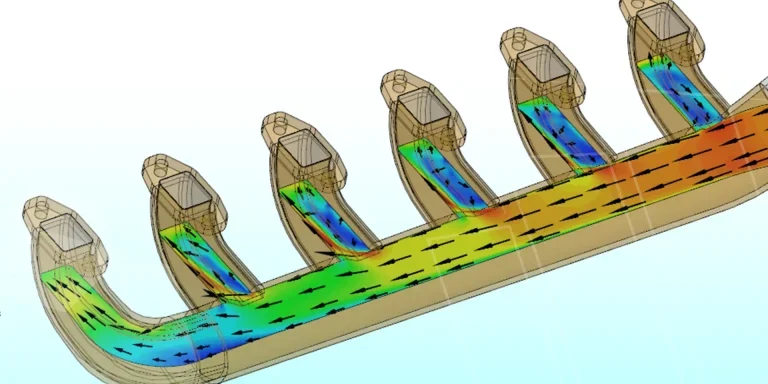
Finding a Good Mesh Fast in SOLIDWORKS Flow Simulation
‘How do I know when to stop my calculation?’ and ‘How do I know my mesh is good enough?’ are questions often asked when running SOLIDWORKS Flow Simulation studies.
The answer is to ensure the solution reached is both fully converged AND mesh independent. In practice this can take a bit of trial and error as well as some experience in the process. However, SOLIDWORKS Flow can help us do both of these at once! Here’s how…

Free Surface Evaluation & Validation – SOLIDWORKS Flow Simulation
In 2018 SOLIDWORKS introduced a new capability to their Flow software. This is called ‘Free Surface’ and opens up many more applications for users who need to simulate fluid behaviour where a gas and a liquid (or two immiscible liquids) share the same region of space without an intervening solid