











What is the SOLIDWORKS Mate Controller and how do you use it?
Written by: Lewys Elvins
Published: Sep 27, 2024
| View All Blogs
It has been 10 years since SOLIDWORKS introduced the Mate Controller – a powerful tool that is often overlooked when it comes to manipulating mechanisms and animating assemblies in SOLIDWORKS.
What is the SOLIDWORKS Mate Controller?
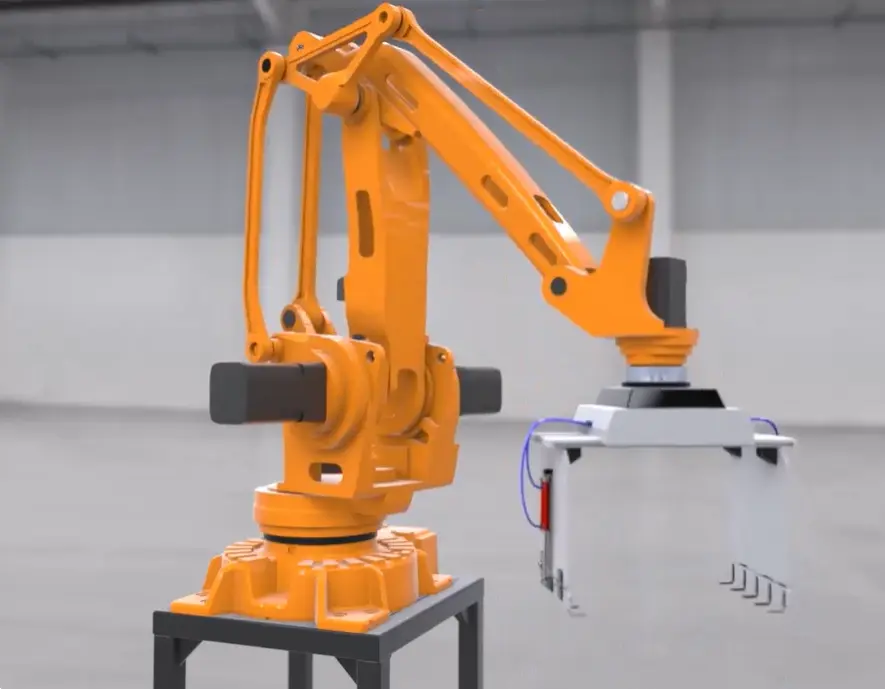
The Mate Controller is a tool in SOLIDWORKS assemblies that allows users to control degrees of freedom and program the position of assembly components.
SOLIDWORKS Mate Controller
As one of the fastest ways to create animations of SOLIDWORKS models, it provides a user-friendly interface for controlling the movement and alignment of components using existing mates.
With the Mate Controller, you can easily define and recall multiple positions of your assembly, making it ideal for creating complex mechanisms and animations.
Which version of SOLIDWORKS is the Mate Controller in?
The Mate Controller comes as part of every version of SOLIDWORKS, from Standard to Ultimate.
If you’re ever unsure what features your SOLIDWORKS contains, or are considering upgrading your SOLIDWORKS package, then check out our handy comparison guide to see what’s included in every SOLIDWORKS package.
Continue your SOLIDWORKS journey with immersive, hands‑on training and unlock your full potential. Gain practical experience, master advanced tools, and build your confidence.
Learn More
4 Reasons to Use the SOLIDWORKS Mate Controller
#1 – Intuitive Interface
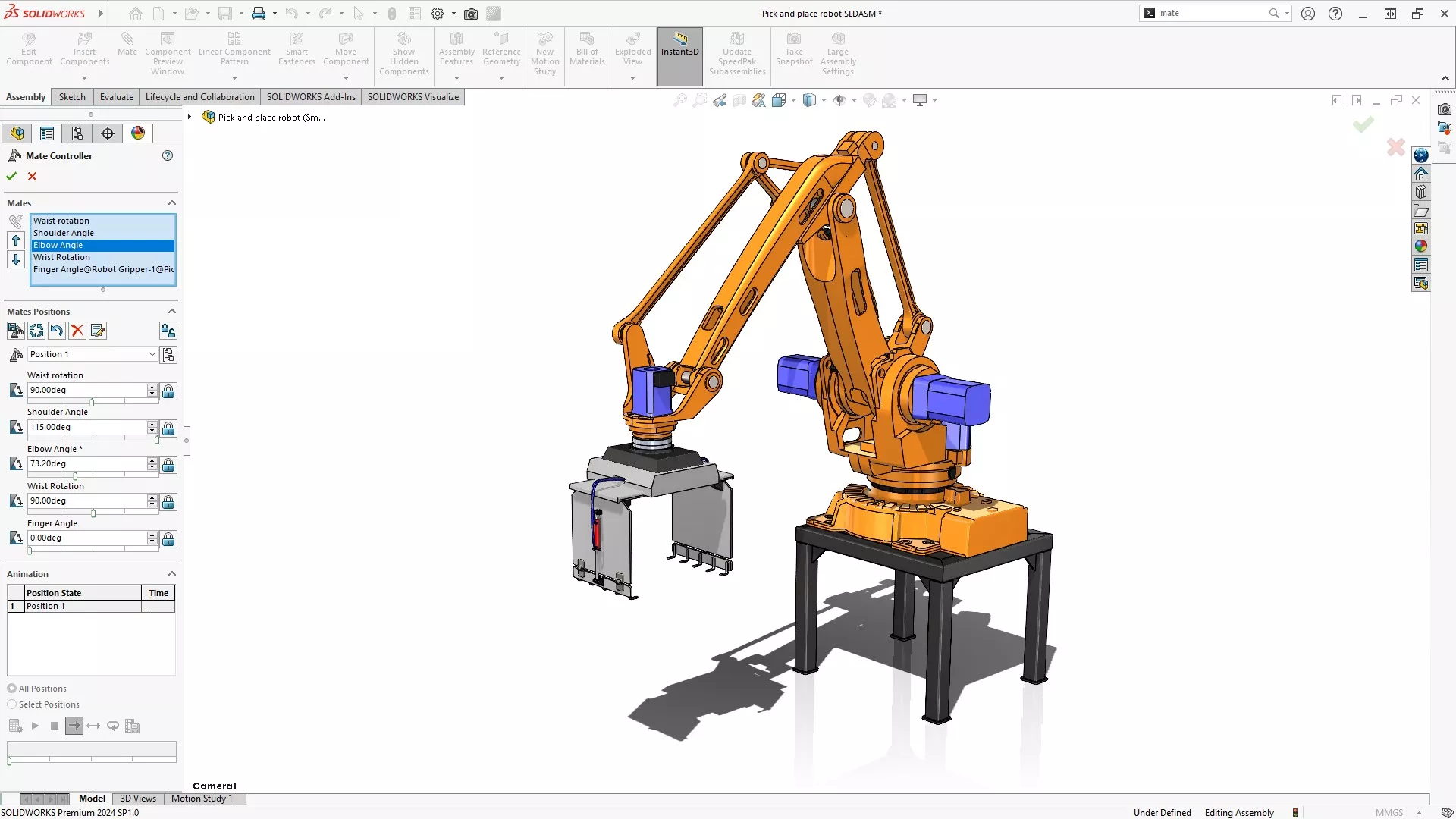
The Mate Controller offers a straightforward interface that simplifies the process of defining and adjusting component positions.
Users can easily select mates and manipulate their values using sliders or input fields, providing precise control over the SOLIDWORKS assembly’s configuration.
#2 – Multiple Position Management
One of the standout features of the Mate Controller is its ability to manage multiple positions within a single SOLIDWORKS assembly.
Program multiple mates at each position and showcase every function of your design by saving different configurations, switching between them effortlessly.
This is particularly useful for assemblies with moving parts or mechanisms that need to be shown in different states.
#3 – Animation Capabilities
The Mate Controller enables users to create smooth animations of their assemblies transitioning between different positions.
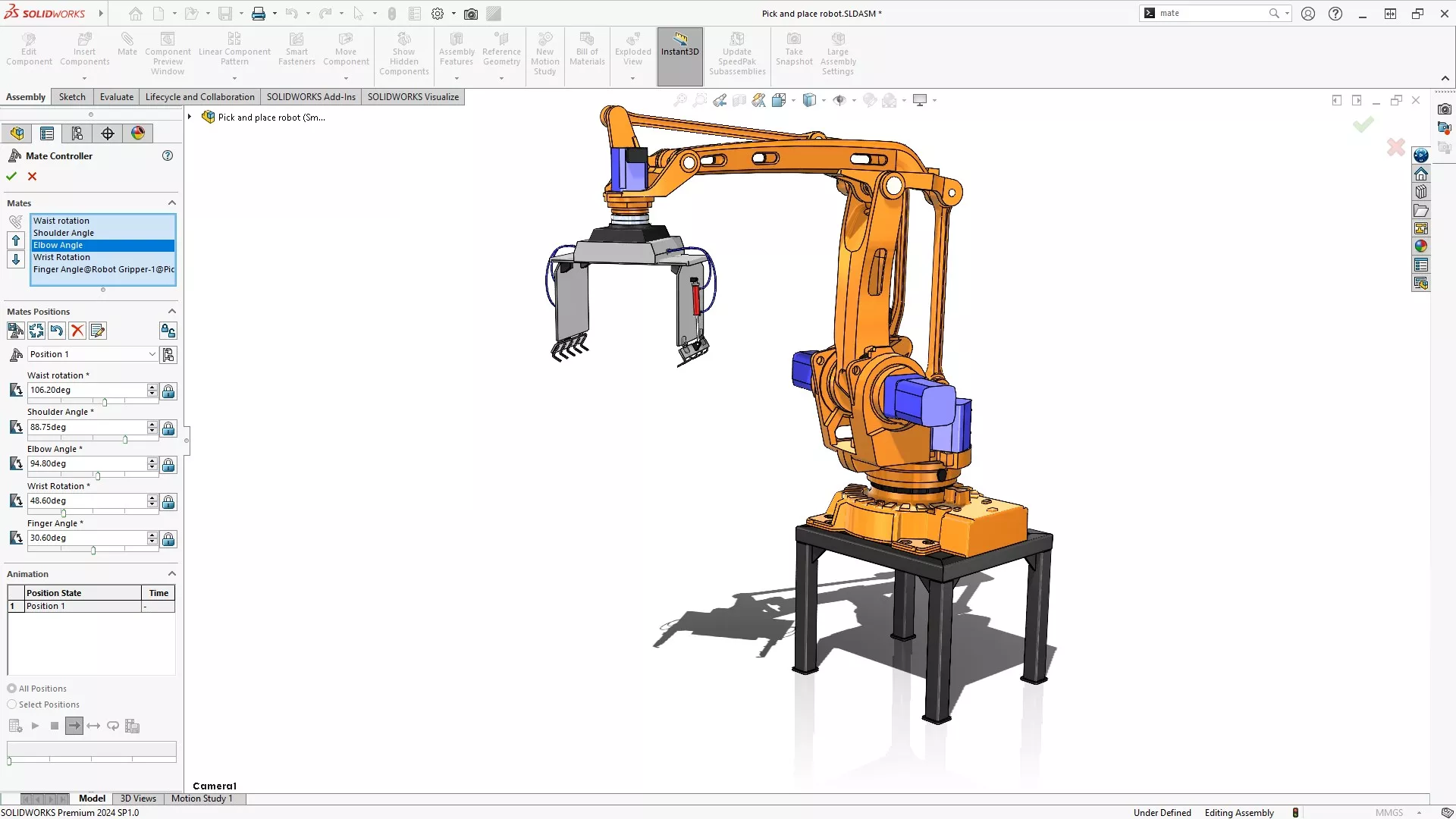
This is invaluable for presentations, demonstrations, and design reviews, allowing designers and colleagues to visualize the movement and functionality of the assembly.
#4 – Streamlined Workflow
By consolidating the management of mates and positions into a single tool, the Mate Controller streamlines the workflow for complex assemblies.
This reduces the time and effort required to manipulate component positions, improving overall productivity and save time.
Quickly Animate Components in SOLIDWORKS
The SOLIDWORKS Mate Controller is a game-changing tool for managing complex assemblies.
Its intuitive interface, multiple position management, and animation capabilities make it an essential feature for engineers and designers.
By enhancing design communication, improving iteration processes, and increasing design flexibility, the Mate Controller empowers users to create more sophisticated and functional assemblies with ease.
Whether you are designing machinery or industrial equipment, the Mate Controller in SOLIDWORKS provides the control and flexibility needed to bring your ideas to life.
Categorised as: SOLIDWORKS Visualize | Visualisation
Get Expert SOLIDWORKS Training
Get hands-on SOLIDWORKS training in-person or online, led by certified experts with real industry experience. With venues across the UK & Ireland, it’s easy to start learning today.
Related Posts

SOLIDWORKS Visualize. Why go pro? – 6 Post Processing
In this blog we will be look at the post-processing options that can be found in SOLIDWORKS Visualize

SOLIDWORKS Visualize. Why go pro? – 7 Lighting
SOLIDWORKS Visualize uses a non-biased rendering engine, which allows for physically accurate lighting within a scene. It generates images with high amount of realism and correct set up can replicate photo studio lighting.

How to Get Your Serial Number for SOLIDWORKS Visualize Standard
Want to download Visualize to make photorealistic renders? Follow this guide for accessing your Visualize serial number that comes bundled in with SolidWorks Professional and Premium.
Creating Interactive Animations with SOLIDWORKS Visualize
Interactive Images are a great export option within Visualize Professional, allowing you to view the model in a series of 360 orbital spins within a web browser.
However, what happens if I want to use this interactive method to demonstrate a mechanism or animation instead?

How to Create 360VR Video using SOLIDWORKS Visualize
Virtual Reality(VR) videos provide one of the most immersive methods of viewing a design concept and can be used to bring your product showcases to the next level. Recently VR has become a valuable tool for many companies when it comes to design reviews and interactive product training. Check out this short blog to learn how to export 360VR videos using SOLIDWORKS Visualize.
Creating a Kicking Tee for the Rugby Lions Series – Modelling Walkthrough
As the Rugby Lions Series continues Solid Solutions and MECAD are continuing to compete off the pitch using SOLIDWORKS. Our second challenge was to create a Kicking Tee, a small yet key piece of equipment that is used almost every game. Various designs exist but we decided to model an adjustable kicking tee. Read on for some SOLIDWORKS tips and an overview of our modelling process.
How to Create Animations in SOLIDWORKS
3D animations are a great way to display your designs, no matter what stage of the design process you are at and can provide companies of almost any industry with huge leverage in improving their operational efficiency. Animated marketing videos are a fantastic way to communicate a message that may be difficult or costly to explain other than by using conceptual animations. They are very flexible with the only limitation being your imagination.
Below is an example of a marketing video of an GoPro gimbal.
SOLIDWORKS Visualize Import Modes – Updated for 2022
If you have been using SOLIDWORKS Visualize 2022 you may have noticed some subtle changes on the import geometry tab from previous versions. These changes weren’t listed in the What’s New documentation and were introduced a little under the radar. In this blog we’ll explain what has changed and how it can save you time.

How to Create Realistic Lighting in SOLIDWORKS Visualize
SOLIDWORKS Visualize is equipped with some simple tools to help you get realistic lighting for your product renders.
SOLIDWORKS Tips: How to Animate Rotations in SOLIDWORKS Visualize
Pivot points hold the key to unlocking awesome animations in SOLIDWORKS Visualize. Check out this walkthrough to learn how to create them easily!