











Turning Operations in SolidCAM: A Guide to Precision and Efficiency

Written by: Tom Buxton
Published: May 22, 2025
| View All Blogs
When turning with a CAM system, you need a system that creates toolpaths quickly, allows finite control when needed, and provides you with opportunities to simulate the machine operation.
These abilities are key to enhancing efficiency and ensure proper operation, whether you are working on basic 2-axis jobs or more intricate mill-turn projects.
This guide walks you through the essential features, advanced techniques, and best practices that make SolidCAM a leading choice for streamlined, high-precision turning.
Why Use SolidCAM for CNC Turning?
SolidCAM is recognised for its seamless integration with CAD platforms like SOLIDWORKS and for delivering a user-friendly interface capable of managing even the most complex machining tasks.
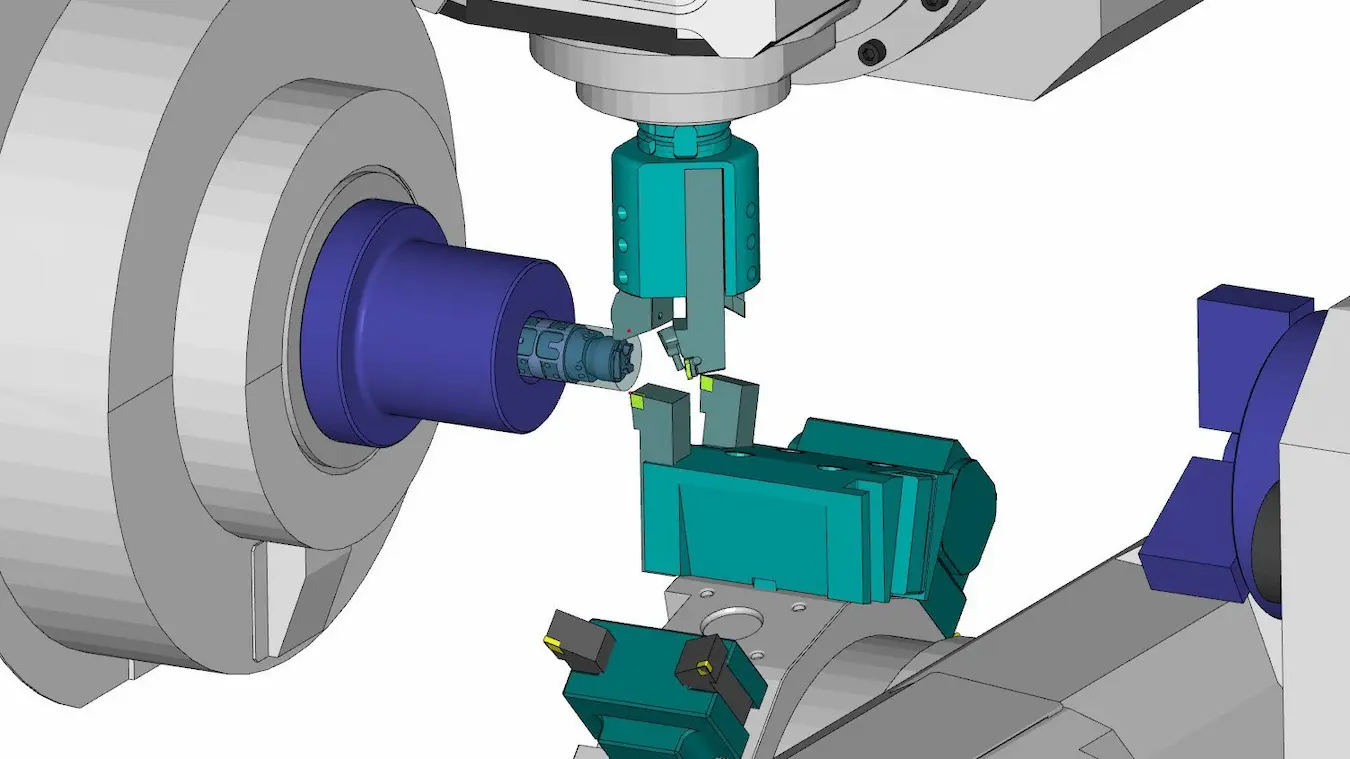
Its Turning Module supports everything from basic turning strategies and adding further modules allow advanced mill-turn operations, making it ideal for shops handling a wide range of parts and production volumes.
With features like front/back turret support and full synchronisation for multi-turret/multi-spindle machines, SolidCAM allows you to reduce programming and process cycle times, increase output, and elevate part quality.
4 Key Features of SolidCAM’s Mill Turn
SolidCAM is a comprehensive CAM solution that allows you to machine with high precision and control. Its turning capabilities help businesses streamline their operations and reduce cycle times.
There are four key features of SolidCAM’s Mill Turn that shop floors should take notice of:
- Toolpath Control
- Machine Control Operations
- Support for Multi-Turret and Multi-Spindle Machines
- Automatic Stock Recognition
#1 – Toolpath Control
SolidCAM gives you detailed control over turning toolpaths, from defined initial and final positions, tool orientation and rotation, to cut direction and balanced roughing.
So whether you’re roughing out large volumes of material or performing fine finishing passes, the software ensures accurate, optimised results.
Its trochoidal turning toolpath help reduce tool wear and extend tool life, improving part consistency and speed up cutting especially for deep grooves, it makes an ideal match for iMachining when programming Mill-Turn.?
#2 – Machine Control Operations
A game changer for users when using any style of lathe, is SolidCAM’s Machine Control Operations (MCO).
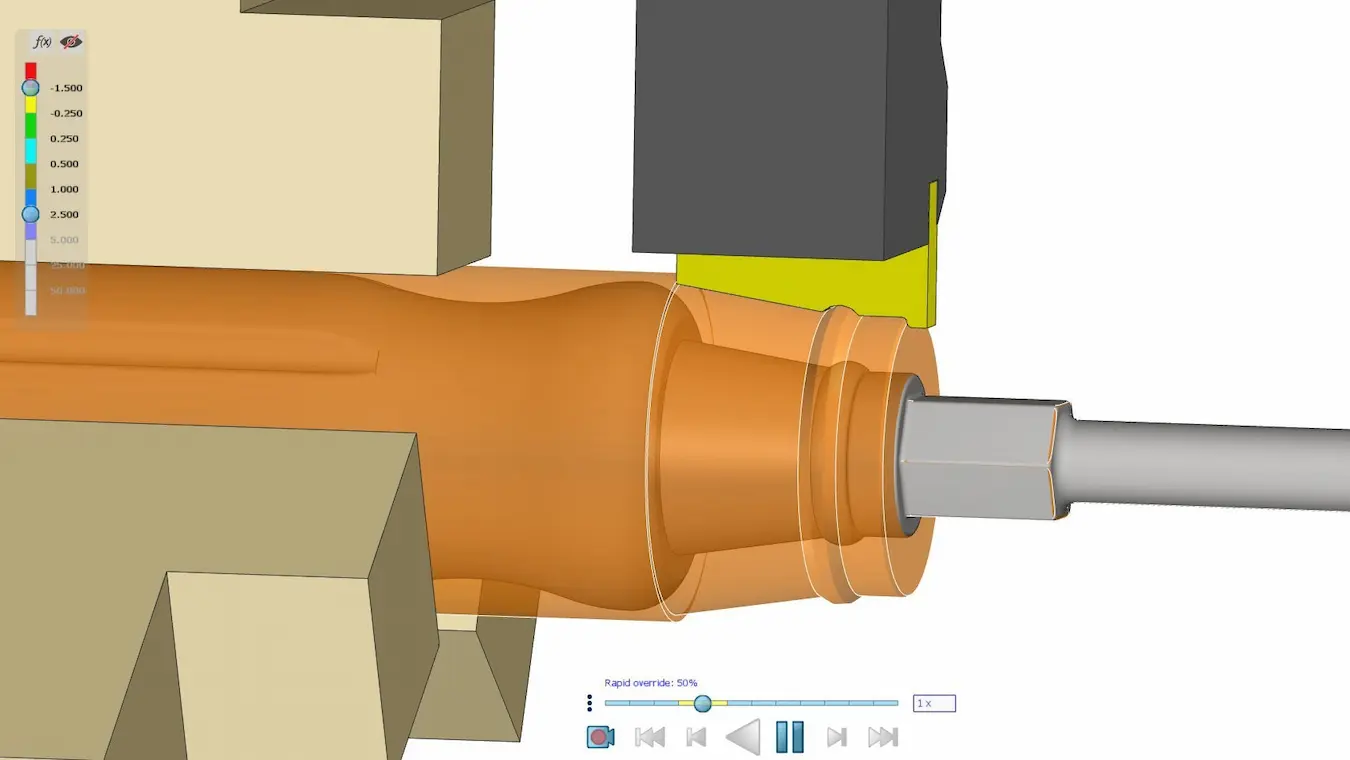
An MCO allows you to move any part of a lathe, whether it will be moving a tailstock, transferring between spindles or even pre-positioning gang tooling.
All this can be made into easily-performed cycles that are displayed graphically in a machine preview, and reviewable through machine simulations.
#3 – Support for Multi-Turret and Multi-Spindle Machines
If you’re using Sliding Head or multi-channel lathes, SolidCAM handles them effortlessly.
You can synchronise operations across multiple machining channels, allowing simultaneous machining and significant time savings, especially in high-mix, high-volume environments.
This can be reviewed in machine simulation to ensure you are working in an optimal way.
Manufacturing in Action
SolidCAM provides seamless integration between SOLIDWORKS CAD and CNC machines. Watch how our Manufacturing experts employ SolidCAM to machine an intricate trophy.
SolidShop extends the base functionality of SolidCAM and SOLIDWORKS to address needs across multiple departments and shop floors to equip businesses with robust tools for modern production needs.
#4 – Automatic Stock Recognition
Little is more frustrating for a machinist than fresh-air cutting. It wastes both precious time and effort.
To avoid this, SolidCAM automatically tracks material removal during each operation.
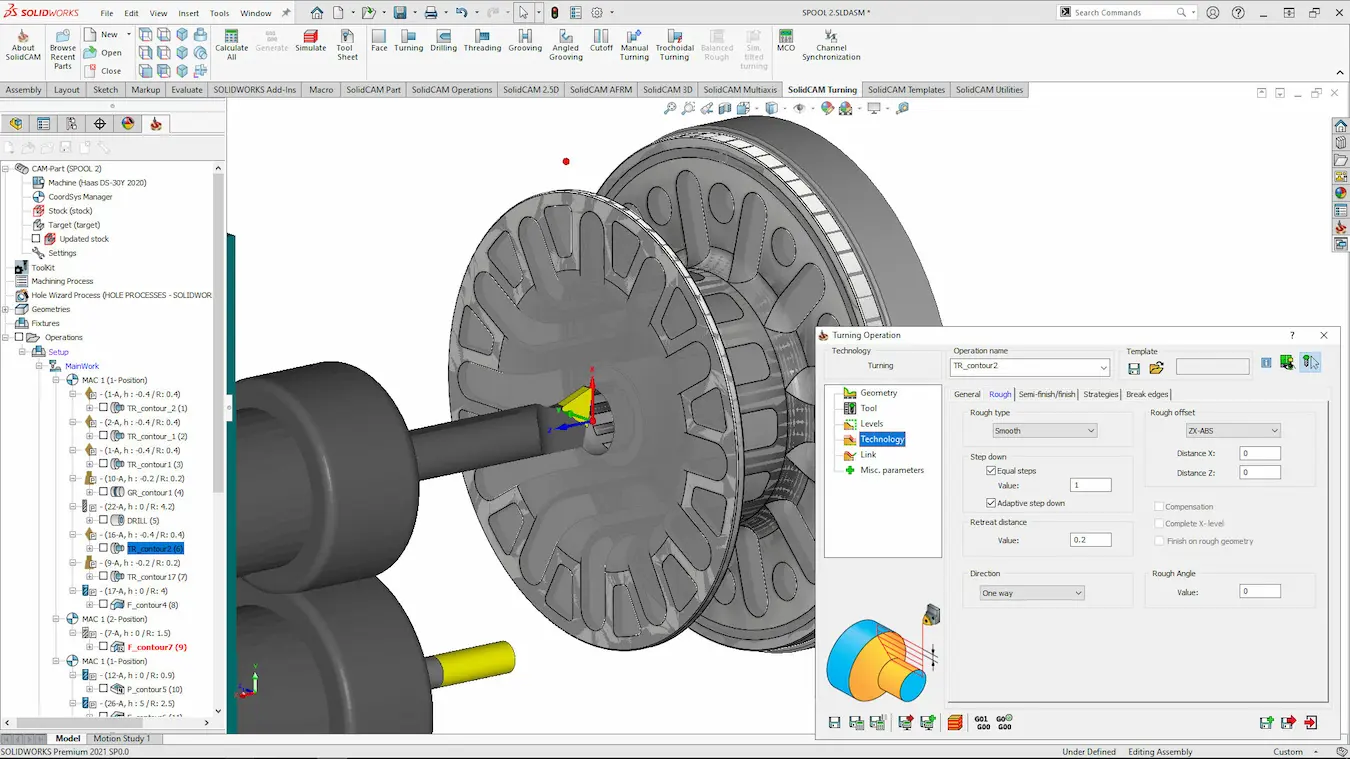
This enables smarter, more efficient toolpaths by avoiding air cuts and reducing redundant motion, making each cut count.
Techniques for Maximising Turning Efficiency
Smart Tool Selection
Choosing the right tool for the geometry is crucial.
SolidCAM allows for precise definition and selection of tools for grooving, threading, and roughing/finishing operations.
Its built-in libraries and simulation tools help verify compatibility and eliminate guesswork before machining.
Leverage Sub-Spindle Machining
For parts that require operations on both ends, SolidCAM enables smooth transfers between the main and sub-spindle.
This minimises manual setups which speeds up part handling, minimises misalignment and keeps the machine cutting as much as possible.
Streamline your production process with SOLIDWORKS manufacturing software designed for efficiency.
Simulation: Your Key to Error-Free Turning
Before hitting cycle start, it’s essential to simulate your toolpaths. SolidCAM’s machine simulation offers robust simulation features, enabling you to:
- Visualise cutting operations in real-time
- Detect potential collisions or tool interferences
- Review noncutting machine positioning
Simulation helps reduce scrap, avoid crashes, and ensure first-pass success.
Best Practices for Mill Turn in SolidCAM
#1 – Separate Roughing from Finishing
Segmenting roughing and finishing passes improves both speed and surface quality.
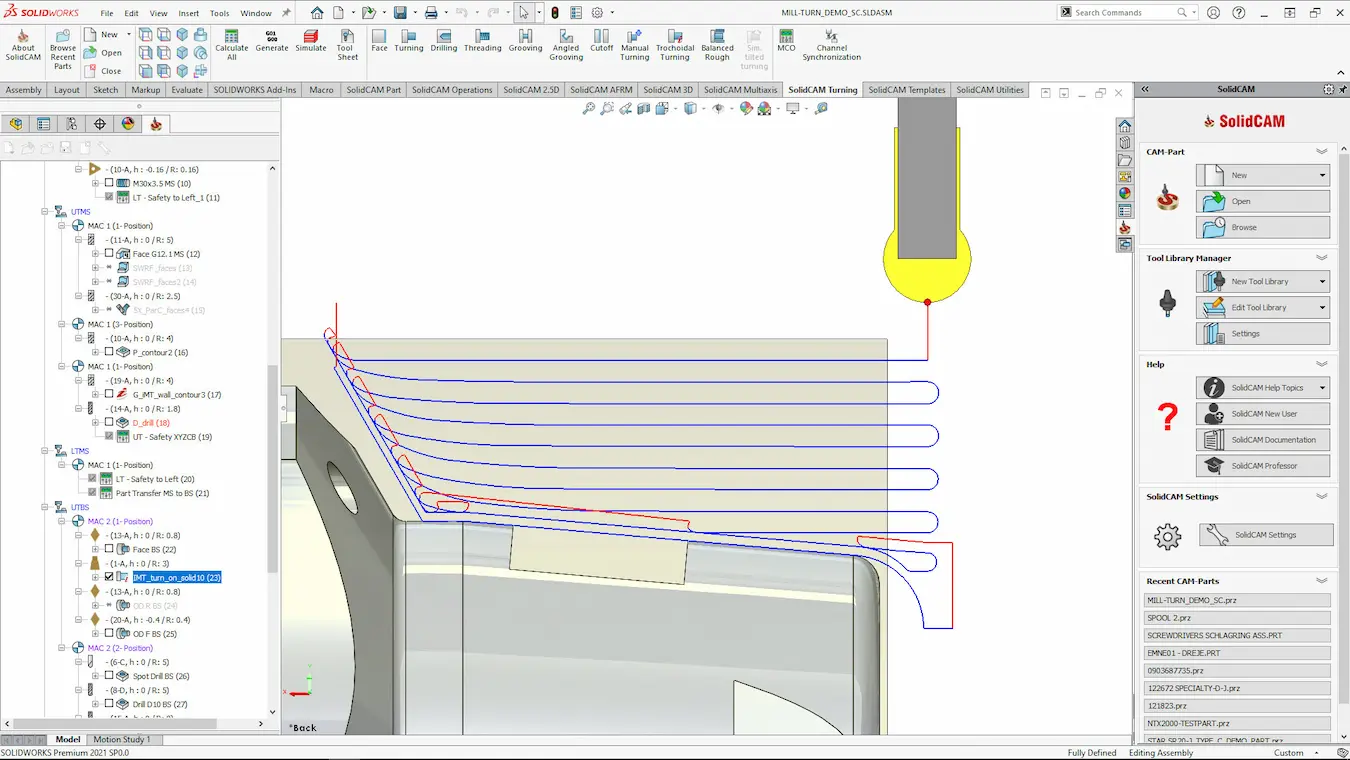
SolidCAM makes it easy to define stock allowances and transition smoothly from bulk removal to fine finishing.
#2 – Create Template Turning Strategies
SolidCAM templates can streamline and make your programming more consistent.
With a drag-and-drop onto a part or the CAM Manager this allows all your toolpath settings to be brought into your wanted geometry with no effort.
#3 – Integrate Mill-Turn Techniques
With SolidCAM’s Mill-Turn Module, you can expand beyond traditional 2-axis turning by adding live tooling and multi-axis strategies, all within a single setup.
This eliminates the need for secondary machines and improves throughput on complex parts.
Make sure to utilise iMachining to further optimise what you can machine!
Boost Your Turning Operations with SolidCAM
SolidCAM empowers machinists with an end-to-end solution for turning, combining deep toolpath control, multi-spindle/multi-turret support, intelligent stock tracking, and high-fidelity simulation.
Whether you’re optimising a single operation or automating complex mill-turn workflows, SolidCAM helps you cut faster, machine smarter, and deliver higher-quality parts.
Take the Next Steps
Ready to elevate your turning process? Discover the modular solution designed for SOLIDWORKS that scales as you grow.
Start by exploring SolidCAM’s full suite of turning capabilities and unlock new levels of precision and efficiency in your shop.
Categorised as: SolidCAM
Get Expert SOLIDWORKS Training
Get hands-on SOLIDWORKS training in-person or online, led by certified experts with real industry experience. With venues across the UK & Ireland, it’s easy to start learning today.
Related Posts

Manufacturing: How to Create Templates in SolidCAM
Using SolidCAM templates reduces repetitive tasks and boosts your productivity. Read on to find out how to create them.
Going for Gold! Achieving Precision Machining Excellence: A Step-by-Step Process
Manufacturing embarked on an exciting journey into the world of precision multi-axis machining. Using advanced…
Maximise your CNC Productivity with SolidCAM’s iMachining
Discover the worst-kept secret to boosting CNC productivity – cut cycle times by 70%, extend tool life, and optimise CNC performance for both 2D and 3D machining!
Streamlining Manufacturing: How SolidCAM’s CAD Integration Boosts Efficiency
Boost efficiency in manufacturing with SolidCAM’s seamless CAD integration, cut errors, speed up production, and streamline your workflow from design to part.
Sliding Head Machining Techniques, Insights, and Best Practices
Master Sliding Head machining with expert tips, best practices, and insights to boost precision, efficiency, and productivity in high-tolerance parts.

How to Choose the Right CAM Software for Shop Floors & Manufacturing
Choosing the right CAM software boosts precision, workflow, and ROI. Look for usability, CAD integration, toolpath control, and strong support to stay competitive.

SOLIDWORKS Competition: Solid Solutions Placement Students Design New Medals for Paris 2024
Three talented students are competing for the adoration of the crowds and the chance to have their design manufactured in time for the first medal ceremony in 2024.
SolidCAM & SOLIDWORKS Compatibility: Which Versions Work Together
SolidCAM’s tight integration with SOLIDWORKS is one of the key reasons it’s trusted by engineers…
SolidCAM in SOLIDWORKS: What ‘Full CAD Integration’ Really Delivers
In today’s fast-paced manufacturing environment, efficiency and accuracy are paramount. Many professionals face daily frustrations…
Zero to G-Code: A Guide to Customising Your SolidCAM Post Processor
Even the best CAM strategy is only as effective as the G-code it produces. In…